Chromatic Melancholy ENB for FNV
⚪ Last updated 2017⚠️ Install Order · 5 steps
Install in this order, then this mod last — most mods fail to load without their framework and dependencies in place.
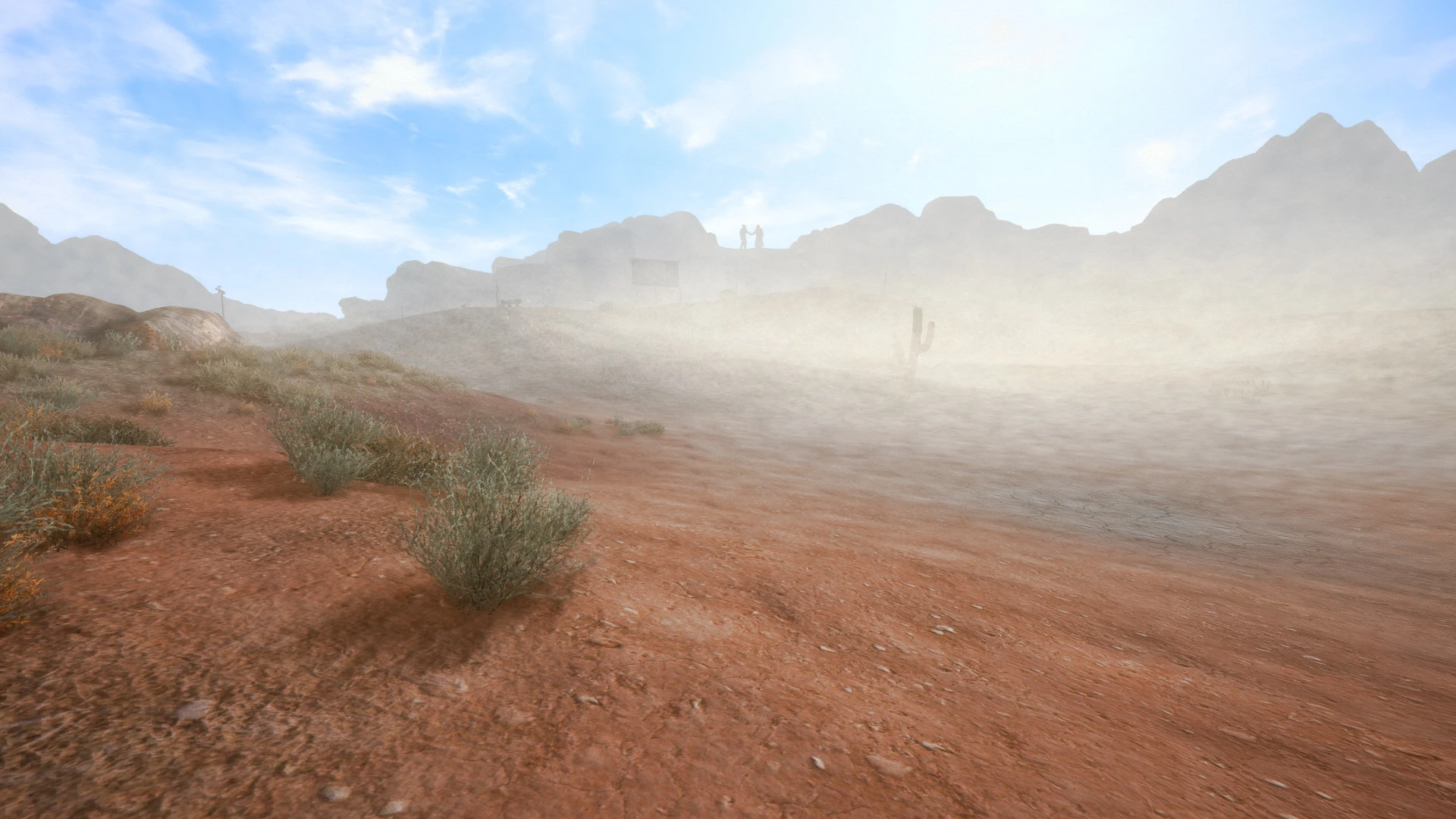
Preview
🔍 Analysis
- 👍 3.3% endorsement rate — high engagement, a strong quality signal
- 🏆 #10 of 25 ENB presets mods in this game by downloads
📋 About This Mod
1. Download the v0278 binaries or higher from
enbdev.comOn the binary's download page, the download button is at the bottom of the page on the left.
2. Open the "Wrapper" folder. Copy & Paste only the d3d9.dll and enbhost into your main fallout folder.
program files (x86) > steam > steamapps > common > fallout new vegas
Some Fallout NV 4GB Launcher users have to put the d3d9.dll into the "exes" folder.
3. Download Chromatic Melancholy ENB. Open the download and copy/paste the following:
a. enbseries folder, b. enblocal and c. enbseries ini file into your main fallout folder.
4. Turn OFF hardware Anti-aliasing & Anisotropic filtering. ENB handles both of these.
Failing to do this step will lead to see-through walls, mountains, water and more.
You must also make sure HDR is ON in the game launcher as well.
5. That's it! Hope to see some screenshots :)Enhanced Blood Textures Improved LOD Noise Texture NMC Texture Pack. I use the Medium Version Wasteland Flora Overhaul aMidianBorn NV Book of Water Fallout Character Overhaul Electro-City Relighting the Wasteland Interior Lighting Overhaul Wasteland Hi-Res Retexture Flashlight NVSE
This preset does not rely on any weather mods. Please don't ask if it works with any specific ones, I do not use them.
I have an i7 4790k CPU @ 4. 5 ghz, EVGA GTX 980 Ti 6GB SC, and 16GB RAM. No FPS hit. Results will vary.
Boris Vorontsov - for creating the enbseries and making ENB presets possible. Tansarville - for compiling Prod's code into a Fallout shader and being kind enough to allow me to use it. Prod80 - Tonemapping, Technicolor 2-3 Strip, Color Tinting, HSL, Levels, AFX, Layer, Black and white Filter code. ZeroKing - for help porting Blur into my effect file. Kingeric - for the awesome lens effects JawZ for the Letterbox co
Chromatic Melancholy ENB is a vibrant ENB preset for Fallout: New Vegas, ported from Fallout 3 by Slothability. It aims to bring life back into the Mojave with enhanced colors and atmosphere. With 923 endorsements and 28,038 downloads, it's a popular choice for players seeking a more colorful wasteland.
✨ Key Features
📊 Pros & Cons
✅ Pros
- Community favorite with 923 endorsements and over 28k downloads.
- Brings vibrant colors to the often dull Mojave, making the wasteland feel more alive.
- Simple to install—just drop the files into your FNV directory.
⚠️ Cons
- Last updated in 2017, so it may not be fully compatible with the latest game patches or other mods.
- Requires an ENB series binary, which is not included and must be downloaded separately.
- Vibrant presets aren't for everyone—if you prefer a gritty, realistic look, this might not be your cup of tea.
For Fallout: New Vegas players who want to inject color and vibrancy into the Mojave without tweaking ENB settings themselves. If you're into gritty, desaturated wastelands, skip this—it's all about vivid hues.
💡 Beginner Tips
- Make sure you have the latest ENB Series binary for Fallout: New Vegas installed first, as this preset only includes the configuration files.
- After installing, launch the game and check the in-game ENB menu (Shift+Enter) to adjust settings if the preset looks too bright or too dark for your taste.
- If you use other visual mods like weather or lighting overhauls, test compatibility—this preset may override some of their effects.
📊 Mod Details
- Game
- New Vegas Mods
- Author
- Slothability
- Version
- v2.0
- Downloads
- 28,038
- Endorsements
- 923
- Category
- ENB presets
- Created
- 4/8/2016
- Updated
- 1/2/2017
🔧 How to Install New Vegas Mods
Download from Nexus.
📖 Full step-by-step install guide for New Vegas →
Visit the official mod page for specific installation instructions for this mod.
🎮 Need cheat codes or console commands? Check ur gaming wiki for New Vegas commands, item IDs, and more.
Keep browsing — more New Vegas mods await