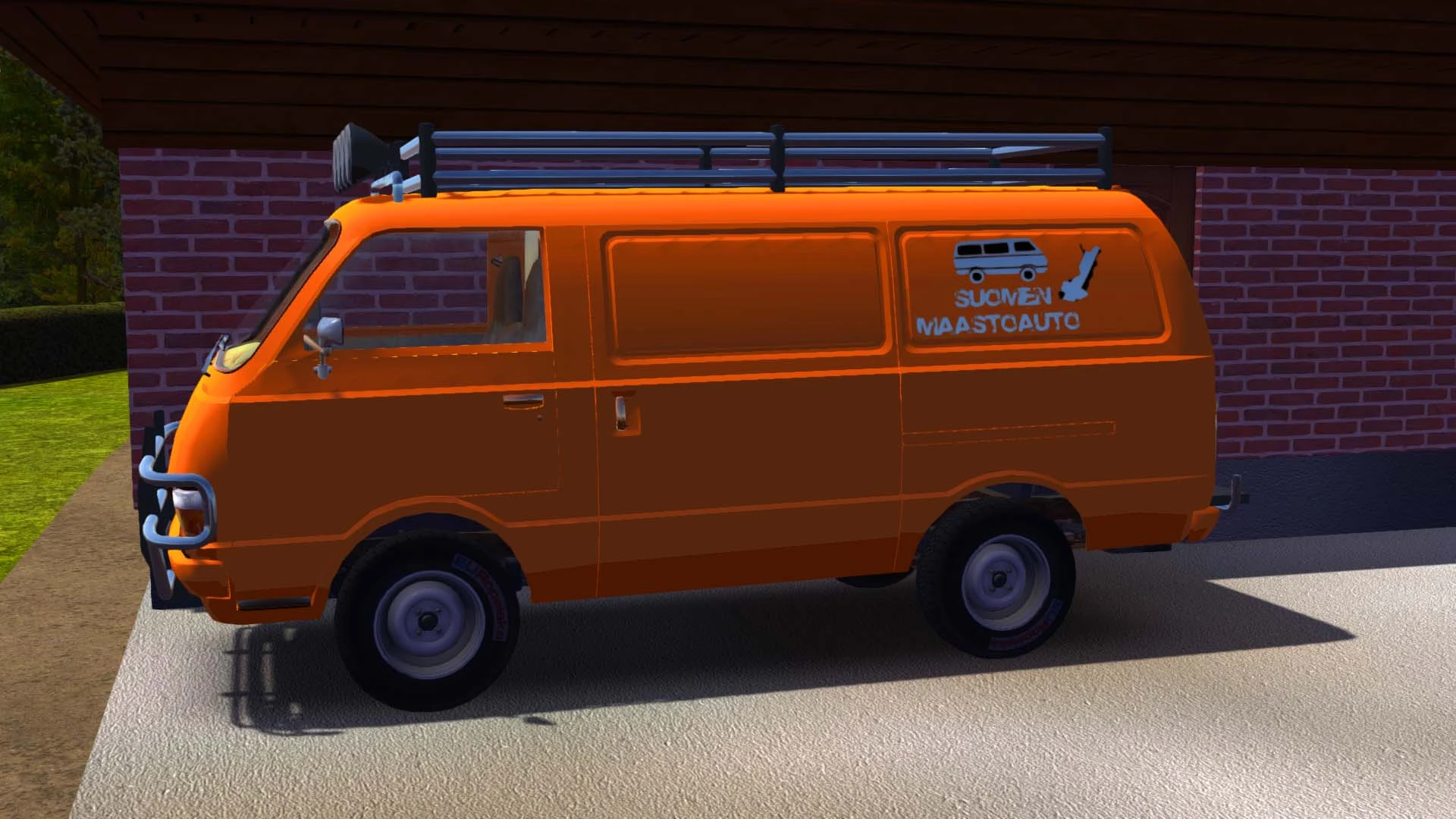
Hayosiko Off-Road Look
🟠 Updated over a year agoPreview
🔍 Analysis
- 👍 3.1% endorsement rate — high engagement, a strong quality signal
- 🏆 #11 of 131 Vehicles mods in this game by downloads
📋 About This Mod
8sNxvLUyTgg
Requirements:
How to install:
Unzip the content into your Mod folder
Features:
Toggleable Off-road Look
Front and Back Bullbar
Functioning Roof Lights
Dashboard Switch box in the Van cabin
Option to change switch box position
New Off-road Wheels and Tires
Changable Color of the Van by a slider
Changable Color of the Van Wheels by a slider
Colors available in RGB
Option to Save and Load Color and Look Settings
You can configure parts in the Mod Loader settings menu.
Bugs:
- Not fully compatible with Vehicle Texture Swap Mod
Now you can enable/disable every additional part on the van through mod settings. Only disable/enable stuff in main menu. Van colors and height works in realtime, in game.
Mod is only visual representation of Off-road, does not have any functionality of a 4x4 vehicle.
I recommend also downloading Hayosiko 4x4 mod to have fully functional 4x4 experience.
In case of unknown bugs, be sure to post them in the "Bugs" section of this mod.
This mod adds a toggleable off-road visual upgrade for the Hayosiko van in Project Zomboid. It's a simple cosmetic enhancement for players who want a rugged look for their vehicle. With 1,770 endorsements and 57,749 downloads, it's a popular choice for van enthusiasts.
✨ Key Features
📊 Pros & Cons
✅ Pros
- Community favorite with 1,770 endorsements and 57k downloads—clearly a hit.
- Simple toggle feature means no hassle—just flip it on for that rugged vibe.
- Lightweight cosmetic mod that won't bloat your save.
⚠️ Cons
- Only affects the Hayosiko van—if you drive other vehicles, this won't help.
- Last updated January 2025—might not be compatible with future game patches.
For Project Zomboid players who love the Hayosiko van and want a tougher look without changing gameplay. Perfect for roleplayers and screenshot enthusiasts. Skip if you're looking for performance or handling changes—this is purely visual.
💡 Beginner Tips
- Check the mod's Steam Workshop page for the default toggle key—if not listed, try checking the mod options in the pause menu.
- Make sure the mod is enabled in your save's mod list before loading your game.
- If you're using other vehicle mods, load order might matter—place this one after other vehicle overhauls.
📊 Mod Details
- Game
- Mysummercar Mods
- Author
- RedJohn260
- Version
- 2.0.2
- Downloads
- 57,749
- Endorsements
- 1,770
- Category
- Vehicles
- Created
- 12/30/2018
- Updated
- 1/8/2025
🔧 How to Install My Summer Car Mods
Download from Nexus Mods.
📖 Full step-by-step install guide for My Summer Car →
Visit the official mod page for specific installation instructions for this mod.
🎮 Need cheat codes or console commands? Check ur gaming wiki for My Summer Car commands, item IDs, and more.
Keep browsing — more My Summer Car mods await