Fast Dialogue (UPDATED)
🟡 Updated this yearPreview
🔍 Analysis
- 👍 0.7% endorsement rate
- 🏆 #9 of 32 User Interface mods in this game by downloads
📋 About This Mod
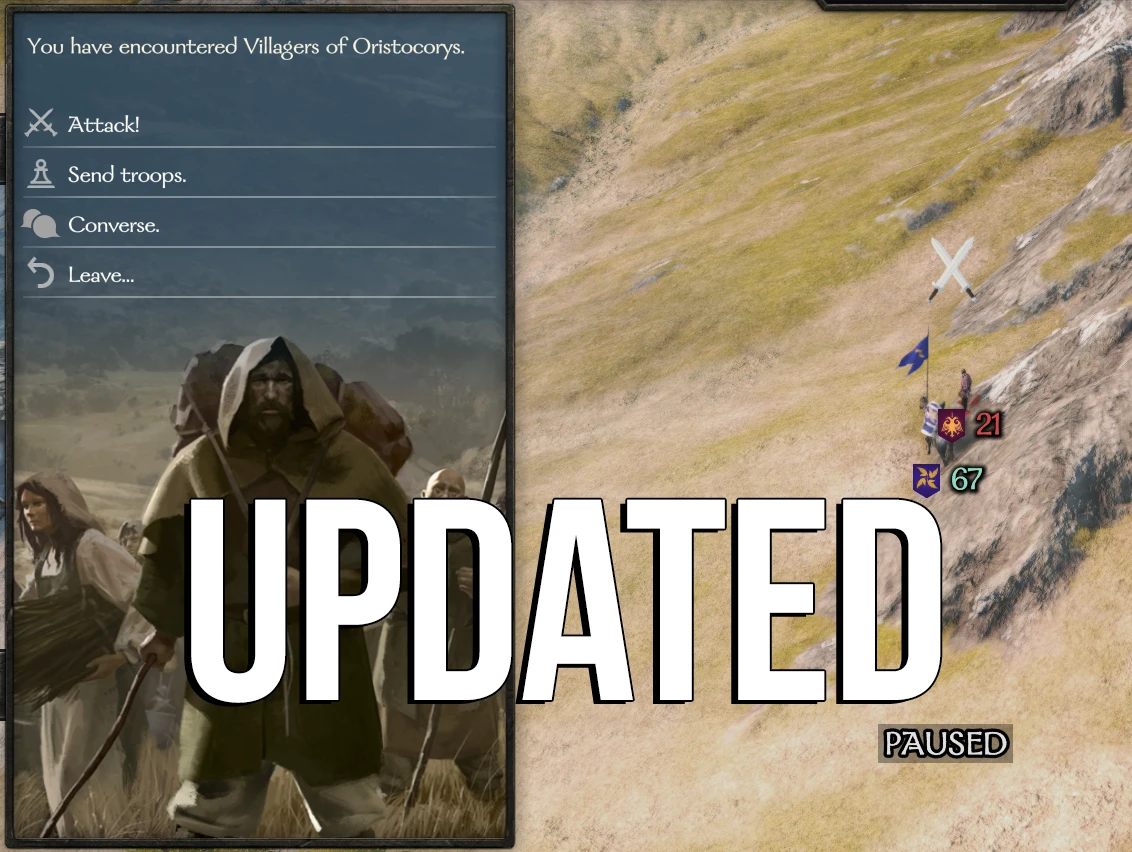
Fast Dialogue by Dallen1393 updated for working with the full release!Removes loading screens from interactions with essentially all map interactions. Including lords, bandits, villagers, caravans, and small faction meetings.
An updated version of the Fast Dialogue mod originally created by Dallen1393.
Original mod : https://www.nexusmods.com/mountandblade2bannerlord/mods/68
Interacting with looters, bandits, and enemy lords now uses menus instead of dialogue interactions. This removes at least two unnecessary
loading screens.
INSTALLATION
-
[]Install latest version of Harmony[/]
[]Install the mod with Vortex manager, or extract manually in your Modules folder[/]
[]Load MBFastDialogue after Harmony and default modules on the launcher[/]
[]Check that the DLLs are not blocked
MBFastDialogue > bin > Win64_Shipping_Client > Right click on MBFastDialogue.dll > Propriety > If it is blocked, you will see "Unblock DLL", click on it.[/]
Settings
You can choose which parties are affected by the mod by editing the settings.xml in the root of the mod folder.
By default, settings.xml looks like this and affects all parties :
<MBFastDialogue. Settings>
<pattern_whitelist>
<!--pattern>looter</pattern-->
<!--pattern>bandit</pattern-->
</pattern_whitelist>
<toggle_key>X</toggle_key>
</MBFastDialogue. Settings>
For example, if you want the mod affect only looters and bandits, you can uncomment these lines :
<MBFastDialogue. Settings>
<pattern_whitelist>
<pattern>looter</pattern>
<pattern>bandit</pattern>
</pattern_whitelist>
<toggle_key>X</toggle_key>
</MBFastDialogue. Settings>
FOR MODDERS
From version 2. 5. 9, menu options added to the native menu ID "encounter" by mods are automatically added to Fast Dialogue.
If you wish to add specific menu options to Fast Dialogue, add them to menu ID "fast_combat_menu".
LANGUAGE SUPPORT
The mod supports all languages available in the game.
Any issues or questions?
Don't hesitate to use the "posts" and "bugs" tabs!
Credits
All credits go to their original creators (Dallen1393 & Aragasas). Thanks to them!
The updated version includes minor fixes and compatibility patch for the latest version.
Github : https://github.com/FlorianV85/MBFastDialogueUpdated
📊 Mod Details
- Game
- Mountandblade2bannerlord Mods
- Author
- ORIGINAL MOD by Dallen and Aragasas
- Version
- v4.0.0
- Downloads
- 171,791
- Endorsements
- 1,152
- Category
- User Interface
- Created
- 10/29/2022
- Updated
- 6/11/2026
🔧 How to Install Mountandblade2bannerlord Mods
Download from Nexus Mods.
📖 Full step-by-step install guide for Mountandblade2bannerlord →
Visit the official mod page for specific installation instructions for this mod.
🎮 Need cheat codes or console commands? Check ur gaming wiki for Mountandblade2bannerlord commands, item IDs, and more.
Keep browsing — more Mountandblade2bannerlord mods await