Vanilla Style Scroll
⚪ Last updated 2024⚠️ Install Order · 2 steps
Install in this order, then this mod last — most mods fail to load without their framework and dependencies in place.
Preview
🔍 Analysis
- 👍 7.1% endorsement rate — high engagement, a strong quality signal
- 🏆 #54 of 95 User Interface mods in this game by downloads
📋 About This Mod
Requirements
- []Morrowind
Not required, but strongly recommended:
-
[]Vanilla Style Book Menu by ButchAmy
[]Comrade Raven's Book Arts Replacer
[]If you play with OpenMW, you may also like TrueType fonts for OpenMW + optional hd texture buttons
Description
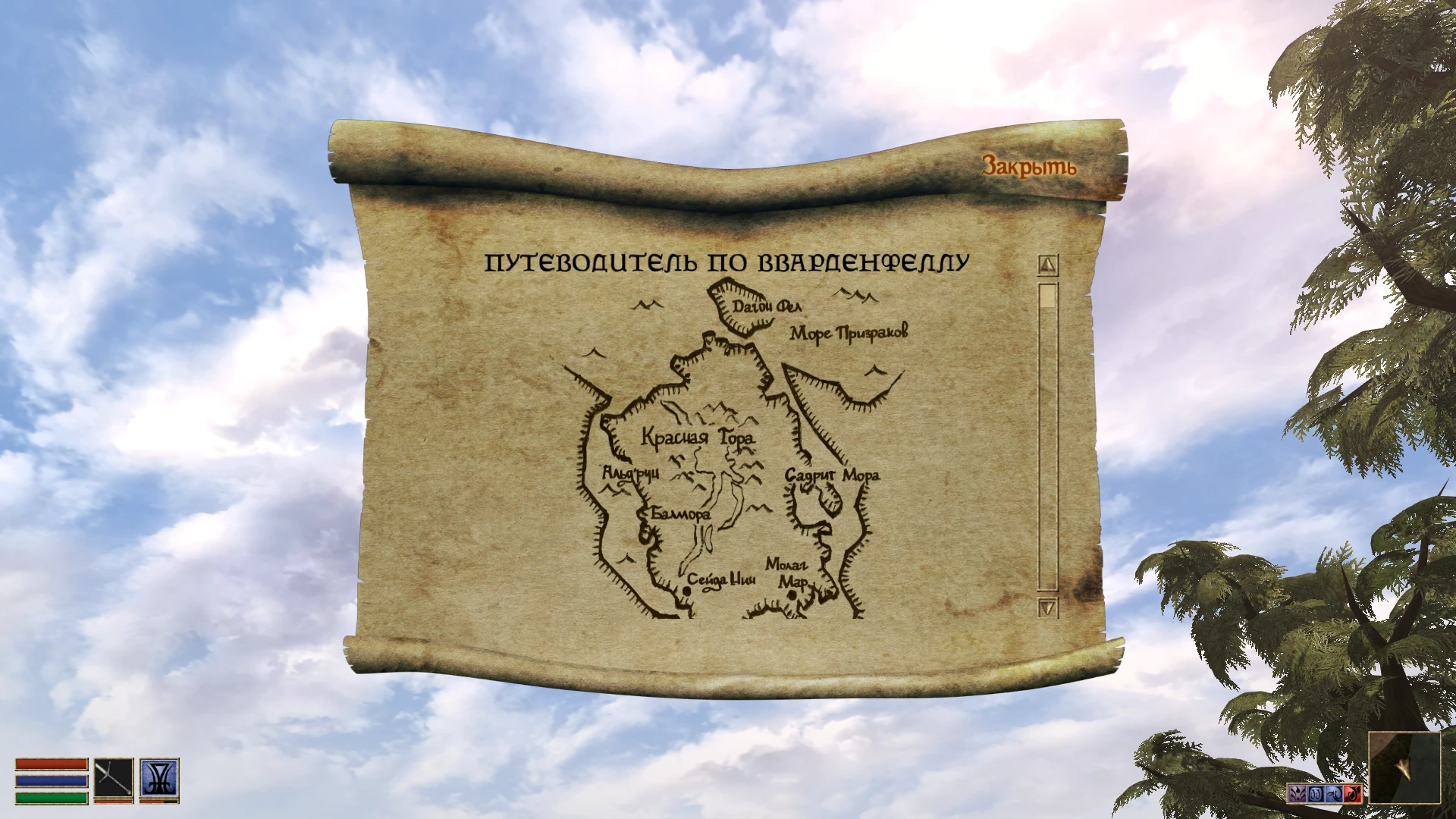
A new texture for in-game scroll interface made close to vanilla look.
Permissions
Modify my mod without credits or permission
Installation
Choose resolution from 512x512 (vanilla size), 1024x1024 and 2048x2048, then copy Textures folder to your Morrowind\Data Files. Overwrite scroll.dds if needed. Since this is only a texture, it will work with both original MW engine (with or without MGE) and OpenMW.
Removal
Delete a file scroll.dds from your Morrowind\Data Files\Textures or overwrite this file with other scroll replacer you like.
Incompatibilities
Other mods that change scroll texture.
A simple texture replacement that gives the in-game scroll interface a cleaner, vanilla-consistent look. With 110 endorsements and 1,547 downloads, it's a niche UI polish mod for players who want a subtle visual upgrade without straying from the original art style.
✨ Key Features
📊 Pros & Cons
✅ Pros
- Community-approved with 110 endorsements, so it's got a solid base of happy users.
- Downloads are healthy (1,547) for a niche UI tweak, meaning it's getting noticed.
- Vanilla-style approach means it won't clash with the game's original aesthetic.
⚠️ Cons
- Only one texture change—if you're expecting a full UI overhaul, this isn't it.
- No screenshots or detailed description, so you're flying blind on what the final look actually is.
For players who love the original scroll UI but want a slightly refreshed texture that stays true to vanilla. If you're a purist who hates mods that change the game's look, this is a safe bet. Skip if you want a complete UI redesign or need visual previews before installing.
💡 Beginner Tips
- Since it's a texture replacer, make sure you place the file in the correct game directory—check the mod's file structure after download.
- If you're using a mod manager, try installing through that first to avoid manual folder errors.
- Back up your original texture file if you want to revert easily, though the mod is small and easy to remove.
📊 Mod Details
- Game
- Morrowind Mods
- Author
- kotbaioun
- Version
- 1.0
- Downloads
- 1,547
- Endorsements
- 110
- Category
- User Interface
- Created
- 4/21/2024
- Updated
- 4/22/2024
🔧 How to Install Morrowind Mods
Download from Nexus.
📖 Full step-by-step install guide for Morrowind →
Visit the official mod page for specific installation instructions for this mod.
🎮 Need cheat codes or console commands? Check ur gaming wiki for Morrowind commands, item IDs, and more.
Keep browsing — more Morrowind mods await