StixsworldHD's HD-4K Experience
⚪ Last updated 2021⚠️ Install Order · 2 steps
Install in this order, then this mod last — most mods fail to load without their framework and dependencies in place.
Preview
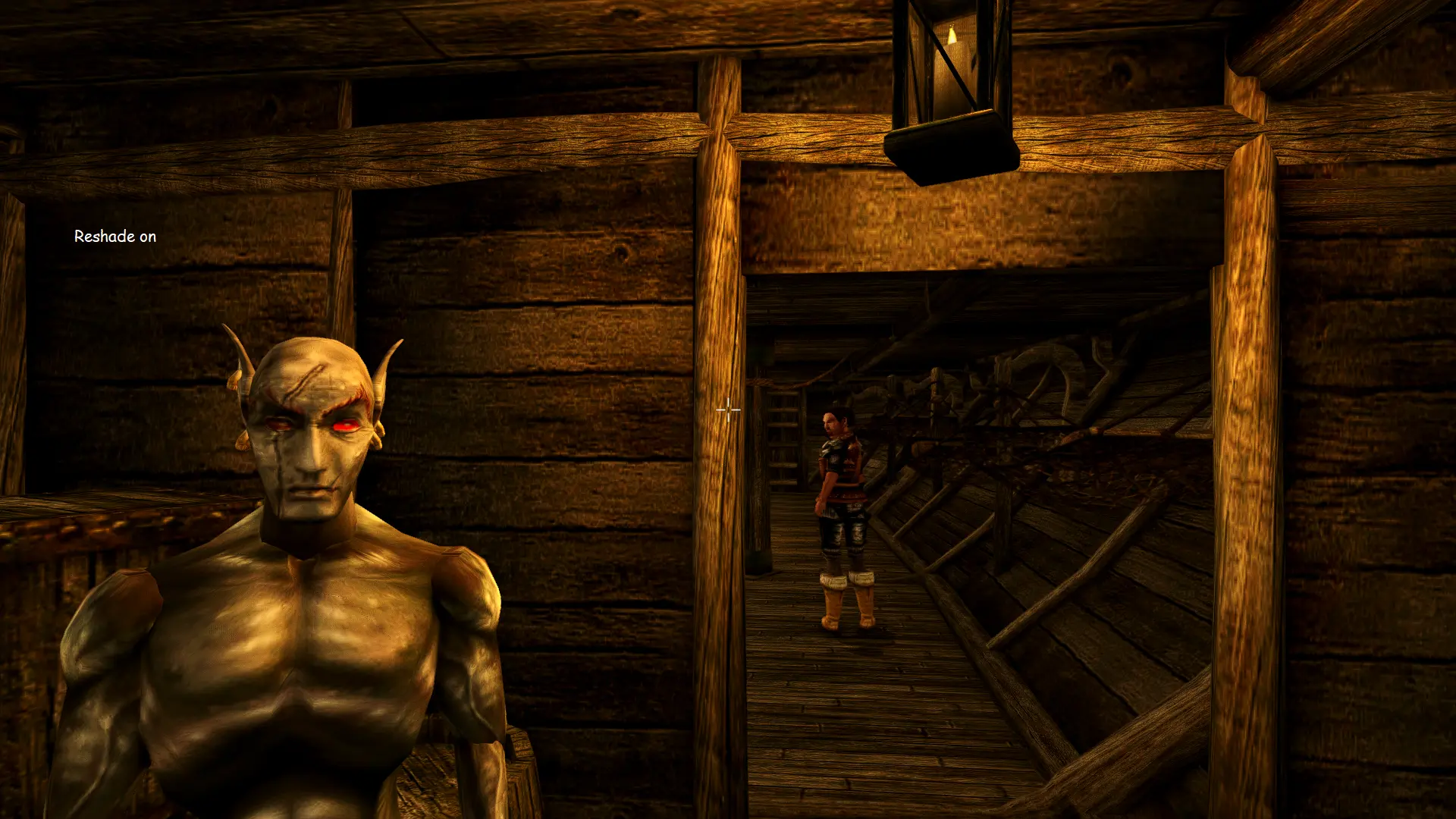
🔍 Analysis
- 👍 6.2% endorsement rate — high engagement, a strong quality signal
📋 About This Mod
This mod/preset is designed to help you get the sharpest, cleanest image you may get out of your game without the need to force anything upon your gpu and taken a massive performance hit.
I spent many years injecting shaders into games and for the longest time I was like everyone else and always skrewing over the lighting and actually making the overall image blurrier than it by default was. This the final product of solving those issues.
INSTALLATION:
-
[]Get MCP and install it
[]Get MGE XE and install it to your liking
[]Goto https://reshade.me/ and download the latest version
[]Run the file after the download finishes
[]Click on "Click here to select a game and manage its ReShade installation"
[]Either wait and click the game in the auto search or click the bottom right corner button, "Browse...", and search for the game's exe. Ex: Morrowind.exe
[]When prompted with the question, "Which rendering API does Morrowind use?", select "Direct3D 9"
[]Check mark "Standard effects", "SweetFX by Ceejay.dk", and "qUINT by Marty McFly"
[]Click "OK"
[]I highly recommend then clicking on "Edit ReShade settings"
[]Then checking off on "Skip Tutorial" then "OK"
[]Close ReShade installer
[]Download my mod/preset and just extract it where you installed ReShade or where the game's exe is located
[]ENJOI
NOTE: Instructions with a * next to them are highly recommended before installing ReShade... I would say they are required but you could technically use dgvoodoo2's dx8 wrapper to get the job done as well.
StixsworldHD's HD-4K Experience is an ENB preset for Skyrim that aims to deliver a sharp, clean image without forcing heavy GPU load. With 41 endorsements and 660 downloads, it's a niche choice for players seeking visual clarity with minimal performance impact. Last updated in August 2021.
✨ Key Features
📊 Pros & Cons
✅ Pros
- Performance-friendly approach: focuses on sharpness without heavy GPU strain, so you can keep your frames.
- Small but active community: 41 endorsements and 660 downloads show it's got a dedicated following.
- Simple goal: if you want a clean, crisp image without fiddling with tons of settings, this preset does exactly that.
⚠️ Cons
- Last updated in 2021 — might not be fully compatible with the latest Skyrim patches or ENB versions.
- Low endorsement count (41) means it's not widely tested; you might hit unexpected issues.
For Skyrim players who want a sharper image without sacrificing performance, especially those with mid-range GPUs. If you're after a dramatic visual overhaul with fancy effects, this isn't it — it's about clean, crisp visuals. Skip if you need extensive customization or modern ENB features.
💡 Beginner Tips
- Make sure you have ENBSeries installed first, as this preset relies on it.
- Back up your current ENB files before overwriting, so you can revert if needed.
- Test in a few different weather conditions to see if the sharpness holds up.
📊 Mod Details
- Game
- Morrowind Mods
- Author
- StixsmasterHD4k
- Version
- v1.0
- Downloads
- 660
- Endorsements
- 41
- Category
- ENB Preset
- Created
- 8/24/2021
- Updated
- 8/24/2021
🔧 How to Install Morrowind Mods
Download from Nexus.
📖 Full step-by-step install guide for Morrowind →
Visit the official mod page for specific installation instructions for this mod.
🎮 Need cheat codes or console commands? Check ur gaming wiki for Morrowind commands, item IDs, and more.
Keep browsing — more Morrowind mods await