Morrowind Enchanted Editor
🟠 Updated over a year ago⚠️ Install Order · 2 steps
Install in this order, then this mod last — most mods fail to load without their framework and dependencies in place.
Preview
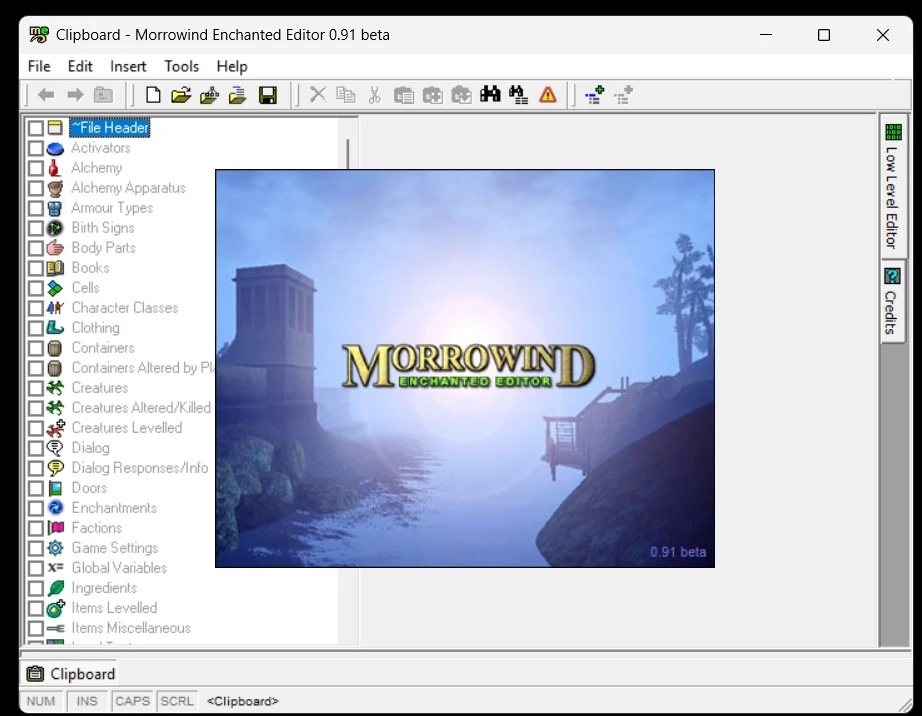
🔍 Analysis
- 👍 4.4% endorsement rate — high engagement, a strong quality signal
- 🏆 #8 of 48 Utilities mods in this game by downloads
📋 About This Mod
Morrowind Enchanted Editor
by Farren HaydenThis is a modding tool designed to do things that
a) you can't do in Construction Kit
b) are difficult in Contruction Kit
Its not intended to replace but to complement the CK. The CK hides certain information from you and doesn't do save games. At a certain level, however, master files, plugins and save games have exactly the same structure. The Enchanted Editor shows you the information at this level. Its not intended for anyone who isn't willing to occassionally squint at the screen and think hard, because obviously the higher level information in CK is more meaningfully laid out. However if you put in the effort you have complete control over everything in a plugin, master or save game, rather than the limited control you have in CK.
You can always edit any file in a hex editor but that doesn't interpret information for you, which the Enchanted Editor does. So in a hex editor your character name in your save game looks like this (decimal): 68, 105, 101, 115, 101, 108 whereas in this editor it shows up as "Diesel". Of course in this editor its shown in the structure it appears in in the underlying file rather than the nice bundled together on a form way it does in CK. In CK, for instance, to get to an NPC Faction and rank you must double click that NPC and get a nice layed out form. In the Enchanted Editor you have to find the "NPC_" record, scroll down to the "ANAM" subrecord, and edit or read the data in it.
TESAME, a great tool used by many modders to access at this level and clean up stuff they can't get to in the CK, also accesses at this level, but doesn't allow editing of subrecords. This editor not only allows editing, but tailors the editing to the type of subrecord and property being edited. File lookups have a browse files (...) button. Entries that look up other records (like the class for an NPC) have a lookup (...) button. Book text entries not only allow you to edit the HTML text of the book, but actually preview what the book will look like with a Morrowind paper background! Access the player journal ("JOUR") record in your save game, open the "NAME" subrecord and edit the "Text" property and voila, a custom entry in your journal!
In other words it gives you the advantage of a low level editor, but packed with high level functionality to make low level editing easier. I hope this helps you understand what the Enchanted Editor does.
--------------------------------------------------------------------------
Exaample: Reduce a 5mb Save Game File to 1MB (major FPS increase and kills most "doubling"")
--------------------------------------------------------------------------
This technique has some quirks like resurrecting all dead characters but does not break quests or change characters attitudes to yo
Morrowind Enchanted Editor is a user-friendly utility for editing Morrowind game files, including ESM, ESP, and ESS savegames. It allows players to adjust in-game values directly, making it a handy tool for modders and players who want to tweak their game. With 131 endorsements and recent updates, it's a niche but active utility.
✨ Key Features
📊 Pros & Cons
✅ Pros
- Handles all three major file types (ESM, ESP, ESS) in one tool — that's a solid all-in-one for Morrowind modding.
- User-friendly design means you won't need a degree in hex editing to tweak values.
- Recently updated (Jan 2025) so it's likely compatible with current setups.
⚠️ Cons
- Only 131 endorsements — it's a niche tool, so community feedback is limited.
- Description cuts off mid-sentence, so you're not getting the full feature list upfront.
- No explicit mention of compatibility with Morrowind Code Patch or OpenMW — you'll want to test that yourself.
For Morrowind modders who want a straightforward way to edit ESM/ESP files or tweak savegame values without diving into complex tools like the Construction Set. Also for players who like to fine-tune their game stats directly. Skip if you're only looking for gameplay overhauls — this is a utility, not content.
💡 Beginner Tips
- Before editing any ESM or ESP, make a backup of your original files — Morrowind modding can be unforgiving if you mess up.
- If you're using OpenMW, test the tool on a dummy save first to ensure it reads the save format correctly.
- Use the tool to adjust values like gold or attributes on a test character to get a feel for the interface before touching your main save.
📊 Mod Details
- Game
- Morrowind Mods
- Author
- Farren Hayden
- Version
- 0.91c
- Downloads
- 2,985
- Endorsements
- 131
- Category
- Utilities
- Created
- 1/18/2025
- Updated
- 1/19/2025
🔧 How to Install Morrowind Mods
Download from Nexus.
📖 Full step-by-step install guide for Morrowind →
Visit the official mod page for specific installation instructions for this mod.
🎮 Need cheat codes or console commands? Check ur gaming wiki for Morrowind commands, item IDs, and more.
Keep browsing — more Morrowind mods await