Modset x86 - Mod Organizer for Morrowind.
⚪ Last updated 2017⚠️ Install Order · 2 steps
Install in this order, then this mod last — most mods fail to load without their framework and dependencies in place.
Preview
🔍 Analysis
- 👍 4.3% endorsement rate — high engagement, a strong quality signal
- 🏆 #23 of 48 Utilities mods in this game by downloads
📋 About This Mod
Not needed anymore (I guess, haven't tried it). Go and get Mod Organizer Support Plugin by Schilduin instead.
Description
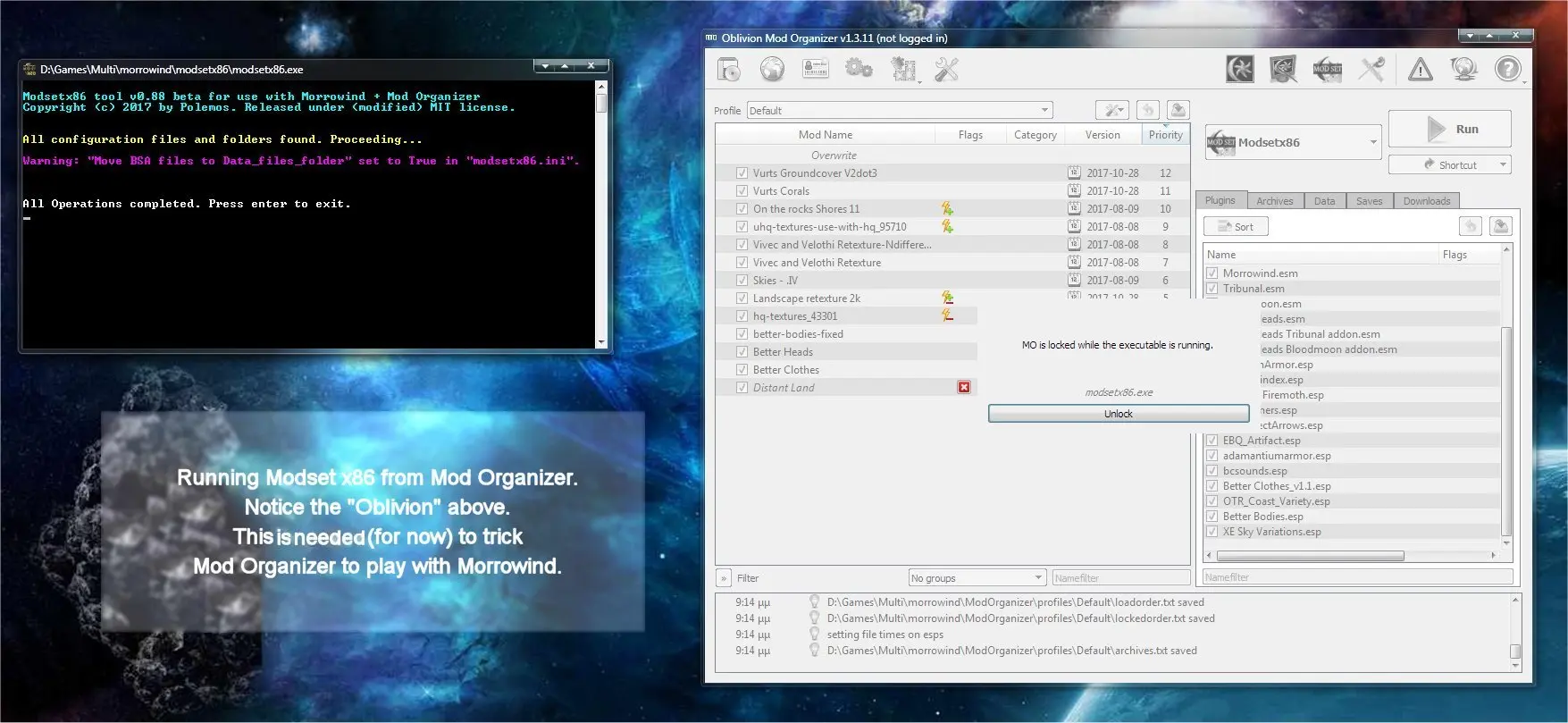
Modsetx86 is a tool designed with the goal of enabling Morrowind to work with Mod Organizer.
1) It is tested and working with mlox by using "Momlox - mlox launcher" (in the files section).
2) It is tested and working with MGE XE.
3) It transfer all mods into Morrowind, and time stamps them.
4) It transfers all BSAs into Morrowind, and time stamps them, effectively nullifying the need to use any BSA registration utility.
-Download Mod organizer version v1_3_11 from Nexus (link below). Not any other version,
-Inside Mod Organizer in Settings => "Workarounds" uncheck "Display mods installed outside MO".
-Add Modsetx86 (and any other tools you need) in Mod Organizer,
-Run Modsetx86 every time you make any changes in your mods (only your mods on the right pane, not needed for changes in the left pane).
NOTICE: This tool makes Mod Organizer able to work with your mod installation. To make Mod Organizer identify Morrowind is a different story. A guide for that is in the comments section.
Installation
Manual Install:
--Extract the contents of the compressed file you have downloaded.
-Copy the "modsetx86" folder from inside the extracted folder into where you put your utilities for Morrowind.
=> Configure the modsetx86.ini inside the folder you have installed Modsetx86 tool.<=
-Create a shortcut for the tool and you are done.
Update:
-Backup your "modsetx86.ini"-delete everything inside modsetx86 folder.-run the new modsetx86 to get a default modsetx86.ini-compare your old modsetx86.ini with the new and copy your entries.
Uninstallation:
-Set "Move BSA files to Data_files_folder = False" in "Modsetx86.ini",
-Run Modsetx86,
-Delete the modsetx86 fold
Modset x86 is a utility that enables Morrowind to work with Mod Organizer, transferring mods and BSAs into the game with timestamps. Tested with MGE XE, it simplifies mod management for Morrowind players. With 75 endorsements and last updated in 2017, it remains a niche but functional tool.
✨ Key Features
📊 Pros & Cons
✅ Pros
- Solves a real headache: getting Mod Organizer to play nice with Morrowind.
- Handles BSA transfer automatically, saving you from manual extraction.
- Works with MGE XE, so you can keep your graphics enhancements.
⚠️ Cons
- Last updated in 2017 — might be outdated for current Morrowind setups.
- Only 75 endorsements, so it's a niche tool with limited community testing.
For Morrowind modders who prefer Mod Organizer's virtual file system but struggle with the game's compatibility. If you're tired of manually juggling mods and BSAs, this utility could streamline your setup. Skip if you're happy with your current mod manager or play without MGE XE.
💡 Beginner Tips
- Make sure you have Mod Organizer installed and configured for Morrowind before using this tool.
- Back up your Morrowind Data folder before running the transfer, just in case.
- Test with a single mod first to ensure the timestamping works as expected.
📊 Mod Details
- Game
- Morrowind Mods
- Author
- Polemos
- Version
- v0.88b
- Downloads
- 1,744
- Endorsements
- 75
- Category
- Utilities
- Created
- 11/10/2017
- Updated
- 11/10/2017
🔧 How to Install Morrowind Mods
Download from Nexus.
📖 Full step-by-step install guide for Morrowind →
Visit the official mod page for specific installation instructions for this mod.
🎮 Need cheat codes or console commands? Check ur gaming wiki for Morrowind commands, item IDs, and more.
Keep browsing — more Morrowind mods await