Decorator plus
⚪ Last updated 2013⚠️ Install Order · 2 steps
Install in this order, then this mod last — most mods fail to load without their framework and dependencies in place.
Preview
🔍 Analysis
- 👍 6.6% endorsement rate — high engagement, a strong quality signal
- 🏆 #12 of 48 Utilities mods in this game by downloads
📋 About This Mod
This mod has been discontinued, R. I. P.
Please use Perfect placement by Hrnchamd:
https://www.nexusmods.com/morrowind/mods/46562
Old description:
*****************************************************************************************
**************************************************************************************
By Raveren (raveren@gmail.com)
Current Version: 1. 1. 1 (2006-11-14, latest and most probably final)
**************************************************************************************
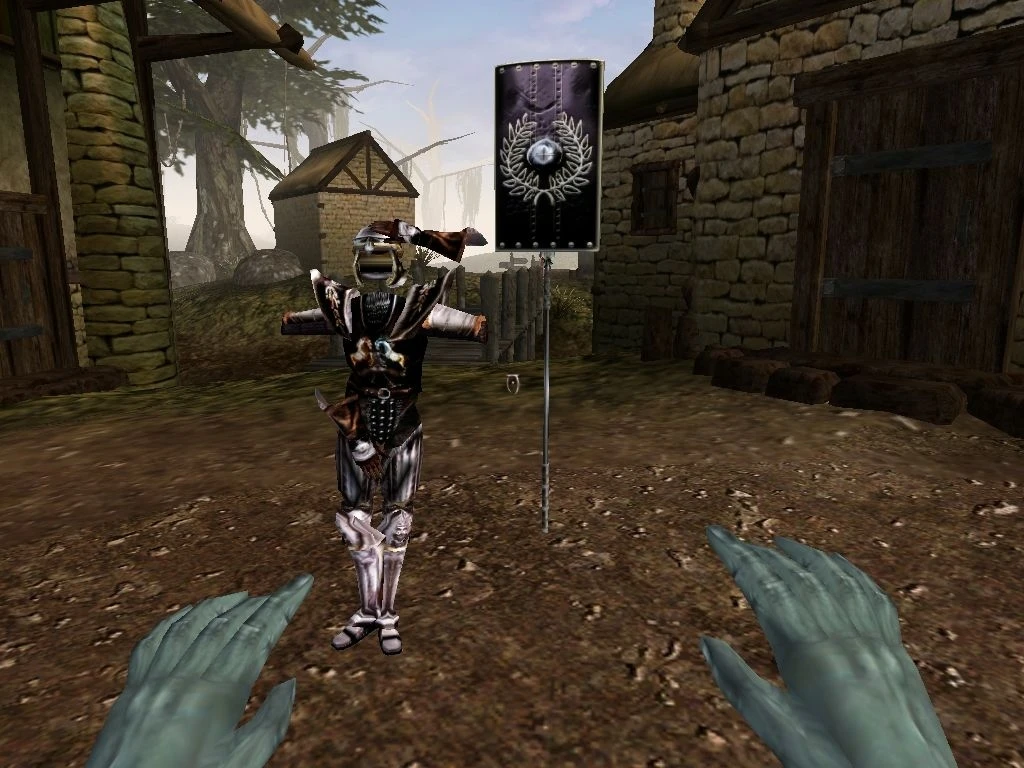
This mod lets you easily and conflict-free rotate/position/
scale/delete almost any item in the game world. As an added bonus
lets raise dead people and creatures and shows the original owner
of selected items.
Decorator+ is actually a greatly improved, seamless mash-up of
two of my released plugins - undo death and rotate enhanced.
Playing the Plugin***
The first time you load this plugin, you will be presented with
a notification, telling you to select a key to bind with the
Decorator+ main menu. Press whichever key on the keyboard and
your configuration is done.
At anytime while looking directly at an item (with its name
showing under the crosshair), press the key you chose before.
You will be presented with a menu, which should be
self-explanatory. Some words on some of the entries:
"Pause 3 sec" - gives you 3 seconds to look around the item
without the menus. After 3 seconds you are presented again
with the main menu
"Set Main Key" - lets you bind another key with the main menu
"Rotate/Position" - the main part of this plugin. Gives another
menu to control the facing and coordinates of the item. Choose
"Begin" to start. You control the attributes with your arrow
keys and page up/page down like this:
x axis - Left: decrease, Right: increase value
y axis - Down: decrease, Up: increase value
z axis - Pgdn: decrease, Pgup: increase value
ENTER - confirm/return
To toggle between positioning/rotating press the main key you
associated before. When rotating, PRESS AND HOLD the SHIFT key
to rotate in 45° steps.
Note that there are issues with the game that reset the
position of an item to previous values if its scale was altered
in the same save game. If you must alter the position AND the
scale of one item you are advised to reload the game before
doing one or the other action. The plugin tries to stop you
from doing otherwise.
Controlling Scale:
Up - enlarge, Down - shrink the item,
ENTER - confirm/return
Selecting a corpse will bring up a smaller menu, that lets y
Decorator plus is a utility mod for Skyrim that lets you rotate, position, scale, and delete almost any item in the game world. It also allows you to raise dead people and creatures and shows the original owner of selected items. It does not modify the original game and works on a wide range of objects.
✨ Key Features
📊 Pros & Cons
✅ Pros
- Community-trusted with 165 endorsements and 2,485 downloads.
- Adds powerful world-editing tools without altering the base game.
- Unique bonus features like raising the dead and owner display set it apart.
⚠️ Cons
- Last updated in 2013 — may be incompatible with current Skyrim versions.
- Utility mods like this can be tricky to master; expect a learning curve.
For Skyrim players who love building and customizing their world, especially modders and roleplayers who want to place items precisely or create unique scenes. Also for those who want to experiment with raising the dead in creative ways. Skip if you prefer gameplay over world-building.
💡 Beginner Tips
- Since the mod is from 2013, check if it works with your Skyrim version (Oldrim vs Special Edition) before installing.
- Use the rotate and scale functions on small items first to get a feel for the controls.
- When raising the dead, be aware that it may affect game balance if used in combat.
📊 Mod Details
- Game
- Morrowind Mods
- Author
- Raveren
- Version
- 1.1.1
- Downloads
- 2,485
- Endorsements
- 165
- Category
- Utilities
- Created
- 2/22/2013
- Updated
- 2/22/2013
🔧 How to Install Morrowind Mods
Download from Nexus.
📖 Full step-by-step install guide for Morrowind →
Visit the official mod page for specific installation instructions for this mod.
🎮 Need cheat codes or console commands? Check ur gaming wiki for Morrowind commands, item IDs, and more.
Keep browsing — more Morrowind mods await