Warmy Colors Reshade
⚪ Last updated 2018Preview
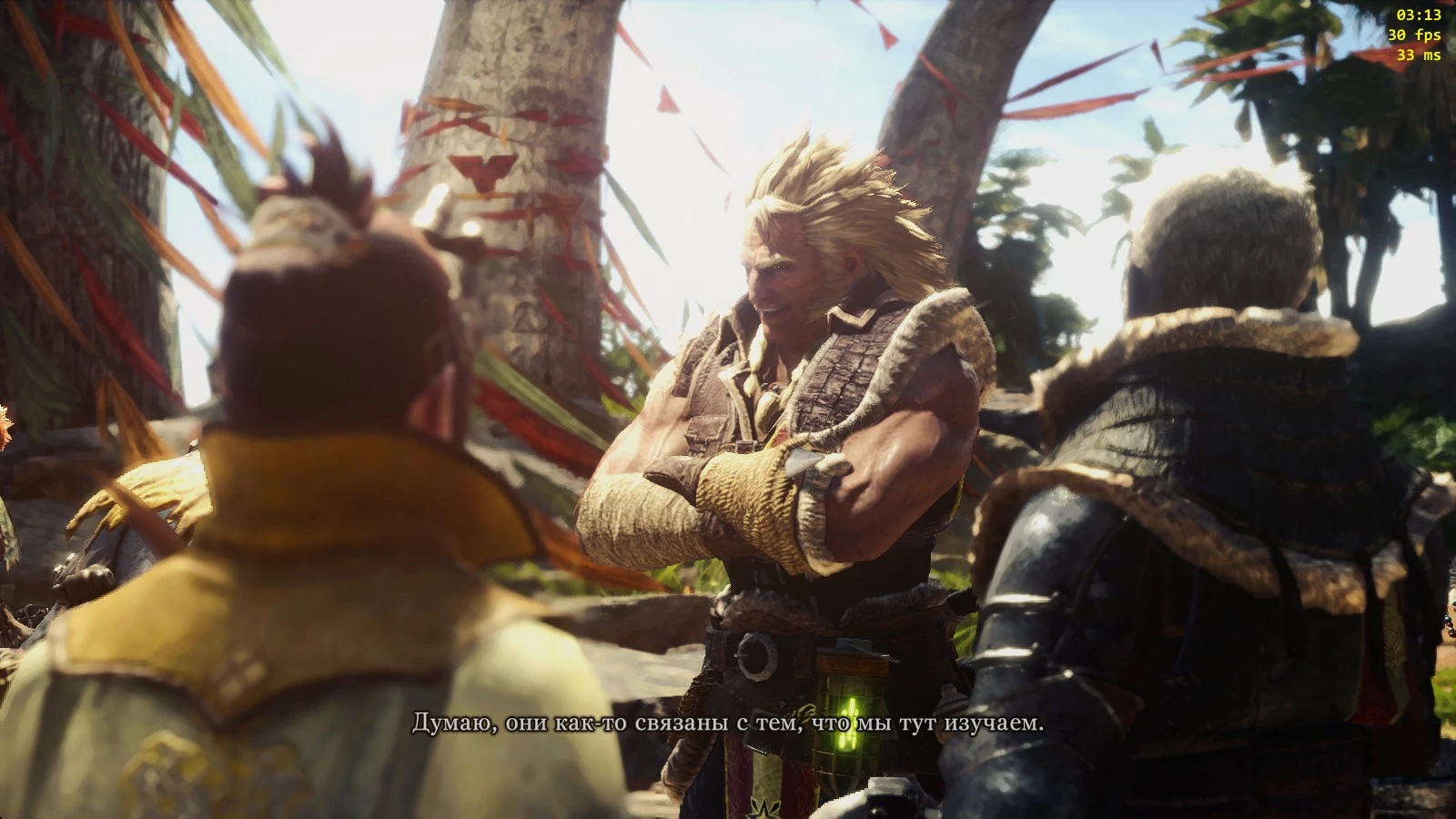
🔍 Analysis
- 👍 4.4% endorsement rate — high engagement, a strong quality signal
- 🏆 #67 of 143 Visuals and Graphics mods in this game by downloads
📋 About This Mod
Introduction
Simple Reshade which adds a warm ambient lighting to the game, with some sharpness n colors.
Screens
Installation
-
[]Extract the downloaded file into the root of MonsterHunterWorld
[
]Download Reshade ( https://reshade.me/ ) and install it.[]Select MonsterHunterWorld.exe as your game and click on the Direct3D 10+ option
[]Open menu in game by shift + F2
[]Click the drop down menu and select Wormy.
- []Delete Wormy.ini, dxgi.dll, dxgi.ini files.
- Delete Reshade-Shaders folder
📊 Mod Details
- Game
- Monsterhunterworld Mods
- Author
- NevaSF
- Version
- 1.0
- Downloads
- 840
- Endorsements
- 37
- Category
- Visuals and Graphics
- Created
- 8/28/2018
- Updated
- 8/28/2018
🔧 How to Install Monster Hunter: World Mods
Download from Nexus Mods.
📖 Full step-by-step install guide for Monster Hunter: World →
Visit the official mod page for specific installation instructions for this mod.
🎮 Need cheat codes or console commands? Check ur gaming wiki for Monster Hunter: World commands, item IDs, and more.
Keep browsing — more Monster Hunter: World mods await