RE Texture Packer
🟡 Updated this yearPreview
🔍 Analysis
- 👍 4.0% endorsement rate — high engagement, a strong quality signal
- 🏆 #61 of 77 Utilities mods in this game by downloads
📋 About This Mod
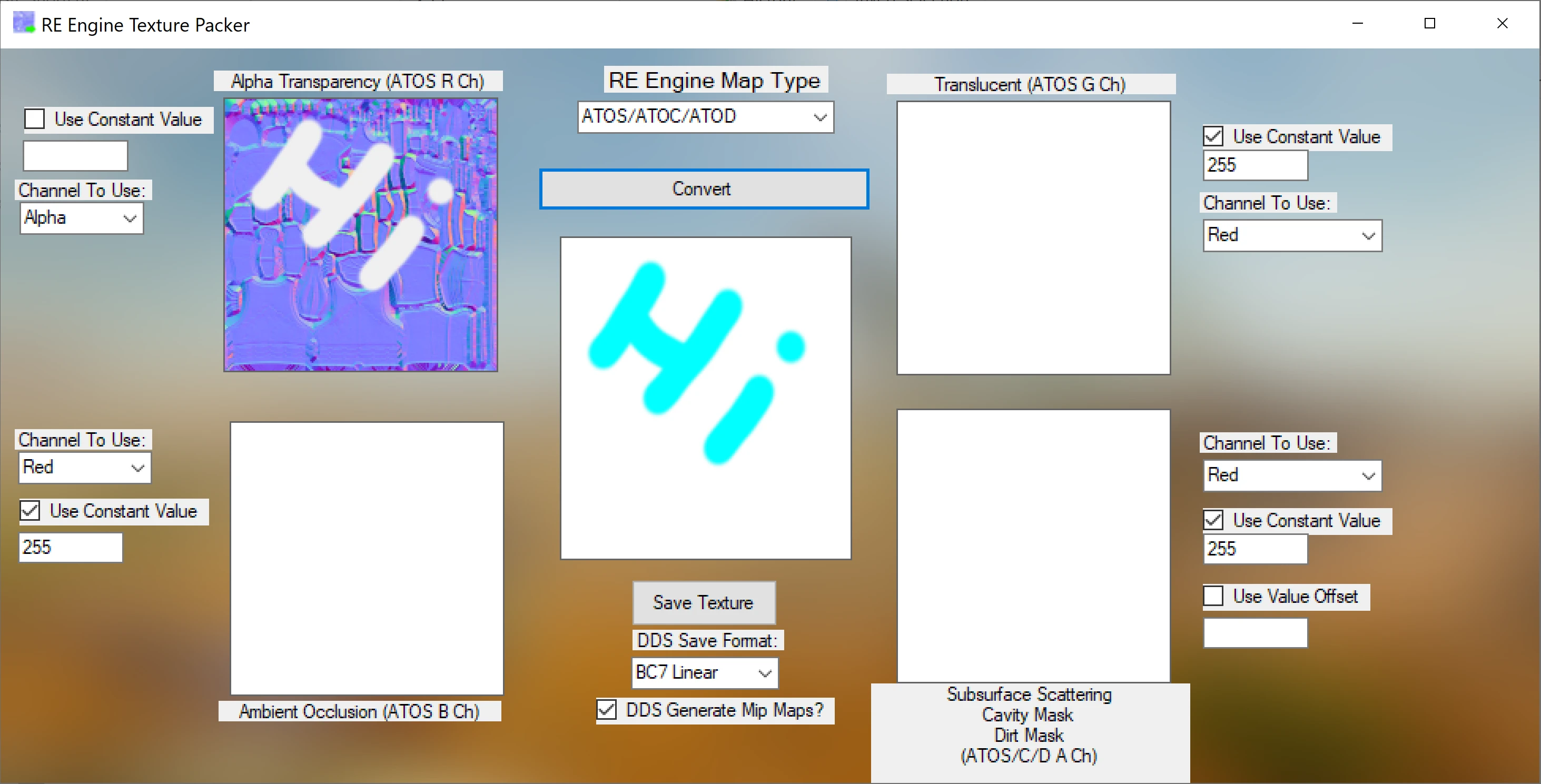
A texture packer for easy drag-and-drop and texture conversion.
This is meant to be an easy way to channel pack textures and export them. Plus there is information to help you know what each channel does in the various map types.
Certain RE Engine texture formats are supported directly with the optional requirement(s) installed, but this can be used with other RE Engine games that aren't supported to channel pack and create textures. You can mix your installation of the optional requirement exes. So for example you could just have the Wilds optional requirement for Wilds tex support. Whatever you have installed will show up available for export when saving a texture.
Current File Format Support:
-
[]BMP - (Import/Export)[/]
[]JPG - (Import/Export)[/]
[]PNG - (Import/Export)[/]
[]TGA - (Import/Export)[/]
[]DDS - (Import/Export)[/]
[]MHWildsTex (with optional requirement installed) - (Export)[/]
[]MHRiseTex (with optional requirement installed) - (Export)[/]
[]DMC5Tex (with optional requirement installed) - (Export)[/]
[]RE2RTex (with optional requirement installed) - (Export)[/]
[]RE3RTex (with optional requirement installed) - (Export)[/]
Current Map Types for Easy Channel Packing:
-
[]ALBD/ALBM[/]
[]NRMR[/]
[]NRRO/NRRT/NRRC[/]
[]ATOS/ATOC/ATOD[/]
[]NRRx to NRMR[/]
Conversion of 'regular' OpenGL or DirectX normal maps to NRRx maps and back is supported. Big thanks to Feuleur for helping and providing the code to do so.
Unmatched image sizes are supported to channel pack. The biggest dimensions will be taken for the result image.
For constant values, use values between 0-255.
Paths with spaces in them can cause problems.
Requirements:
. NET Framework 4. 7. 2
Optional Requirements:
AsteriskAmpersand's Wilds Tex Chopper - Install the exe, 'Asterisk_MHWs_Tex_Chopper.exe', to the Texture Packer's 'Tools' folder. If done correctly, Wilds tex will be available when saving an image.
AsteriskAmpersand's Other Tex Choppers - Install like the Wilds Tex Chopper. Currently intended for release 0. 7 (Jan 13, 2023) which RE Texture Packer automatically adds extensions after conversion. Also there are two Monster Hunter Rise tex choppers for that release, use the one labelled "Asterisk_MonsterHunterRise_Tex_Chopper.exe".
For all things modding related, come hang out at the Modding World Discord server.
-
[]ALBD/ALBM[/]
📊 Mod Details
- Game
- Monsterhunterwilds Mods
- Author
- Ridog8
- Version
- v1.06
- Downloads
- 880
- Endorsements
- 35
- Category
- Utilities
- Created
- 4/1/2025
- Updated
- 10/27/2025
🔧 How to Install Monster Hunter Wilds Mods
Download from Nexus Mods.
📖 Full step-by-step install guide for Monster Hunter Wilds →
Visit the official mod page for specific installation instructions for this mod.
🎮 Need cheat codes or console commands? Check ur gaming wiki for Monster Hunter Wilds commands, item IDs, and more.
Keep browsing — more Monster Hunter Wilds mods await