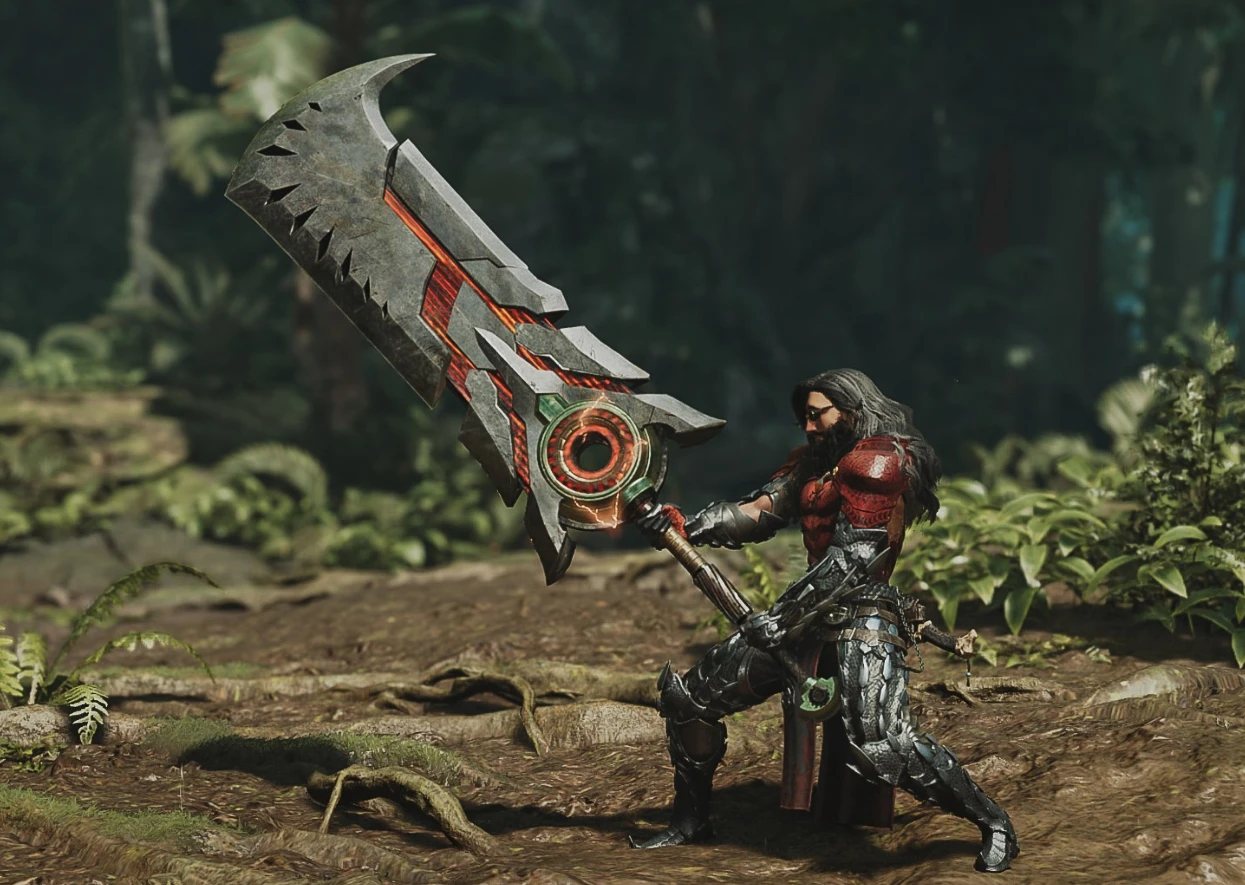
Alternative Artian Greatsword look. Layered Weapon. Reuploaded.
🟠 Updated over a year ago⚠️ Install Order · 1 step
Install in this order, then this mod last — most mods fail to load without their framework and dependencies in place.
Preview
🔍 Analysis
- 👍 2.8% endorsement rate — high engagement, a strong quality signal
- 🏆 #6 of 521 Weapons mods in this game by downloads
📋 About This Mod
I tried to give the Artian weapon a new look by combining it with a weapon that I like.
There are still some minor issues, like pendants are floating in the air, I plan to fix it later.
Your screenshots and videos are welcome!
If you have any suggestions or ideas about other weapons, please let me know, maybe I'll work on it in the future!
Known issues:
-At weapon levels 2-3, the textures do not work correctly, the weapon is displayed in black. (if you know what the problem is and how to solve it, please contact me)
This mod replaces the Artian greatsword's look in Monster Hunter Wilds with a custom design, offering separate files for the base and upgraded (level 5) versions. It requires REFramework with Loose File Loader enabled. With 360 endorsements and 12,828 downloads, it's a popular cosmetic choice for players wanting a fresh appearance for this weapon.
✨ Key Features
📊 Pros & Cons
✅ Pros
- Community-approved with 360 endorsements and over 12k downloads.
- Gives you a fresh look for both base and upgraded Artian greatsword.
- Simple install if you already use REFramework.
⚠️ Cons
- Requires REFramework and Loose File Loader—extra setup if you don't have them.
- Only affects the Artian greatsword, so limited scope.
- No screenshots or detailed preview in the description, so you're flying blind on the design.
For Monster Hunter Wilds players who want to customize the Artian greatsword's appearance without affecting gameplay. If you're tired of the default look and use REFramework, this is a quick visual swap. Skip if you don't use mods or want changes beyond this one weapon.
💡 Beginner Tips
- Make sure REFramework is installed and Loose File Loader is enabled in the in-game menu before installing this mod.
- Place the mod files in the correct directory as per REFramework's loose file structure—usually in the game's root folder.
- If you're new to modding, check REFramework's documentation for how to enable Loose File Loader.
📊 Mod Details
- Game
- Monsterhunterwilds Mods
- Author
- NIKsr910
- Version
- 0.1
- Downloads
- 12,828
- Endorsements
- 360
- Category
- Weapons
- Created
- 3/10/2025
- Updated
- 3/10/2025
🔧 How to Install Monster Hunter Wilds Mods
Download from Nexus Mods.
📖 Full step-by-step install guide for Monster Hunter Wilds →
Visit the official mod page for specific installation instructions for this mod.
🎮 Need cheat codes or console commands? Check ur gaming wiki for Monster Hunter Wilds commands, item IDs, and more.
Keep browsing — more Monster Hunter Wilds mods await