My Screenshot Female Character Presets
⚪ Last updated 2018⚠️ Install Order · 1 step
Install in this order, then this mod last — most mods fail to load without their framework and dependencies in place.
Preview
🔍 Analysis
- 👍 2.8% endorsement rate — high engagement, a strong quality signal
- 🏆 #76 of 88 Characters mods in this game by downloads
📋 About This Mod
No longer works after the Iceborne patch. Please download the new version here.
アイスボーンのパッチ後、もう使えなくなりました。新しい版をここからDLしてください。
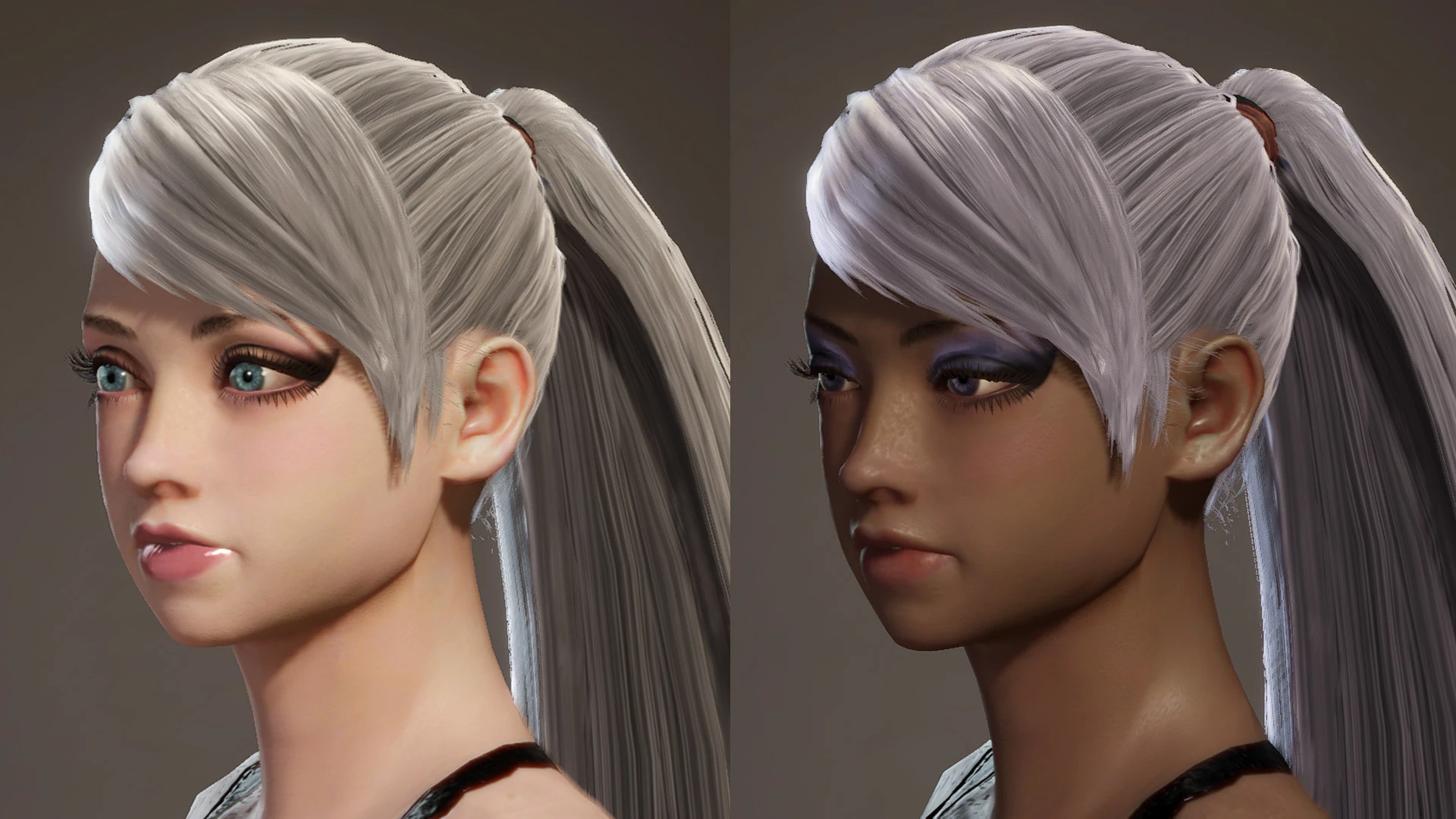
Female presets of the characters I used in my mod screenshots. Now with even more extra presets.
These are for the people who liked and requested them, and as a proof of concept. Turns out the game literally stores the character data in memory exactly the same way as it does in presets, except that the preset has a two byte header of "07 00". I don't know why Capcom doesn't let people save/restore presets.
NEW: You can use this to import/export character presets.
Some screenshots use this face texture for cleaner face. The newest two use this face.
More presets here.
日本語の説明はこの下です。
- Darkened lipstick for blonde girl.
- Added 3 more presets (replacing female 4, 5 and 6).
- Added 2 more presets (replacing female 2 and 3).
Installation:
Simply unzip the files (with folders) into Steam\Steamapps\common\Monster Hunter World\
Uninstallation:
If you want to revert to the original, simply delete the mod files in NativePC\stage\st407\common\preset\
Thanks to Vuze for the unpacking tools, and SeiKur0 + contributors for the cheat table.
How to make your own presets:
This method uses Cheat Engine, so don't try it if you're worried about getting banned, or can't resist having access to cheats.
1. Find SeiKur0's cheat table (use Google or something). Run Cheat Engine,
open the table, click Main, character (there'll be a pause).
2. Load your character. Under the character table, there'll be character appearance. You should see your character name, etc.
3. Right click "Makeup 2 color (ARGB)" and select browse this memory region.
4. Open up a character preset file in a hex editing program. HxD is good. You'll see the first two bytes are 07 00.
5. After the 07 00 bytes, copy paste the hexadecimal values from the
memory region window, replacing the bytes in the character preset file.
6. Make sure the file size is the same (ie. don't copy bytes past the end of the preset file).
7. Name the file as the original presets are named, and place it in the same location.
If you did it correctly, you should now be able to load your character appearance as a preset.
If you did it wrong, MHW will freeze while loading character creation, or
not update character appearance when selecting that preset.
You can also replace NPC . CMP files with these. In other words, you can
effectively customize (n
A collection of female character presets from UberGrainy's mod screenshots, expanded with additional presets. For players who want to recreate the look of characters featured in the author's screenshots. Compact cosmetic mod with 425 endorsements and nearly 15,000 downloads, last updated in December 2018.
✨ Key Features
📊 Pros & Cons
✅ Pros
- Community-approved with 425 endorsements and nearly 15k downloads.
- Directly recreates the look of characters from the author's screenshots.
- Extra presets add more variety beyond the initial set.
⚠️ Cons
- Last updated in 2018, so it may not be compatible with newer game versions or mods.
- Presets are tied to the author's specific aesthetic, which may not suit everyone's taste.
- Potential conflicts with other character overhaul mods that alter presets or facegen data.
For players who want to replicate the exact look of characters from UberGrainy's screenshots. Great for those who enjoy curated presets without fiddling with sliders. Skip if you prefer creating your own characters or want gameplay changes.
💡 Beginner Tips
- Place preset files in the game's character preset folder (e.g., Documents\My Games\Skyrim\CME_save for RaceMenu).
- Use a mod manager to install and uninstall easily without manual file cleanup.
- If presets don't appear, ensure you have the required character creation mod (like RaceMenu) installed.
📊 Mod Details
- Game
- Monster Hunter World Mods
- Author
- UberGrainy
- Version
- 2.0
- Downloads
- 14,999
- Endorsements
- 425
- Category
- Characters
- Created
- 9/10/2018
- Updated
- 12/29/2018
🔧 How to Install MHW Mods
Install Stracker\
📖 Full step-by-step install guide for MHW →
Visit the official mod page for specific installation instructions for this mod.
🎮 Need cheat codes or console commands? Check ur gaming wiki for MHW commands, item IDs, and more.
Keep browsing — more MHW mods await