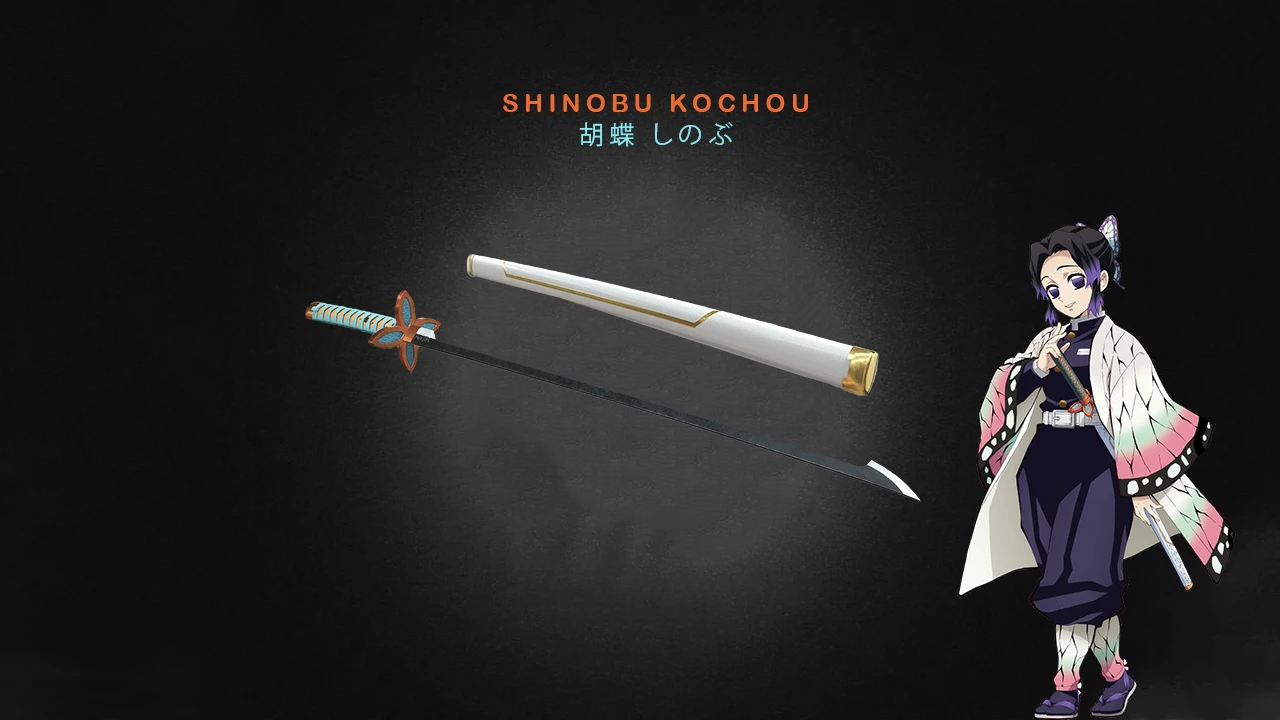
Kimetsu no Yaiba - Shinobu Kochou Longsword
⚪ Last updated 2020⚠️ Install Order · 1 step
Install in this order, then this mod last — most mods fail to load without their framework and dependencies in place.
Preview
🔍 Analysis
- 👍 4.3% endorsement rate — high engagement, a strong quality signal
- 🏆 #462 of 531 Armour and Clothing mods in this game by downloads
📋 About This Mod
INSTALLATION
• Unzip the zip file.
• Copy nativePC folder inside.
• Paste nativePC folder to your MHW directory (This is usually in "C:\Program Files (x86)\Steam\steamapps\common\Monster Hunter World").
UNINSTALL
• Remove the nativePC/wp/swo/swo022 & Shinobu folders.
Credits
• The Monster Hunter World Discord Server for all the learning resources.
• All credit goes to Doverlock over at Sketchfab for the original 3D model.
• EFX mod used in the third image: 【太刀特效】虫之呼吸 by Yanagi
• JodoZT's TEXTURE CONVERTER & MHWNOCHUNK
• AsteriskAmpersand's MHW MOD3 IMPORTER-EXPORTER
This cosmetic mod replaces the Wyvern Blade "Luna" longsword in Monster Hunter: World with Shinobu Kochou's Nichirin Blade from Demon Slayer. It includes a simple folder rename method to apply the skin to other longswords. With 629 endorsements and 14,505 downloads, it's a popular choice for fans wanting anime-style weapons.
✨ Key Features
📊 Pros & Cons
✅ Pros
- Community favorite with 629 endorsements and over 14k downloads.
- Simple install: just drop files and rename folders if you want a different longsword.
- Faithful to the anime design, perfect for Demon Slayer fans.
⚠️ Cons
- Only replaces one specific weapon by default; you'll need to manually rename folders for others.
- No preview images or detailed description, so you can't see the result before installing.
- Last updated in 2020, so it may not be compatible with the latest game updates or mods.
For Monster Hunter: World players who are Demon Slayer fans and want to wield Shinobu's iconic blade. If you're looking for a quick cosmetic swap and don't mind a little folder renaming, this is for you. Skip if you want new weapons or gameplay changes—this is purely visual.
💡 Beginner Tips
- If you want the skin on a different longsword, rename the 'swo022' and 'saya022' folders to match the weapon's ID.
- Make sure to back up your original files before replacing, so you can revert if needed.
- Check that your game version is compatible, as the mod hasn't been updated since 2020.
📊 Mod Details
- Game
- Monster Hunter World Mods
- Author
- Rakioth
- Version
- 1.0
- Downloads
- 14,506
- Endorsements
- 629
- Category
- Armour and Clothing
- Created
- 5/3/2020
- Updated
- 5/3/2020
🔧 How to Install MHW Mods
Install Stracker\
📖 Full step-by-step install guide for MHW →
Visit the official mod page for specific installation instructions for this mod.
🎮 Need cheat codes or console commands? Check ur gaming wiki for MHW commands, item IDs, and more.
Keep browsing — more MHW mods await