Steampunk
🟠 Updated over a year agoPreview
🔍 Analysis
- 🏆 #157 of 227 Resource/Texture pack mods in this game by downloads
📋 About This Mod
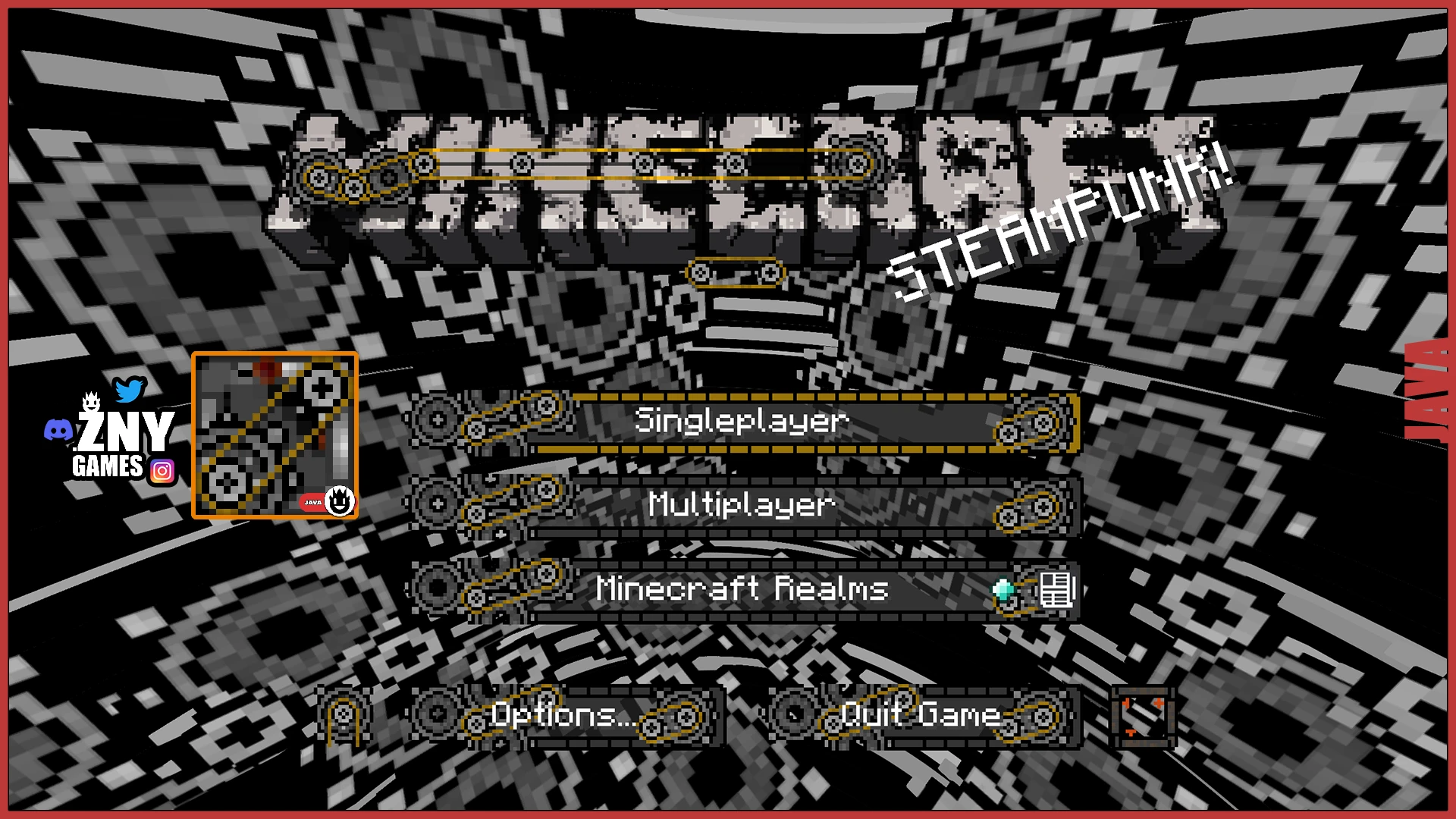
This pack is a Minecraft GUI texture pack and is compatible with Minecraft Java, Fabric and Bedrock Edition. Simply download the .zip file or the .mcpack to enhance your Minecraft experience with a new GUI.
Steampunk is a Minecraft GUI texture pack by znygames, compatible with Java, Fabric, and Bedrock editions. It offers a steampunk-themed interface, downloadable as a .zip or .mcpack. With zero endorsements and 23 downloads, it's a niche, early-stage mod for players seeking a visual GUI overhaul.
✨ Key Features
📊 Pros & Cons
✅ Pros
- Cross-edition support means you can use it on Java and Bedrock alike
- Simple install: just drop the .zip or .mcpack and go
- Fresh take on the default GUI if you're into the steampunk aesthetic
⚠️ Cons
- Zero endorsements and only 23 downloads — this is a very new or niche pack
- No screenshots or detailed feature list, so you're flying blind on what changes
- Last updated in November 2024 — might not be updated for future Minecraft versions
For Minecraft players who want a quick GUI reskin with a steampunk vibe and play across multiple editions. Skip if you need a fully featured texture pack or want to see what you're getting before downloading.
💡 Beginner Tips
- If you're on Bedrock, use the .mcpack file — it auto-imports into the game.
- For Java, place the .zip in your resourcepacks folder and activate it in Options > Resource Packs.
- Since it's a GUI-only pack, it works alongside other texture packs that change blocks and items.
📊 Mod Details
- Game
- Minecraft Mods
- Author
- znygames
- Version
- 1.21
- Downloads
- 23
- Endorsements
- 0
- Category
- Resource/Texture pack
- Created
- 11/4/2022
- Updated
- 11/5/2024
🔧 How to Install Minecraft Mods
Download from Nexus Mods.
📖 Full step-by-step install guide for Minecraft →
Visit the official mod page for specific installation instructions for this mod.
🎮 Need cheat codes or console commands? Check ur gaming wiki for Minecraft commands, item IDs, and more.
Keep browsing — more Minecraft mods await