Optimal Shader Settings for the Best Shaders by SkonteJonte
⚪ Last updated 2021Preview
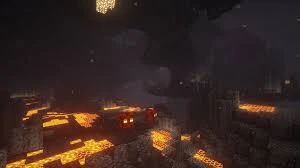
🔍 Analysis
- 👍 2.7% endorsement rate — high engagement, a strong quality signal
- 🏆 #32 of 227 Resource/Texture pack mods in this game by downloads
📋 About This Mod
you need optifine:
https://optifine.net/home
here is a tutorial for optifine (not by me):
https://www.youtube.com/watch?v=bGlFxJn_BhY
the way you download the shader(s) I am about to link to is by searching for %appdata%. then go to ".minecraft" and then "shaderpacks" and put the zip/rar file there, don't extract it.
here is the first shader with the very demanding preset:
https://bitslablab.com/bslshaders/#download
here is the second shader with the significantly less demanding preset:
https://www.curseforge.com/minecraft/customization/beyondbelief-vanilla-reborn/download
you will find the presets in the files you download when you download my mod (this nexus mod).
the way you activate the preset is by putting the file you download in the same folder where you put the shader you downloaded.
I recommend using this texture pack as well, even though it looks exactly like the vanilla one, this one is better suited for shaders because of the additional information each of the blocks contain (bump-mapping and such):
https://github.com/Poudingue/Vanilla-Normals-Renewed
to install the texture pack you need to go to "%appdata%". then go to ".minecraft" and then "resourcepacks" and put the zip/rar file there, don't extract it. then when you are in the game, you go to resource packs in the settings and activate it.
This resource provides two pre-configured shader presets for Minecraft: one demanding and one less demanding, saving players from manual shader configuration. With 116 endorsements and 4,282 downloads, it's a niche but appreciated tool for shader users seeking optimized settings.
✨ Key Features
📊 Pros & Cons
✅ Pros
- Saves time by skipping tedious shader configuration (116 endorsements)
- Offers both high-end and performance-friendly options for different PCs
- Simple resource pack—just download and apply
⚠️ Cons
- Last updated in January 2021—may not support newer shader versions
- No detailed instructions or compatibility notes provided by the author
- Only two presets, so limited variety for different shader packs
For Minecraft players who want optimized shader settings without tweaking every option. Perfect if you're using the specific shaders the author designed for, but skip if you use other shader packs or want more customization.
💡 Beginner Tips
- Place the resource pack in your resourcepacks folder and enable it in-game
- Check the shader pack version matches your Minecraft version to avoid conflicts
- If performance is still poor, try the less demanding preset first
📊 Mod Details
- Game
- Minecraft Mods
- Author
- SkonteJonte
- Version
- 1.0
- Downloads
- 4,282
- Endorsements
- 116
- Category
- Resource/Texture pack
- Created
- 1/30/2021
- Updated
- 1/30/2021
🔧 How to Install Minecraft Mods
Download from Nexus Mods.
📖 Full step-by-step install guide for Minecraft →
Visit the official mod page for specific installation instructions for this mod.
🎮 Need cheat codes or console commands? Check ur gaming wiki for Minecraft commands, item IDs, and more.
Keep browsing — more Minecraft mods await