BackyardCraft (512x 256x 128x 64x)
⚪ Last updated 2017Preview
🔍 Analysis
- 👍 4.1% endorsement rate — high engagement, a strong quality signal
- 🏆 #54 of 227 Resource/Texture pack mods in this game by downloads
📋 About This Mod
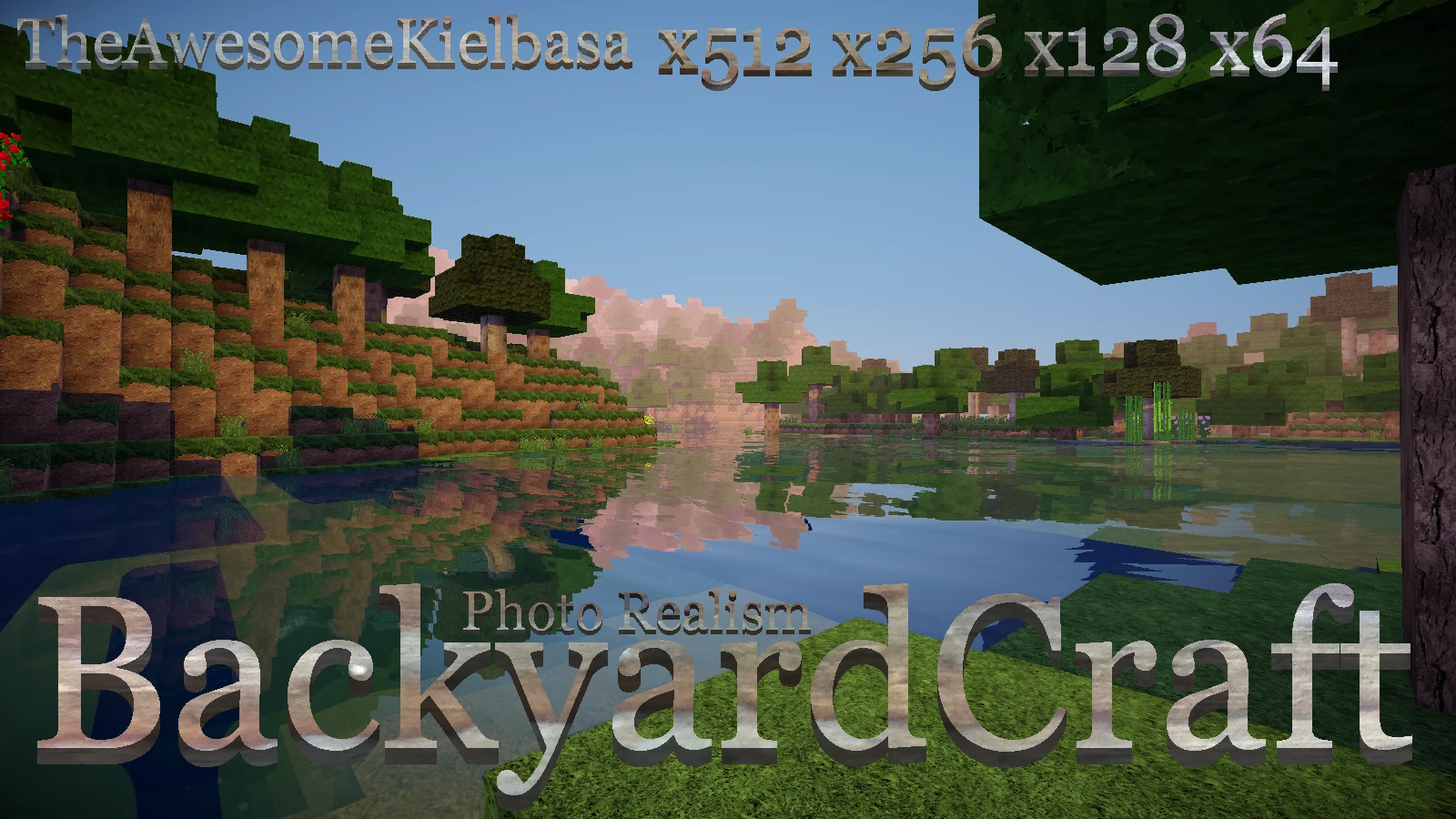
Most photo realistic resource packs, at least the ones I've seen, use perfect textures, I mean, neat, orderly grass, smooth stone, pretty dirt and all that. While this is good for some people, for me it's annoying, mainly because the real world is not all neat and orderly and smooth. BackyardCraft is not meant to look neat and orderly and smooth. It is meant to be a bit rugged, a little run down and as realistic as I can make it. If you have any suggestions for how I can improve the realism please let me know in the comments. Available in four resolutions, BackyardCraft adds realistic graphics to Minecraft, without killing it. If your computer can handle it, I recomend using either the 256x256 or 512x512 versions.
BackyardCraft is now compatible with Minecraft 1. 12 (The versions for 1. 6. 4-1. 8. 9 are still available to download)
Normal Maps require a shader mod that supports them such as Continuum and are currently only on the x512 and x256 versions of the resource pack.
The screenshots are with the 256x version of BackyardCraft
Optifine is required to access all of the features. (Including alternate blocks, alternate mobs, and the sky texture)
How to install shaders: Step 1: download and install Optifine (to install it, double click the downloaded file and click install) Step 2: download desired shaders pack, such as GLSL Shaders or Sonic Ether's Unbelievable Shaders Step 3: Place the zippered shaders folder in your shaderpacks folder located at C:\Users\Username\AppData\Roaming\.minecraft\shaderpacks Step 4: Launch Minecraft with the Optifine profile. Step 5: Go to options, video settings and shaders. Click on the shaders you installed. Step 6: Enjoy! Terms of use: Do not download unless you agree to the following: By downloading, you agree that you will not re-upload any or all of the textures in this resourcepack. You also agree that if you repost this resource pack you will provide a link back to this page. If you use this resourcepack in a video, you will also provide a link back to this page.
BackyardCraft is a realistic resource pack for Minecraft offering four resolutions (512x, 256x, 128x, 64x) and normal maps. With 104 endorsements and last updated in 2017, it's a niche choice for players seeking high-detail visuals, though it may be outdated.
✨ Key Features
📊 Pros & Cons
✅ Pros
- Multiple resolution options let you balance visual quality with performance
- Normal maps add extra detail that flat textures lack
- Decent community support with 104 endorsements and 2,510 downloads
⚠️ Cons
- Last updated in 2017 — may not be compatible with newer Minecraft versions
- Realistic style isn't for everyone; some players prefer vanilla or fantasy looks
For Minecraft players who want a more realistic look without going overboard, especially those with mid-to-high-end PCs who can handle 128x or 256x. Skip if you prefer the classic Minecraft aesthetic or play on a low-end device.
💡 Beginner Tips
- If you're unsure which resolution to pick, start with 128x — it's a good balance between detail and performance.
- Make sure your Minecraft version matches the pack's update date (2017) to avoid texture glitches.
- Use a mod like OptiFine to get the most out of normal maps and improve performance.
📊 Mod Details
- Game
- Minecraft Mods
- Author
- TheAwesomeKielbasa
- Version
- 1.12
- Downloads
- 2,510
- Endorsements
- 104
- Category
- Resource/Texture pack
- Created
- 8/13/2017
- Updated
- 8/13/2017
🔧 How to Install Minecraft Mods
Download from Nexus Mods.
📖 Full step-by-step install guide for Minecraft →
Visit the official mod page for specific installation instructions for this mod.
🎮 Need cheat codes or console commands? Check ur gaming wiki for Minecraft commands, item IDs, and more.
Keep browsing — more Minecraft mods await