Vantage PVP
🟡 Updated this year🖼️ Gallery (4 images)
🔍 Analysis
- 👍 0.0% endorsement rate
- 🏆 #54 of 72 colored-lighting mods in this game by downloads
📋 About This Mod
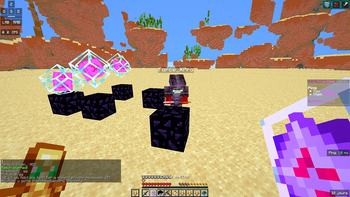
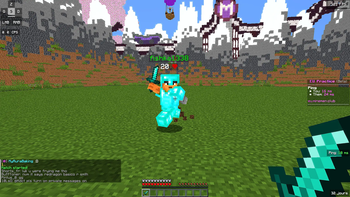
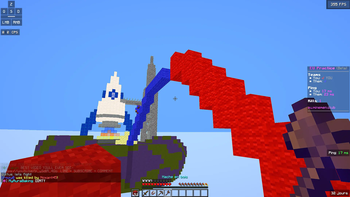
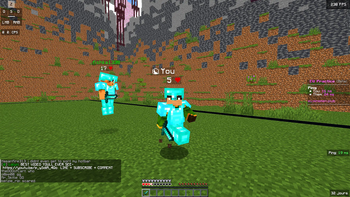
Vantage Vantage is a PvP-optimized shader for Minecraft. Most shader packs are built to look pretty in a sunset over a mountain — Vantage is built to help you win a fight while still looking sharp. Shadows are lifted so nothing hides in the dark, players and mobs are boosted even further than the terrain so an enemy never blends into a cave wall or a dim room, and the image is sharpened for cleaner target tracking at range. On top of that, a soft bloom on light sources and a cinematic color grade keep it feeling like a real shader pack — not a flat, washed-out competitive filter. Features Lifted shadows — Dark areas are brightened so nothing can hide in a shadowed corner, cave, or dim room. Boosted entity visibility — Players and mobs get an even stronger light lift than the terrain, so an enemy never blends into the environment behind them. Image sharpening — A subtle sharpen pass makes it easier to track targets at range without over-processing the image. Soft, decorative bloom — Torches, lava, and the sky get a gentle glow. It's purely visual — it never brightens dark areas or reduces visibility. Cinematic color grade — A split-tone grade (cool shadows, warm highlights) gives the game a polished look instead of a flat combat filter. No visual clutter — No fog, no film grain, and a near-invisible vignette, so nothing blocks your peripheral vision in a fight. Lightweight — Built to stay smooth in fast-paced fights, with no unnecessary post-processing overhead. Fully configurable in-game — Sharpness, saturation, contrast, bloom, and shadow lift can all be adjusted from the in-game Shader Options menu. Who it's for PvP servers, UHC, MCSG, and anyone who wants a shader that helps them actually see the fight — not just admire the scenery. Compatibility Requires Iris or OptiFine Installation Install Iris (Fabric) or OptiFine. Download Vantage.zip and place it — without extracting — in your .minecraft/shaderpacks folder. In Minecraft, go to Options > Video Settings > Shaders, and select Vantage. Click Shader Options to adjust sharpness, saturation, contrast, bloom, and shadow lift.
Vantage is a PvP-optimized shader for Minecraft. Most shader packs are built to look pretty in a sunset over a mountain — Vantage is built to help you win a fight while still looking sharp.
Shadows are lifted so nothing hides in the dark, players and mobs are boosted even further than the terrain so an enemy never blends into a cave wall or a dim room, and the image is sharpened for cleaner target tracking at range. On top of that, a soft bloom on light sources and a cinematic color grade keep it feeling like a real shader pack — not a flat, washed-out competitive filter.
Features Lifted shadows — Dark areas are brightened so nothing can hide in a shadowed corner, cave, or dim room. Boosted entity visibility — Players and mobs get an even stronger light lift than the terrain, so an enemy never blends into the environment behind them. Image sharpening — A subtle sharpen pass makes it easier to track targets at range without over-processing the image. Soft, decorative bloom — Torches, lava, and the sky get a gentle glow. It's purely visual — it never brightens dark areas or reduces visibility. Cinematic color grade — A split-tone grade (cool shadows, warm highlights) gives the game a polished look instead of a flat combat filter. No visual clutter — No fog, no film grain, and a near-invisible vignette, so nothing blocks your peripheral vision in a fight. Lightweight — Built to stay smooth in fast-paced fights, with no unnecessary post-processing overhead. Fully configurable in-game — Sharpness, saturation, contrast, bloom, and shadow lift can all be adjusted from the in-game Shader Options menu. Who it's for
PvP servers, UHC, MCSG, and anyone who wants a shader that helps them actually see the fight — not just admire the scenery.
Compatibility Requires Iris or OptiFine Installation Install Iris (Fabric) or OptiFine. Download Vantage.zip and place it — without extracting — in your .minecraft/shaderpacks folder. In Minecraft, go to Options > Video Settings > Shaders, and select Vantage. Click Shader Options to adjust sharpness, saturation, contrast, bloom, and shadow lift.
📊 Mod Details
- Game
- Minecraft Shaders
- Author
- noxantgames.clip
- Version
- V1
- Downloads
- 883
- Endorsements
- 0
- Category
- colored-lighting
- Created
- 7/23/2026
- Updated
- 7/21/2026
- Game Versions
- 1.17, 1.17.1, 1.18, 1.18.1, 1.18.2
- Tags
- colored-lighting, low, semi-realistic
🔧 How to Install Minecraft Shaders Mods
Download from Modrinth. Use Prism Launcher or drop into your mods folder.
📖 Full step-by-step install guide for Minecraft Shaders →
Visit the official mod page for specific installation instructions for this mod.
🎮 Need cheat codes or console commands? Check ur gaming wiki for Minecraft Shaders commands, item IDs, and more.
❓ Frequently Asked Questions
Which Minecraft Shaders versions does Vantage PVP support?
The author lists 1.17, 1.17.1, 1.18, 1.18.1, 1.18.2, 1.19. Other versions may work but are untested by the author.
What is the latest version of Vantage PVP?
Version V1, published 2026-07-21 with 883 downloads recorded at the source.
Keep browsing — more Minecraft Shaders mods await