Pyvtron VX
🟡 Updated this year🖼️ Gallery (12 images)
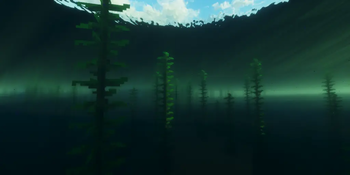
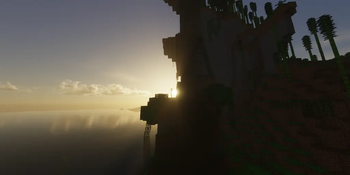
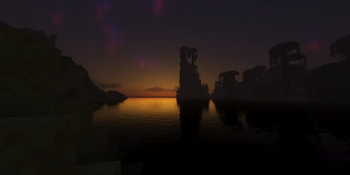
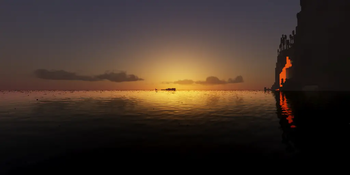
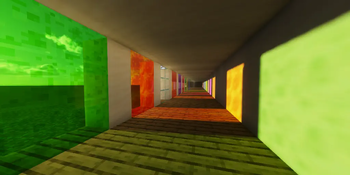
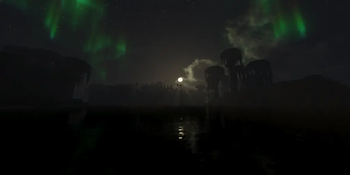
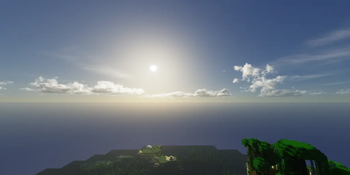
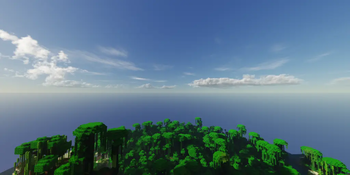
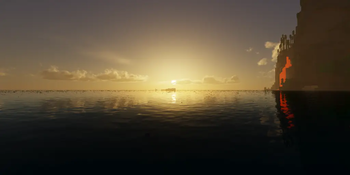
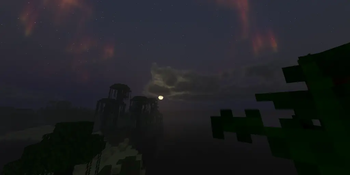
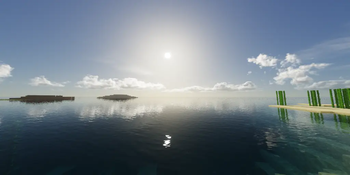
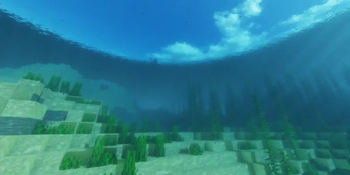
🔍 Analysis
- 👍 0.0% endorsement rate
- 🏆 #31 of 223 atmosphere mods in this game by downloads
📋 About This Mod
<iframe width="560" height="315" src="https://www.youtube-nocookie.com/embed/LPSi_4RcMgM" title="YouTube video player" frameborder="0" allow="accelerometer; autoplay; clipboard-write; encrypted-media; gyroscope; picture-in-picture; web-share" allowfullscreen></iframe> <iframe width="560" height="315" src="https://www.youtube-nocookie.com/embed/HtpCJt4-29U" title="YouTube video player" frameborder="0" allow="accelerometer; autoplay; clipboard-write; encrypted-media; gyroscope; picture-in-picture; web-share" allowfullscreen></iframe> ## (https://pyvton.pages.dev/minecraft-shaders/pyvtron-vx) ### Details Features: Volumetric Fog, Water Caustics, Cumulus Clouds, Cirrus Clouds, High Resolution Graphics, ultra realistic rain and very much features that you will see in the game! Performance Impact: High / Medium (Medium: If you have a good computer). You can find older versions and the official release(s) of Pyvtron VX (https://pyvton.pages.dev/minecraft-shaders/pyvtron-vx) ((https://pyvton.pages.dev/)) ### Requirements AMD CPU (Recommended) Nvidia GPU (Recommended) A graphics card that supports OpenGL 4.6 or OpenGL 4 Note: I currently only have access to Nvidia GPUs for testing. I cannot make sure if Pyvtron VX works on Intel CPUs and AMD GPUs. ### Installation Install it like other Minecraft Shaders or read this here if you don't know how to install minecraft shaders: 1. First download the Iris Shaders Installer / Mod 2. Run the .jar and click on Install. 3. Download the latest version of Pyvtron VX 4. Open the Minecraft Launcher. You'll see the Iris Shaders profile – select it and start Minecraft. 5. Go to Options → Video Settings → Shaders → Shaderpacks Folder. 6. Drag the downloaded shaderpack into the shaderpacks folder. 7. Select the shaderpack ingame. 8. Enjoy. ### Other Stuff Before you modify or do something with this shaderpack, you must read the (https://pyvton.pages.dev/licenses/pccl) Pyvtron VX is not path traced etc. VX means Version X If you want to know, how to add support for modded dimensions (for new dimension mods) read this here on my (https://pyvton.pages.dev/docs/minecraft-shaders/modding/how-to-add-mod-support-for-modded-dimensions)
## (https://pyvton.pages.dev/minecraft-shaders/pyvtron-vx)
### Details
Features: Volumetric Fog, Water Caustics, Cumulus Clouds, Cirrus Clouds, High Resolution Graphics, ultra realistic rain and very much features that you will see in the game!
Performance Impact: High / Medium (Medium: If you have a good computer). You can find older versions and the official release(s) of Pyvtron VX (https://pyvton.pages.dev/minecraft-shaders/pyvtron-vx) ((https://pyvton.pages.dev/))
### Requirements
AMD CPU (Recommended) Nvidia GPU (Recommended) A graphics card that supports OpenGL 4. 6 or OpenGL 4
Install it like other Minecraft Shaders or read this here if you don't know how to install minecraft shaders:
1. First download the Iris Shaders Installer / Mod
2. Run the .jar and click on Install.
3. Download the latest version of Pyvtron VX
4. Open the Minecraft Launcher. You'll see the Iris Shaders profile – select it and start Minecraft.
5. Go to Options → Video Settings → Shaders → Shaderpacks Folder.
6. Drag the downloaded shaderpack into the shaderpacks folder.
7. Select the shaderpack ingame.
### Other Stuff
Before you modify or do something with this shaderpack, you must read the (https://pyvton.pages.dev/licenses/pccl)
Pyvtron VX is not path traced etc. VX means Version X
If you want to know, how to add support for modded dimensions (for new dimension mods) read this here on my (https://pyvton.pages.dev/docs/minecraft-shaders/modding/how-to-add-mod-support-for-modded-dimensions)
📊 Mod Details
- Game
- Minecraft Shaders
- Author
- Pyvton
- Version
- V1.1.8
- Downloads
- 105,916
- Endorsements
- 44
- Category
- atmosphere
- Created
- 8/22/2025
- Updated
- 1/24/2026
- Game Versions
- 1.16.1, 1.16.2, 1.16.3, 1.16.4, 1.16.5
- Tags
- atmosphere, pbr, realistic
🔧 How to Install Minecraft Shaders Mods
Download from Modrinth. Use Prism Launcher or drop into your mods folder.
📖 Full step-by-step install guide for Minecraft Shaders →
Visit the official mod page for specific installation instructions for this mod.
🎮 Need cheat codes or console commands? Check ur gaming wiki for Minecraft Shaders commands, item IDs, and more.
❓ Frequently Asked Questions
Which Minecraft Shaders versions does Pyvtron VX support?
The author lists 1.16.1, 1.16.2, 1.16.3, 1.16.4, 1.16.5, 1.17. Other versions may work but are untested by the author.
What is the latest version of Pyvtron VX?
Version V1.1.8, published 2026-01-24 with 105,916 downloads recorded at the source.
Keep browsing — more Minecraft Shaders mods await