Motion Blur FX
🟡 Updated this year🖼️ Gallery (1 images)
🔍 Analysis
- 👍 0.0% endorsement rate
- 🏆 #26 of 262 iris mods in this game by downloads
📋 About This Mod
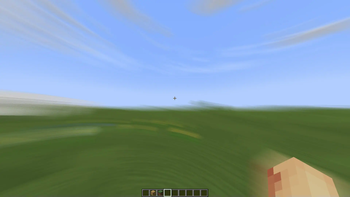
# Motion Blur FX **Motion Blur FX** is designed to deliver stunning motion blur effects without compromising performance. Tailor the intensity of the motion blur to suit your system's capabilities, ensuring a smooth experience no matter your setup. ### Important Note: Motion blur effects can be disorienting for some users, particularly those sensitive to visual motion. If you find yourself feeling uncomfortable, please lower the motion blur strength or disable the effect entirely for a more pleasant experience. **Compatible with:** Iris and Optifine --- ### Optional Features: - **Motion Blur:** Enhance your visuals with dynamic motion blur. - **Saturation:** Infuse your world with vibrant colors for an eye-catching look. --- ### Compatibility: - **Tested on:** Minecraft versions 1.12.+ to 1.21.x - **Works with:** Nvidia, AMD, and Intel graphics cards --- ### You Can: - Use this shader pack for captivating screenshots and videos. - Modify it for personal use. - Publish your heavily modified versions.* - Share it in modpacks or servers. ### You Cannot: - Share it without my permission. --- ### Installation Guide: **For Optifine:** 1. Download and install Optifine from the official website. 2. Download the Motion Blur FX shader pack. 3. Move the shader pack .zip file to the `shaderpacks` folder in your `.minecraft` directory. 4. Select the shader in Minecraft under "Options" > "Video Settings" > "Shaders." **For Iris (Fabric):** 1. Install Fabric using the Fabric Installer. 2. Add Fabric API and Iris Shaders to your mods folder. 3. Download the Motion Blur FX shader pack. 4. Move the shader pack .zip file to the `shaderpacks` folder in your `.minecraft` directory. 5. Select the shader in Minecraft under "Options" > "Video Settings" > "Shaders." --- ### Contact: For inquiries or support, please reach out to: marctgamer@gmail.com --- ### Preview: Check out these videos to see **Motion Blur FX** in action! <iframe width="560" height="315" src="https://www.youtube-nocookie.com/embed/FcrNYCgk1C4" title="YouTube video player" frameborder="0" allow="accelerometer; autoplay; clipboard-write; encrypted-media; gyroscope; picture-in-picture; web-share" allowfullscreen></iframe> <iframe width="560" height="315" src="https://www.youtube-nocookie.com/embed/EA4qTFJY0Pk" title="YouTube video player" frameborder="0" allow="accelerometer; autoplay; clipboard-write; encrypted-media; gyroscope; picture-in-picture; web-share" allowfullscreen></iframe>
# Motion Blur FX
Motion Blur FX is designed to deliver stunning motion blur effects without compromising performance. Tailor the intensity of the motion blur to suit your system's capabilities, ensuring a smooth experience no matter your setup.
### Important Note: Motion blur effects can be disorienting for some users, particularly those sensitive to visual motion. If you find yourself feeling uncomfortable, please lower the motion blur strength or disable the effect entirely for a more pleasant experience.
Compatible with: Iris and Optifine
### Optional Features: - Motion Blur: Enhance your visuals with dynamic motion blur. - Saturation: Infuse your world with vibrant colors for an eye-catching look.
### Compatibility: - Tested on: Minecraft versions 1. 12.+ to 1. 21.x - Works with: Nvidia, AMD, and Intel graphics cards
### You Can: - Use this shader pack for captivating screenshots and videos. - Modify it for personal use. - Publish your heavily modified versions.* - Share it in modpacks or servers.
### You Cannot: - Share it without my permission.
### Installation Guide:
For Optifine: 1. Download and install Optifine from the official website. 2. Download the Motion Blur FX shader pack. 3. Move the shader pack .zip file to the `shaderpacks` folder in your `.minecraft` directory. 4. Select the shader in Minecraft under "Options" > "Video Settings" > "Shaders."
For Iris (Fabric): 1. Install Fabric using the Fabric Installer. 2. Add Fabric API and Iris Shaders to your mods folder. 3. Download the Motion Blur FX shader pack. 4. Move the shader pack .zip file to the `shaderpacks` folder in your `.minecraft` directory. 5. Select the shader in Minecraft under "Options" > "Video Settings" > "Shaders."
### Contact: For inquiries or support, please reach out to: marctgamer@gmail.com
### Preview: Check out these videos to see Motion Blur FX in action!
📊 Mod Details
- Game
- Minecraft Shaders
- Author
- marctgamer
- Version
- 2.0
- Downloads
- 139,018
- Endorsements
- 63
- Category
- iris
- Created
- 8/27/2024
- Updated
- 8/13/2026
- Game Versions
- 1.20, 1.20.1, 1.20.2, 1.20.3, 1.20.4
- Tags
- potato, shadows, vanilla-like
🔧 How to Install Minecraft Shaders Mods
Download from Modrinth. Use Prism Launcher or drop into your mods folder.
📖 Full step-by-step install guide for Minecraft Shaders →
Visit the official mod page for specific installation instructions for this mod.
🎮 Need cheat codes or console commands? Check ur gaming wiki for Minecraft Shaders commands, item IDs, and more.
❓ Frequently Asked Questions
Which Minecraft Shaders versions does Motion Blur FX support?
The author lists 1.20, 1.20.1, 1.20.2, 1.20.3, 1.20.4, 1.20.5. Other versions may work but are untested by the author.
What is the latest version of Motion Blur FX?
Version 2.0, published 2026-08-13 with 139,018 downloads recorded at the source.
Keep browsing — more Minecraft Shaders mods await