Henry's Drunk
🟡 Updated this year🖼️ Gallery (6 images)
🔍 Analysis
- 👍 0.5% endorsement rate
- 🏆 #69 of 85 cursed mods in this game by downloads
📋 About This Mod
Drunkenness Presets Here’s a quick rundown on the different presets related to drunkenness effects: - **Sober**: This is the baseline. Nothing feels different. - **Tipsy**: You might feel a slight sway and a warm sensation, but you're still fully in control. - **Buzzed**: Things start to feel a little off. You can notice a drift, and the lights might seem to glow. - **Drunk**: This is where things get noticeably wild. You could feel the room spinning and might experience double vision. - **Hammered**: Everything feels heavy and disorienting. You’ll notice things are really starting to go blurry and your eyelids might feel heavy. - **Blitzed**: At this point, it’s pretty much unplayable but in an amusing way. Each preset adjusts all the twenty settings related to these effects at once. If you tweak any of the sliders afterwards, it changes the preset to **Custom**. --- Symptoms Here are the symptoms you can expect depending on how "drunk" your preset is. **Vision symptoms**: - Room spinning - Double vision - Swimming walls - Ripple - Sway - Queasy zoom - Motion trails - Light sensitivity - Soft focus - Colour fringing, washout, tunnel vision, and a warm boozy tint **Body symptoms**: - Heartbeat throb - Heavy blinks - Eyes moving in an unsteady way (this is called nystagmus) - Hiccups Keep in mind that the body symptoms work in real-time. So, if you speed up the animation settings, it won’t affect your heartbeat. --- Comfort Mode Want to keep things more stable? There’s an easy option in the main settings called Comfort Mode. This disables the four camera movement effects: Room Spin, Queasy Zoom, Swimming Walls, and Sway. The rest of the visual effects like double vision and color fringing will stay active while you enjoy the preset you’ve selected. Just toggle Comfort Mode on before you pick your level of drunkenness to avoid any camera movements. --- Extras - **Screen Flip**: You can turn the screen upside down, mirrored, or both. Just a heads up, this is really not recommended unless you're a god at the game. - **Photo Negative**: This will invert all the colors, which could be interesting or just plain confusing. Again, not recommended unless you're a god. - **Blinking**:You can toggle it off if it seems too annoying. --- Configuration To get everything set up, go to the **Video Settings → Shaders → Shader Options**. - Find the **Drunkenness** button to set your preferred preset easily. - The other options like Comfort Mode, Screen Flip, Photo Negative, and Blinking are easy to find right on the main screen. Switching between presets won’t change your comfort settings. - Each of the vision and body symptoms can be adjusted individually; hover over them for a brief description. --- Installation 1. First, download (https://modrinth.com/mod/iris) 2. Put the downloaded `.zip` file into your `shaderpacks` folder. Just leave it zipped; don’t unzip it. 3. Go to the **Video Settings → Shaders** menu and select it. --- Compatibility This shaderpack is set up to work with a wide range of versions. It’s designed to run with minimal requirements on most systems. It won’t mess with your lighting, shadows, or sky, which means any resource packs you have will still function normally. --- Before You Install A quick warning: this shader intentionally alters the image and creates some twitchy effects. If you’re prone to motion sickness, it’s wise to turn on **Comfort Mode** right away. Also, if you have issues with photosensitivity or seizures, keep in mind that the **Heavy Blinks** effect might not be suitable for you. Turning it off is optional. --- FAQ **Can I use it with other shaderpacks?** No, unfortunately, you can only run one shader pack at a time. **Why aren’t some sliders working?** Check if Comfort Mode is activated; it changes how certain movements affect the display. **Why are some blocks invisible or why does the world look black?** Ensure you’re on the latest version of Iris or OptiFine and that the shaders file is correctly placed. **Can this pack be used in a modpack or video?** Absolutely! You don’t need permission, but it would be nice if you linked back to it. ---
Drunkenness Presets
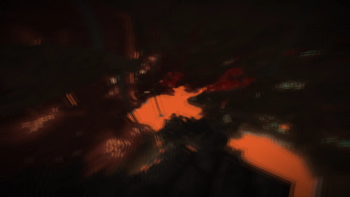
Here’s a quick rundown on the different presets related to drunkenness effects:
- Sober: This is the baseline. Nothing feels different.
- Tipsy: You might feel a slight sway and a warm sensation, but you're still fully in control.
- Buzzed: Things start to feel a little off. You can notice a drift, and the lights might seem to glow.
- Drunk: This is where things get noticeably wild. You could feel the room spinning and might experience double vision.
- Hammered: Everything feels heavy and disorienting. You’ll notice things are really starting to go blurry and your eyelids might feel heavy.
- Blitzed: At this point, it’s pretty much unplayable but in an amusing way.
Each preset adjusts all the twenty settings related to these effects at once. If you tweak any of the sliders afterwards, it changes the preset to Custom.
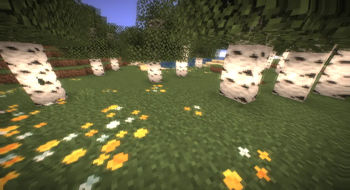
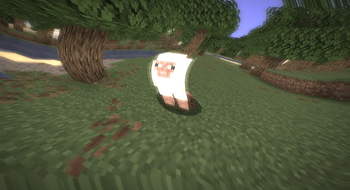
Here are the symptoms you can expect depending on how "drunk" your preset is.
Vision symptoms:
- Room spinning
- Double vision
- Swimming walls
- Ripple
- Sway
- Queasy zoom
- Motion trails
- Light sensitivity
- Soft focus
- Colour fringing, washout, tunnel vision, and a warm boozy tint
Body symptoms:
- Heartbeat throb
- Heavy blinks
- Eyes moving in an unsteady way (this is called nystagmus)
- Hiccups
Keep in mind that the body symptoms work in real-time. So, if you speed up the animation settings, it won’t affect your heartbeat.
Comfort Mode
Want to keep things more stable? There’s an easy option in the main settings called Comfort Mode. This disables the four camera movement effects: Room Spin, Queasy Zoom, Swimming Walls, and Sway.
The rest of the visual effects like double vision and color fringing will stay active while you enjoy the preset you’ve selected. Just toggle Comfort Mode on before you pick your level of drunkenness to avoid any camera movements.
- Screen Flip: You can turn the screen upside down, mirrored, or both. Just a heads up, this is really not recommended unless you're a god at the game.
- Photo Negative: This will invert all the colors, which could be interesting or just plain confusing. Again, not recommended unless you're a god.
- Blinking:You can toggle it off if it seems too annoying.
Configuration
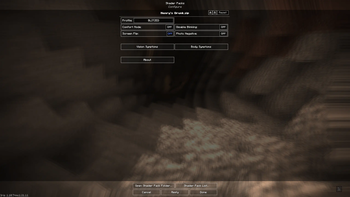
To get everything set up, go to the Video Settings → Shaders → Shader Options.
- Find the Drunkenness button to set your preferred preset easily.
- The other options like Comfort Mode, Screen Flip, Photo Negative, and Blinking are easy to find right on the main screen. Switching between presets won’t change your comfort settings.
- Each of the vision and body symptoms can be adjusted individually; hover over them for a brief description.
- --
Installation
1. First, download (https://modrinth.com/mod/iris) 2. Put the downloaded `.zip` file into your `shaderpacks` folder. Just leave it zipped; don’t unzip it. 3. Go to the Video Settings → Shaders menu and select it.
Compatibility
This shaderpack is set up to work with a wide range of versions. It’s designed to run with minimal requirements on most systems.
It won’t mess with your lighting, shadows, or sky, which means any resource packs you have will still function normally.
Before You Install
A quick warning: this shader intentionally alters the image and creates some twitchy effects. If you’re prone to motion sickness, it’s wise to turn on Comfort Mode right away.
Also, if you have issues with photosensitivity or seizures, keep in mind that the Heavy Blinks effect might not be suitable for you. Turning it off is optional.
Can I use it with other shaderpacks? No, unfortunately, you can only run one shader pack at a time.
Why aren’t some sliders working? Check if Comfort Mode is activated; it changes how certain movements affect the display.
Why are some blocks invisible or why does the world look black? Ensure you’re on the latest version of Iris or OptiFine and that the shaders file is correctly placed.
Can this pack be used in a modpack or video? Absolutely! You don’t need permission, but it would be nice if you linked back to it.
📊 Mod Details
- Game
- Minecraft Shaders
- Author
- HenryGotMC
- Version
- 1.0.0
- Downloads
- 581
- Endorsements
- 3
- Category
- cursed
- Created
- 8/4/2026
- Updated
- 7/29/2026
- Game Versions
- 1.16.5, 1.17, 1.17.1, 1.18, 1.18.1
- Tags
- cursed, potato, semi-realistic
🔧 How to Install Minecraft Shaders Mods
Download from Modrinth. Use Prism Launcher or drop into your mods folder.
📖 Full step-by-step install guide for Minecraft Shaders →
Visit the official mod page for specific installation instructions for this mod.
🎮 Need cheat codes or console commands? Check ur gaming wiki for Minecraft Shaders commands, item IDs, and more.
❓ Frequently Asked Questions
Which Minecraft Shaders versions does Henry's Drunk support?
The author lists 1.16.5, 1.17, 1.17.1, 1.18, 1.18.1, 1.18.2. Other versions may work but are untested by the author.
What is the latest version of Henry's Drunk?
Version 1.0.0, published 2026-07-29 with 581 downloads recorded at the source.
Keep browsing — more Minecraft Shaders mods await