Blue's Core Shaders
🟡 Updated this year🖼️ Gallery (6 images)

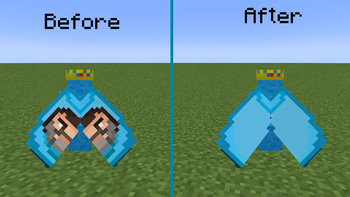
🔍 Analysis
- 👍 0.3% endorsement rate
- 🏆 #30 of 41 core-shaders mods in this game by downloads
📋 About This Mod
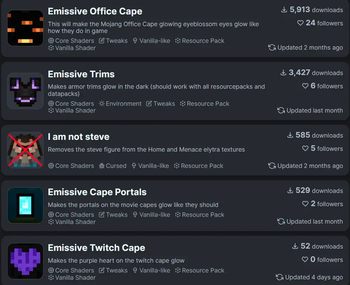
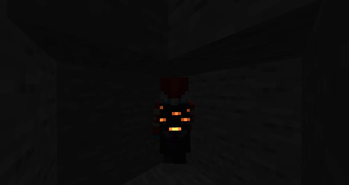
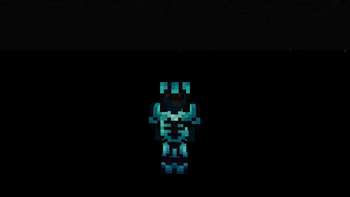
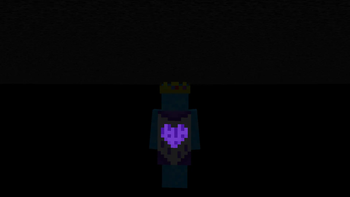
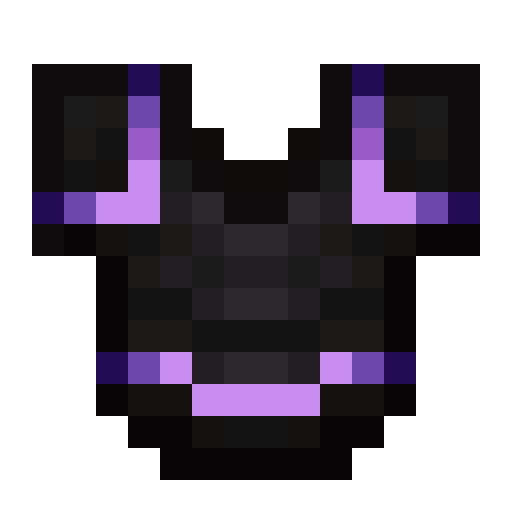
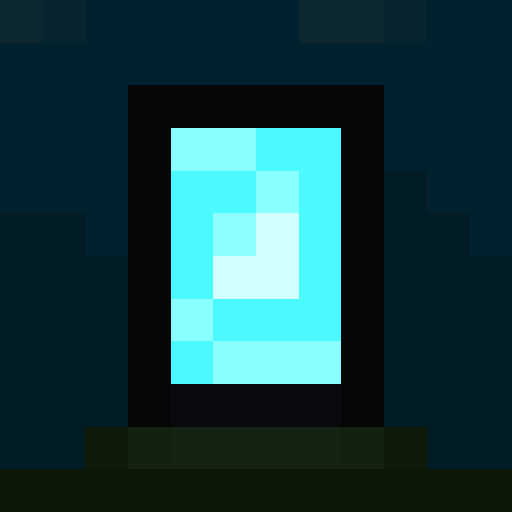
# Info This resourcepack contains all my previous core shaders that are in their own packs. Normally you wouldn't be able to combine them together so thats what this resourcepack is for. ### How to config If you want to disable some of the packs embedded in this you can do so in the settings file. The settings file can be found at "assets/bluebird/shaders/include/settings.glsl". In order to change the settings, just change true to false or vice versa next to the variables (**Case Sensitive**). # Embedded in this pack <a href="https://modrinth.com/resourcepack/emissive-office-cape"> <img src="https://cdn.modrinth.com/data/HdOx2YHC/cf95c8b4178ded5eeaac680be4098458455c1cc4_96.webp" alt="Emissive Office Cape" width="100" height="100"> </a> <a href="https://modrinth.com/resourcepack/emissive-trims"> <img src="https://cdn.modrinth.com/data/gxUihgVw/fc96bb5326578f80b1a245ecce2555373d47cdef.png" alt="Emissive Trims" width="100" height="100"> </a> <a href="https://modrinth.com/resourcepack/emissive-cape-portals"> <img src="https://cdn.modrinth.com/data/K0psvV8X/34840719349cbcdafe8e4e78ec02c8253256ada4.png" alt="Emissive Cape portals" width="100" height="100"> </a> <a href="https://modrinth.com/resourcepack/emissive-twitch-cape"> <img src="https://cdn.modrinth.com/data/dpiEWPp1/c3315e8bbbc049400a2166d5fb218cac8047365d_96.webp" alt="Emissive Twitch Cape" width="100" height="100"> </a> <a href="https://modrinth.com/resourcepack/i-am-not-steve"> <img src="https://cdn.modrinth.com/data/SxpRZYW5/d282e7848bca5aab9bc969480d200f3c09c137b6_96.webp" alt="I am not steve" width="100" height="100"> </a>
# Info This resourcepack contains all my previous core shaders that are in their own packs. Normally you wouldn't be able to combine them together so thats what this resourcepack is for.
### How to config If you want to disable some of the packs embedded in this you can do so in the settings file. The settings file can be found at "assets/bluebird/shaders/include/settings.glsl". In order to change the settings, just change true to false or vice versa next to the variables (Case Sensitive).
# Embedded in this pack



📊 Mod Details
- Game
- Minecraft Shaders
- Author
- Bluebird
- Version
- 1.0
- Downloads
- 3,364
- Endorsements
- 10
- Category
- core-shaders
- Created
- 8/23/2025
- Updated
- 6/27/2026
- Game Versions
- 1.21, 1.21.1, 1.21.2, 1.21.3, 1.21.4
- Tags
- core-shaders, tweaks, vanilla-like
🔧 How to Install Minecraft Shaders Mods
Download from Modrinth. Use Prism Launcher or drop into your mods folder.
📖 Full step-by-step install guide for Minecraft Shaders →
Visit the official mod page for specific installation instructions for this mod.
🎮 Need cheat codes or console commands? Check ur gaming wiki for Minecraft Shaders commands, item IDs, and more.
❓ Frequently Asked Questions
Which Minecraft Shaders versions does Blue's Core Shaders support?
The author lists 1.21, 1.21.1, 1.21.2, 1.21.3, 1.21.4, 1.21.5. Other versions may work but are untested by the author.
What is the latest version of Blue's Core Shaders?
Version 1.0, published 2026-06-27 with 3,364 downloads recorded at the source.
Keep browsing — more Minecraft Shaders mods await