wippy pack
🟡 Updated this year🖼️ Gallery (4 images)

🔍 Analysis
- 🏆 #26 of 203 blocks mods in this game by downloads
📋 About This Mod
## **About the Pack** A custom PvP resource pack designed to optimize your gameplay visuals. It now features a clean, textured red-and-black theme for a sleek look in your menus. ## **Features** * **PvP Numbers:** Replaces traditional Roman numerals with clean, standard numbers (e.g., Sharpness 5 instead of Sharpness V, Protection 4 instead of Protection IV) for instant readability during combat. * **Custom Hit Sounds:** Crisp, alternative audio effects for satisfying combat feedback. * **Clean UI:** Includes a custom red-to-black gradient menu icon. ## **Installation** 1. Download the `.zip` file from Modrinth. 2. Launch Minecraft, navigate to **Options** > **Resource Packs**, and click **Open Pack Folder**. 3. Drag and drop the downloaded `.zip` file directly into the folder. 4. Move the pack over to the "Selected" side in-game and you are ready to queue up!
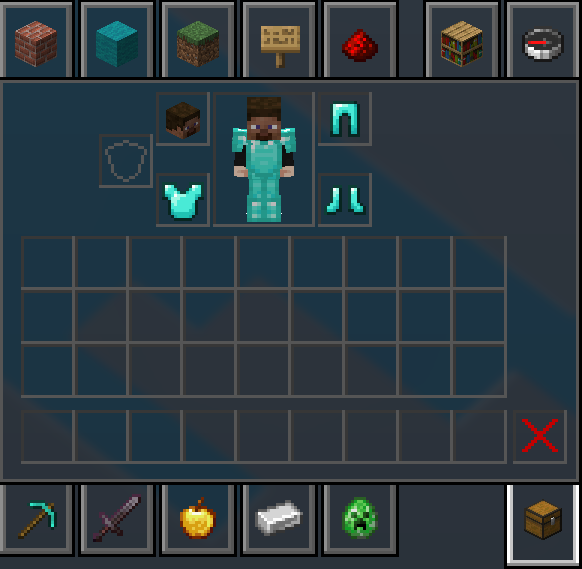
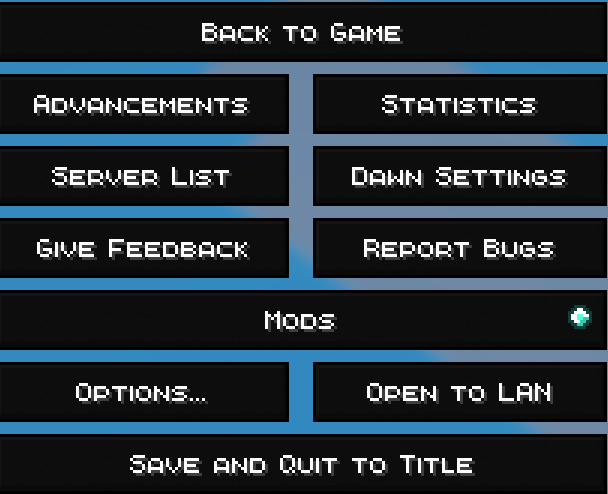
## About the Pack A custom PvP resource pack designed to optimize your gameplay visuals. It now features a clean, textured red-and-black theme for a sleek look in your menus.
## Features PvP Numbers: Replaces traditional Roman numerals with clean, standard numbers (e.g., Sharpness 5 instead of Sharpness V, Protection 4 instead of Protection IV) for instant readability during combat. Custom Hit Sounds: Crisp, alternative audio effects for satisfying combat feedback. * Clean UI: Includes a custom red-to-black gradient menu icon.
## Installation 1. Download the `.zip` file from Modrinth. 2. Launch Minecraft, navigate to Options > Resource Packs, and click Open Pack Folder. 3. Drag and drop the downloaded `.zip` file directly into the folder. 4. Move the pack over to the "Selected" side in-game and you are ready to queue up!
📊 Mod Details
- Game
- Minecraft Resource Packs
- Author
- b1urs
- Version
- 1.1.0
- Downloads
- 372
- Endorsements
- 0
- Category
- blocks
- Created
- 7/25/2026
- Updated
- 7/23/2026
- Game Versions
- 1.18, 1.18.1, 1.18.2
- Tags
- blocks, combat
🔧 How to Install Minecraft Resource Packs Mods
Download from Modrinth. Use Prism Launcher or drop into your mods folder.
📖 Full step-by-step install guide for Minecraft Resource Packs →
Visit the official mod page for specific installation instructions for this mod.
🎮 Need cheat codes or console commands? Check ur gaming wiki for Minecraft Resource Packs commands, item IDs, and more.
❓ Frequently Asked Questions
Which Minecraft Resource Packs versions does wippy pack support?
The author lists 1.18, 1.18.1, 1.18.2. Other versions may work but are untested by the author.
What is the latest version of wippy pack?
Version 1.1.0, published 2026-07-23 with 372 downloads recorded at the source.
Keep browsing — more Minecraft Resource Packs mods await