Transparent GUI and HUB (with White border)
🟠 Updated over a year ago🖼️ Gallery (12 images)
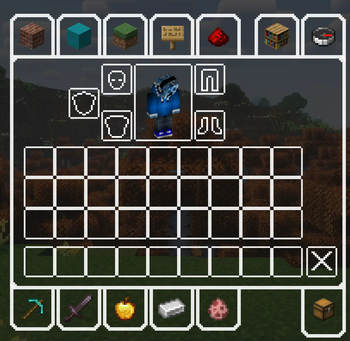
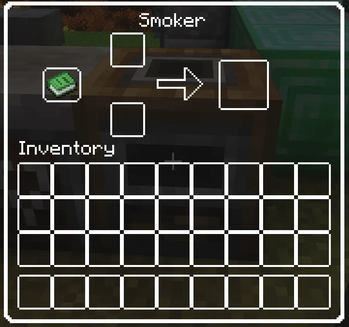
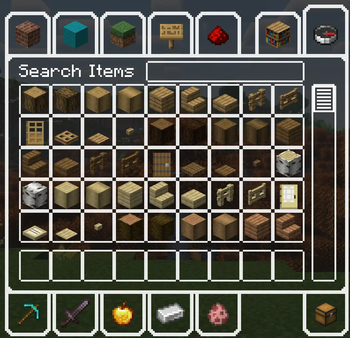
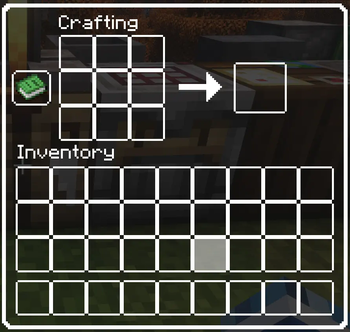
🔍 Analysis
- 👍 0.3% endorsement rate
- 🏆 #1 of 45 fonts mods in this game by downloads
📋 About This Mod
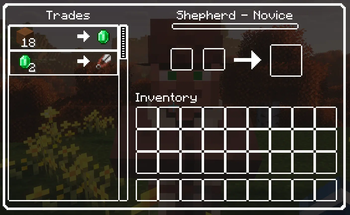
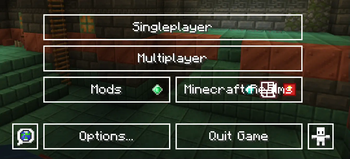
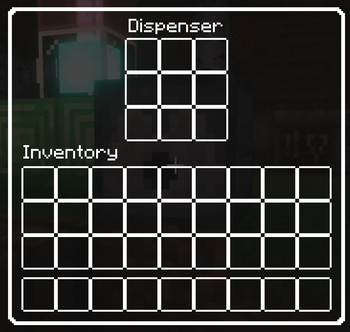
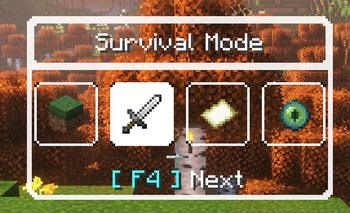
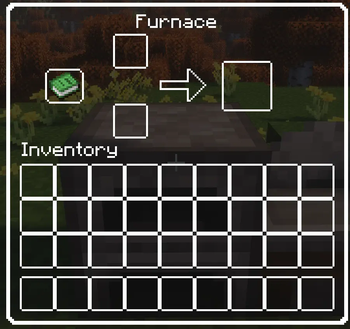
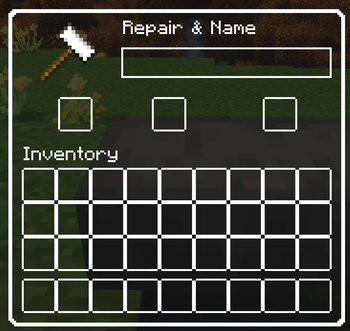
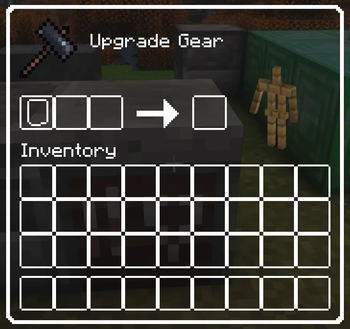
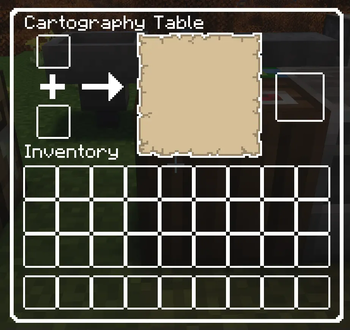
# .........................................NOTE......................................... - This texture pack supports minecraft **VERSION 1.21x ONLY** - Versions below 1.21 will not work in some gui and hubs (Because they have changed some texture locations and the gui itself) - If you want this in a lower version, please let me know in the comments ------------------------------------------------------------------------------------------------- # ..................................DESCRIPTION.................................. This is a texture pack that makes all the GUI (and HUD) in the game transparent so you can see ahead, and with a white outline so you can see where items should go. ------------------------------------------------------------------------------------------------- # ..............................This mod includes.............................. **v1.2:** **The default Minecraft hub, container** - Change text field highlighted background color to transparent - Change bundle slot background to transparent - Change bundle block slot to white - Change page backward, forward button to default - Change page backward, forward button highlighted to default **v1.1:** **The default Minecraft containers and container elements** - Change Furnace color to white - Change villager trades, job and level name color to white **v1.0:** **The default Minecraft element name color** - Change name color to White **The default Minecraft advancements GUI and GUI elements** - Tabs - Widgets **The default Minecraft containers and container elements** - Creative inventory, item search tab, item tab, and the tabs themselves - Anvils - Beacons - Blast furnace - Brewing stands - Cartography table - Crafter - Crafting tables - Enchanting table - Furnaces - Grindstone - Horse - Inventory - Loom - Smithing table - Smoker - Stonecutter - Villager interaction GUI's - Hoppers - Dispensers - Droppers - Barrel - Chest - Recipe backgrounds **The default Minecraft gamemode switcher, hub, popup, recipe book, social interactions** - Widgets
# ......................................... NOTE......................................... - This texture pack supports minecraft VERSION 1. 21x ONLY - Versions below 1. 21 will not work in some gui and hubs (Because they have changed some texture locations and the gui itself)
- If you want this in a lower version, please let me know in the comments
-------------------------------------------------------------------------------------------------
# .................................. DESCRIPTION.................................. This is a texture pack that makes all the GUI (and HUD) in the game transparent so you can see ahead, and with a white outline so you can see where items should go.
-------------------------------------------------------------------------------------------------
# .............................. This mod includes..............................
v1. 2:
The default Minecraft hub, container - Change text field highlighted background color to transparent - Change bundle slot background to transparent - Change bundle block slot to white - Change page backward, forward button to default - Change page backward, forward button highlighted to default
v1. 1:
The default Minecraft containers and container elements - Change Furnace color to white - Change villager trades, job and level name color to white
v1. 0:
The default Minecraft element name color - Change name color to White
The default Minecraft advancements GUI and GUI elements - Tabs - Widgets
The default Minecraft containers and container elements - Creative inventory, item search tab, item tab, and the tabs themselves - Anvils - Beacons - Blast furnace - Brewing stands - Cartography table - Crafter - Crafting tables - Enchanting table - Furnaces - Grindstone - Horse - Inventory - Loom - Smithing table - Smoker - Stonecutter - Villager interaction GUI's - Hoppers - Dispensers - Droppers - Barrel - Chest - Recipe backgrounds
The default Minecraft gamemode switcher, hub, popup, recipe book, social interactions - Widgets
📊 Mod Details
- Game
- Minecraft Resource Packs
- Author
- KhungLongBay
- Version
- v1.2
- Downloads
- 1,087
- Endorsements
- 3
- Category
- fonts
- Created
- 11/6/2024
- Updated
- 11/25/2024
- Game Versions
- 1.21, 1.21.1, 1.21.2, 1.21.3
- Tags
- fonts, gui, simplistic
🔧 How to Install Minecraft Resource Packs Mods
Download from Modrinth. Use Prism Launcher or drop into your mods folder.
📖 Full step-by-step install guide for Minecraft Resource Packs →
Visit the official mod page for specific installation instructions for this mod.
🎮 Need cheat codes or console commands? Check ur gaming wiki for Minecraft Resource Packs commands, item IDs, and more.
❓ Frequently Asked Questions
Which Minecraft Resource Packs versions does Transparent GUI and HUB (with White border) support?
The author lists 1.21, 1.21.1, 1.21.2, 1.21.3. Other versions may work but are untested by the author.
What is the latest version of Transparent GUI and HUB (with White border)?
Version v1.2, published 2024-11-25 with 1,087 downloads recorded at the source.
Keep browsing — more Minecraft Resource Packs mods await