VoodooDoll Custom
🟠 Updated over a year ago🖼️ Gallery (3 images)
🔍 Analysis
- 👍 0.7% endorsement rate
- 🏆 #120 of 179 decoration mods in this game by downloads
📋 About This Mod
# VoodooDoll A resource pack that changes the totem of undying into a plush toy version of the player's model. No mods required! ## Comparision between versions ### Vanilla Custom: **Pros:** - all totems can be made unique (perfect for multiplayer) - supports both the slim and wide player models **Cons:** - works only on Minecraft 1.21.5 and up - a bit complicated to customize ### Vanilla (https://modrinth.com/resourcepack/voodoodoll-wide)/(https://modrinth.com/resourcepack/voodoodoll-slim): **Pros:** - works with very old versions of Minecraft, from 1.11.0 and up - easy to customize **Cons:** - every totem of undying will look the same (good enough on single-player) - only supports either the slim or wide player models You can use Vanilla Custom edition and either Vanilla Wide or Vanilla Slim edition alongside each other, if so desired. ## How to customize By default, the resource pack only comes with textures of Steve and Alex, so if you want to use your own skin, or someone else's skin, you will have to follow these instructions. 1. Extract the content of the resource pack from the ZIP. 2. Go to `assets/minecraft/textures/item/totem_of_undying` folder. 3. Copy your desired user's skin texture into the folder and rename it to `<name>.png`. (replace the `<name>` part with whatever name you want, can be an in-game username) 4. Now, navigate to `assets/minecraft/models/doll` folder. 5. Make a copy of either the `alex.json` or `steve.json` depending on the width of the skin's arms, and rename it to `<name>.json` (the same name you used for the skin texture). 6. Open the JSON file with a text editor and replace the mention of `"alex"` or `"steve"` with `"<name>"`. 7. Then, go to `assets/minecraft/items` and open the `totem_of_undying.json` file with a text editor. 8. Either replace the `steve`/`alex` with `<name>` and `"Steve"`/`"Alex"` with the name that will trigger turning the totem into a doll, or use that as a template for new cases (Warning: you **can't** add multiple trigger names to the same case, you need to create a separate case for that) 9. Repeat the entire process when making it for more than one person. 10. Package the content of the resource pack back into ZIP. 11. Done. Have fun :3 <details> <summary>Instructions for VoodooDoll CIT (discontinued)</summary> **Warning**: These instructions only apply to VoodooDoll CIT v1 and v2. For VoodooDoll Custom, follow the instructions above. 1. Extract the content of the resource pack from the ZIP. 2. Go to `assets/minecraft/citresewn/cit` folder. 3. Copy your desired user's skin texture into the folder and rename it to `<name>.png`. (replace the `<name>` part with whatever name you want, can be the person in-game username) 4. Make a copy of either the `alex.json` or `steve.json` depending on the width of the skin's arms, and rename it to `<name>.json`. 5. Open the JSON file with a text editor and replace the mention of `"alex"` or `"steve"` with `"<name>"`. 6. Make a copy of any of the `.properties` files (doesn't matter which one), and rename it to `<name>.properties`. 7. Open the `<name>.properties` file you've just created with a text editor. 8. Replace the `texture=` and `model=` with the name of the PNG and JSON files. The `nbt.display.Name=` is what will trigger the totem of undying to be the voodoo doll when you rename it in the game, so you can change it to whatever you want, as long as it fits the 50 characters limit of anvils. 9. Repeat the entire process if making for more than one person. 10. Package the content of the resource pack back into ZIP. 11. Done. Have fun :3 </details>
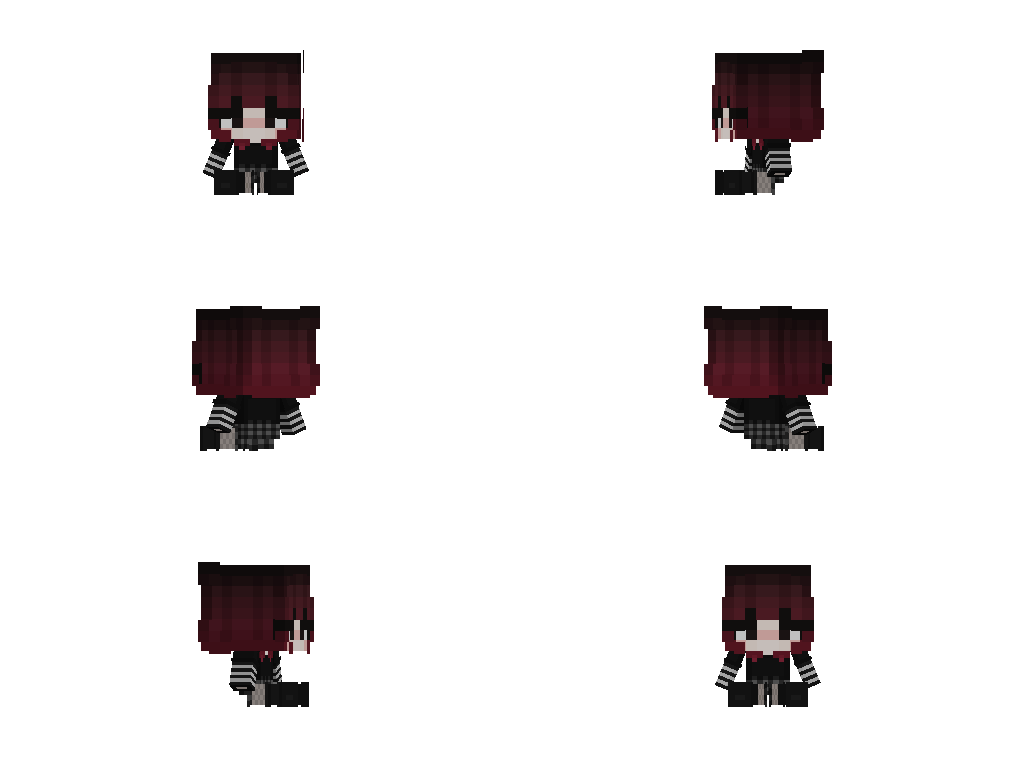
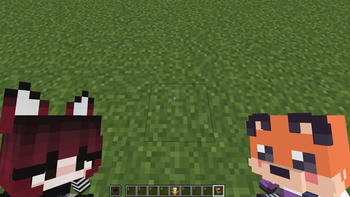
# VoodooDoll A resource pack that changes the totem of undying into a plush toy version of the player's model. No mods required!
## Comparision between versions ### Vanilla Custom: Pros: - all totems can be made unique (perfect for multiplayer) - supports both the slim and wide player models
Cons: - works only on Minecraft 1. 21. 5 and up - a bit complicated to customize
### Vanilla (https://modrinth.com/resourcepack/voodoodoll-wide)/(https://modrinth.com/resourcepack/voodoodoll-slim): Pros: - works with very old versions of Minecraft, from 1. 11. 0 and up - easy to customize
Cons: - every totem of undying will look the same (good enough on single-player) - only supports either the slim or wide player models
You can use Vanilla Custom edition and either Vanilla Wide or Vanilla Slim edition alongside each other, if so desired.
## How to customize
By default, the resource pack only comes with textures of Steve and Alex, so if you want to use your own skin, or someone else's skin, you will have to follow these instructions.
1. Extract the content of the resource pack from the ZIP.
2. Go to `assets/minecraft/textures/item/totem_of_undying` folder.
3. Copy your desired user's skin texture into the folder and rename it to `
Instructions for VoodooDoll CIT (discontinued)
1. Extract the content of the resource pack from the ZIP.
2. Go to `assets/minecraft/citresewn/cit` folder.
3. Copy your desired user's skin texture into the folder and rename it to `
📊 Mod Details
- Game
- Minecraft Resource Packs
- Author
- grunge_fox
- Version
- 3.0
- Downloads
- 2,465
- Endorsements
- 18
- Category
- decoration
- Created
- 11/24/2024
- Updated
- 7/26/2025
- Game Versions
- 1.21.5, 1.21.6, 1.21.7, 1.21.8, 1.21.9
- Tags
- decoration, items, models
🔧 How to Install Minecraft Resource Packs Mods
Download from Modrinth. Use Prism Launcher or drop into your mods folder.
📖 Full step-by-step install guide for Minecraft Resource Packs →
Visit the official mod page for specific installation instructions for this mod.
🎮 Need cheat codes or console commands? Check ur gaming wiki for Minecraft Resource Packs commands, item IDs, and more.
❓ Frequently Asked Questions
Which Minecraft Resource Packs versions does VoodooDoll Custom support?
The author lists 1.21.5, 1.21.6, 1.21.7, 1.21.8, 1.21.9, 1.21.10. Other versions may work but are untested by the author.
What is the latest version of VoodooDoll Custom?
Version 3.0, published 2025-07-26 with 2,465 downloads recorded at the source.
Keep browsing — more Minecraft Resource Packs mods await