Transparent GUI and HUD
🟡 Updated this year🖼️ Gallery (12 images)
🔍 Analysis
- 👍 0.0% endorsement rate
- 🏆 #16 of 325 combat mods in this game by downloads
📋 About This Mod
!(https://cdn.modrinth.com/data/CpA767Rl/images/51f4e95d896534dc3e061fb174a37d3ba3398273.png) ## About 26.2.X Release 1 and 1.8.8-9 Release 2.3 are now available! This is a texture pack that makes all of the GUIs (and HUDs) in the game transparent (transparent means see-through or clear), so you can see the gameplay going on in front of you! The GUI's are specifically designed so you can see both where items should go and so you can see in front of you. ## Support In 1.14-26.2.X, these textures are supported: - Pumpkin Overlay - Fire overlay - The default Minecraft advancements GUI and GUI elements + Tabs + Widgets - The default Minecraft containers and container elements + Creative inventory (item search tab, item tab, and the tabs themselves) + Anvils + Beacons + Brewing stands + Crafting tables + Dispensers + Droppers + Enchanting tables + Furnaces + Generic chest GUI's + Hoppers + Horse + Barrel + Stonecutter + Cartography table + Grindstone + Blast furnace + Smoker - Survival Inventory and elements - The default Minecraft recipe book - New Villager interaction GUI's - Default Minecraft books - Smithing table (1.16.X & up only) + Supports new smithing table in 1.19.4 & up In 1.14.X & down, this texture pack also supports shields. Due to a change in 19w45a, future versions can no longer support transparent shields. This texture pack supports (as of 1.8.X - 1.13.X's latest release): - Pumpkin Overlay - Fire overlay - Partially transparent achievement menu (1.8.X-1.11.X) - The default Minecraft advancements GUI and GUI elements (1.12+) + Tabs + Windows - The default Minecraft containers and container elements + Creative inventory (item search tab, item tab, and the tabs themselves) + Anvils + Beacons + Brewing stands + Crafting tables + Dispensers + Droppers + Enchanting tables + Furnaces + Generic chest GUI's + Hoppers + Horse - Survival Inventory and elements - The default Minecraft recipe book - Villager interaction GUI's - Default Minecraft books - Shields (for 1.9.X-1.14.X) - The default Minecraft recipe book

26. 2. X Release 1 and 1. 8. 8-9 Release 2. 3 are now available!
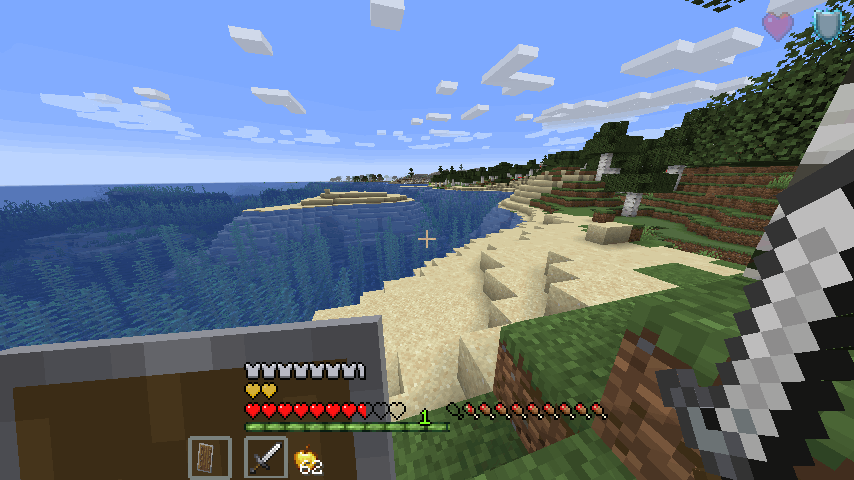
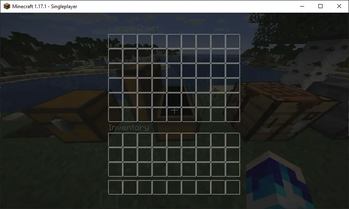
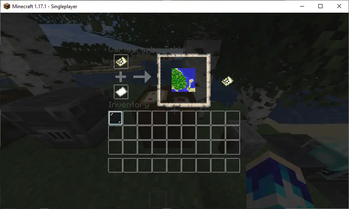
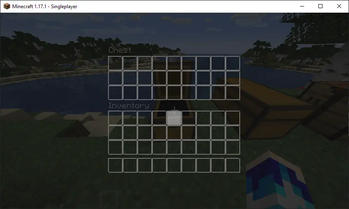
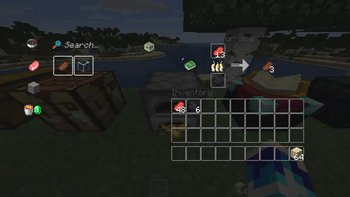
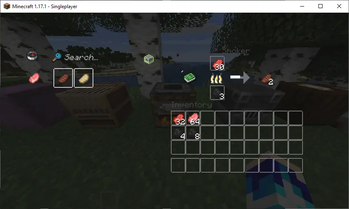
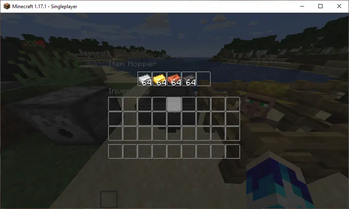
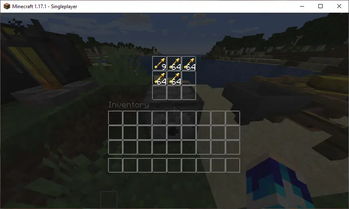
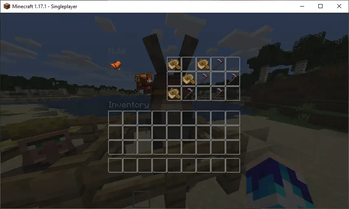
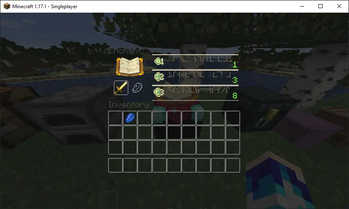
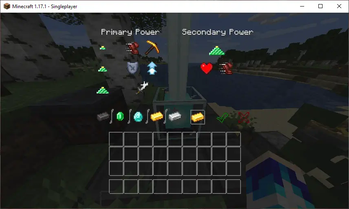
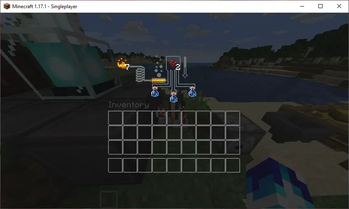
This is a texture pack that makes all of the GUIs (and HUDs) in the game transparent (transparent means see-through or clear), so you can see the gameplay going on in front of you! The GUI's are specifically designed so you can see both where items should go and so you can see in front of you.
In 1. 14-26. 2. X, these textures are supported:
- Pumpkin Overlay
- Fire overlay
- The default Minecraft advancements GUI and GUI elements
- + Tabs
- + Widgets
- The default Minecraft containers and container elements
- + Creative inventory (item search tab, item tab, and the tabs themselves)
- + Anvils
- + Beacons
- + Brewing stands
- + Crafting tables
- + Dispensers
- + Droppers
- + Enchanting tables
- + Furnaces
- + Generic chest GUI's
- + Hoppers
- + Horse
- + Barrel
- + Stonecutter
- + Cartography table
- + Grindstone
- + Blast furnace
- + Smoker
- Survival Inventory and elements
- The default Minecraft recipe book
- New Villager interaction GUI's
- Default Minecraft books
- Smithing table (1. 16. X & up only)
- + Supports new smithing table in 1. 19. 4 & up
In 1. 14. X & down, this texture pack also supports shields. Due to a change in 19w45a, future versions can no longer support transparent shields.
This texture pack supports (as of 1. 8. X - 1. 13. X's latest release):
- Pumpkin Overlay
- Fire overlay
- Partially transparent achievement menu (1. 8. X-1. 11. X)
- The default Minecraft advancements GUI and GUI elements (1. 12+)
- + Tabs
- + Windows
- The default Minecraft containers and container elements
- + Creative inventory (item search tab, item tab, and the tabs themselves)
- + Anvils
- + Beacons
- + Brewing stands
- + Crafting tables
- + Dispensers
- + Droppers
- + Enchanting tables
- + Furnaces
- + Generic chest GUI's
- + Hoppers
- + Horse
- Survival Inventory and elements
- The default Minecraft recipe book
- Villager interaction GUI's
- Default Minecraft books
- Shields (for 1. 9. X-1. 14. X)
- The default Minecraft recipe book
📊 Mod Details
- Game
- Minecraft Resource Packs
- Author
- VirxEC
- Version
- 1
- Downloads
- 531,513
- Endorsements
- 207
- Category
- combat
- Created
- 3/16/2023
- Updated
- 6/19/2026
- Game Versions
- 26.1, 26.1.1, 26.1.2, 26.2
- Tags
- combat, gui, tweaks
🔧 How to Install Minecraft Resource Packs Mods
Download from Modrinth. Use Prism Launcher or drop into your mods folder.
📖 Full step-by-step install guide for Minecraft Resource Packs →
Visit the official mod page for specific installation instructions for this mod.
🎮 Need cheat codes or console commands? Check ur gaming wiki for Minecraft Resource Packs commands, item IDs, and more.
❓ Frequently Asked Questions
Which Minecraft Resource Packs versions does Transparent GUI and HUD support?
The author lists 26.1, 26.1.1, 26.1.2, 26.2. Other versions may work but are untested by the author.
What is the latest version of Transparent GUI and HUD?
Version 1, published 2026-06-19 with 531,513 downloads recorded at the source.
Keep browsing — more Minecraft Resource Packs mods await