SKN's Topsy Fixes
🟠 Updated over a year ago🖼️ Gallery (9 images)
🔍 Analysis
- 👍 1.7% endorsement rate — high engagement, a strong quality signal
- 🏆 #39 of 181 blocks mods in this game by downloads
📋 About This Mod
<h2>Summary</h2> <p>While I was making my <a href="https://modrinth.com/resourcepack/sknsloopyores">Loopy Ores resource pack</a>, I noticed that some ores had some issues with their textures, namely gilded blackstone and all of the deepslate ores. I went on the minecraft forums to report it, but it turns out someone already reported them, and they were marked as working as intended. I think that's dumb, and I decided to fix them up in the most vanilla way I could.</p> <p>I admit, this is a very niche project, but if you've been bugged by the same problem, I've got it all fixed here!</p> <p>I also have added support for the following mods:</p> <ul> <li><a href="https://modrinth.com/mod/cobblemon">Cobblemon</a></li> <li><a href="https://modrinth.com/mod/create">Create</a></li> <li><a href="https://modrinth.com/mod/things">Things</a></li> </ul> <h2>Images</h2> <h3>Side-by-Side Comparison</h3> <p>Before and after, respectively</p> <img width="49.5%" alt="if image has not loaded, please see the gallery." src="https://cdn.modrinth.com/data/WcLUFs6O/images/ad6161a7b7b370f62d4b1c6174b38ad3f3925a55.png"> <img width="49.5%" alt="if image has not loaded, please see the gallery." src="https://cdn.modrinth.com/data/WcLUFs6O/images/98cb6599b649ee6b44c3b5dcfcf7d020624f5e00.png"> <img width="49.5%" alt="if image has not loaded, please see the gallery." src="https://cdn.modrinth.com/data/WcLUFs6O/images/b24f953261898ddcf5aa11890e3051d4d4ea953f.png"> <img width="49.5%" alt="if image has not loaded, please see the gallery." src="https://cdn.modrinth.com/data/WcLUFs6O/images/b4871bafae219946edcc62a069ca817ce28fc9c3.png"> <img width="49.5%" alt="if image has not loaded, please see the gallery." src="https://cdn.modrinth.com/data/WcLUFs6O/images/6f0699b06f48b8315871155898d2c816230d1606.png"> <img width="49.5%" alt="if image has not loaded, please see the gallery." src="https://cdn.modrinth.com/data/WcLUFs6O/images/866e00205e8b8ff09b7b42beb5cc86b1be30fdf0.png"> <h3>Modded Screenshots</h3> <img alt="if image has not loaded, please see the gallery." src="https://cdn.modrinth.com/data/WcLUFs6O/images/14c8ba64aeb80127e8d882d0ff0a30435ad7b794.png"> <h3>Ingame Screenshots</h3> <img alt="if image has not loaded, please see the gallery." src="https://cdn.modrinth.com/data/WcLUFs6O/images/8d49fe2e54d6c3f461f34a4e684228300f9ec361.png"> <img alt="if image has not loaded, please see the gallery." src="https://cdn.modrinth.com/data/WcLUFs6O/images/5b1714a2d514a1263d54fd98d07faf9392f58fbd.png"> <hr> <p>If you have any questions, comments, or ideas, please check out the wiki link and post them there.</p>
Summary
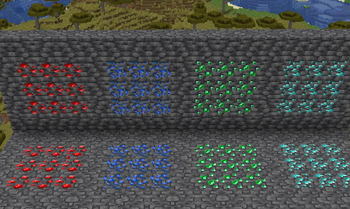
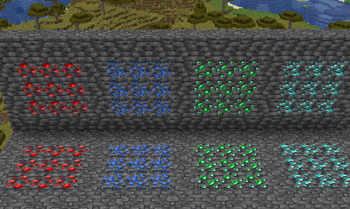
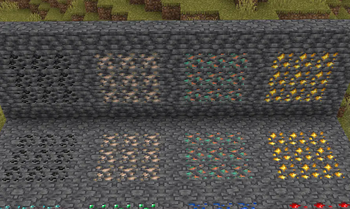
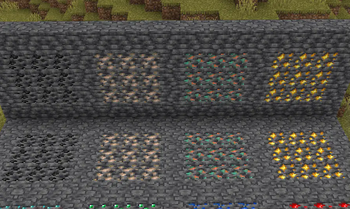
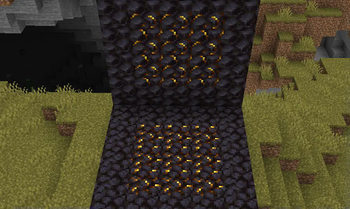
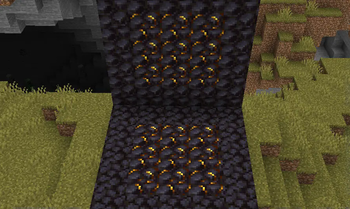
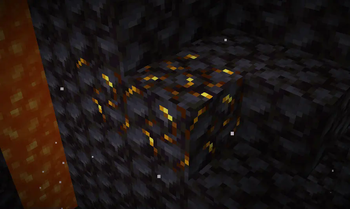
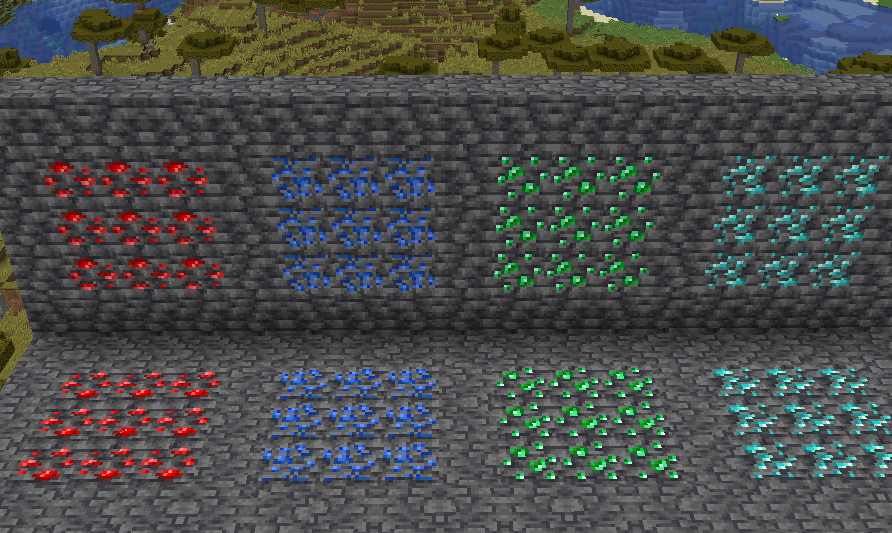
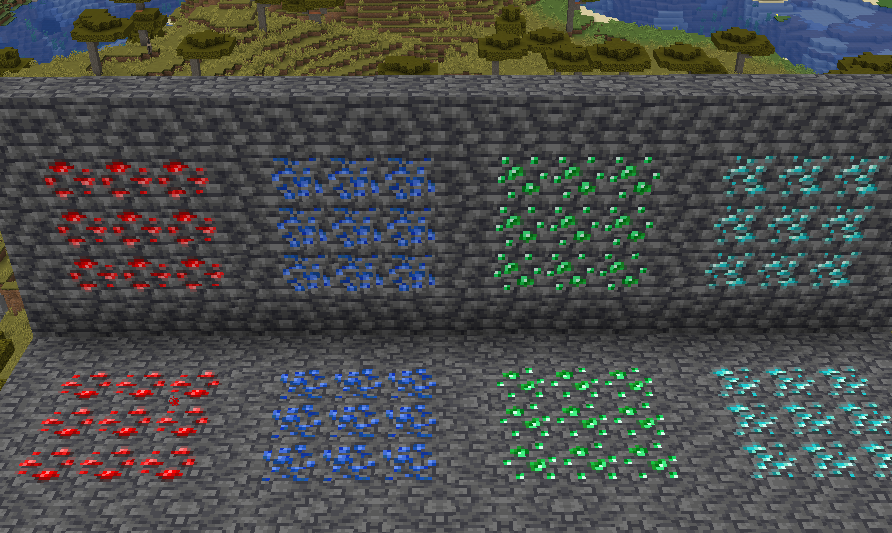
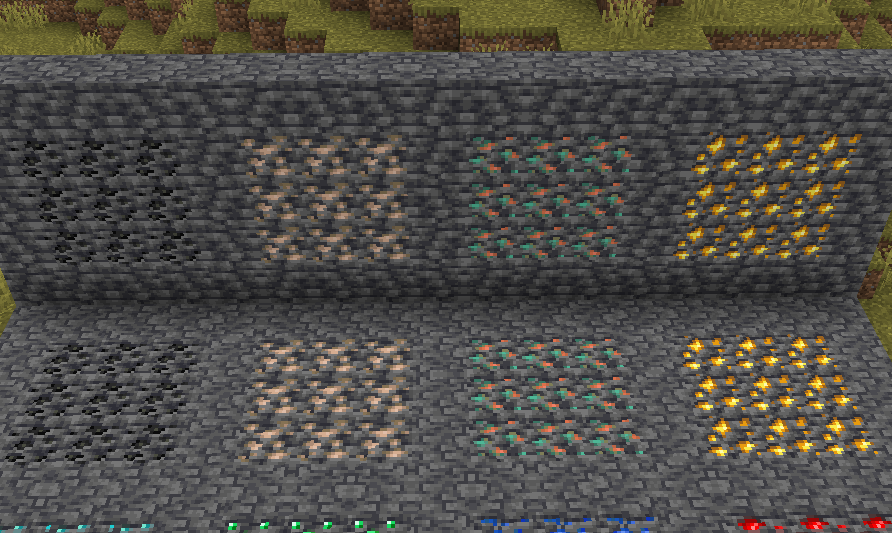
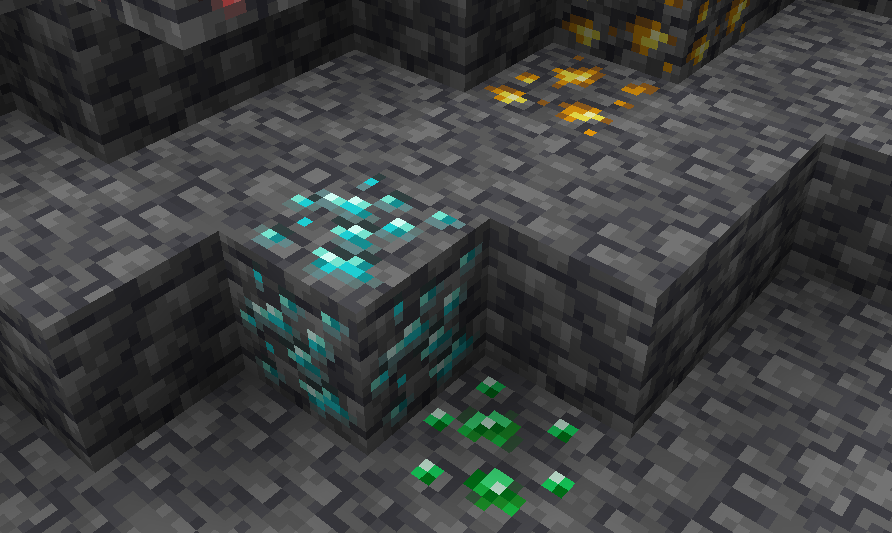
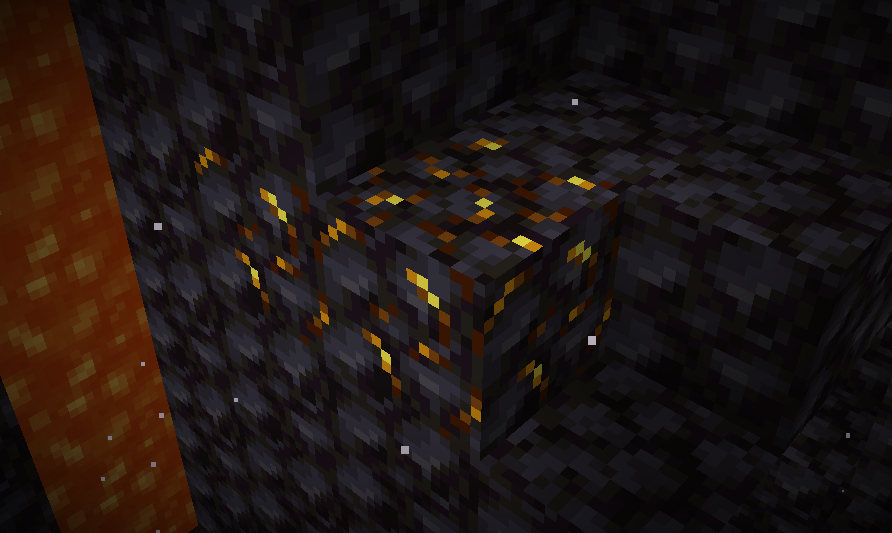
While I was making my Loopy Ores resource pack, I noticed that some ores had some issues with their textures, namely gilded blackstone and all of the deepslate ores. I went on the minecraft forums to report it, but it turns out someone already reported them, and they were marked as working as intended. I think that's dumb, and I decided to fix them up in the most vanilla way I could.
I admit, this is a very niche project, but if you've been bugged by the same problem, I've got it all fixed here!
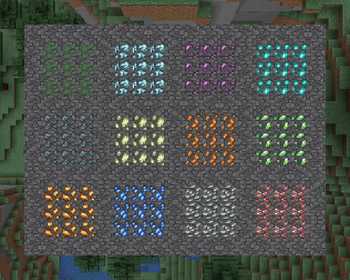
I also have added support for the following mods:
Images
Side-by-Side Comparison
Before and after, respectively
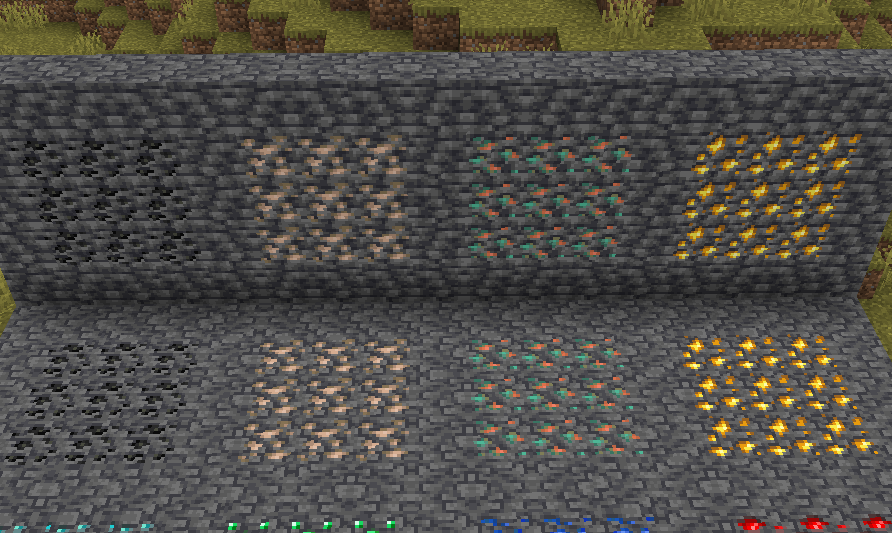
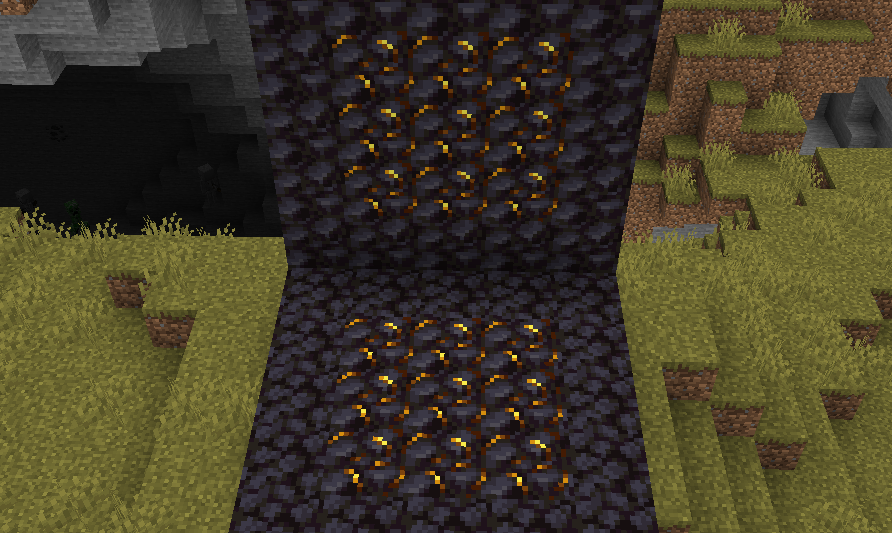
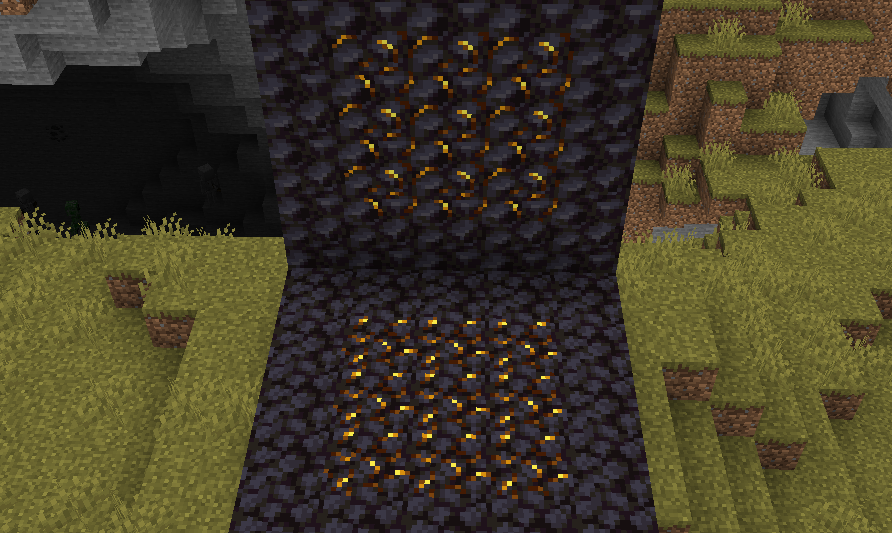
Modded Screenshots
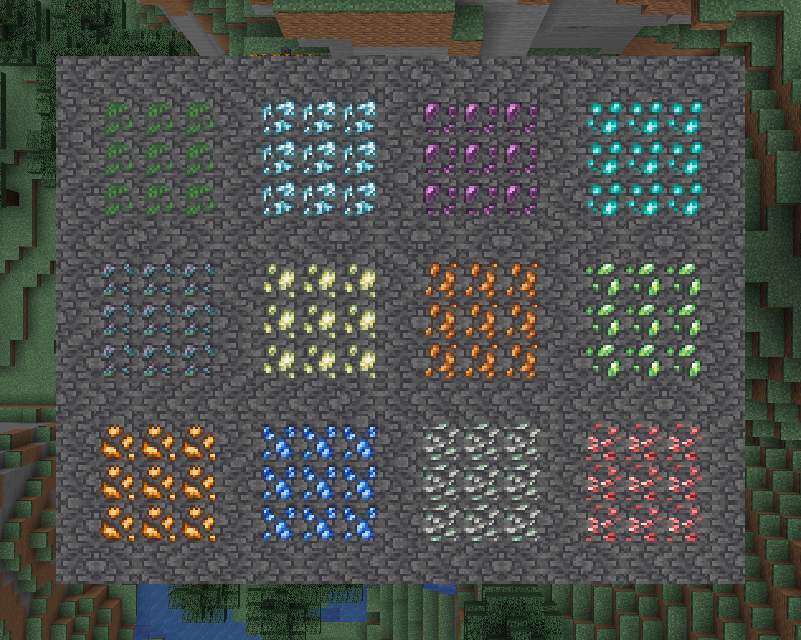
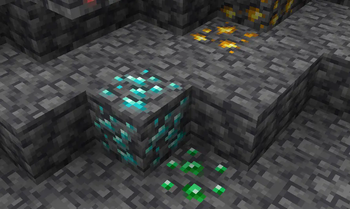
Ingame Screenshots
If you have any questions, comments, or ideas, please check out the wiki link and post them there.
📊 Mod Details
- Game
- Minecraft Resource Packs
- Author
- SKN
- Version
- 1.0.4
- Downloads
- 584
- Endorsements
- 10
- Category
- blocks
- Created
- 7/7/2024
- Updated
- 10/12/2024
- Game Versions
- 1.20, 1.20.1
- Tags
- blocks, models, tweaks
🔧 How to Install Minecraft Resource Packs Mods
Download from Modrinth. Use Prism Launcher or drop into your mods folder.
📖 Full step-by-step install guide for Minecraft Resource Packs →
Visit the official mod page for specific installation instructions for this mod.
🎮 Need cheat codes or console commands? Check ur gaming wiki for Minecraft Resource Packs commands, item IDs, and more.
❓ Frequently Asked Questions
Which Minecraft Resource Packs versions does SKN's Topsy Fixes support?
The author lists 1.20, 1.20.1. Other versions may work but are untested by the author.
What is the latest version of SKN's Topsy Fixes?
Version 1.0.4, published 2024-10-12 with 584 downloads recorded at the source.
Keep browsing — more Minecraft Resource Packs mods await