Simple TexturePack
⚪ Last updated 2024🖼️ Gallery (10 images)
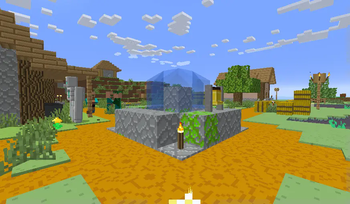
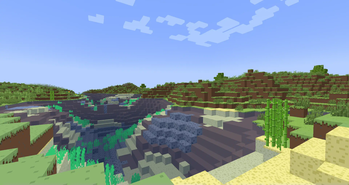
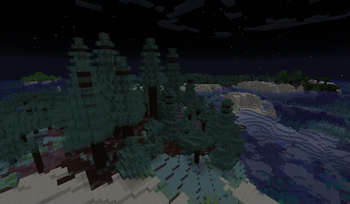
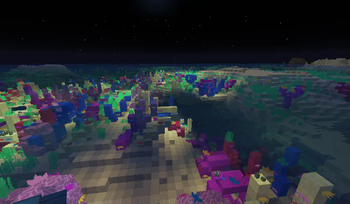
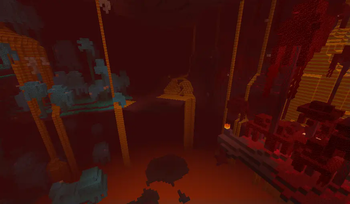
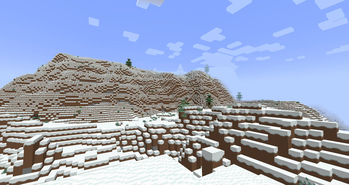
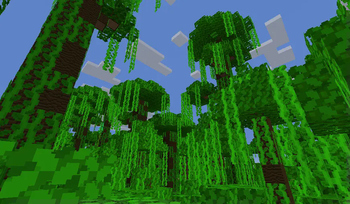
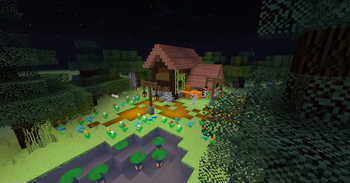
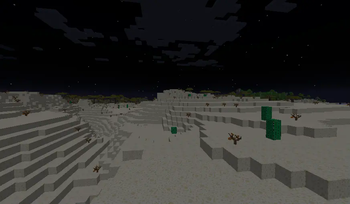
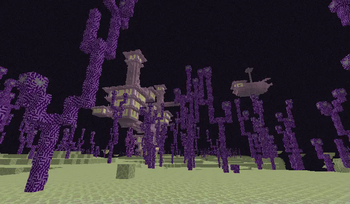
🔍 Analysis
- 👍 0.0% endorsement rate
- 🏆 #18 of 222 blocks mods in this game by downloads
📋 About This Mod
This is a SimpleTexturePack It brings vibrant textures to your Minecraft world,Has a wide range of version support,Some blocks and items have been optimized。 How To Use: Start Minecraft,Press ESC, Options>Resource Packs>Open Pack Folder and copies the ".zip"flie to here,click the pack in "Available"Area and click Done,after a Loading interface,then you finished it How To Update: Delete old pack,copied newly pack in the “Pack Folder”than start Minecraft,Press ESC, Options>Resource Packs,click the pack in "Available"Area and click Done,after a Loading interface,then you finished it Notice: 1.The version before 1.13 will **NOT** supported,so the newly texture only update on the“1.13-1.20MainVersion” 2.The Fix must on the top of Main Example: !(https://cdn.modrinth.com/data/cached_images/4a99d2cff6cd2f5f6521e7182c6faf38aa9b1970.png) 3.This texture pack also supports a number of other mods,need download other texture pack Now support: Create 1.14-1.20 (https://modrinth.com/resourcepack/simple-texturepack-create) Applied Energy2 1.15-1.20 Mekanism 1.9-1.20 Build Craft 1.7-1.12 Industry Craft2 1.18-1.19
This is a SimpleTexturePack
It brings vibrant textures to your Minecraft world,Has a wide range of version support,Some blocks and items have been optimized。
How To Use:
Start Minecraft,Press ESC, Options>Resource Packs>Open Pack Folder and copies the ".zip"flie to here,click the pack in "Available"Area and click Done,after a Loading interface,then you finished it
How To Update:
Delete old pack,copied newly pack in the “Pack Folder”than start Minecraft,Press ESC, Options>Resource Packs,click the pack in "Available"Area and click Done,after a Loading interface,then you finished it
1. The version before 1. 13 will NOT supported,so the newly texture only update on the“1. 13-1. 20MainVersion”
2. The Fix must on the top of Main Example:
!(https://cdn.modrinth.com/data/cached_images/4a99d2cff6cd2f5f6521e7182c6faf38aa9b1970.png)
3. This texture pack also supports a number of other mods,need download other texture pack
Now support: Create 1. 14-1. 20 (https://modrinth.com/resourcepack/simple-texturepack-create) Applied Energy2 1. 15-1. 20 Mekanism 1. 9-1. 20 Build Craft 1. 7-1. 12 Industry Craft2 1. 18-1. 19
📊 Mod Details
- Game
- Minecraft Resource Packs
- Author
- Re_Construction
- Version
- 2.9.1
- Downloads
- 3,851
- Endorsements
- 1
- Category
- blocks
- Created
- 6/11/2024
- Updated
- 6/25/2024
- Game Versions
- 1.13, 1.13.1, 1.13.2, 1.14, 1.14.1
- Tags
- blocks, decoration, simplistic
🔧 How to Install Minecraft Resource Packs Mods
Download from Modrinth. Use Prism Launcher or drop into your mods folder.
📖 Full step-by-step install guide for Minecraft Resource Packs →
Visit the official mod page for specific installation instructions for this mod.
🎮 Need cheat codes or console commands? Check ur gaming wiki for Minecraft Resource Packs commands, item IDs, and more.
❓ Frequently Asked Questions
Which Minecraft Resource Packs versions does Simple TexturePack support?
The author lists 1.13, 1.13.1, 1.13.2, 1.14, 1.14.1, 1.14.2. Other versions may work but are untested by the author.
What is the latest version of Simple TexturePack?
Version 2.9.1, published 2024-06-25 with 3,851 downloads recorded at the source.
Keep browsing — more Minecraft Resource Packs mods await