Rustic Resource Pack
🟠 Updated over a year ago🖼️ Gallery (5 images)


🔍 Analysis
- 👍 0.6% endorsement rate
- 🏆 #61 of 80 environment mods in this game by downloads
📋 About This Mod
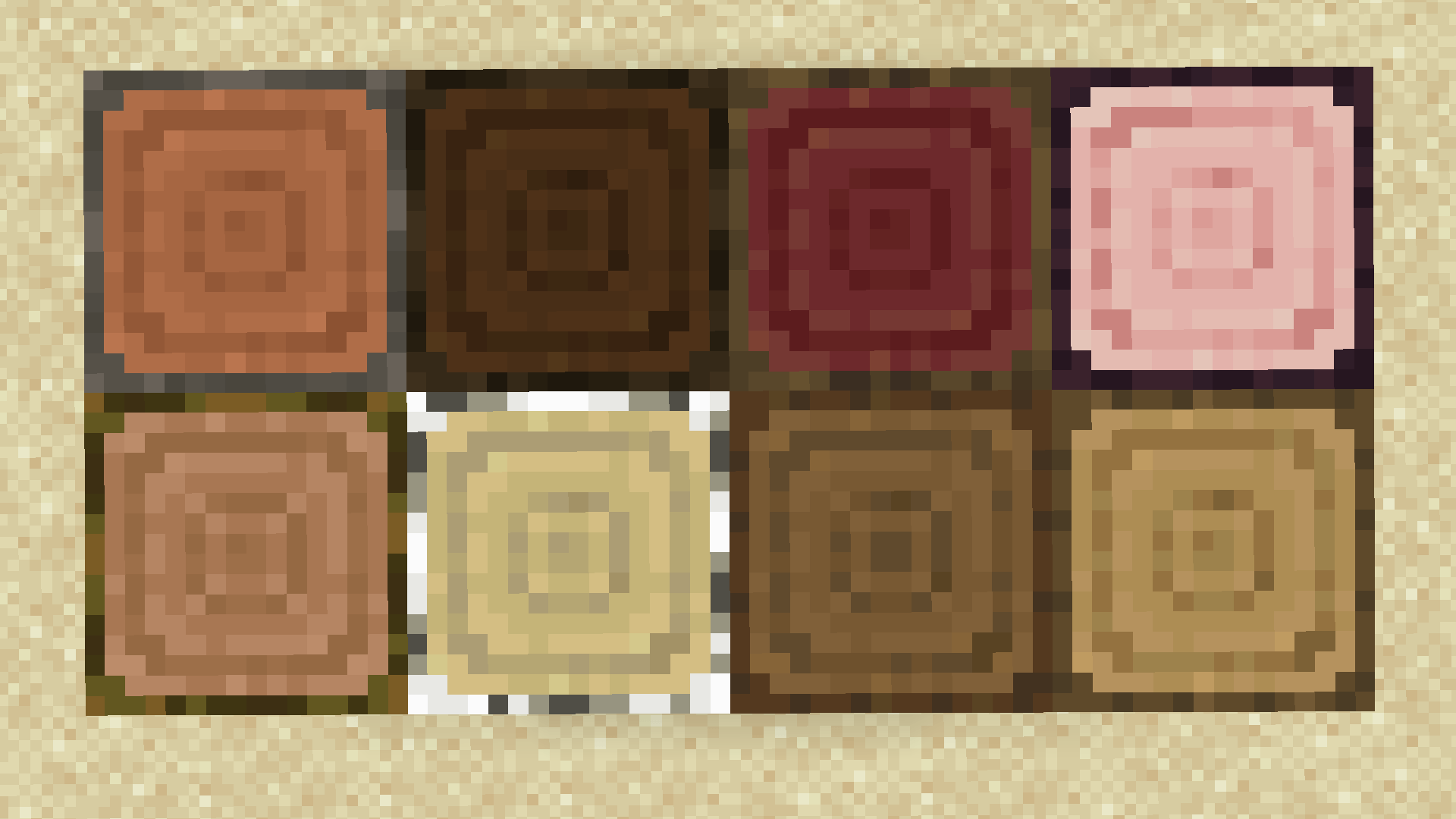
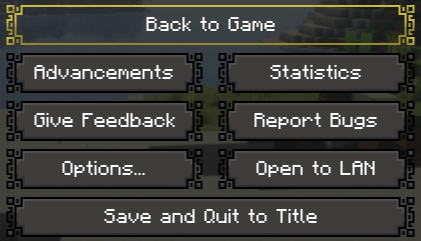
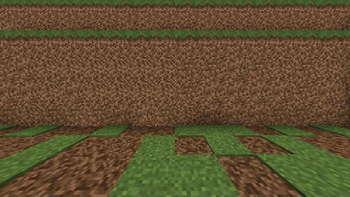
### **Rustic is a work in progress resource pack that adds many new block texture variations, gui features (discontinued), and more to come. The goal is to have a Resource Pack that makes the world feel more dynamic and natural.** ### - - - **Note: In version 0.# and 1.# of the resource pack, you do NOT need Optifine or anything related to Optifine for Fabric/Quilt/etc. users. Possible changes to that in later updates.** _**Important Note: In your resource packs tab in-game, Rustic may say that it is built for an older or newer version of Minecraft. This does not affect texture variation features, however the gui features seen in version 0.1 of Rustic will only work for 1.20 and 1.20.1. This is an intentionally unresolved bug that has to do with updated file names related to gui that come after 1.20.1. While the file says it's incompatible in-game, you can theoretically load these features on most versions before 1.20.1. Any Rustic version after 0.1 will not have these gui features until further notice.**_ ### _**FAQ:**_ ### - - - _**Q:**_ _"Where can I find Rustic on the Modrinth App if it isn't showing up?"_ _**A:**_ **If you are using the Modrinth app but Rustic is not present, you can find it by clicking the "Override game versions" checkbox on the top of the left sidebar. Then disable the filtered version at the bottom. Rustic should now be visible. Please see the Important Note above.** - - - _**Q:**_ _"How do I change Rustic's version on the Modrinth App?"_ _**A:**_ **If you want to update or downgrade Rustic or check if there is a new version and you are using the Modrinth app, please click on the resource pack. Then click "Versions" at the top. Then disable the filtered loader (Fabric, Forge, Quilt, etc.). All versions of Rustic should now be visible. If not, disable the filtered update (1.20, 1.19.2, etc.).** - - - _**Q:**_ _"Rustic shows as being made for a newer/older version of Minecraft in the resource packs tab in-game. Should I be worried?"_ _**A:**_ **If Rustic shows as being made for a newer/older version of Minecraft, there is no need for concern. Everything should work completely as intended, as there are no features within Rustic that are update specific. That said, if you are using version 0.1 of Rustic, the GUI features seen in that update only work in (most) versions before 1.20.1. More info on that in the Important Note above.** - - - _If you would like to be a part of the community and developement of the pack, please join the ](https://discord.gg/VR4FzDHM38)!_ _If you would like to support me, please join the ! (in developement)_ _**If you need help with the resource pack, you may join the ](https://discord.gg/VR4FzDHM38).**_ _If you for any reason need to contact me, my Discord User is goob_504_. Feel free to dm me!
### Rustic is a work in progress resource pack that adds many new block texture variations, gui features (discontinued), and more to come. The goal is to have a Resource Pack that makes the world feel more dynamic and natural. ###
_Important Note: In your resource packs tab in-game, Rustic may say that it is built for an older or newer version of Minecraft. This does not affect texture variation features, however the gui features seen in version 0. 1 of Rustic will only work for 1. 20 and 1. 20. 1. This is an intentionally unresolved bug that has to do with updated file names related to gui that come after 1. 20. 1. While the file says it's incompatible in-game, you can theoretically load these features on most versions before 1. 20. 1. Any Rustic version after 0. 1 will not have these gui features until further notice._
### _FAQ:_ ###
_Q:_ _"Where can I find Rustic on the Modrinth App if it isn't showing up?"_
_A:_ If you are using the Modrinth app but Rustic is not present, you can find it by clicking the "Override game versions" checkbox on the top of the left sidebar. Then disable the filtered version at the bottom. Rustic should now be visible. Please see the Important Note above.
_Q:_ _"How do I change Rustic's version on the Modrinth App?"_
_A:_ If you want to update or downgrade Rustic or check if there is a new version and you are using the Modrinth app, please click on the resource pack. Then click "Versions" at the top. Then disable the filtered loader (Fabric, Forge, Quilt, etc.). All versions of Rustic should now be visible. If not, disable the filtered update (1. 20, 1. 19. 2, etc.).
_Q:_ _"Rustic shows as being made for a newer/older version of Minecraft in the resource packs tab in-game. Should I be worried?"_
_A:_ If Rustic shows as being made for a newer/older version of Minecraft, there is no need for concern. Everything should work completely as intended, as there are no features within Rustic that are update specific. That said, if you are using version 0. 1 of Rustic, the GUI features seen in that update only work in (most) versions before 1. 20. 1. More info on that in the Important Note above.
_If you would like to be a part of the community and developement of the pack, please join the [](https://discord.gg/VR4FzDHM38)!_
_If you would like to support me, please join the ! (in developement)_
_**If you need help with the resource pack, you may join the [](https://discord.gg/VR4FzDHM38).**_ _If you for any reason need to contact me, my Discord User is goob_504_. Feel free to dm me!
📊 Mod Details
- Game
- Minecraft Resource Packs
- Author
- NovaQ
- Version
- 1.5
- Downloads
- 2,561
- Endorsements
- 16
- Category
- environment
- Created
- 8/19/2024
- Updated
- 9/7/2025
- Game Versions
- 1.21.4
- Tags
- environment, simplistic, vanilla-like
🔧 How to Install Minecraft Resource Packs Mods
Download from Modrinth. Use Prism Launcher or drop into your mods folder.
📖 Full step-by-step install guide for Minecraft Resource Packs →
Visit the official mod page for specific installation instructions for this mod.
🎮 Need cheat codes or console commands? Check ur gaming wiki for Minecraft Resource Packs commands, item IDs, and more.
❓ Frequently Asked Questions
Which Minecraft Resource Packs versions does Rustic Resource Pack support?
The author lists 1.21.4. Other versions may work but are untested by the author.
What is the latest version of Rustic Resource Pack?
Version 1.5, published 2025-09-07 with 2,561 downloads recorded at the source.
Keep browsing — more Minecraft Resource Packs mods await