Refined Storage Addons - ReCreated Style (Unofficial)
🟡 Updated this year🖼️ Gallery (12 images)
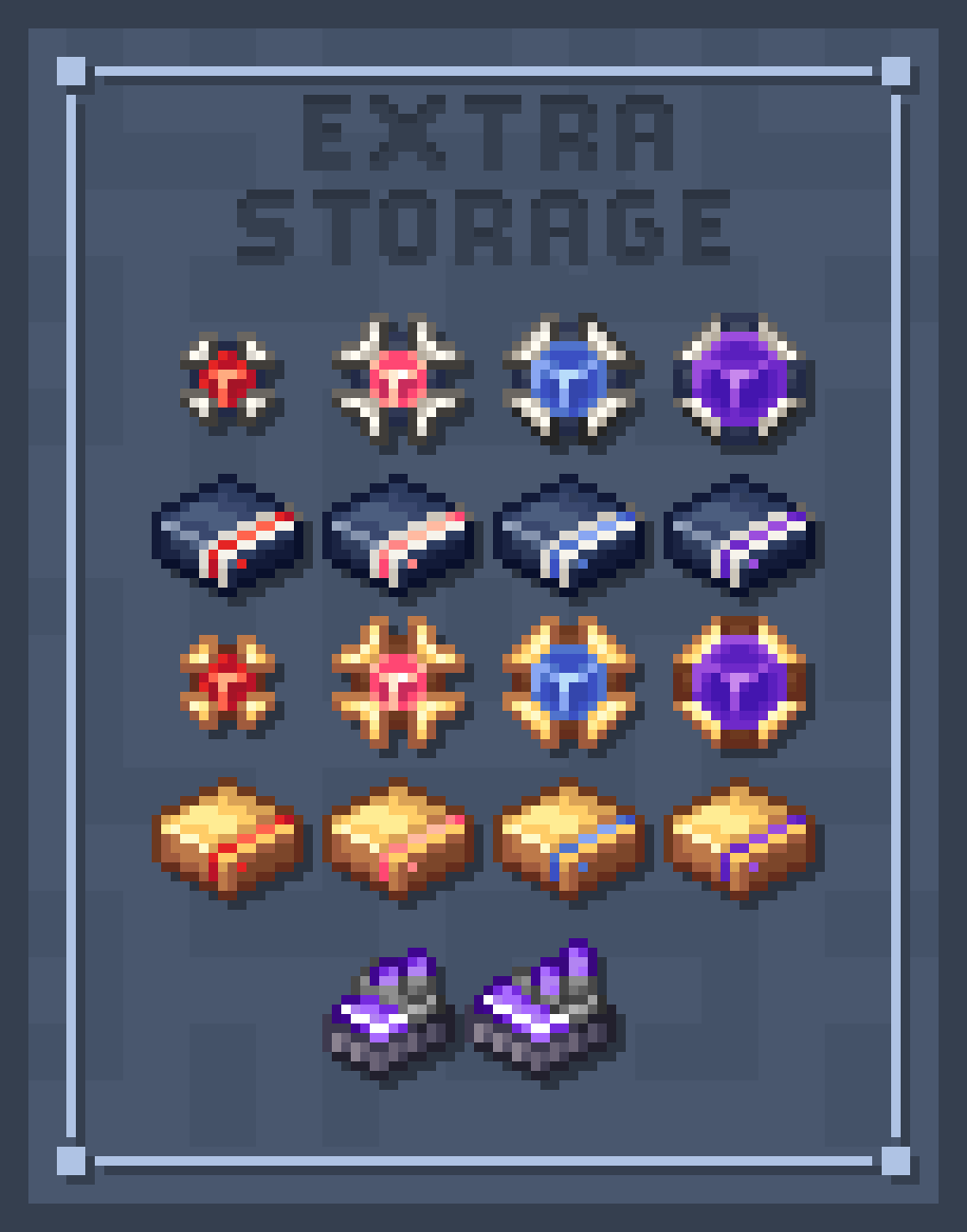
🔍 Analysis
- 🏆 #377 of 631 16x mods in this game by downloads
📋 About This Mod
## Disclaimer: **This project is a fanmade extension of the original "Refined Storage - Recreated" resourcepack made by (https://modrinth.com/user/Andromeda-Galaxy29). Please check it out and make sure to support them** !(https://imgur.com/sM0yISK.png) <div align="center"> <h1>⚠️ Notice ! </h1> <p> This pack requires the original <b>ReCreated</b> and <b>Refined Storage</b> to work properly.<br> Some of the features like CTM and Emissive textures need <b>OptiFine / Sodium</b> (or any alt mod) and <b>Continuity</b> to work. </p> <p align="center"> <a href="https://modrinth.com/resourcepack/refined-storage-recreated"><img src="https://imgur.com/h45y8BL.png" width="48%" alt="Requires Recreated"></a> <a href="https://modrinth.com/mod/refined-storage"><img src="https://imgur.com/KdPsmJC.png" width="48%" alt="Second Notice"></a> </p> !(https://imgur.com/sM0yISK.png) </div> ## Overview Have you ever loved the sleek look of *Refined Storage - ReCreated*, only to feel pulled out of the experience when addon items look like they came from another planet? **This pack fixes that!** This resource pack unify the look of popular Refined Storage addons to match the clean aesthetic of the *ReCreated* project. Whether you want total visual consistency or just want to freshen up your tech setup, this pack is for you! ### Supported Addons * **Cable Tiers** * **Extra Storage** * **Extra Disks** * **Refined Cooking** * **Mekanism Integration** * **Quartz Arsenal** * **Refined Types** * **Infinity Booster** * **RSRequestify** * **Step Crafter** * **Universal Grid** <i>(1.21.1 only)</i> * **Reborn Storage** <i>(1.20.1 only)</i> !(https://imgur.com/sM0yISK.png) ## Installation & Load Order To ensure textures render correctly, place this pack **ABOVE** the original *Refined Storage - ReCreated* pack in your in-game Resource Packs menu: <details> <summary>It should looks like this !</summary> <p align="center"> <img src="https://imgur.com/dMoq2sK.png"alt="Install Example"> </details> !(https://imgur.com/sM0yISK.png) ## Preview New Textures <details> <summary>Spoilers</summary> <h2>Extra Storage</h2> <h3> Items </h3> <p align="center"> <img src="https://imgur.com/Ap5DPKT.png"width="80%"alt="Extra Storage - Items"> </p> <h3> Blocks </h3> <p align="center"> <img src="https://imgur.com/ZIl13kz.png"width="80%"alt="Extra Storage - Blocks"> </p> <img src="https://imgur.com/NfMe5EY.png"alt="decoration-strip"> <h2>Refined Types</h2> <h3> Items </h3> <p align="center"> <img src="https://imgur.com/vDNNsBB.png"width="80%"alt="Refined Types - Items"> </p> <h3> Blocks </h3> <p align="center"> <img src="https://imgur.com/eGVh3t3.png"width="80%"alt="Refined Types - Blocks"> </p> <img src="https://imgur.com/NfMe5EY.png"alt="decoration-strip"> <h2>Cable Tiers</h2> <p align="center"> <img src="https://imgur.com/PlKa8Qm.png"width="80%"alt="Extra Disks - Items"> </p> <img src="https://imgur.com/NfMe5EY.png"alt="decoration-strip"> <h2>Extra Disks</h2> <h3> Items </h3> <p align="center"> <img src="https://imgur.com/69UdY6u.png"width="80%"alt="Extra Disks - Items"> </p> <h3> Blocks </h3> <p align="center"> <img src="https://imgur.com/nEmKcf3.png"width="80%"alt="Extra Disks - Blocks"> </p> <img src="https://imgur.com/NfMe5EY.png"alt="decoration-strip"> <h2>Refined Storage - Mekanism Intergration</h2> <h3> Items </h3> <p align="center"> <img src="https://imgur.com/zFcZJne.png"width="80%"alt="RS-Meka. Int - Items"> </p> <h3> Blocks </h3> <p align="center"> <img src="https://imgur.com/QbDYSNf.png"width="80%"alt="RS-Meka. Int - Blocks"> </p> <img src="https://imgur.com/NfMe5EY.png"alt="decoration-strip"> <div align="center"> <br> <h2> <b>And many more... Check them out at the gallery !</b> </h2> </details> !(https://imgur.com/sM0yISK.png) ## FAQs <details> <summary>Frequently Ask Questions</summary> <h2>Uh, why do multiple mods share the same texture?</h2> <p>Some supported addons add equivalent items that serve the exact same function. In actual gameplay or modpacks, these items are either unified into a single item or you won't be using both mods at once. You don't have to worry about seeing duplicate items cluttering your game!</p> <br> <h2>Hey! Can I use this resource pack in my modpack?</h2> <p>Of course you can, silly! You are free to include this pack in any public or private modpack on CurseForge, Modrinth, or custom launchers. Some credit or a link back to this page is always appreciated!</p> <br> <h2>Oi lad, my textures are tweaking / not working!</h2> <p>If CTM and Emissive Textures are not working, make sure you have installed Continuity, Indium (if you use Sodium), or check your OptiFine settings to ensure these features are turned on.<br> If the textures are flickering or clipping into each
## Disclaimer: This project is a fanmade extension of the original "Refined Storage - Recreated" resourcepack made by (https://modrinth.com/user/Andromeda-Galaxy29). Please check it out and make sure to support them
!(https://imgur.com/sM0yISK.png)
⚠️ Notice !
This pack requires the original ReCreated and Refined Storage to work properly.
Some of the features like CTM and Emissive textures need OptiFine / Sodium (or any alt mod) and Continuity to work.


!(https://imgur.com/sM0yISK.png)
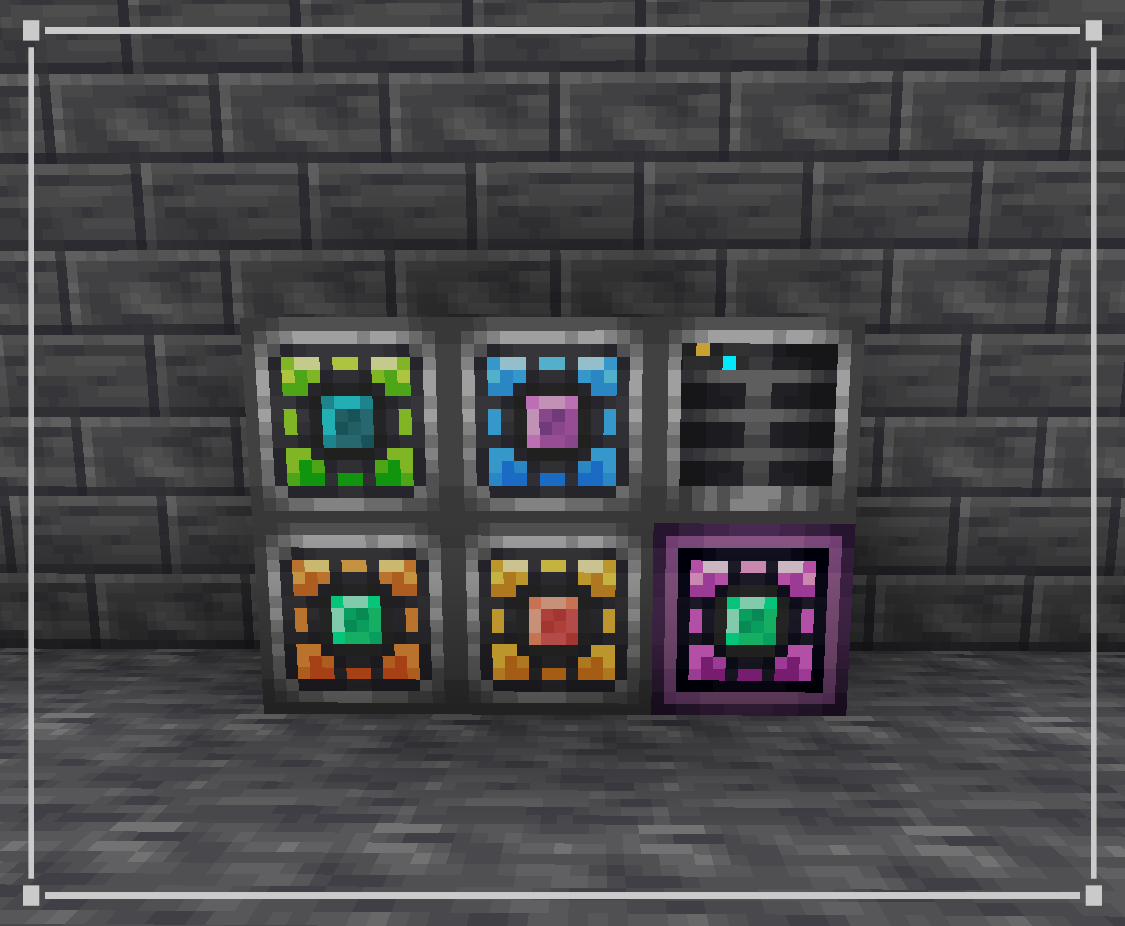
## Overview Have you ever loved the sleek look of Refined Storage - ReCreated, only to feel pulled out of the experience when addon items look like they came from another planet? This pack fixes that!
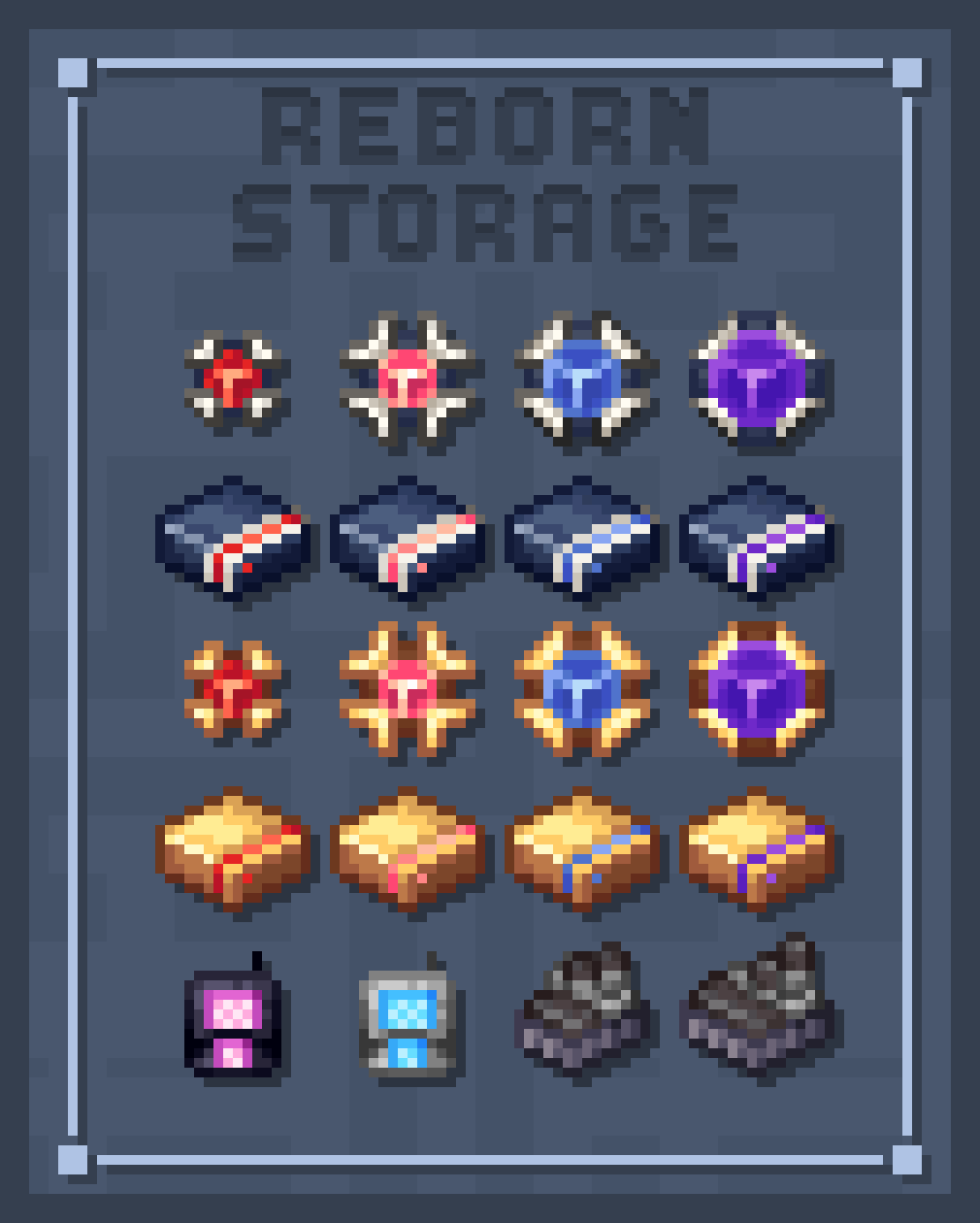
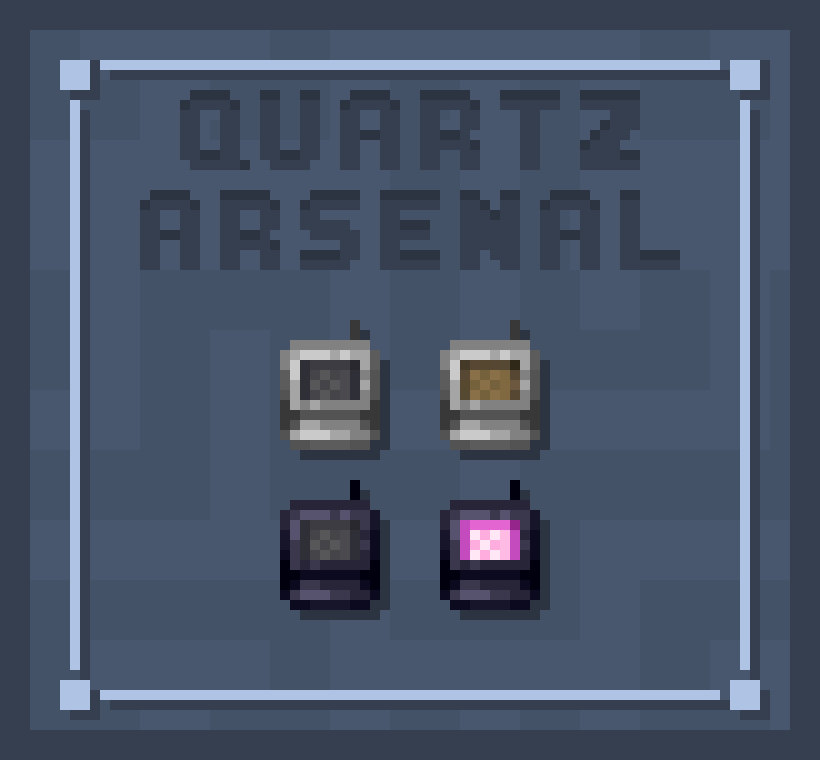
This resource pack unify the look of popular Refined Storage addons to match the clean aesthetic of the ReCreated project. Whether you want total visual consistency or just want to freshen up your tech setup, this pack is for you!
### Supported Addons
Cable Tiers Extra Storage Extra Disks Refined Cooking Mekanism Integration Quartz Arsenal Refined Types Infinity Booster RSRequestify Step Crafter Universal Grid (1. 21. 1 only) Reborn Storage (1. 20. 1 only)
!(https://imgur.com/sM0yISK.png)
## Installation & Load Order To ensure textures render correctly, place this pack ABOVE the original Refined Storage - ReCreated pack in your in-game Resource Packs menu:
It should looks like this !

!(https://imgur.com/sM0yISK.png)
## Preview New Textures
Spoilers
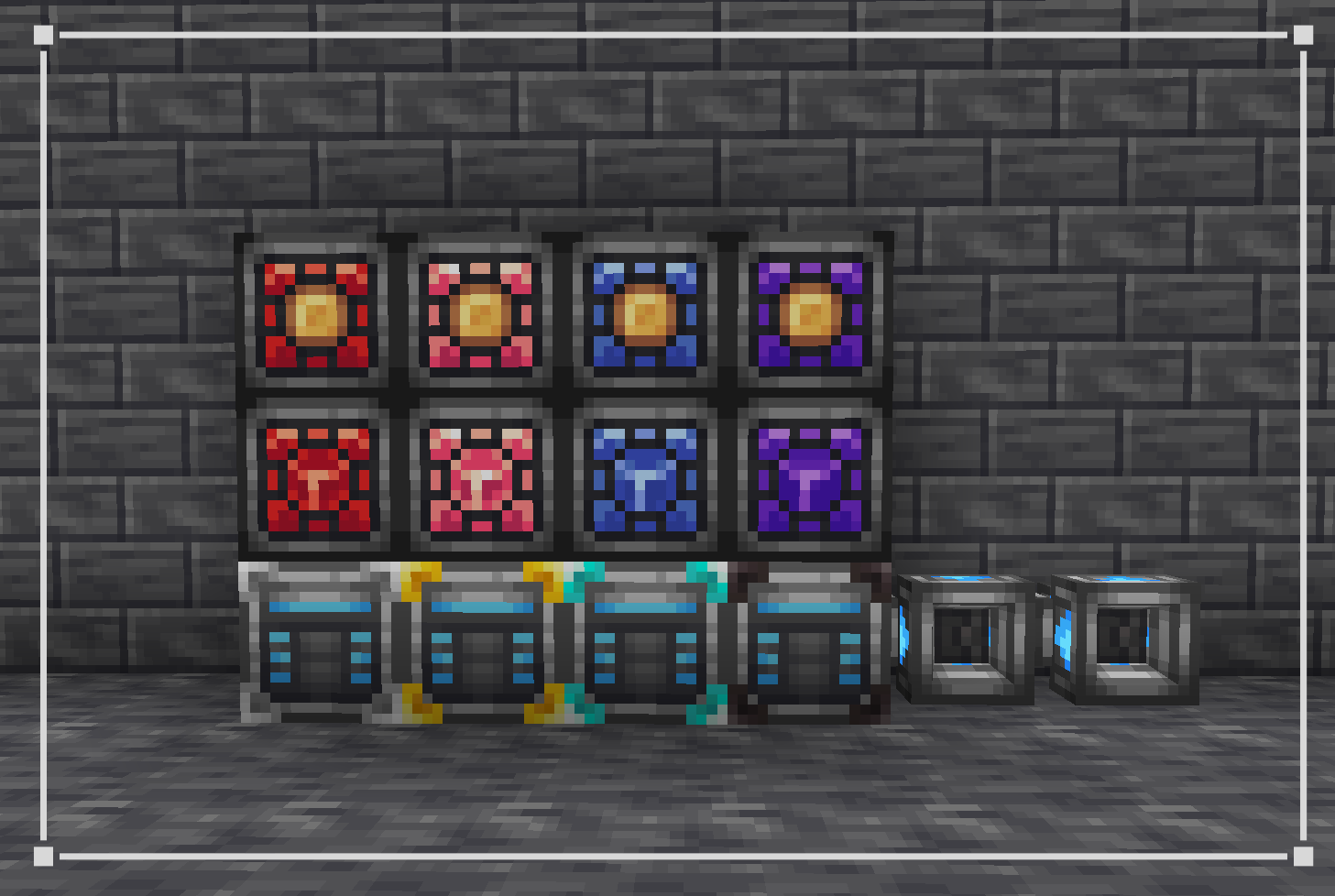
Extra Storage
Items

Blocks


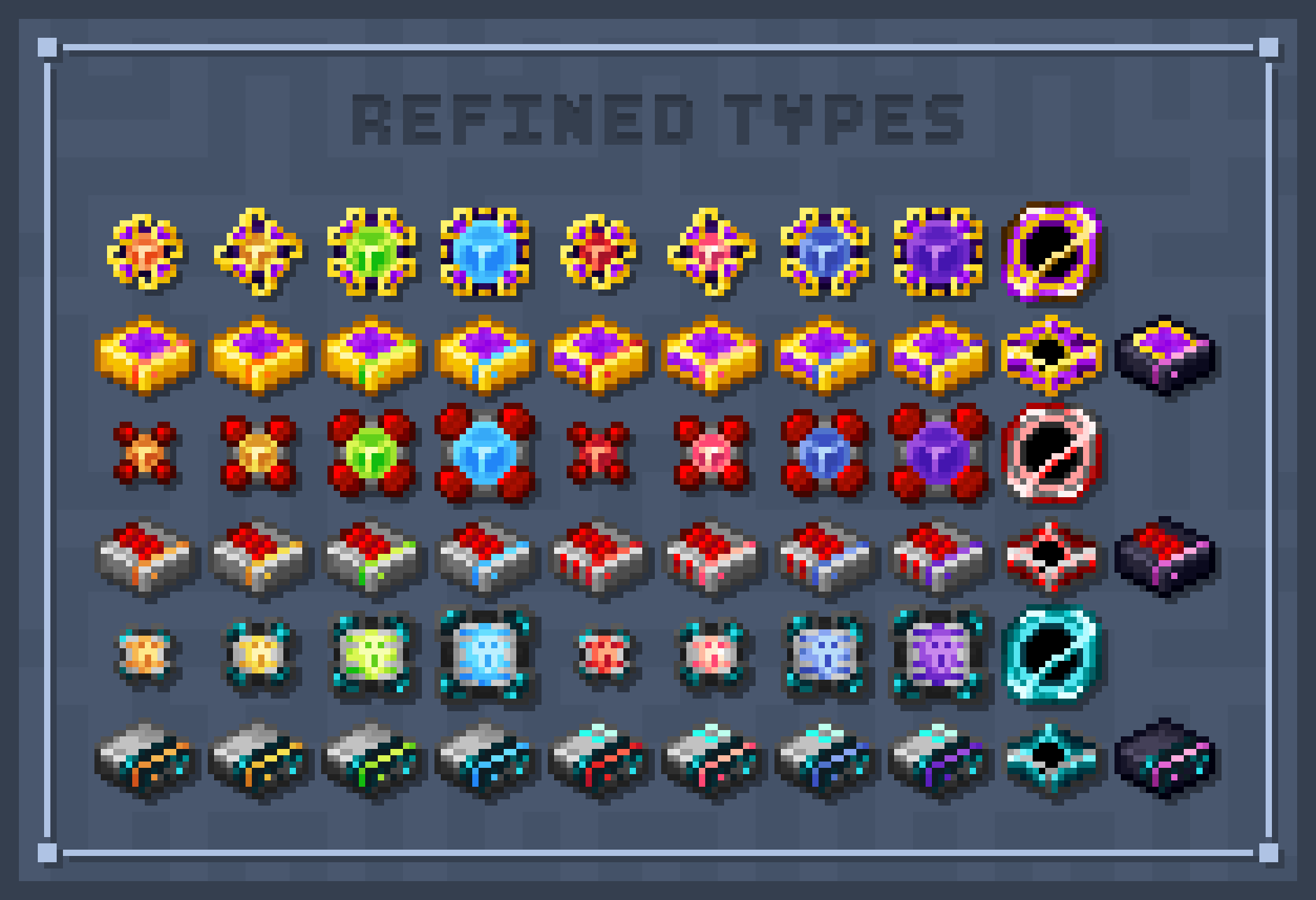
Refined Types
Items

Blocks

Cable Tiers

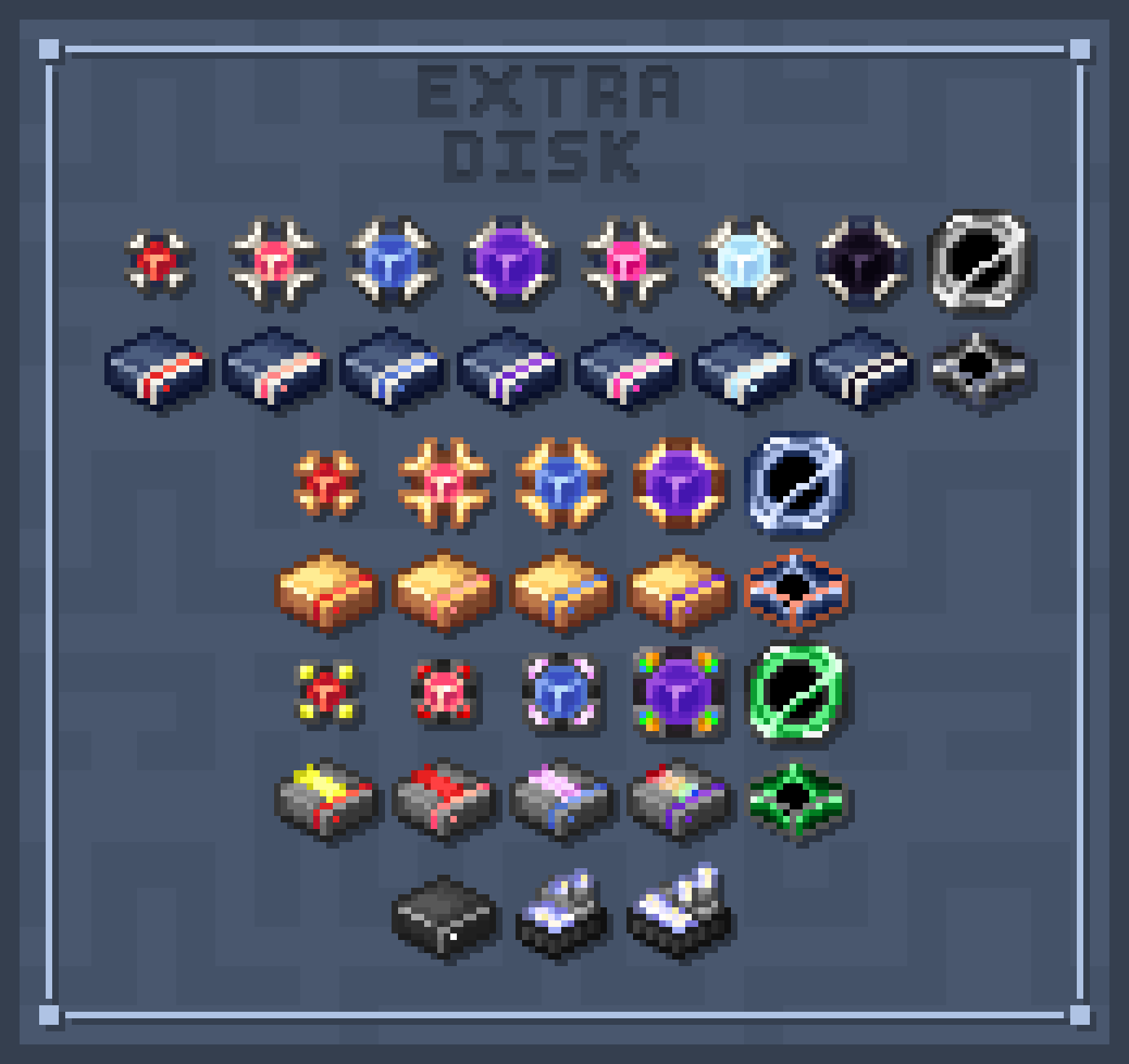
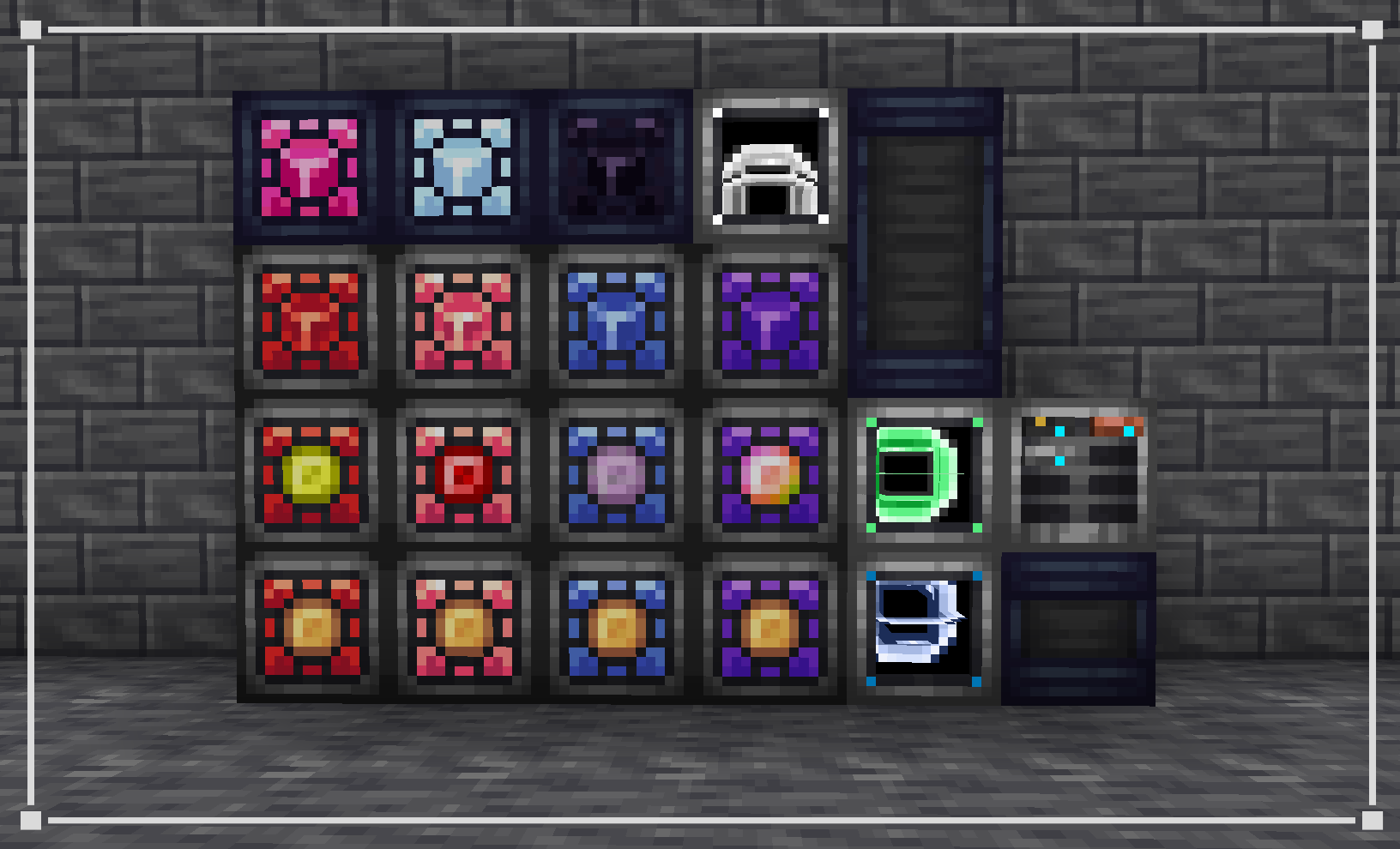
Extra Disks
Items

Blocks

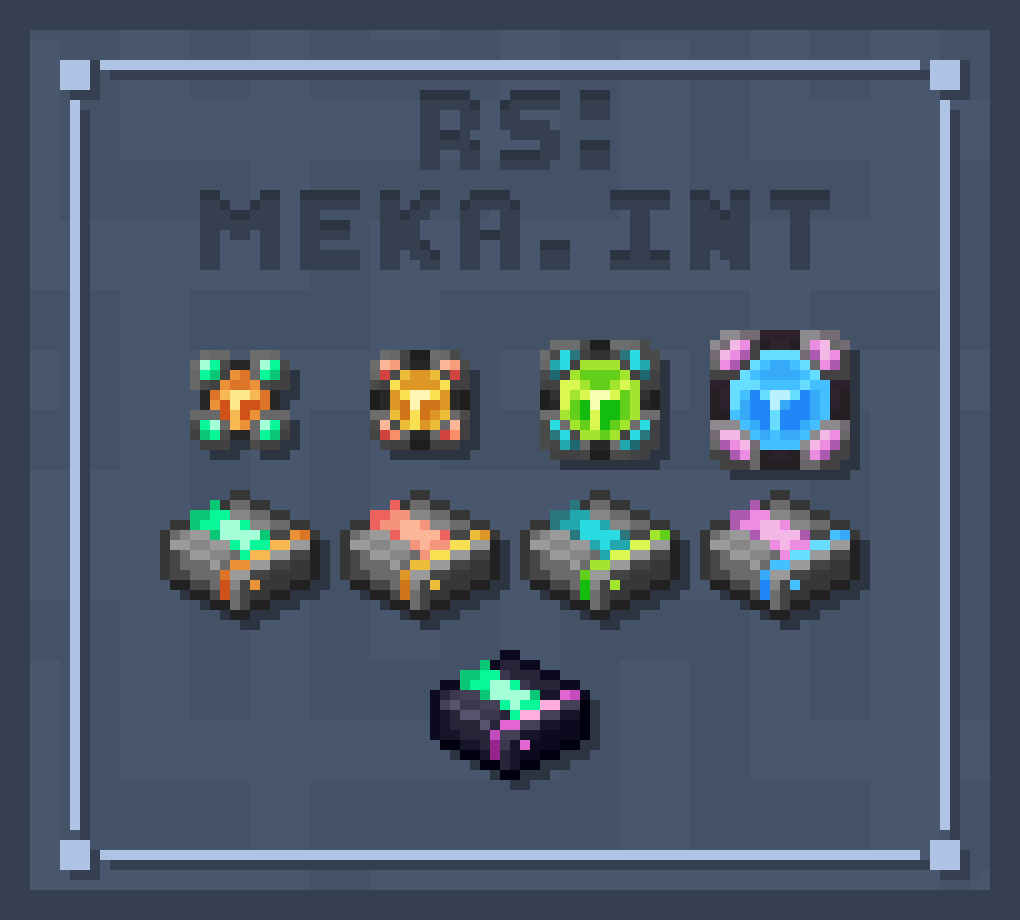
Refined Storage - Mekanism Intergration
Items

Blocks

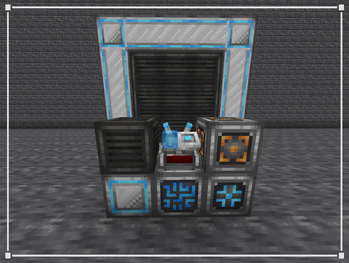
And many more... Check them out at the gallery !
!(https://imgur.com/sM0yISK.png)
## FAQs
Frequently Ask Questions
Uh, why do multiple mods share the same texture?
Some supported addons add equivalent items that serve the exact same function. In actual gameplay or modpacks, these items are either unified into a single item or you won't be using both mods at once. You don't have to worry about seeing duplicate items cluttering your game!
Hey! Can I use this resource pack in my modpack?
Of course you can, silly! You are free to include this pack in any public or private modpack on CurseForge, Modrinth, or custom launchers. Some credit or a link back to this page is always appreciated!
Oi lad, my textures are tweaking / not working!
If CTM and Emissive Textures are not working, make sure you have installed Continuity, Indium (if you use Sodium), or check your OptiFine settings to ensure these features are turned on.
If the textures are flickering or clipping into each
📊 Mod Details
- Game
- Minecraft Resource Packs
- Author
- _cheedar
- Version
- 1.0
- Downloads
- 63
- Endorsements
- 4
- Category
- 16x
- Created
- 8/1/2026
- Updated
- 7/30/2026
- Game Versions
- 1.21, 1.21.1
- Tags
- 16x, modded, themed
🔧 How to Install Minecraft Resource Packs Mods
Download from Modrinth. Use Prism Launcher or drop into your mods folder.
📖 Full step-by-step install guide for Minecraft Resource Packs →
Visit the official mod page for specific installation instructions for this mod.
🎮 Need cheat codes or console commands? Check ur gaming wiki for Minecraft Resource Packs commands, item IDs, and more.
❓ Frequently Asked Questions
Which Minecraft Resource Packs versions does Refined Storage Addons - ReCreated Style (Unofficial) support?
The author lists 1.21, 1.21.1. Other versions may work but are untested by the author.
What is the latest version of Refined Storage Addons - ReCreated Style (Unofficial)?
Version 1.0, published 2026-07-30 with 63 downloads recorded at the source.
Keep browsing — more Minecraft Resource Packs mods await