RenewedMenu
🟡 Updated this year🖼️ Gallery (2 images)
🔍 Analysis
- 👍 0.3% endorsement rate
- 🏆 #45 of 235 gui mods in this game by downloads
📋 About This Mod
<p style="text-align: center;"><span style="text-decoration: underline; font-size: 14px;"><strong>RenewedMenù</strong></span> </p> <p style="text-align: center;"><strong style="font-size: 12px;"><span style="color: #993300;">What's is?</span></strong></p> <p style="text-align: center;"><span style="font-size: 12px; color: #000000;">This texture add a bunch of tweak and tips regarding </span></p> <p style="text-align: center;"><span style="font-size: 12px; color: #000000;">the "menu side" of the game</span></p> <p style="text-align: center;"><span style="font-size: 12px;"><strong><span style="color: #800000;">It change:</span></strong></span></p> <ul> <li style="text-align: center;">All container GUIs</li> <li style="text-align: center;">The buttons, making them more similar to those of the bedrock version </li> <li style="text-align: center;"><span style="font-size: 12px; color: #000000;">Change the menu background</span></li> <li style="text-align: center;"><span style="font-size: 12px; color: #000000;">The shulker boxes: their inventory changes color depending on the color of the shulker</span></li> <li style="text-align: center;"><span style="font-size: 12px; color: #000000;">The background of the advancement menu</span></li> <li style="text-align: center;"><span style="font-size: 12px; color: #000000;">The background of the main menu</span></li> </ul> <p style="text-align: center;"><strong><span style="color: #800000;">The main menu:</span></strong></p> <p style="text-align: center;">The main menu as you will notice remains stationary, strange isn't it?<br />Well, I found that Minecraft can have static backgrounds, which can be changed! With all possible resolutions, there are no limits.</p> <p style="text-align: center;">In the texture there are already various images, pre-installed by me.</p> <p style="text-align: center;"><img src="https://i.redd.it/re4wjo0pzro81.png" alt="" width="525" height="295" /><br />To change the background enter in the zip file and follow this path:</p> <p style="text-align: center;"><em style="font-size: 1.2rem;">"assets \ minecraft \ textures \ gui \ title \ background"</em><span style="font-size: 1.2rem;">,</span></p> <p style="text-align: center;">paste your image there and rename it "<em>panorama_overlay</em>"</p> <p style="text-align: center;"> </p> <p style="text-align: center;"><strong><span style="color: #800000;">The shulker box:</span></strong></p> <p style="text-align: center;"><strong><span style="color: #800000;"><img src="https://www.reddit.com/r/uploadrandomimage/comments/tjhm7s/e/?utm_source=share&utm_medium=web2x&context=3" alt="" width="Infinity" /><img src="https://i.redd.it/sxmcvvnyyro81.png" alt="" width="527" height="297" /><br /></span></strong></p> <p style="text-align: center;"><span style="color: #000000;">They are colorful now.<br />Example: if you open a red-colored shulker, its inventory will take on its own color, and this for all 17 shulkers!</span></p> <p style="text-align: center;"><span style="color: #000000;">(Optifine required)</span></p>
RenewedMenù
What's is?
This texture add a bunch of tweak and tips regarding
the "menu side" of the game
It change:
- All container GUIs
- The buttons, making them more similar to those of the bedrock version
- Change the menu background
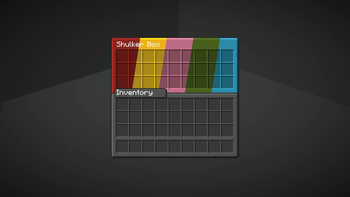
- The shulker boxes: their inventory changes color depending on the color of the shulker
- The background of the advancement menu
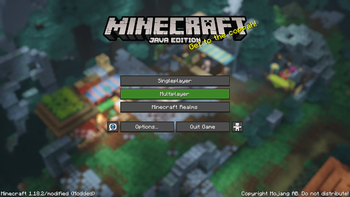
- The background of the main menu
The main menu:
The main menu as you will notice remains stationary, strange isn't it? Well, I found that Minecraft can have static backgrounds, which can be changed! With all possible resolutions, there are no limits.
In the texture there are already various images, pre-installed by me.
 To change the background enter in the zip file and follow this path:
"assets \ minecraft \ textures \ gui \ title \ background",
paste your image there and rename it "panorama_overlay"
The shulker box:
They are colorful now. Example: if you open a red-colored shulker, its inventory will take on its own color, and this for all 17 shulkers!
(Optifine required)
📊 Mod Details
- Game
- Minecraft Resource Packs
- Author
- Zeit709
- Version
- 3.5.2
- Downloads
- 11,007
- Endorsements
- 32
- Category
- gui
- Created
- 4/12/2023
- Updated
- 4/11/2026
- Game Versions
- 1.21.2, 1.21.3, 24w44a, 24w45a, 24w46a
- Tags
- gui, tweaks, utility
🔧 How to Install Minecraft Resource Packs Mods
Download from Modrinth. Use Prism Launcher or drop into your mods folder.
📖 Full step-by-step install guide for Minecraft Resource Packs →
Visit the official mod page for specific installation instructions for this mod.
🎮 Need cheat codes or console commands? Check ur gaming wiki for Minecraft Resource Packs commands, item IDs, and more.
❓ Frequently Asked Questions
Which Minecraft Resource Packs versions does RenewedMenu support?
The author lists 1.21.2, 1.21.3, 24w44a, 24w45a, 24w46a, 1.21.4. Other versions may work but are untested by the author.
What is the latest version of RenewedMenu?
Version 3.5.2, published 2026-04-11 with 11,007 downloads recorded at the source.
Keep browsing — more Minecraft Resource Packs mods await