Raki Kazuki HUD & GUI
⚪ Last updated 2024🖼️ Gallery (6 images)
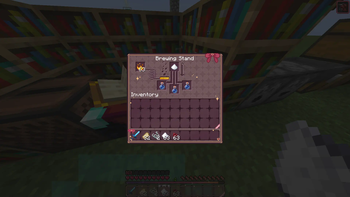
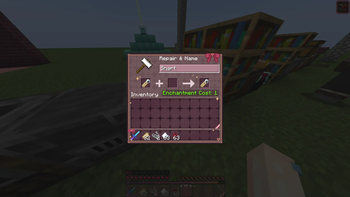
🔍 Analysis
- 👍 0.0% endorsement rate
- 🏆 #25 of 256 gui mods in this game by downloads
📋 About This Mod
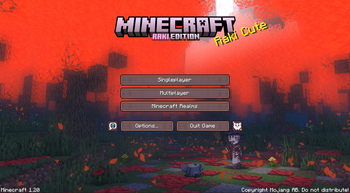
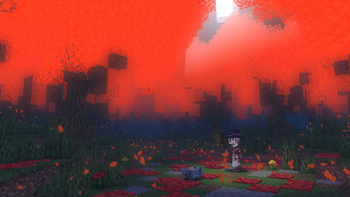
# Raki Kazuki HUD & GUI Pack This (https://www.youtube.com/@RakiKazuki) Resource Pack is an UNOFFICIAL and FANMADE PixelLink project, produced by (https://x.com/Jellis_X) which overhauls most, if not all graphical interfaces! It is themed around this raccoon-witch and all of her witchy aesthetic! Everything from me is made completely from scratch (asides the Main Menu Background). # Installation Guide After choosing a version from this project page, you should be left with a ``.zip`` file. Do not unzip it. Navigate to your _resource packs_ folder which can be found in the settings with: ** -> "Options..." -> "Resource Packs..." -> "Open Pack Folder..."** which should open a folder in File Explorer. From there drag in your ``PXL_RAKI_x.xx.zip`` file, and your screen should have the following: !(https://cdn.modrinth.com/data/cached_images/51122919e780a8b386af30f1a56c8596f567ffb1.png) Hover your mouse on the pack icon and click on the **arrow**, and click "Done" to enable the mod pack. And you are done, congrats! This is the standard way of applying resource packs into your game. There are no other _requirements_ necessary to make this resource pack run. # Credits ### Design Inspiration Raki Kazuki ((https://www.youtube.com/@RakiKazuki)) ### Main Menu Background Render Darrick966 ((https://x.com/Darrick966))
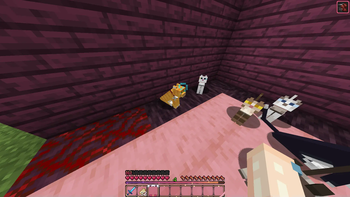
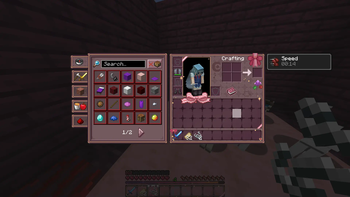
# Raki Kazuki HUD & GUI Pack This (https://www.youtube.com/@RakiKazuki) Resource Pack is an UNOFFICIAL and FANMADE PixelLink project, produced by (https://x.com/Jellis_X) which overhauls most, if not all graphical interfaces! It is themed around this raccoon-witch and all of her witchy aesthetic!
Everything from me is made completely from scratch (asides the Main Menu Background).
# Installation Guide After choosing a version from this project page, you should be left with a ``.zip`` file. Do not unzip it. Navigate to your _resource packs_ folder which can be found in the settings with:
-> "Options..." -> "Resource Packs..." -> "Open Pack Folder..."
which should open a folder in File Explorer. From there drag in your ``PXL_RAKI_x.xx.zip`` file, and your screen should have the following:
!(https://cdn.modrinth.com/data/cached_images/51122919e780a8b386af30f1a56c8596f567ffb1.png)
Hover your mouse on the pack icon and click on the arrow, and click "Done" to enable the mod pack. And you are done, congrats!
This is the standard way of applying resource packs into your game. There are no other _requirements_ necessary to make this resource pack run.
# Credits ### Design Inspiration Raki Kazuki ((https://www.youtube.com/@RakiKazuki))
### Main Menu Background Render Darrick966 ((https://x.com/Darrick966))
📊 Mod Details
- Game
- Minecraft Resource Packs
- Author
- Jellis
- Version
- 1.0.0
- Downloads
- 467,544
- Endorsements
- 53
- Category
- gui
- Created
- 6/8/2024
- Updated
- 6/7/2024
- Game Versions
- 1.19.4
- Tags
- gui, themed
🔧 How to Install Minecraft Resource Packs Mods
Download from Modrinth. Use Prism Launcher or drop into your mods folder.
📖 Full step-by-step install guide for Minecraft Resource Packs →
Visit the official mod page for specific installation instructions for this mod.
🎮 Need cheat codes or console commands? Check ur gaming wiki for Minecraft Resource Packs commands, item IDs, and more.
❓ Frequently Asked Questions
Which Minecraft Resource Packs versions does Raki Kazuki HUD & GUI support?
The author lists 1.19.4. Other versions may work but are untested by the author.
What is the latest version of Raki Kazuki HUD & GUI?
Version 1.0.0, published 2024-06-07 with 467,544 downloads recorded at the source.
Keep browsing — more Minecraft Resource Packs mods await