One Pixel
🟡 Updated this year🖼️ Gallery (12 images)
🔍 Analysis
- 🏆 #58 of 231 blocks mods in this game by downloads
📋 About This Mod
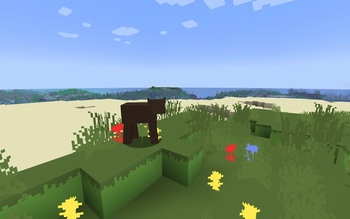
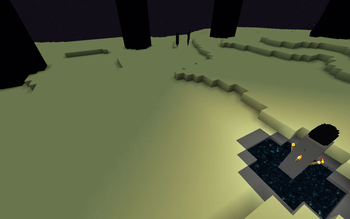
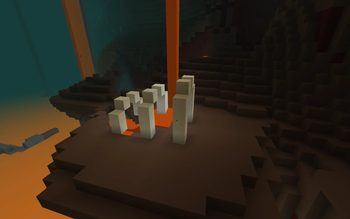
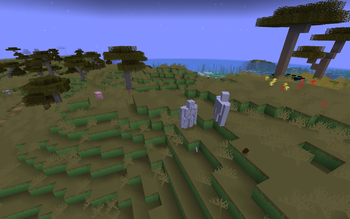
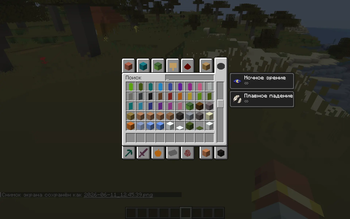
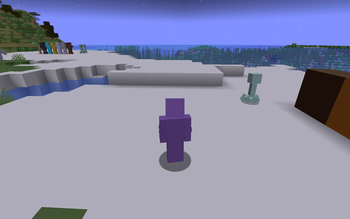
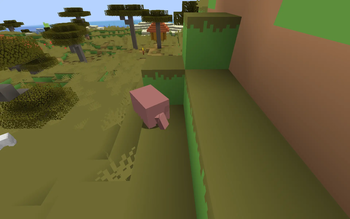
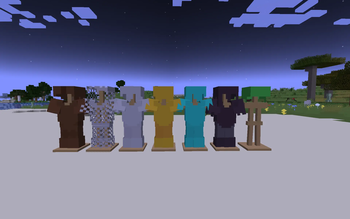
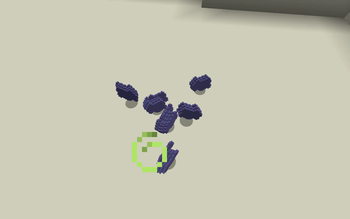
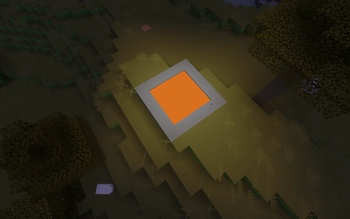
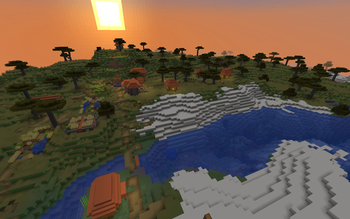
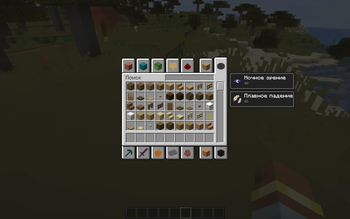
### **One Pixel** Is a unique and radical resource pack that transforms the world of Minecraft into an absolute triumph of minimalist design. If you are tired of complex details or looking for a truly fresh visual experience, this pack is for you. ### **💡 How does it work?** The concept is simple yet mind-blowing: every single texture in the game—from a basic dirt block to complex item sprites—is reduced to a single solid color. This color is sampled directly from the top-left pixel of the original texture. No noise, no gradients, just pure color. ### **✨ Features:** Ultimate Minimalism: The entire world turns into a stylish, low-poly abstract masterpiece. A New Perspective on Building: Familiar structures will look completely different. It’s all about shape and color palette now. ### **🛠 Installation:** Download the .zip archive. Launch Minecraft and go to Options -> Resource Packs. Click Open Pack Folder and drop the downloaded file there. Select the pack from the list and click Done. ### ❗Exceptions: **Grass block** - its texture has not been completely replaced for unknown reasons. **Ore blocks** - the color of their texture is a mixture of stone/deepslate color and ore color
### One Pixel Is a unique and radical resource pack that transforms the world of Minecraft into an absolute triumph of minimalist design. If you are tired of complex details or looking for a truly fresh visual experience, this pack is for you.
### 💡 How does it work? The concept is simple yet mind-blowing: every single texture in the game—from a basic dirt block to complex item sprites—is reduced to a single solid color. This color is sampled directly from the top-left pixel of the original texture. No noise, no gradients, just pure color.
### ✨ Features: Ultimate Minimalism: The entire world turns into a stylish, low-poly abstract masterpiece.
A New Perspective on Building: Familiar structures will look completely different. It’s all about shape and color palette now.
### 🛠 Installation: Download the .zip archive.
Launch Minecraft and go to Options -> Resource Packs.
Click Open Pack Folder and drop the downloaded file there.
Select the pack from the list and click Done.
### ❗Exceptions: Grass block - its texture has not been completely replaced for unknown reasons. Ore blocks - the color of their texture is a mixture of stone/deepslate color and ore color
📊 Mod Details
- Game
- Minecraft Resource Packs
- Author
- ByzikZMC
- Version
- 1.0
- Downloads
- 136
- Endorsements
- 0
- Category
- blocks
- Created
- 7/2/2026
- Updated
- 6/21/2026
- Game Versions
- 1.21.7, 1.21.8
- Tags
- blocks, cursed, items
🔧 How to Install Minecraft Resource Packs Mods
Download from Modrinth. Use Prism Launcher or drop into your mods folder.
📖 Full step-by-step install guide for Minecraft Resource Packs →
Visit the official mod page for specific installation instructions for this mod.
🎮 Need cheat codes or console commands? Check ur gaming wiki for Minecraft Resource Packs commands, item IDs, and more.
❓ Frequently Asked Questions
Which Minecraft Resource Packs versions does One Pixel support?
The author lists 1.21.7, 1.21.8. Other versions may work but are untested by the author.
What is the latest version of One Pixel?
Version 1.0, published 2026-06-21 with 136 downloads recorded at the source.
Keep browsing — more Minecraft Resource Packs mods await