Music Resource Pack Template
🟠 Updated over a year ago🖼️ Gallery (1 images)
🔍 Analysis
- 👍 0.2% endorsement rate
- 🏆 #71 of 124 audio mods in this game by downloads
📋 About This Mod
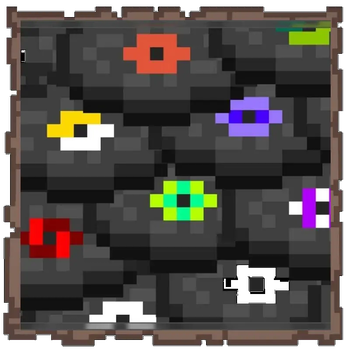
# Introduction: For 10 years I've been making resource packs that change the game's music according to my mood, my current play and game style or for a specific theme/meme. It always bothered me how I never found an easy to use template pack so when I take a break I won't have to look at Mojang's changed game indexes, search the hash codes one by one in notepad to see whether or not my previous music pack is still useable or the devs completely change the system. Today I spent 3 hours just to double check and make sure that I created a well working template pack for custom music thus all I have to do is replace the empty/hollow files inside and zip it to make a new resource pack. I can only hope Mojang won't change the system with the upcoming 1.17 update and all I'll have to do is to add a few other files to the template. # Features: * Everything is in their respective place signifying what music it is * The files are hollow thus small file size is expected * Easy download * Easy replacement * Just zip it when you've replaced the music you wish to use # Update 2024.07.22! Since 1.18 Microsoft changed how audio works in-game. I've not had the time to test it yet but I believe the replacement music has to be the exact same length in time that of the replaced audio. For example wet_hands.ogg is 1 minutes and 30 seconds long. The audio you replace it with has to be the same length or else it won't work. Don't forget that Minecraft uses .ogg vorbis and not .ogg opus file format extension. It'll play the first one (vorbis), but not the second one (opus). I'm not making any promises but I'll try to look into the mod, add the extra music files from the updates and test out the duration limit in the audio files that Microsoft set. During the winter, hopefully. # Update! (important!): Many users complained that their PC freezes, slows down when working with the .ogg files (deleting, renaming, moving them) I provided in the template resource pack. I cannot stress this enough in the comments and many of you doesn't feel like reading my replies thus keep coming to me with the same complaints I'll try to explain the issue with the .ogg (vorbis) files. The issue is NOT caused by my template, nor the resource pack I provided. Before publishing any of my data/resource packs I thoroughly test them not to upload anything buggy. Thus there is nothing wrong with this resource pack of mine. The issues are NOT caused by the empty .ogg vorbis files I provided as placeholders. The issues of your (https://answers.microsoft.com/en-us/windows/forum/all/unable-to-move-ogg-files/60c24daa-6a72-4704-97c4-daab0a531432), (https://answers.microsoft.com/en-us/windows/forum/all/file-explorer-is-slow-showing-properties-for-ogg/aee35799-4b28-4343-859b-4ecbbfec78a8), (https://answers.microsoft.com/en-us/windows/forum/all/ogg-files-continuously-crash-the-entire-windows/473b39db-cc71-4582-97e5-ad482ba7e873) or not even (https://www.tenforums.com/software-apps/167072-windows-file-explorer-hangs-when-working-ogg-files.html) is on Microsoft, not me. For over a decade now Windows produced these very same issues when doing file operations with vorbis files. Don't believe me? See for yourself in the outlined words that are clickable links. Even though I tried to ease this problem by replacing the empty placeholder .ogg files with 1 seconds of silence (actual audio) so as of 1.19.4 the .ogg files within the template are not placeholders but actual, silent audio files that shouldn't give anyone any trouble to delete if unused... there still could be issues with handling vorbis files thanks to Microsoft not fixing the issue permanently. Happy trails partner! # Update 2024.10.09 (bug fix?): -Submitted by user- Not sure if you have already found a fix for this yet but in case you haven't a sounds.json file is needed to fix music discs you have replaced the audio of from playing as ambient world music. You can get this JSON file from the Minecraft assets site, it should have the .cloud domain. Then just copy and paste the music section along with the music record section into their own file that you can then put into the resource pack where the sound folder is. I've tested it myself a little bit and I've found no more issues with replaced music disc tracks randomly playing as ambient music anymore. It should also prevent ambient music from randomly cutting out and overlapping as well. # How to use: 1. Download the .zip file 2. Unzip it into a folder 3. Open the assets folder then go to >minecraft>sounds>music or records depending which one you want to change 4. Look up their names on Youtube, for example in case of records "Minecraft 11.ogg" then you can listen which song it is (WARNING! You cannot play the .ogg files in this template resource pack as music files for I'm not allowed to redistribute Mojang's music and as I mentioned above these files are empty sho
# Introduction:
For 10 years I've been making resource packs that change the game's music according to my mood, my current play and game style or for a specific theme/meme. It always bothered me how I never found an easy to use template pack so when I take a break I won't have to look at Mojang's changed game indexes, search the hash codes one by one in notepad to see whether or not my previous music pack is still useable or the devs completely change the system. Today I spent 3 hours just to double check and make sure that I created a well working template pack for custom music thus all I have to do is replace the empty/hollow files inside and zip it to make a new resource pack. I can only hope Mojang won't change the system with the upcoming 1. 17 update and all I'll have to do is to add a few other files to the template.
# Features:
Everything is in their respective place signifying what music it is The files are hollow thus small file size is expected Easy download Easy replacement * Just zip it when you've replaced the music you wish to use
# Update 2024. 07. 22!
Since 1. 18 Microsoft changed how audio works in-game. I've not had the time to test it yet but I believe the replacement music has to be the exact same length in time that of the replaced audio. For example wet_hands.ogg is 1 minutes and 30 seconds long. The audio you replace it with has to be the same length or else it won't work.
Don't forget that Minecraft uses .ogg vorbis and not .ogg opus file format extension. It'll play the first one (vorbis), but not the second one (opus). I'm not making any promises but I'll try to look into the mod, add the extra music files from the updates and test out the duration limit in the audio files that Microsoft set. During the winter, hopefully.
# Update! (important!):
Many users complained that their PC freezes, slows down when working with the .ogg files (deleting, renaming, moving them) I provided in the template resource pack. I cannot stress this enough in the comments and many of you doesn't feel like reading my replies thus keep coming to me with the same complaints I'll try to explain the issue with the .ogg (vorbis) files. The issue is NOT caused by my template, nor the resource pack I provided. Before publishing any of my data/resource packs I thoroughly test them not to upload anything buggy. Thus there is nothing wrong with this resource pack of mine. The issues are NOT caused by the empty .ogg vorbis files I provided as placeholders. The issues of your (https://answers.microsoft.com/en-us/windows/forum/all/unable-to-move-ogg-files/60c24daa-6a72-4704-97c4-daab0a531432), (https://answers.microsoft.com/en-us/windows/forum/all/file-explorer-is-slow-showing-properties-for-ogg/aee35799-4b28-4343-859b-4ecbbfec78a8), (https://answers.microsoft.com/en-us/windows/forum/all/ogg-files-continuously-crash-the-entire-windows/473b39db-cc71-4582-97e5-ad482ba7e873) or not even (https://www.tenforums.com/software-apps/167072-windows-file-explorer-hangs-when-working-ogg-files.html) is on Microsoft, not me. For over a decade now Windows produced these very same issues when doing file operations with vorbis files. Don't believe me? See for yourself in the outlined words that are clickable links. Even though I tried to ease this problem by replacing the empty placeholder .ogg files with 1 seconds of silence (actual audio) so as of 1. 19. 4 the .ogg files within the template are not placeholders but actual, silent audio files that shouldn't give anyone any trouble to delete if unused... there still could be issues with handling vorbis files thanks to Microsoft not fixing the issue permanently. Happy trails partner!
# Update 2024. 10. 09 (bug fix?):
-Submitted by user-
Not sure if you have already found a fix for this yet but in case you haven't a sounds.json file is needed to fix music discs you have replaced the audio of from playing as ambient world music.
You can get this JSON file from the Minecraft assets site, it should have the .cloud domain. Then just copy and paste the music section along with the music record section into their own file that you can then put into the resource pack where the sound folder is.
I've tested it myself a little bit and I've found no more issues with replaced music disc tracks randomly playing as ambient music anymore. It should also prevent ambient music from randomly cutting out and overlapping as well.
# How to use:
1. Download the .zip file 2. Unzip it into a folder 3. Open the assets folder then go to >minecraft>sounds>music or records depending which one you want to change 4. Look up their names on Youtube, for example in case of records "Minecraft 11.ogg" then you can listen which song it is (WARNING! You cannot play the .ogg files in this template resource pack as music files for I'm not allowed to redistribute Mojang's music and as I mentioned above these files are empty sho
📊 Mod Details
- Game
- Minecraft Resource Packs
- Author
- MephistoPheles666
- Version
- 1.1.3
- Downloads
- 34,384
- Endorsements
- 81
- Category
- audio
- Created
- 6/3/2023
- Updated
- 7/11/2025
- Game Versions
- 1.21.7
- Tags
- audio, utility, vanilla-like
🔧 How to Install Minecraft Resource Packs Mods
Download from Modrinth. Use Prism Launcher or drop into your mods folder.
📖 Full step-by-step install guide for Minecraft Resource Packs →
Visit the official mod page for specific installation instructions for this mod.
🎮 Need cheat codes or console commands? Check ur gaming wiki for Minecraft Resource Packs commands, item IDs, and more.
❓ Frequently Asked Questions
Which Minecraft Resource Packs versions does Music Resource Pack Template support?
The author lists 1.21.7. Other versions may work but are untested by the author.
What is the latest version of Music Resource Pack Template?
Version 1.1.3, published 2025-07-11 with 34,384 downloads recorded at the source.
Keep browsing — more Minecraft Resource Packs mods await