Low Fire TP
🟡 Updated this year🖼️ Gallery (1 images)
🔍 Analysis
- 🏆 #145 of 272 combat mods in this game by downloads
📋 About This Mod
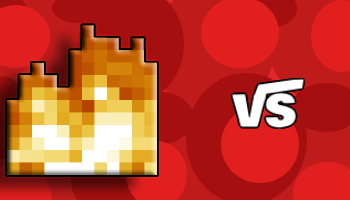
# 🔥 Low Fire Tired of fire covering your screen during intense PvP battles? **Low Fire** reduces the height of Minecraft's fire overlay, giving you a much clearer view while keeping the classic vanilla style. Whether you're playing Crystal PvP, Sword PvP, Bedwars, SMPs, or Survival, this resource pack helps you stay focused on your opponent instead of being blinded by flames. --- # ✨ Features * 🔥 Shorter & lower fire overlay * 👀 Better screen visibility * 🎯 Improved focus during combat * ⚔️ Better PvP experience * 💎 Vanilla-friendly design * 🚀 Lightweight with no dependencies --- # ✅ Compatibility Supports **tons of Minecraft versions**, making it a great choice for almost any setup. Works perfectly with: * ✔️ Vanilla Minecraft * ✔️ OptiFine * ✔️ Sodium * ✔️ Lunar Client * ✔️ Badlion Client --- # 🎮 Advantages Lower fire gives you a significant visibility advantage during combat: * 👀 See your opponent more clearly while on fire * 🎯 Keep your crosshair on target * ⚔️ React faster in PvP fights * 💥 Reduce visual clutter * 🏆 Stay focused when every second matters Perfect for: * Crystal PvP * Sword PvP * Bedwars * SMPs * Survival * Practice Servers --- # 📥 Installation ### Method 1 (Recommended) 1. Download the resource pack. 2. Open Minecraft. 3. Go to **Options → Resource Packs**. 4. Click **Open Pack Folder**. 5. Move the downloaded **`.zip`** file into the folder. * **Do not extract the ZIP file.** 6. Return to Minecraft. 7. Enable **Low Fire** and click **Done**. ### Method 2 Copy the **`.zip`** file into: **Windows** ```text %AppData%\.minecraft\resourcepacks ``` Then enable it from **Options → Resource Packs**. --- # ⭐ Recommended PvP Resource Packs Want an even better PvP experience? Pair **Low Fire** with these resource packs! ### 🌙 Full Bright Never lose sight of your opponent in dark caves or nighttime fights. Full Bright keeps everything visible, making underground PvP much easier. 🔗 (https://modrinth.com/resourcepack/d-a-full-bright) ### 🎯 PvP Crosshair Improve your aim with a clean, optimized PvP crosshair for better accuracy and visibility. 🔗 (https://modrinth.com/resourcepack/pvp-crosshair-rp) ### 🛡️ Smaller Totem & Shield 🔗(https://modrinth.com/resourcepack/smaller-totem-shield) Get even more screen space by reducing the size of the Totem of Undying and Shield, giving you a cleaner view during combat. --- # ❤️ Support If you enjoy **Low Fire**, consider: ⭐ Following the project ❤️ Leaving a like 📝 Sharing it with your friends Your support helps keep the pack updated for future Minecraft versions. **Enjoy clearer battles and dominate PvP with Low Fire! 🔥⚔️** **Designed by the VS(Vortex Studio) Team!** # Soon coming to curseforge
# 🔥 Low Fire
Tired of fire covering your screen during intense PvP battles? Low Fire reduces the height of Minecraft's fire overlay, giving you a much clearer view while keeping the classic vanilla style.
Whether you're playing Crystal PvP, Sword PvP, Bedwars, SMPs, or Survival, this resource pack helps you stay focused on your opponent instead of being blinded by flames.
# ✨ Features
🔥 Shorter & lower fire overlay 👀 Better screen visibility 🎯 Improved focus during combat ⚔️ Better PvP experience 💎 Vanilla-friendly design 🚀 Lightweight with no dependencies
# ✅ Compatibility
Supports tons of Minecraft versions, making it a great choice for almost any setup.
Works perfectly with:
✔️ Vanilla Minecraft ✔️ OptiFine ✔️ Sodium ✔️ Lunar Client ✔️ Badlion Client
# 🎮 Advantages
Lower fire gives you a significant visibility advantage during combat:
👀 See your opponent more clearly while on fire 🎯 Keep your crosshair on target ⚔️ React faster in PvP fights 💥 Reduce visual clutter 🏆 Stay focused when every second matters
Perfect for:
Crystal PvP Sword PvP Bedwars SMPs Survival Practice Servers
# 📥 Installation
### Method 1 (Recommended)
1. Download the resource pack. 2. Open Minecraft. 3. Go to Options → Resource Packs. 4. Click Open Pack Folder. 5. Move the downloaded `.zip` file into the folder.
- Do not extract the ZIP file.
- 6. Return to Minecraft.
- 7. Enable Low Fire and click Done.
### Method 2
Copy the `.zip` file into:
Windows
```text %AppData%\.minecraft\resourcepacks ```
Then enable it from Options → Resource Packs.
# ⭐ Recommended PvP Resource Packs
Want an even better PvP experience? Pair Low Fire with these resource packs!
### 🌙 Full Bright
Never lose sight of your opponent in dark caves or nighttime fights. Full Bright keeps everything visible, making underground PvP much easier.
🔗 (https://modrinth.com/resourcepack/d-a-full-bright)
### 🎯 PvP Crosshair
Improve your aim with a clean, optimized PvP crosshair for better accuracy and visibility.
🔗 (https://modrinth.com/resourcepack/pvp-crosshair-rp)
### 🛡️ Smaller Totem & Shield
🔗(https://modrinth.com/resourcepack/smaller-totem-shield)
Get even more screen space by reducing the size of the Totem of Undying and Shield, giving you a cleaner view during combat.
# ❤️ Support
If you enjoy Low Fire, consider:
⭐ Following the project
❤️ Leaving a like
📝 Sharing it with your friends
Your support helps keep the pack updated for future Minecraft versions.
Enjoy clearer battles and dominate PvP with Low Fire! 🔥⚔️
Designed by the VS(Vortex Studio) Team!
# Soon coming to curseforge
📊 Mod Details
- Game
- Minecraft Resource Packs
- Author
- DarkPlayzYTZ
- Version
- 1.0
- Downloads
- 63
- Endorsements
- 0
- Category
- combat
- Created
- 7/18/2026
- Updated
- 7/11/2026
- Game Versions
- 1.16, 1.16.1, 1.16.2, 1.16.3, 1.16.4
- Tags
- combat, tweaks, utility
🔧 How to Install Minecraft Resource Packs Mods
Download from Modrinth. Use Prism Launcher or drop into your mods folder.
📖 Full step-by-step install guide for Minecraft Resource Packs →
Visit the official mod page for specific installation instructions for this mod.
🎮 Need cheat codes or console commands? Check ur gaming wiki for Minecraft Resource Packs commands, item IDs, and more.
❓ Frequently Asked Questions
Which Minecraft Resource Packs versions does Low Fire TP support?
The author lists 1.16, 1.16.1, 1.16.2, 1.16.3, 1.16.4, 1.16.5. Other versions may work but are untested by the author.
What is the latest version of Low Fire TP?
Version 1.0, published 2026-07-11 with 63 downloads recorded at the source.
Keep browsing — more Minecraft Resource Packs mods await