Animated! Ladybug
🟠 Updated over a year ago🖼️ Gallery (8 images)
🔍 Analysis
- 🏆 #40 of 237 gui mods in this game by downloads
📋 About This Mod
<img class="autosize_img" src="https://i.imgur.com/deKEZfM.png" alt="Minecraft Texture Pack" width="123" height="28"><br> !(https://i.imgur.com/k6ZLDoU.png) <FONT SIZE="15">**LADYBUG🐞**</FONT><br> Today, I have a new texture pack for you with the theme "Ladybug"!<br> <a href="https://modrinth.com/user/znygames">@znygames</a> <img src="https://i.imgur.com/pG7zdWf.png" alt="dfgdd"> ### 🗒|DESCRIPTION I hope you like what you see. As always, I've done my best to adapt the hotbar to match the theme and reflect it as accurately as possible. This texture pack includes a new hotbar and new icons, such as the hunger bar and more, all designed to fit the Ladybug theme. You can use this pack in the standard Vanilla version and with Fabric. Dive into your Minecraft world with this charming and unique look! New! with this pack: - animated hotbar <img src="https://i.imgur.com/pG7zdWf.png" alt="dfgdd"> ### 🎞|TRAILER <iframe width="560" height="315" src="https://www.youtube-nocookie.com/embed/5x2b0suBIpw" title="YouTube video player" frameborder="0" allow="accelerometer; autoplay; clipboard-write; encrypted-media; gyroscope; picture-in-picture; web-share" allowfullscreen></iframe> <img src="https://i.imgur.com/pG7zdWf.png" alt="dfgdd"> ### 💬|SOCIAL (っ^▿^)۶🍸🌟🍺٩(˘◡˘ ) **DISCORD** (https://discord.gg/g6vpenZ4x8) Hey, We invite you to join our Discord community where you can connect with fellow players, share your ideas, and report any bugs you encounter. Whether you have suggestions for improving the hotbar or need support with any issues, our community is here to help. Let’s build, explore, and create together! <a href="https://discord.gg/g6vpenZ4x8" rel="ugc nofollow noopener" class="external"><img loading="lazy" src="https://i.imgur.com/CRaGcde.png" alt="" width="150" height="150"></a> <a href="https://www.youtube.com/@znygames" rel="ugc nofollow noopener" class="external"><img loading="lazy" class="autosize_img lazyloaded" src="https://i.imgur.com/nk91OFL.png" alt="" width="150" height="150"></a> <img src="https://i.imgur.com/pG7zdWf.png" alt="dfgdd"> ### 🖼|EXAMPLE **ANIMATED HOTBAR** !(https://i.imgur.com/5PMeSgI.gif) <img class="autosize_img" src="https://i.imgur.com/R3AafTa.png" alt=""> <img class="autosize_img" src="https://i.imgur.com/k9YzY7V.png" alt=""> **more examples in the picture gallery above ⬆️** <img src="https://i.imgur.com/pG7zdWf.png" alt="dfgdd"> ### 🛈 |INSTALL Note: If you encounter any issues, make sure that the texture pack is compatible with your version of Minecraft, and that you have followed all of the steps correctly. <details> <summary>VANILLA</summary> - Open Minecraft: Launch Minecraft and click on the "Options" button. - Go to the "Resource Packs" section: In the options menu, select "Resource Packs" to open the resource packs screen. - Move the texture pack to the correct location: Locate the folder where your Minecraft resource packs are stored. The default location is usually in the "resourcepacks" folder under your Minecraft game directory. Move the downloaded .zip file to this folder. - Select the texture pack in Minecraft: Back in the resource packs screen, select the texture pack that you just moved to the resource packs folder. The texture pack should now be listed in the "Selected Resource Packs" section. - Apply the changes: Click on the "Done" button to apply the changes and enable the texture pack. - Enjoy the new texture pack: Start a new game or load a saved game, and the new texture pack should now be in effect. </details> <img src="https://i.imgur.com/pG7zdWf.png" alt="dfgdd"> ### 🔗|BEDROCK VERSION <a href="https://www.nexusmods.com/minecraft/mods/538" rel="ugc nofollow noopener" class="external"> <img loading="lazy" src="https://i.imgur.com/LbRIoqB.png" alt="" width="150" height="150"></a> <a href="https://www.curseforge.com/minecraft-bedrock/texture-packs/ladybug-custom-hotbar" rel="ugc nofollow noopener" class="external"> <img loading="lazy" src="https://i.imgur.com/GNKNli4.png" alt="" width="150" height="150"></a> <img src="https://i.imgur.com/pG7zdWf.png" alt="dfgdd"> ### 💖| THX! See you in the next pack! <img src="https://i.imgur.com/LlNcUtP.png" alt="znygames">

!(https://i.imgur.com/k6ZLDoU.png) LADYBUG🐞
Today, I have a new texture pack for you with the theme "Ladybug"!
@znygames

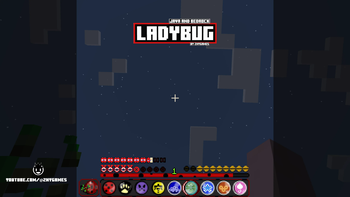
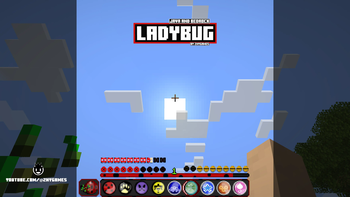
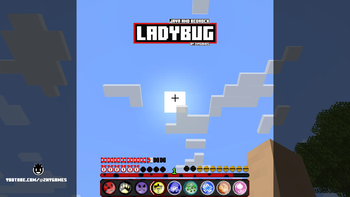
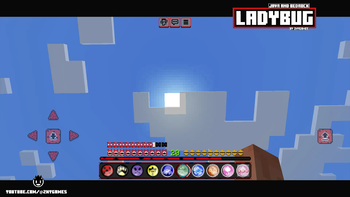
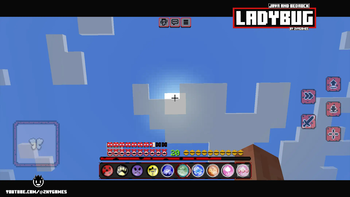
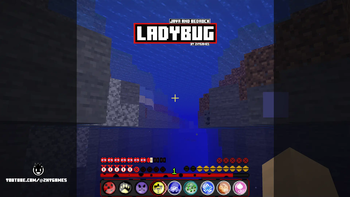
### 🗒|DESCRIPTION I hope you like what you see. As always, I've done my best to adapt the hotbar to match the theme and reflect it as accurately as possible.
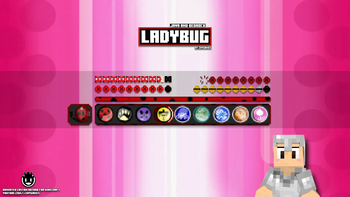
This texture pack includes a new hotbar and new icons, such as the hunger bar and more, all designed to fit the Ladybug theme. You can use this pack in the standard Vanilla version and with Fabric.
Dive into your Minecraft world with this charming and unique look!
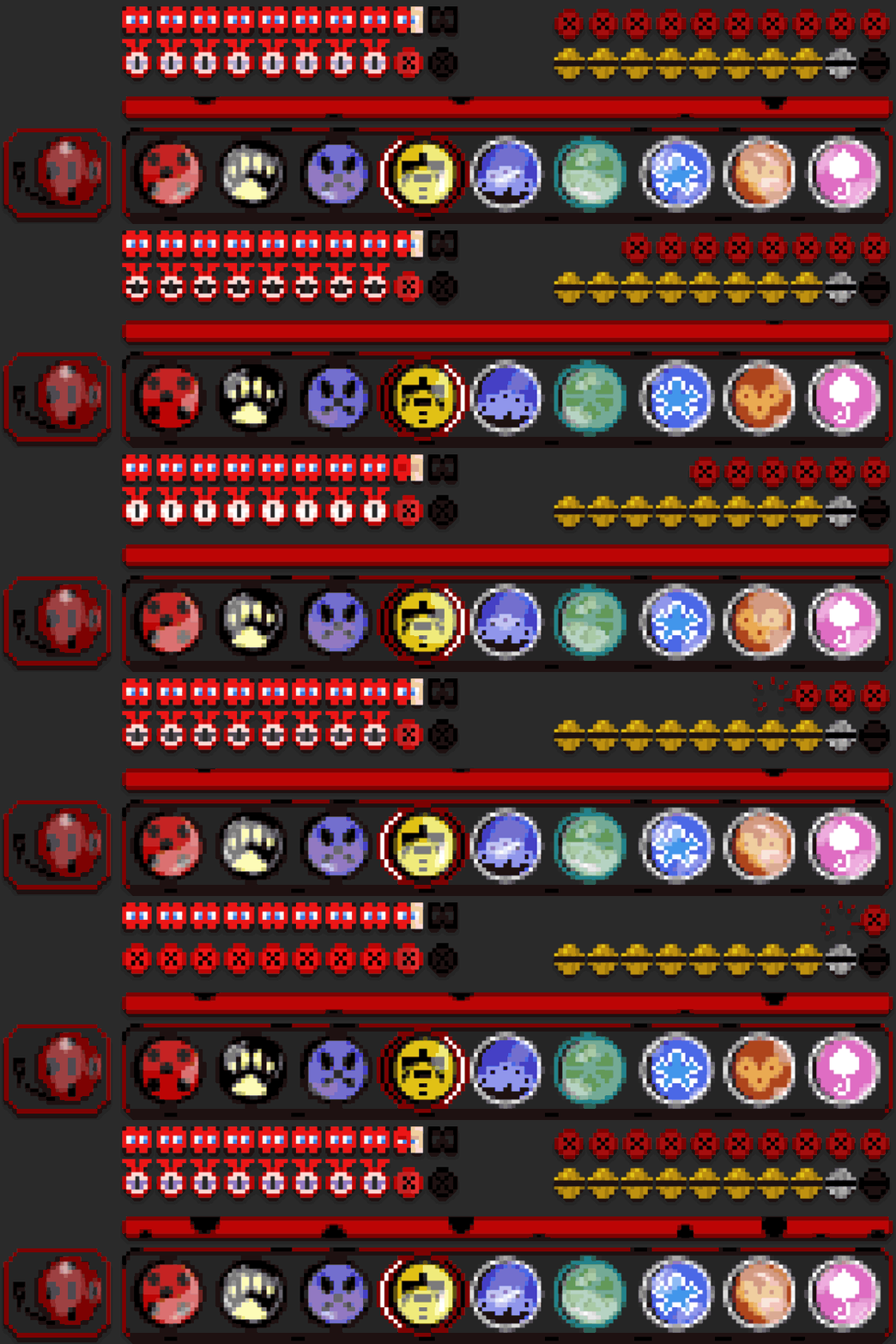
New! with this pack: - animated hotbar
### 🎞|TRAILER
### 💬|SOCIAL (っ^▿^)۶🍸🌟🍺٩(˘◡˘ ) DISCORD [▶️ visit me!](https://discord.gg/g6vpenZ4x8)
We invite you to join our Discord community where you can connect with fellow players, share your ideas, and report any bugs you encounter. Whether you have suggestions for improving the hotbar or need support with any issues, our community is here to help. Let’s build, explore, and create together!


### 🖼|EXAMPLE
ANIMATED HOTBAR
!(https://i.imgur.com/5PMeSgI.gif)


more examples in the picture gallery above ⬆️
### 🛈 |INSTALL Note: If you encounter any issues, make sure that the texture pack is compatible with your version of Minecraft, and that you have followed all of the steps correctly.
VANILLA
- Open Minecraft: Launch Minecraft and click on the "Options" button.
- Go to the "Resource Packs" section: In the options menu, select "Resource Packs" to open the resource packs screen.
- Move the texture pack to the correct location: Locate the folder where your Minecraft resource packs are stored. The default location is usually in the "resourcepacks" folder under your Minecraft game directory. Move the downloaded .zip file to this folder.
- Select the texture pack in Minecraft: Back in the resource packs screen, select the texture pack that you just moved to the resource packs folder. The texture pack should now be listed in the "Selected Resource Packs" section.
- Apply the changes: Click on the "Done" button to apply the changes and enable the texture pack.
- Enjoy the new texture pack: Start a new game or load a saved game, and the new texture pack should now be in effect.
### 🔗|BEDROCK VERSION


### 💖| THX!
See you in the next pack!

📊 Mod Details
- Game
- Minecraft Resource Packs
- Author
- znygames
- Version
- 1
- Downloads
- 375
- Endorsements
- 2
- Category
- gui
- Created
- 4/4/2024
- Updated
- 1/20/2025
- Game Versions
- 1.21.4
- Tags
- gui, themed, vanilla-like
🔧 How to Install Minecraft Resource Packs Mods
Download from Modrinth. Use Prism Launcher or drop into your mods folder.
📖 Full step-by-step install guide for Minecraft Resource Packs →
Visit the official mod page for specific installation instructions for this mod.
🎮 Need cheat codes or console commands? Check ur gaming wiki for Minecraft Resource Packs commands, item IDs, and more.
❓ Frequently Asked Questions
Which Minecraft Resource Packs versions does Animated! Ladybug support?
The author lists 1.21.4. Other versions may work but are untested by the author.
What is the latest version of Animated! Ladybug?
Version 1, published 2025-01-20 with 375 downloads recorded at the source.
Keep browsing — more Minecraft Resource Packs mods await