Labyrinth's Textures
🟡 Updated this year🖼️ Gallery (2 images)
🔍 Analysis
- 🏆 #513 of 593 16x mods in this game by downloads
📋 About This Mod
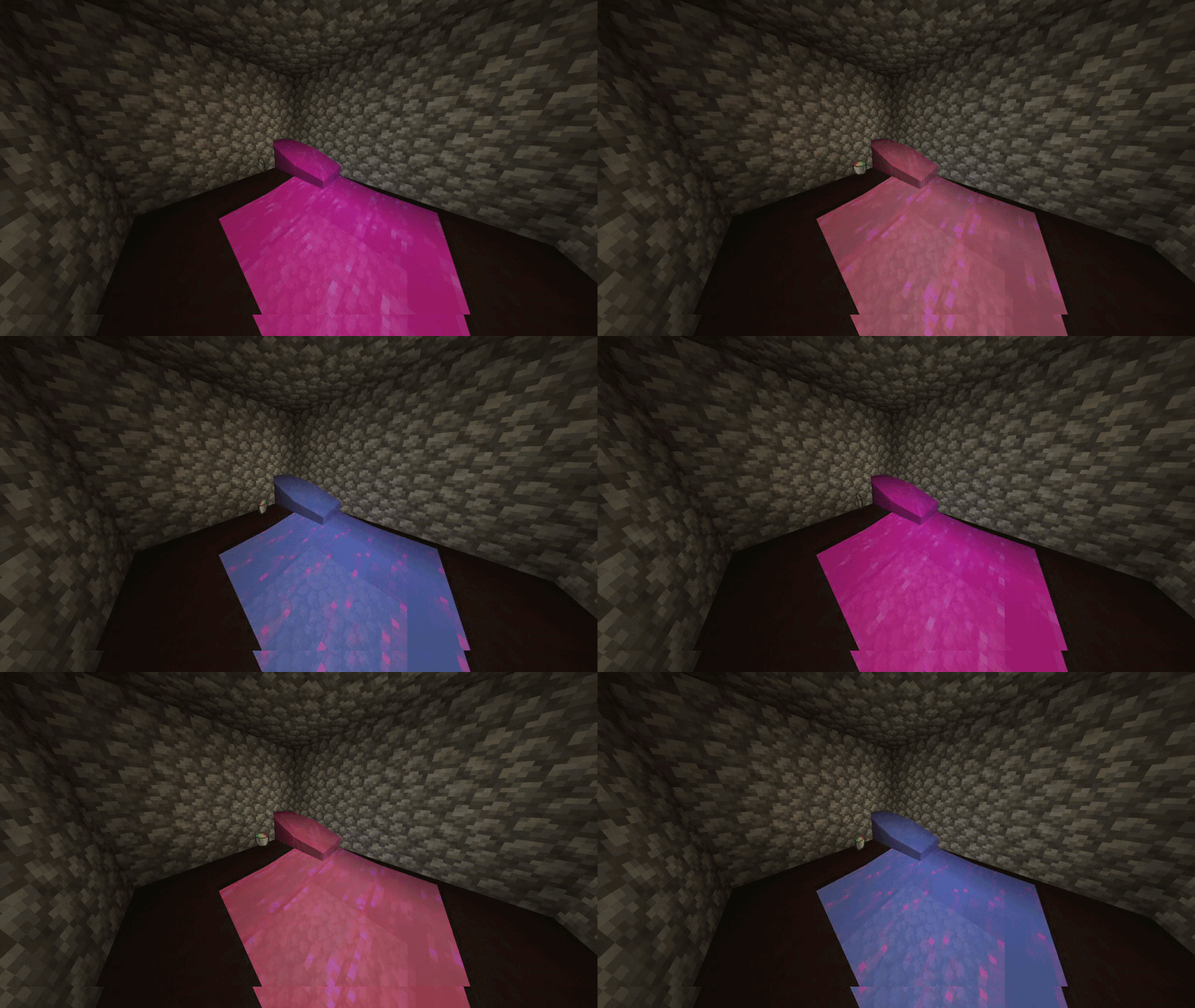
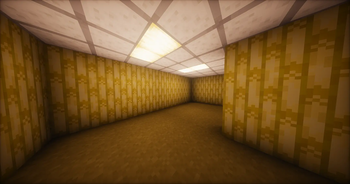
## Changes This texture pack, when added to the game, changes the following blocks to their Labyrinth alternatives for the server: - Redstone Lantern -> Experimental Green Variant - Stripped Bamboo Block -> Backrooms Walls and Ceiling Tile - Hay Block (Top) -> Backrooms Carpet - Water -> "Shimmer" Water ### Dependencies (Not required!) If you want to see the new Water, you will have to: 1. Install Polytone Mod 2. Likely (as of now) disable shaders. This texture pack is only made for the Labyrinth server and will always be bound to change, although generally rare, and announced anyways in the server so you can see the new changes. ### How to Use In order to add this to your game, go to "Resource Packs" in your Minecraft options, then drag the downloaded zip file from wherever you put it into your Minecraft window. Make sure it is enabled, and your game should reload with the new texture pack applied onto the blocks it changes. You can test by having a Stripped Bamboo block on hand or in front of you.
## Changes This texture pack, when added to the game, changes the following blocks to their Labyrinth alternatives for the server: - Redstone Lantern -> Experimental Green Variant - Stripped Bamboo Block -> Backrooms Walls and Ceiling Tile - Hay Block (Top) -> Backrooms Carpet - Water -> "Shimmer" Water
### Dependencies (Not required!) If you want to see the new Water, you will have to: 1. Install Polytone Mod 2. Likely (as of now) disable shaders.
This texture pack is only made for the Labyrinth server and will always be bound to change, although generally rare, and announced anyways in the server so you can see the new changes.
### How to Use In order to add this to your game, go to "Resource Packs" in your Minecraft options, then drag the downloaded zip file from wherever you put it into your Minecraft window. Make sure it is enabled, and your game should reload with the new texture pack applied onto the blocks it changes. You can test by having a Stripped Bamboo block on hand or in front of you.
📊 Mod Details
- Game
- Minecraft Resource Packs
- Author
- Ms_Narrator
- Version
- 2.0
- Downloads
- 12
- Endorsements
- 0
- Category
- 16x
- Created
- 8/20/2026
- Updated
- 8/20/2026
- Game Versions
- 24w12a, 24w13a, 24w14potato, 24w14a, 1.20.5-pre1
- Tags
- 16x, blocks, vanilla-like
🔧 How to Install Minecraft Resource Packs Mods
Download from Modrinth. Use Prism Launcher or drop into your mods folder.
📖 Full step-by-step install guide for Minecraft Resource Packs →
Visit the official mod page for specific installation instructions for this mod.
🎮 Need cheat codes or console commands? Check ur gaming wiki for Minecraft Resource Packs commands, item IDs, and more.
❓ Frequently Asked Questions
Which Minecraft Resource Packs versions does Labyrinth's Textures support?
The author lists 24w12a, 24w13a, 24w14potato, 24w14a, 1.20.5-pre1, 1.20.5-pre2. Other versions may work but are untested by the author.
What is the latest version of Labyrinth's Textures?
Version 2.0, published 2026-08-20 with 12 downloads recorded at the source.
Keep browsing — more Minecraft Resource Packs mods await