Invisible / Transparent Shield
🟡 Updated this year🖼️ Gallery (1 images)
🔍 Analysis
- 👍 0.2% endorsement rate
- 🏆 #30 of 345 combat mods in this game by downloads
📋 About This Mod
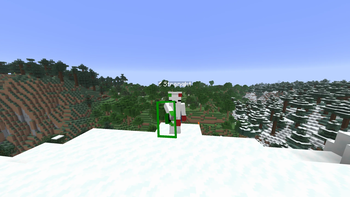
## Invisible / Transparent Shield ### Overview: The **Invisible Shield** texture pack enhances your Minecraft experience by making the shield completely transparent — both in hand and while blocking. Instead of having a large chunk of your screen eaten up by the shield model, your view stays clean and unobstructed at all times, whether you're holding it or actively blocking with it. ### Why It's Useful in PvP: The shield is one of the most screen-consuming items in Minecraft PvP. When held or raised, it blocks a significant portion of your field of view, making it harder to track enemies, land crits, or react to incoming attacks. This texture pack allows you to: - **Enhanced Visibility:** Keep your screen completely clear even while actively blocking — no more shield model cutting off your field of view. - **Improved Tracking:** Follow your opponent's movements without any visual obstruction getting in the way of your crosshair or peripheral vision. - **Better Reaction Time:** See incoming threats instantly and adjust your positioning without the shield model delaying your reads. - **Cleaner Gameplay:** Focus entirely on the fight — not on a chunk of wood and metal covering half your screen. Perfect for competitive PvP scenarios where maximum visibility is everything, and where a single obstructed frame can cost you the fight. ### 📂 Locating the Resource Packs Folder 1. Open your Minecraft Launcher and launch the game. 2. Navigate to the main menu, then click **Options** > **Resource Packs**. 3. Click **Open Resource Pack Folder**. 4. Drag and drop the `.zip` file into this folder, then activate it.
## Invisible / Transparent Shield
### Overview: The Invisible Shield texture pack enhances your Minecraft experience by making the shield completely transparent — both in hand and while blocking. Instead of having a large chunk of your screen eaten up by the shield model, your view stays clean and unobstructed at all times, whether you're holding it or actively blocking with it.
### Why It's Useful in PvP: The shield is one of the most screen-consuming items in Minecraft PvP. When held or raised, it blocks a significant portion of your field of view, making it harder to track enemies, land crits, or react to incoming attacks. This texture pack allows you to:
- Enhanced Visibility: Keep your screen completely clear even while actively blocking — no more shield model cutting off your field of view.
- Improved Tracking: Follow your opponent's movements without any visual obstruction getting in the way of your crosshair or peripheral vision.
- Better Reaction Time: See incoming threats instantly and adjust your positioning without the shield model delaying your reads.
- Cleaner Gameplay: Focus entirely on the fight — not on a chunk of wood and metal covering half your screen.
Perfect for competitive PvP scenarios where maximum visibility is everything, and where a single obstructed frame can cost you the fight.
### 📂 Locating the Resource Packs Folder 1. Open your Minecraft Launcher and launch the game. 2. Navigate to the main menu, then click Options > Resource Packs. 3. Click Open Resource Pack Folder. 4. Drag and drop the `.zip` file into this folder, then activate it.
📊 Mod Details
- Game
- Minecraft Resource Packs
- Author
- Strenqht
- Version
- 1
- Downloads
- 621
- Endorsements
- 1
- Category
- combat
- Created
- 6/23/2026
- Updated
- 6/18/2026
- Game Versions
- 1.21, 1.21.1, 1.21.2, 1.21.3, 1.21.4
- Tags
- combat, models, tweaks
🔧 How to Install Minecraft Resource Packs Mods
Download from Modrinth. Use Prism Launcher or drop into your mods folder.
📖 Full step-by-step install guide for Minecraft Resource Packs →
Visit the official mod page for specific installation instructions for this mod.
🎮 Need cheat codes or console commands? Check ur gaming wiki for Minecraft Resource Packs commands, item IDs, and more.
❓ Frequently Asked Questions
Which Minecraft Resource Packs versions does Invisible / Transparent Shield support?
The author lists 1.21, 1.21.1, 1.21.2, 1.21.3, 1.21.4, 1.21.5. Other versions may work but are untested by the author.
What is the latest version of Invisible / Transparent Shield?
Version 1, published 2026-06-18 with 621 downloads recorded at the source.
Keep browsing — more Minecraft Resource Packs mods await