Dryo's Wynn Edits
🟡 Updated this year🖼️ Gallery (8 images)
🔍 Analysis
- 🏆 #170 of 203 decoration mods in this game by downloads
📋 About This Mod
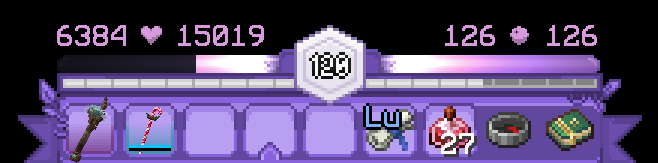
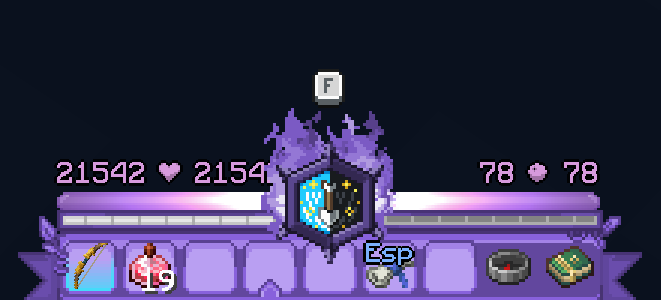
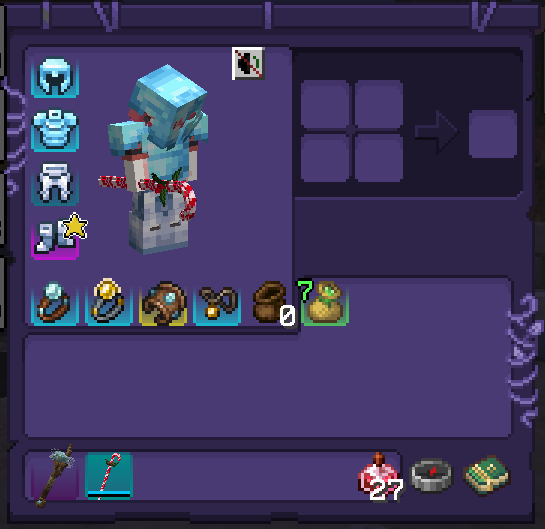
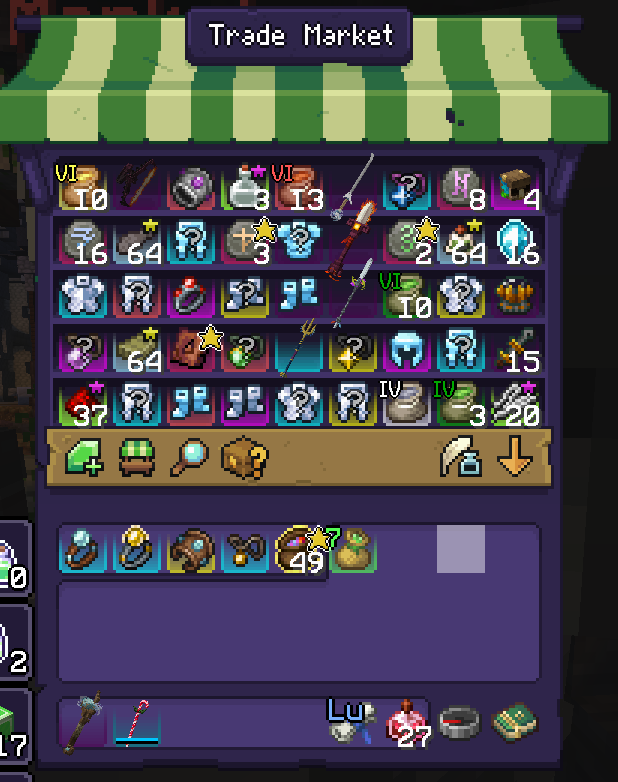
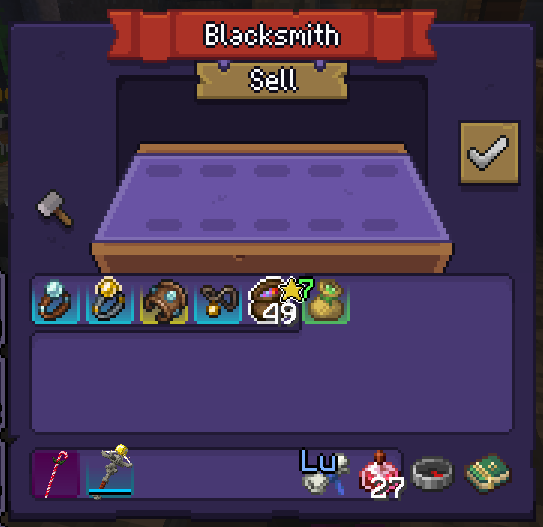
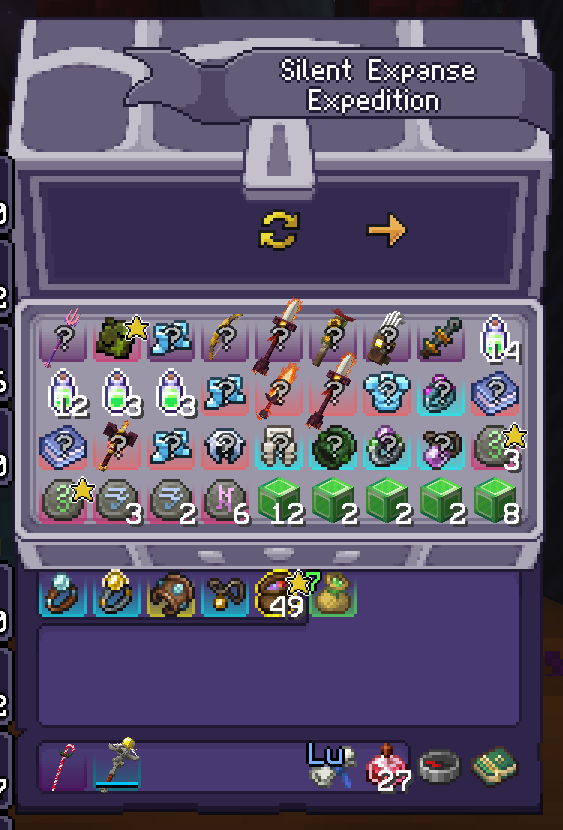
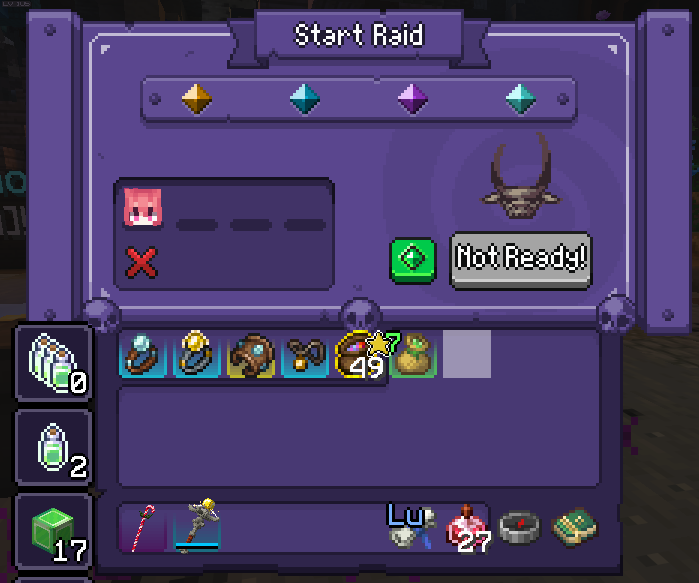
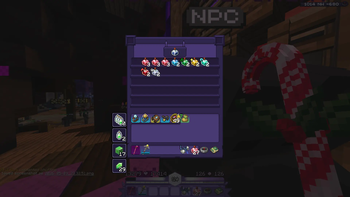
# Hello! This resource pack changes (https://wynncraft.com/)'s look into a Purple/White theme, with a couple of additional tweaks. It also includes recolors for elements from (https://modrinth.com/mod/wynntils)! **Thank you (https://modrinth.com/user/SpektrSoyuz) for allowing me to use your project (https://modrinth.com/resourcepack/wynnedits-dark-theme) as a base for this pack!** **This pack also includes the (https://modrinth.com/resourcepack/specialist-for-mythics) resource pack**, and will include any other relevant Wynncraft packs I may or may not create in the future! Brief list of changes; - All of the Wynncraft HUD and GUI Textures - Wynntils menu textures - Adjusted transparency of Wynntils lootrun objective icons - Changed audio for Wynntils' Mythic Found and Cache Found jingles If you want the text colors of the numbers above the bars shown in the gallery or the video tutorial here's the code for it: ``` #f9b2ffdf ``` # **⚠️IMPORTANT⚠️** This resource pack adjusts Wynntils' default health bars in a very specific way requiring a bit of an adjustment from you to make it look cleaner! I plan to eventually release a modpack which will have this done by default! _(You can also ignore this section entirely if you don't care about making your stuff look clean)_ Here are the instructions for adjusting the health bar; (video guide below) 1) Open your Wynntils menu, go to "Overlay Management" and find the "Health Bar" and "Mana Bar" options 2) Ensure both bars are set to the **A** texture, then scroll down and ensure "Overlay Position", "Overlay Size" and "Horizontal / Vertical Alignment Override" is set to default (click the "reset" button if it's lit up) 3) For "Health Bar" **only**, enable the "Flip" option 4) After doing all of that, click on "Health Bar", then "Free Move", then click on the Health Bar box once to select it. Now you will press the right arrow key **17 times**, then **hold shift, press the down arrow once** to change the vertical alignment, and after that press the down arrow **5 times**, doing this should make the health bar perfectly aligned with center of the hotbar. 5) For the mana bar, repeat the same steps but instead with the left arrow keys! After doing this, both bars should be perfectly aligned. You can check the gallery section for reference. Video guide can be found (https://youtu.be/LxmJe9lLsJo). (I'm aware this is very inconvenient but I can't really share configs here)
This resource pack changes (https://wynncraft.com/)'s look into a Purple/White theme, with a couple of additional tweaks. It also includes recolors for elements from (https://modrinth.com/mod/wynntils)!
Thank you (https://modrinth.com/user/SpektrSoyuz) for allowing me to use your project (https://modrinth.com/resourcepack/wynnedits-dark-theme) as a base for this pack!
This pack also includes the (https://modrinth.com/resourcepack/specialist-for-mythics) resource pack, and will include any other relevant Wynncraft packs I may or may not create in the future!
Brief list of changes; - All of the Wynncraft HUD and GUI Textures - Wynntils menu textures - Adjusted transparency of Wynntils lootrun objective icons - Changed audio for Wynntils' Mythic Found and Cache Found jingles
If you want the text colors of the numbers above the bars shown in the gallery or the video tutorial here's the code for it: ``` #f9b2ffdf ```
# ⚠️IMPORTANT⚠️
This resource pack adjusts Wynntils' default health bars in a very specific way requiring a bit of an adjustment from you to make it look cleaner! I plan to eventually release a modpack which will have this done by default!
_(You can also ignore this section entirely if you don't care about making your stuff look clean)_
Here are the instructions for adjusting the health bar; (video guide below)
1) Open your Wynntils menu, go to "Overlay Management" and find the "Health Bar" and "Mana Bar" options
2) Ensure both bars are set to the A texture, then scroll down and ensure "Overlay Position", "Overlay Size" and "Horizontal / Vertical Alignment Override" is set to default (click the "reset" button if it's lit up)
3) For "Health Bar" only, enable the "Flip" option
4) After doing all of that, click on "Health Bar", then "Free Move", then click on the Health Bar box once to select it. Now you will press the right arrow key 17 times, then hold shift, press the down arrow once to change the vertical alignment, and after that press the down arrow 5 times, doing this should make the health bar perfectly aligned with center of the hotbar.
5) For the mana bar, repeat the same steps but instead with the left arrow keys! After doing this, both bars should be perfectly aligned. You can check the gallery section for reference.
Video guide can be found (https://youtu.be/LxmJe9lLsJo). (I'm aware this is very inconvenient but I can't really share configs here)
📊 Mod Details
- Game
- Minecraft Resource Packs
- Author
- DryoXzy
- Version
- 1.0
- Downloads
- 266
- Endorsements
- 0
- Category
- decoration
- Created
- 5/11/2026
- Updated
- 5/9/2026
- Game Versions
- 1.21.4, 1.21.5, 1.21.6, 1.21.7, 1.21.8
- Tags
- decoration, gui, themed
🔧 How to Install Minecraft Resource Packs Mods
Download from Modrinth. Use Prism Launcher or drop into your mods folder.
📖 Full step-by-step install guide for Minecraft Resource Packs →
Visit the official mod page for specific installation instructions for this mod.
🎮 Need cheat codes or console commands? Check ur gaming wiki for Minecraft Resource Packs commands, item IDs, and more.
❓ Frequently Asked Questions
Which Minecraft Resource Packs versions does Dryo's Wynn Edits support?
The author lists 1.21.4, 1.21.5, 1.21.6, 1.21.7, 1.21.8, 1.21.9. Other versions may work but are untested by the author.
What is the latest version of Dryo's Wynn Edits?
Version 1.0, published 2026-05-09 with 266 downloads recorded at the source.
Keep browsing — more Minecraft Resource Packs mods await