Dark Theme UI
🟡 Updated this year🖼️ Gallery (11 images)
🔍 Analysis
- 👍 0.4% endorsement rate
- 🏆 #22 of 41 fonts mods in this game by downloads
📋 About This Mod
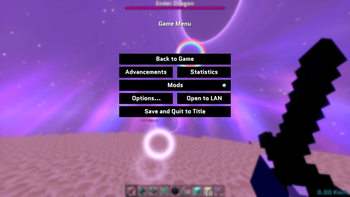
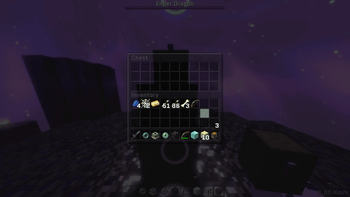
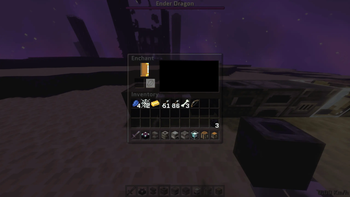
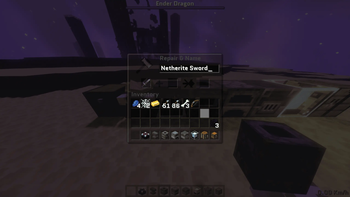
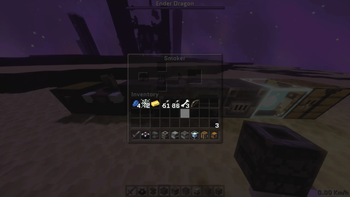
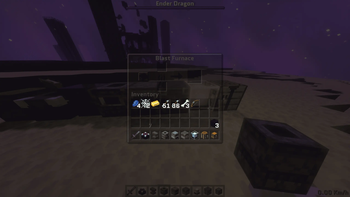
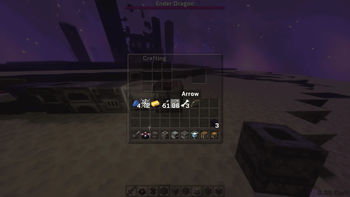
## Dark Theme: Charcoal & Translucent UI ### By Saransh ### Dark Theme is a resource pack for Minecraft that replaces the default grey GUI with a dark charcoal color scheme and added transparency. ### ### 🛠 Core Features **Translucent HUD**: The hotbar and inventory background use 50% transparency to improve visibility of the world while menus are open. **Charcoal Container Re-texture**: Replaces the vanilla GUI textures for Chests, Crafting Tables, Furnaces, and Beacons with a dark grey/charcoal palette. **Font Replacement**: Replaces the default Minecraft font with the Quantico typeface for menus and chat. **Custom Main Menu**: Changes the main menu background panorama to an End-dimension theme and modifies the Minecraft logo color to orange. ### 📋 Technical Details **Compatibility:** Designed for Minecraft 1.20.2 through 1.21.x. **Format**: Utilizes the Minecraft sprite system for GUI elements. **Resolution**: Standard resolution; compatible with most third-party resource packs (load this pack at the top of your list to ensure the UI and font apply correctly). **Performance**: This is a texture-based change and does not require external shaders or performance mods. ### 📥 Installation In Minecraft, go to Options > Resource Packs > Open Pack Folder. Move the downloaded .zip file into that folder. In the game menu, move Dark Theme to the "Selected" column. Ensure this pack is at the top of the list to avoid conflicts with other UI packs.
## Dark Theme: Charcoal & Translucent UI
### By Saransh
### Dark Theme is a resource pack for Minecraft that replaces the default grey GUI with a dark charcoal color scheme and added transparency. ### ### 🛠 Core Features
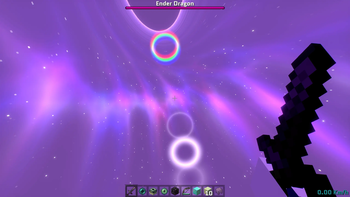
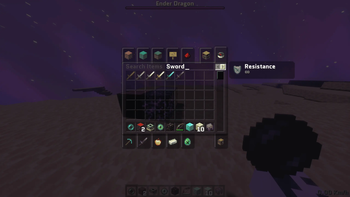
Translucent HUD: The hotbar and inventory background use 50% transparency to improve visibility of the world while menus are open.
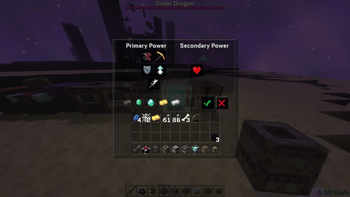
Charcoal Container Re-texture: Replaces the vanilla GUI textures for Chests, Crafting Tables, Furnaces, and Beacons with a dark grey/charcoal palette.
Font Replacement: Replaces the default Minecraft font with the Quantico typeface for menus and chat.
Custom Main Menu: Changes the main menu background panorama to an End-dimension theme and modifies the Minecraft logo color to orange.
### 📋 Technical Details Compatibility: Designed for Minecraft 1. 20. 2 through 1. 21.x.
Format: Utilizes the Minecraft sprite system for GUI elements.
Resolution: Standard resolution; compatible with most third-party resource packs (load this pack at the top of your list to ensure the UI and font apply correctly).
Performance: This is a texture-based change and does not require external shaders or performance mods.
### 📥 Installation
In Minecraft, go to Options > Resource Packs > Open Pack Folder.
Move the downloaded .zip file into that folder.
In the game menu, move Dark Theme to the "Selected" column.
Ensure this pack is at the top of the list to avoid conflicts with other UI packs.
📊 Mod Details
- Game
- Minecraft Resource Packs
- Author
- Saransh
- Version
- 1.0
- Downloads
- 509
- Endorsements
- 2
- Category
- fonts
- Created
- 3/13/2026
- Updated
- 3/7/2026
- Game Versions
- 1.20, 1.20.1, 1.20.2, 1.20.3, 1.20.4
- Tags
- fonts, gui, simplistic
🔧 How to Install Minecraft Resource Packs Mods
Download from Modrinth. Use Prism Launcher or drop into your mods folder.
📖 Full step-by-step install guide for Minecraft Resource Packs →
Visit the official mod page for specific installation instructions for this mod.
🎮 Need cheat codes or console commands? Check ur gaming wiki for Minecraft Resource Packs commands, item IDs, and more.
❓ Frequently Asked Questions
Which Minecraft Resource Packs versions does Dark Theme UI support?
The author lists 1.20, 1.20.1, 1.20.2, 1.20.3, 1.20.4, 1.20.5. Other versions may work but are untested by the author.
What is the latest version of Dark Theme UI?
Version 1.0, published 2026-03-07 with 509 downloads recorded at the source.
Keep browsing — more Minecraft Resource Packs mods await