Chess
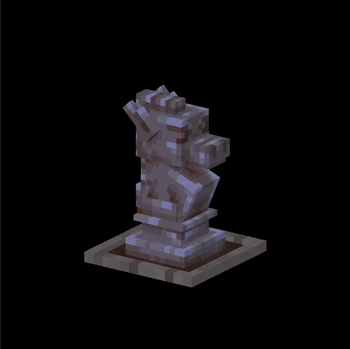
🟡 Updated this year🖼️ Gallery (1 images)
🔍 Analysis
- 👍 1.2% endorsement rate — high engagement, a strong quality signal
- 🏆 #149 of 198 decoration mods in this game by downloads
📋 About This Mod
## ♟️ Description / Описание <details> <summary><strong>RU Русский</strong></summary> Этот ресурспак добавляет **объёмные 3D-шахматы** в Minecraft! Теперь вы можете расставить настоящие шахматные фигуры прямо в мире, используя обычные красители и рамки. 🧩 Для использования: - Переименуйте **белый или чёрный краситель** в нужное имя фигуры через наковальню (например: `king`, `pawn`, `bishop` и т.д.). - Поместите его в рамку — и фигура появится в 3D! 📌 Отлично подойдёт для мини-игр, декора и шахматных сражений прямо в Майнкрафте. </details> <details open> <summary><strong>EN English</strong></summary> This resource pack adds **fully 3D chess pieces** into Minecraft! You can now build your own chessboard and place real-looking pieces in the world using dyes and item frames. 🧩 How to use: - Rename **white or black dye** to the name of the piece in an anvil (e.g., `king`, `pawn`, `bishop`, etc.). - Place it in an item frame — and the 3D model appears! 📌 Great for minigames, decoration, or creating a full playable chess board in Minecraft. </details> --- ## 📸 Preview / Примеры <details> <summary>Click to open / Нажмите, чтобы открыть</summary> <table border="1" cellspacing="0" cellpadding="5"> <thead> <tr> <th colspan="6" style="background-color: #f0f0f0;">White Pieces / Белые фигуры</th> <th colspan="6" style="background-color: #d0d0d0;">Black Pieces / Чёрные фигуры</th> </tr> <tr> <th>Piece</th> <th>Model</th> <th>Resource</th> <th>Rename</th> <th>Фигура</th> <th>Модель</th> <th>Piece</th> <th>Model</th> <th>Resource</th> <th>Rename</th> <th>Фигура</th> <th>Модель</th> </tr> </thead> <tbody> <tr> <td align='center'>King</td> <td align='center'><img src="https://kreonical-genesis.github.io/img/chess/2_w.gif" height="50"></td> <td align='center'><img src="https://i.imgur.com/ei7Knhi.png" width="30"></td> <td><code>King</code></td> <td align='center'>Король</td> <td align='center'><img src="https://kreonical-genesis.github.io/img/chess/2_w.gif" height="30"></td> <td align='center'>King</td> <td align='center'><img src="https://kreonical-genesis.github.io/img/chess/2_b.gif" height="50"></td> <td align='center'><img src="https://i.imgur.com/jJBQm2e.png" width="30"></td> <td><code>King</code></td> <td align='center'>Король</td> <td align='center'><img src="https://kreonical-genesis.github.io/img/chess/2_b.gif" height="30"></td> </tr> <tr> <td align='center'>Queen</td> <td align='center'><img src="https://kreonical-genesis.github.io/img/chess/3_w.gif" height="50"></td> <td align='center'><img src="https://i.imgur.com/ei7Knhi.png" width="30"></td> <td><code>Queen</code></td> <td align='center'>Ферзь</td> <td align='center'><img src="https://kreonical-genesis.github.io/img/chess/3_w.gif" height="30"></td> <td align='center'>Queen</td> <td align='center'><img src="https://kreonical-genesis.github.io/img/chess/3_b.gif" height="50"></td> <td align='center'><img src="https://i.imgur.com/jJBQm2e.png" width="30"></td> <td><code>Queen</code></td> <td align='center'>Ферзь</td> <td align='center'><img src="https://kreonical-genesis.github.io/img/chess/3_b.gif" height="30"></td> </tr> <tr> <td align='center'>Bishop</td> <td align='center'><img src="https://kreonical-genesis.github.io/img/chess/4_w.gif" height="50"></td> <td align='center'><img src="https://i.imgur.com/ei7Knhi.png" width="30"></td> <td><code>Bishop</code></td> <td align='center'>Слон</td> <td align='center'><img src="https://kreonical-genesis.github.io/img/chess/4_w.gif" height="30"></td> <td align='center'>Bishop</td> <td align='center'><img src="https://kreonical-genesis.github.io/img/chess/4_b.gif" height="50"></td> <td align='center'><img src="https://i.imgur.com/jJBQm2e.png" width="30"></td> <td><code>Bishop</code></td> <td align='center'>Слон</td> <td align='center'><img src="https://kreonical-genesis.github.io/img/chess/4_b.gif" height="30"></td> </tr> <tr> <td align='center'>Knight</td> <td align='center'><img src="https://kreonical-genesis.github.io/img/chess/1_w.gif" height="50"></td> <td align='center'><img src="https://i.imgur.com/ei7Knhi.png" width="30"></td> <td><code>Knight</code></td> <td align='center'>Конь</td> <td align='center'><img src="https://kreonical-genesis.github.io/img/chess/1_w.gif" height="30"></td> <td align='center'>Knight</td> <td align='center'><img src="https://kreonical-genesis.github.io/img/chess/1_b.gif" height="50"></td> <td align='center'><img src="https://i.imgur.com/jJBQm2e.png" width="30"></td> <td><code>Knight</code></td> <td align='center'>Конь</td> <td align='center'><img src="https
## ♟️ Description / Описание
RU Русский
Этот ресурспак добавляет объёмные 3D-шахматы в Minecraft! Теперь вы можете расставить настоящие шахматные фигуры прямо в мире, используя обычные красители и рамки.
🧩 Для использования: - Переименуйте белый или чёрный краситель в нужное имя фигуры через наковальню (например: `king`, `pawn`, `bishop` и т.д.). - Поместите его в рамку — и фигура появится в 3D!
📌 Отлично подойдёт для мини-игр, декора и шахматных сражений прямо в Майнкрафте.
EN English
This resource pack adds fully 3D chess pieces into Minecraft! You can now build your own chessboard and place real-looking pieces in the world using dyes and item frames.
🧩 How to use: - Rename white or black dye to the name of the piece in an anvil (e.g., `king`, `pawn`, `bishop`, etc.). - Place it in an item frame — and the 3D model appears!
📌 Great for minigames, decoration, or creating a full playable chess board in Minecraft.
## 📸 Preview / Примеры
Click to open / Нажмите, чтобы открыть
| White Pieces / Белые фигуры | Black Pieces / Чёрные фигуры | ||||||||||
|---|---|---|---|---|---|---|---|---|---|---|---|
| Piece | Model | Resource | Rename | Фигура | Модель | Piece | Model | Resource | Rename | Фигура | Модель |
| King | 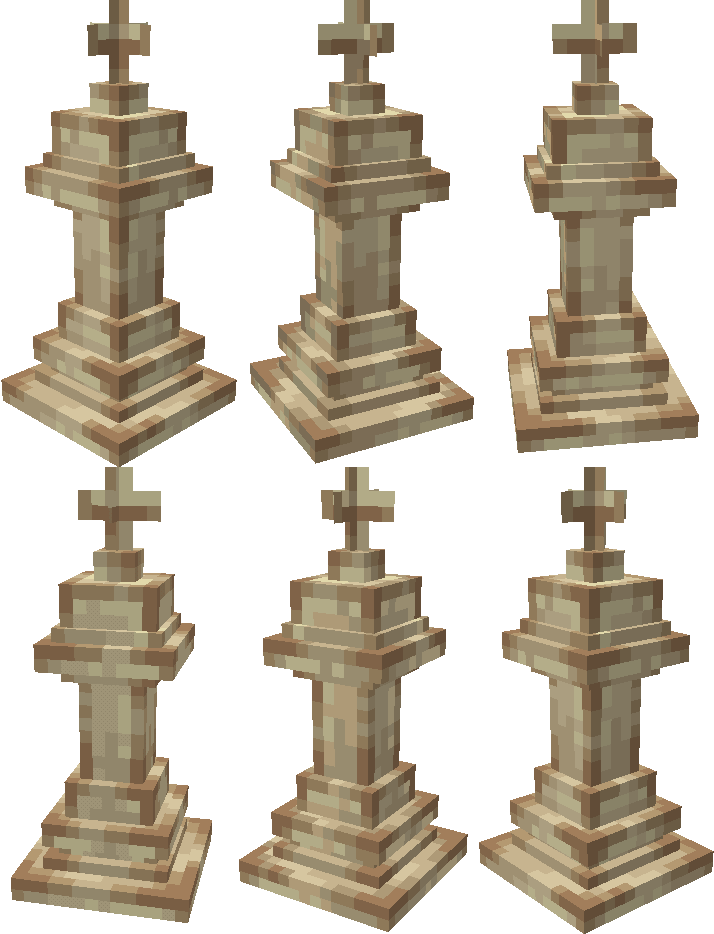 |
 |
King |
Король | |
King | 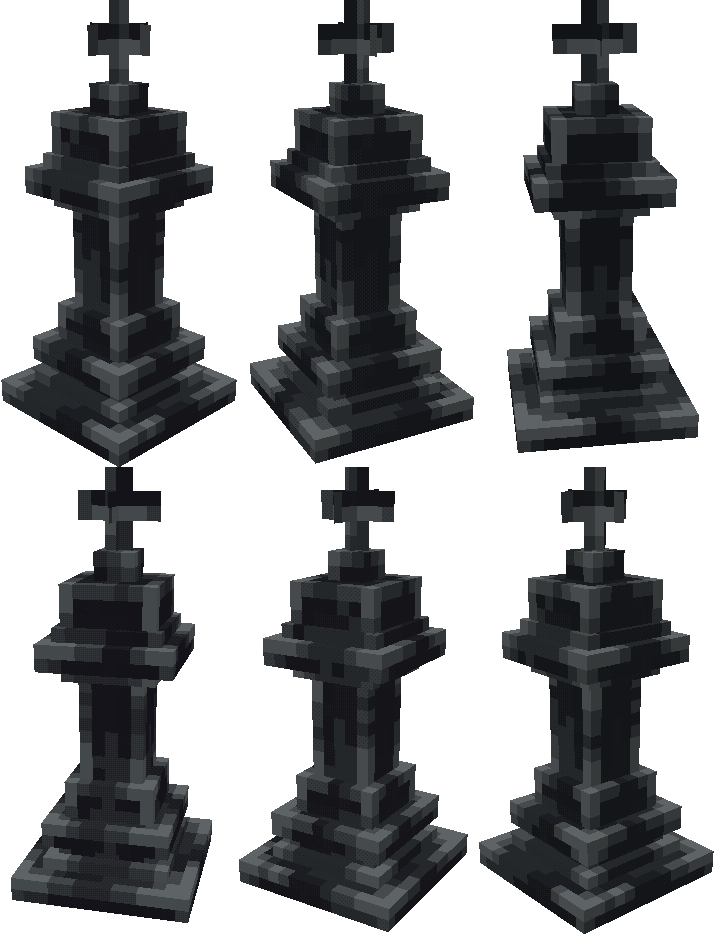 |
 |
King |
Король | |
| Queen | 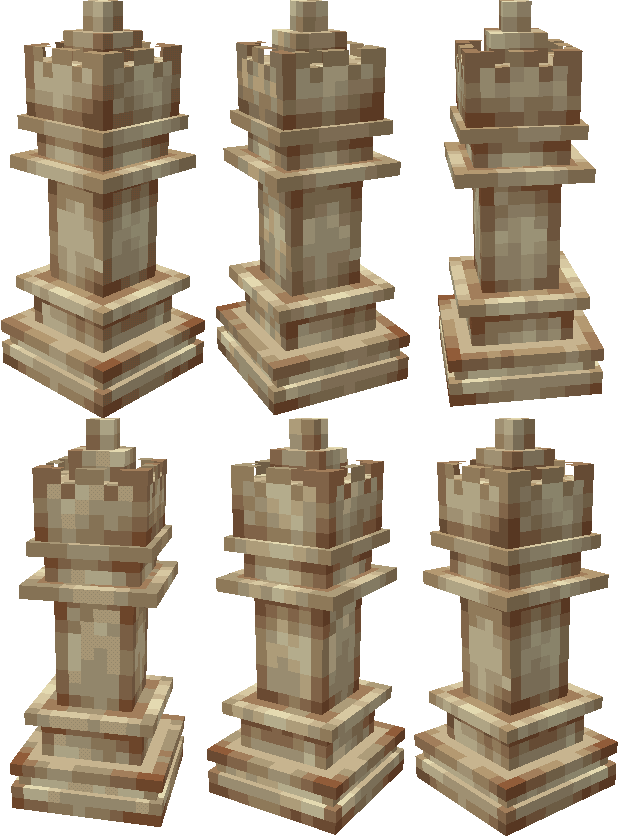 |
|
Queen |
Ферзь | |
Queen | 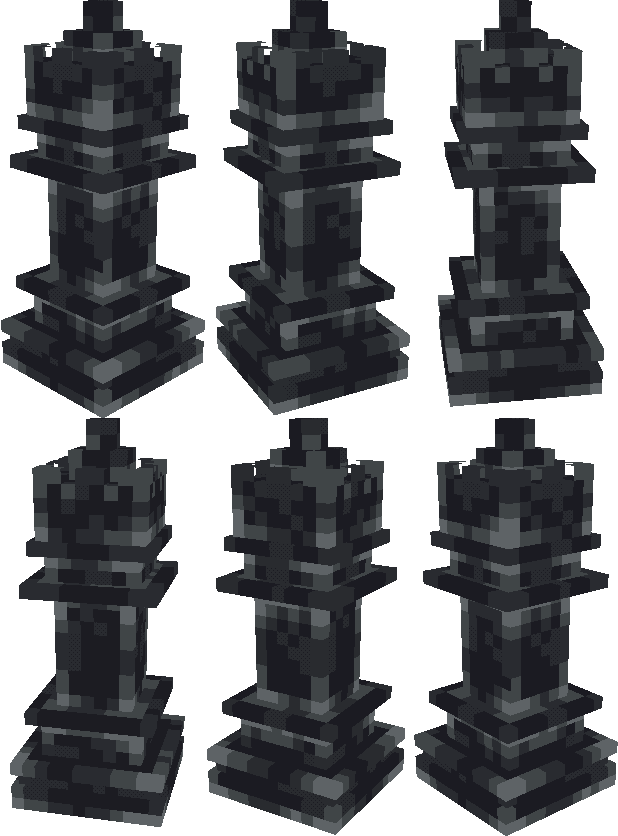 |
|
Queen |
Ферзь | |
| Bishop | 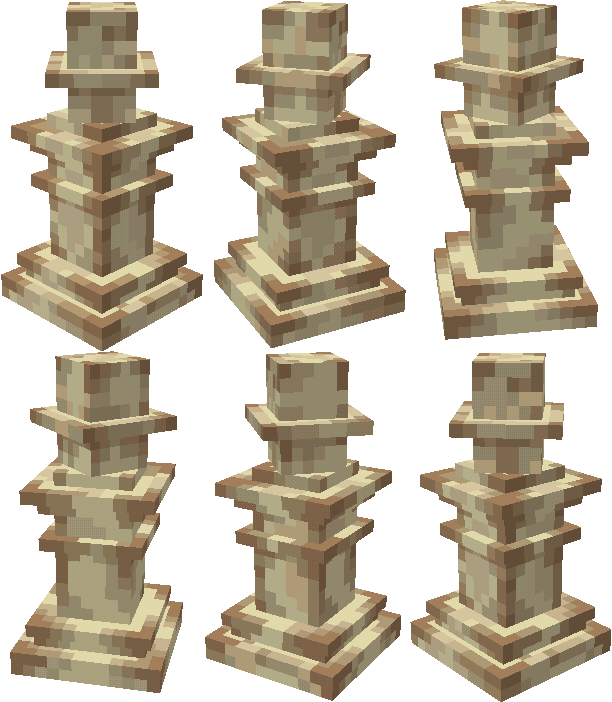 |
|
Bishop |
Слон | |
Bishop | 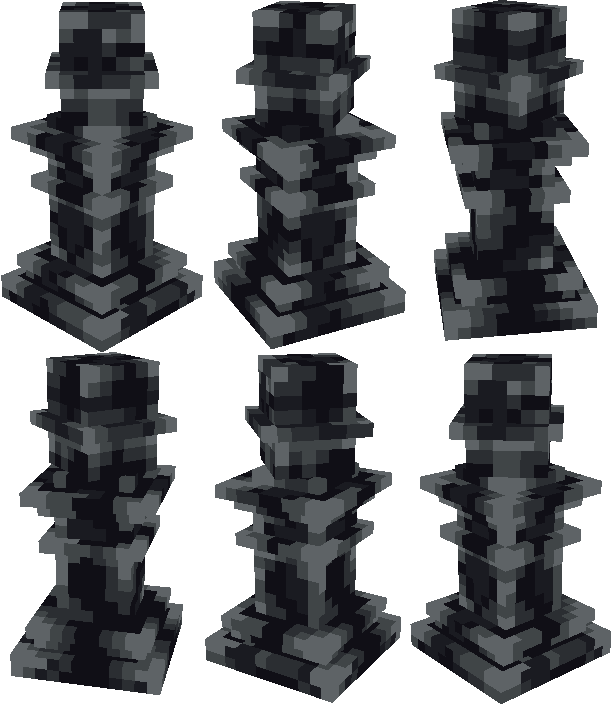 |
|
Bishop |
Слон | |
| Knight | 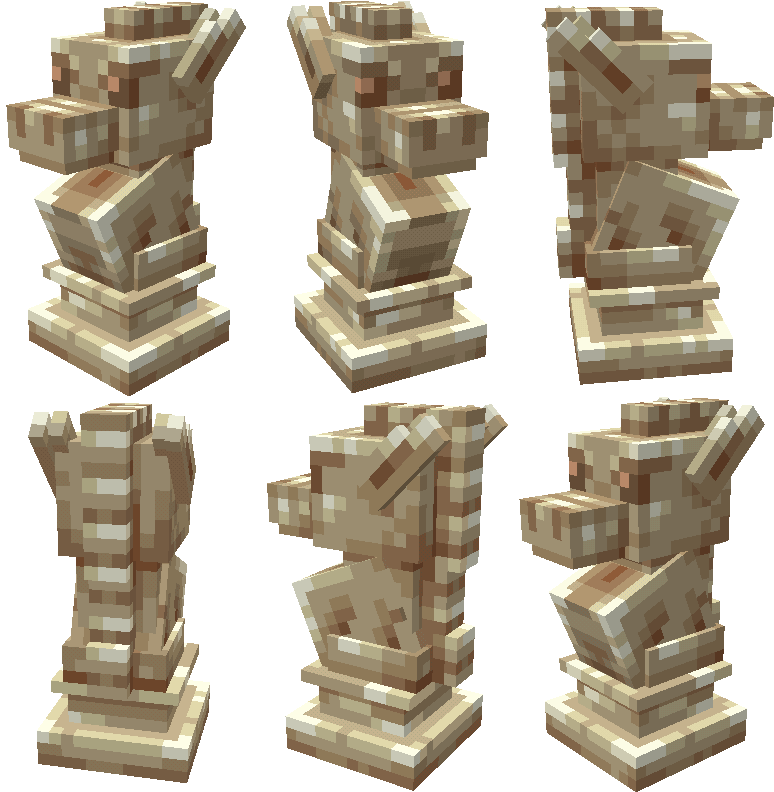 |
|
Knight |
Конь | |
Knight | 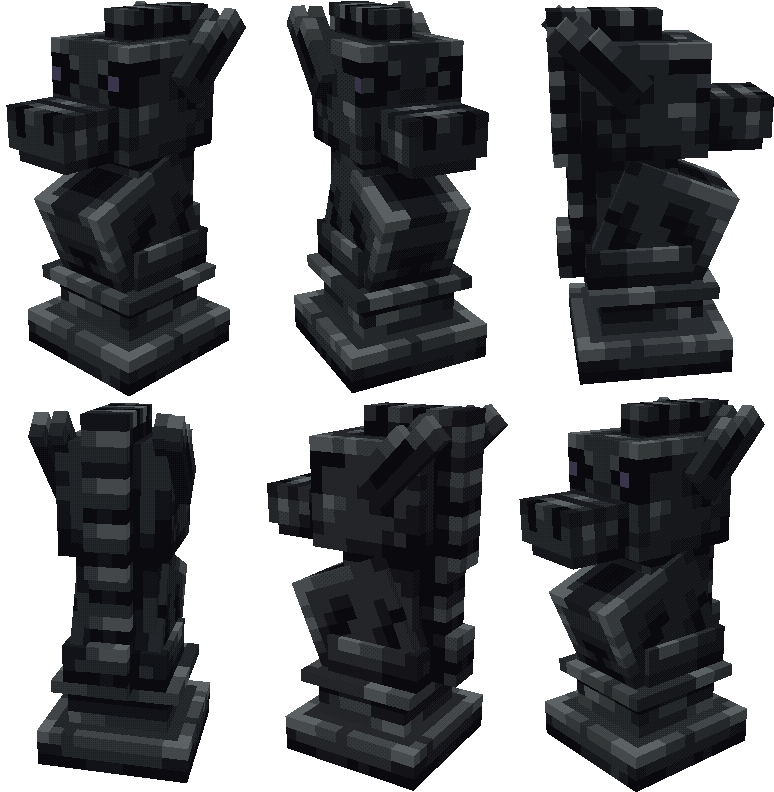 |
|
Knight |
Конь | 📊 Mod Details
🔧 How to Install Minecraft Resource Packs ModsDownload from Modrinth. Use Prism Launcher or drop into your mods folder. 📖 Full step-by-step install guide for Minecraft Resource Packs → Visit the official mod page for specific installation instructions for this mod. 🎮 Need cheat codes or console commands? Check ur gaming wiki for Minecraft Resource Packs commands, item IDs, and more. ❓ Frequently Asked QuestionsWhich Minecraft Resource Packs versions does Chess support?The author lists 1.21.5, 1.21.6, 1.21.7, 1.21.8, 1.21.9, 1.21.10. Other versions may work but are untested by the author. What is the latest version of Chess?Version 1, published 2026-01-26 with 732 downloads recorded at the source. Keep browsing — more Minecraft Resource Packs mods await |