Cave Sounds Remover for Beta
🟡 Updated this year🖼️ Gallery (1 images)
🔍 Analysis
- 🏆 #75 of 204 audio mods in this game by downloads
📋 About This Mod
!(https://cdn.modrinth.com/data/cached_images/233ef7bb5a72983e3639629fcf9c5122ece29920_0.webp)
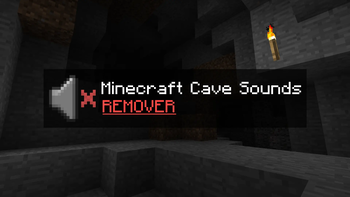
This small resource pack removes the creepy cave sounds when playing Minecraft Beta 1. 7. 3 (and other older versions).
## What does it actually do?
It doesn’t delete any files – I simply modified the original
``` cave#.ogg ```
sound files so that they have 0% volume.
That means the sounds still technically play in the background, but you won’t hear anything. The game functions completely normally, and nothing will break.
## Who is this pack for?
- Players who are afraid to play older versions because of the eerie cave sounds.
- Those who are tired of constantly hearing the ambient noises underground.
- Anyone who just wants a peaceful, classic experience without the creepy atmosphere.
## How to install: Scroll down below to find simple installation instructions.
## INSTRUCTIONS: Open your game’s version folder:
``` %appdata% > .minecraft > resources > sounds3 > ambient > cave ``` ``` %appdata% > .minecraft > resources > newsound > ambient > cave ``` Once you’re inside the cave folder, the next step is simple — download the new file and replace your current ambient cave
``` .ogg ``` files with the ones you just downloaded.
## Using PrismLauncher or MultiMC?
If you’re using Prism Launcher or MultiMC, the process is also simple and almost identical:
Right-click on your selected version and choose “Open Folder.” You should see a few items, including:
1. Minecraft (Folder) 2. Instance 3. mmc-pack
What you need is to visit Minecraft (Folder).
Then it's the same like previous Instruction.
``` Resources > Sounds3 > Ambient > Cave ``` ``` Resources > newsound > Ambient > Cave ```
If you are in Cave Folder again do the same, just simply replaced your current sounds to new that you just downloaded.
That’s everything!
📊 Mod Details
- Game
- Minecraft Resource Packs
- Author
- Gatorex
- Version
- b1.7.3
- Downloads
- 338
- Endorsements
- 3
- Category
- audio
- Created
- 10/14/2025
- Updated
- 10/12/2025
- Game Versions
- b1.7, b1.7.3
- Tags
- audio, utility, vanilla-like
🔧 How to Install Minecraft Resource Packs Mods
Download from Modrinth. Use Prism Launcher or drop into your mods folder.
📖 Full step-by-step install guide for Minecraft Resource Packs →
Visit the official mod page for specific installation instructions for this mod.
🎮 Need cheat codes or console commands? Check ur gaming wiki for Minecraft Resource Packs commands, item IDs, and more.
❓ Frequently Asked Questions
Which Minecraft Resource Packs versions does Cave Sounds Remover for Beta support?
The author lists b1.7, b1.7.3. Other versions may work but are untested by the author.
What is the latest version of Cave Sounds Remover for Beta?
Version b1.7.3, published 2025-10-12 with 338 downloads recorded at the source.
Keep browsing — more Minecraft Resource Packs mods await