Skaar's 3D Totems
🟠 Updated over a year ago🖼️ Gallery (3 images)
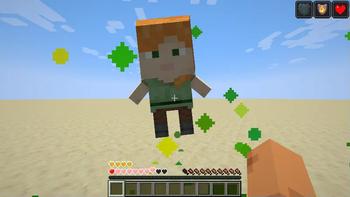
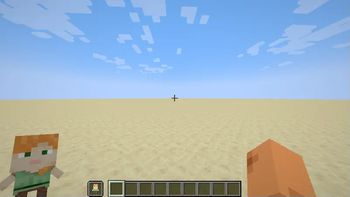
🔍 Analysis
- 👍 0.2% endorsement rate
- 🏆 #515 of 695 16x mods in this game by downloads
📋 About This Mod
!(https://cdn.modrinth.com/data/cached_images/36afb078b7e68ac0889ef6d2baaf8bc7b72c3597.png) # <br /> <center>3D Totems adds an easy way for you to make a 3D player skin totem of undying.</center> <br /> **<center>The newest version should work in every version, until and including at least 1.16.x</center>** # <center> <img src="https://cdn.modrinth.com/data/cached_images/3b1d5c9f1f74770e8054ddb410b6131f1661f8a6.gif" alt="drawing" width="450"/> </center> # **<center>How to install and use the pack:</center>** <br /> <iframe width="560" height="315" src="https://www.youtube-nocookie.com/embed/omf0lUTLhxg" title="YouTube video player" frameborder="0" allow="accelerometer; autoplay; clipboard-write; encrypted-media; gyroscope; picture-in-picture; web-share" allowfullscreen></iframe> # **<center>How to install and use the pack (text):</center>** <details> <summary>Spoiler</summary> First unzip the resource pack folder. Open the unzipped folder. Then open the "assets" folder. When inside the assets folder, go minecraft > textures > item. Once you open the item folder, replace the image file inside of it with the image file of your skin, and rename it to be "totem_of_undying". </details> <br /> <br /> # <center>If you like 3D totems, please share it with a friend that might also enjoy it. <3</center> <br /> <center> Prefer Curseforge? Check it out (https://www.curseforge.com/minecraft/texture-packs/skaars-3d-totems) </center> # **<center>DO NOT REDISTRIBUTE</center>**

The newest version should work in every version, until and including at least 1. 16.x
#
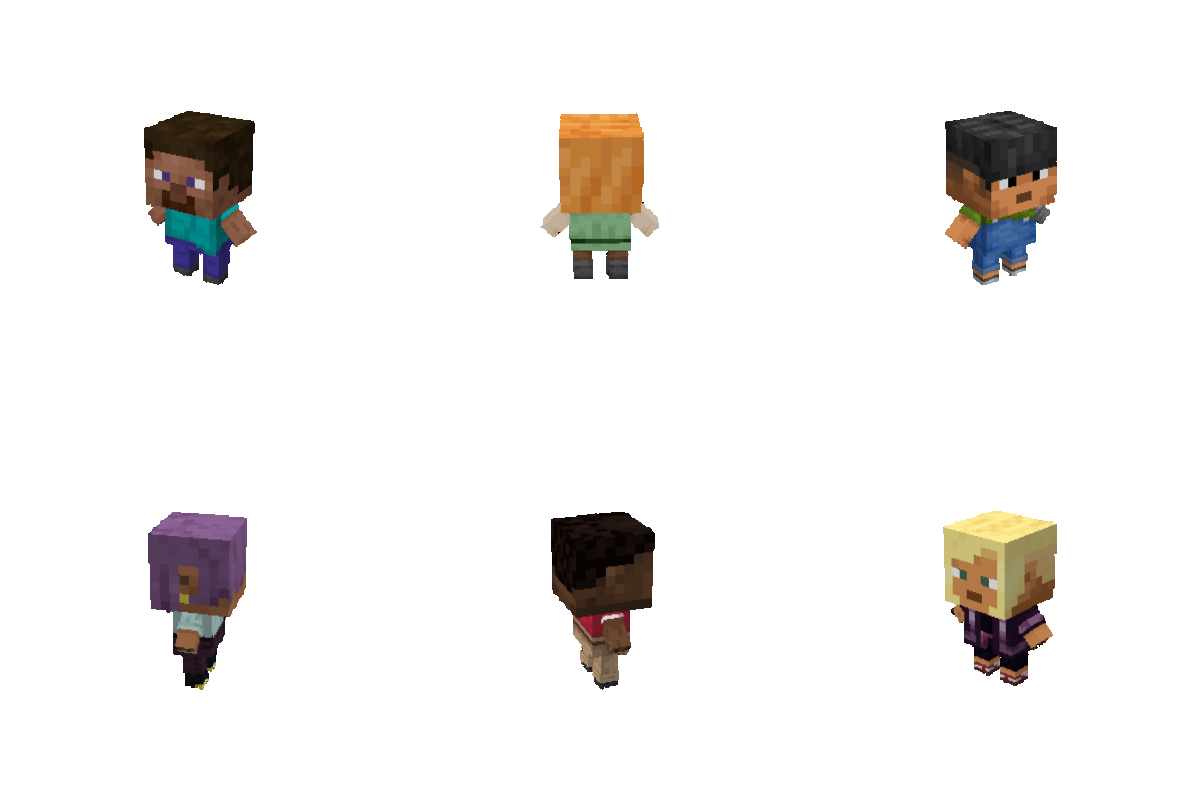
How to install and use the pack:
How to install and use the pack (text):
Spoiler
Spoiler
First unzip the resource pack folder.
Open the unzipped folder.
Then open the "assets" folder. When inside the assets folder, go minecraft > textures > item. Once you open the item folder, replace the image file inside of it with the image file of your skin, and rename it to be "totem_of_undying".
DO NOT REDISTRIBUTE
📊 Mod Details
- Game
- Minecraft Resource Packs
- Author
- skaareen
- Version
- 1.1.3
- Downloads
- 26,696
- Endorsements
- 65
- Category
- 16x
- Created
- 5/1/2024
- Updated
- 4/27/2025
- Game Versions
- 1.21.2, 1.21.3, 1.21.4, 1.21.5
- Tags
- 16x, items, vanilla-like
🔧 How to Install Minecraft Resource Packs Mods
Download from Modrinth. Use Prism Launcher or drop into your mods folder.
📖 Full step-by-step install guide for Minecraft Resource Packs →
Visit the official mod page for specific installation instructions for this mod.
🎮 Need cheat codes or console commands? Check ur gaming wiki for Minecraft Resource Packs commands, item IDs, and more.
❓ Frequently Asked Questions
Which Minecraft Resource Packs versions does Skaar's 3D Totems support?
The author lists 1.21.2, 1.21.3, 1.21.4, 1.21.5. Other versions may work but are untested by the author.
What is the latest version of Skaar's 3D Totems?
Version 1.1.3, published 2025-04-27 with 26,696 downloads recorded at the source.
Keep browsing — more Minecraft Resource Packs mods await