WorldEditSUI
🟡 Updated this year🖼️ Gallery (3 images)
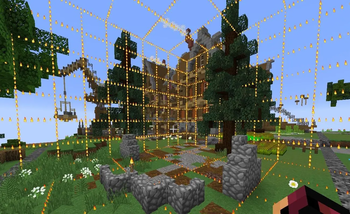
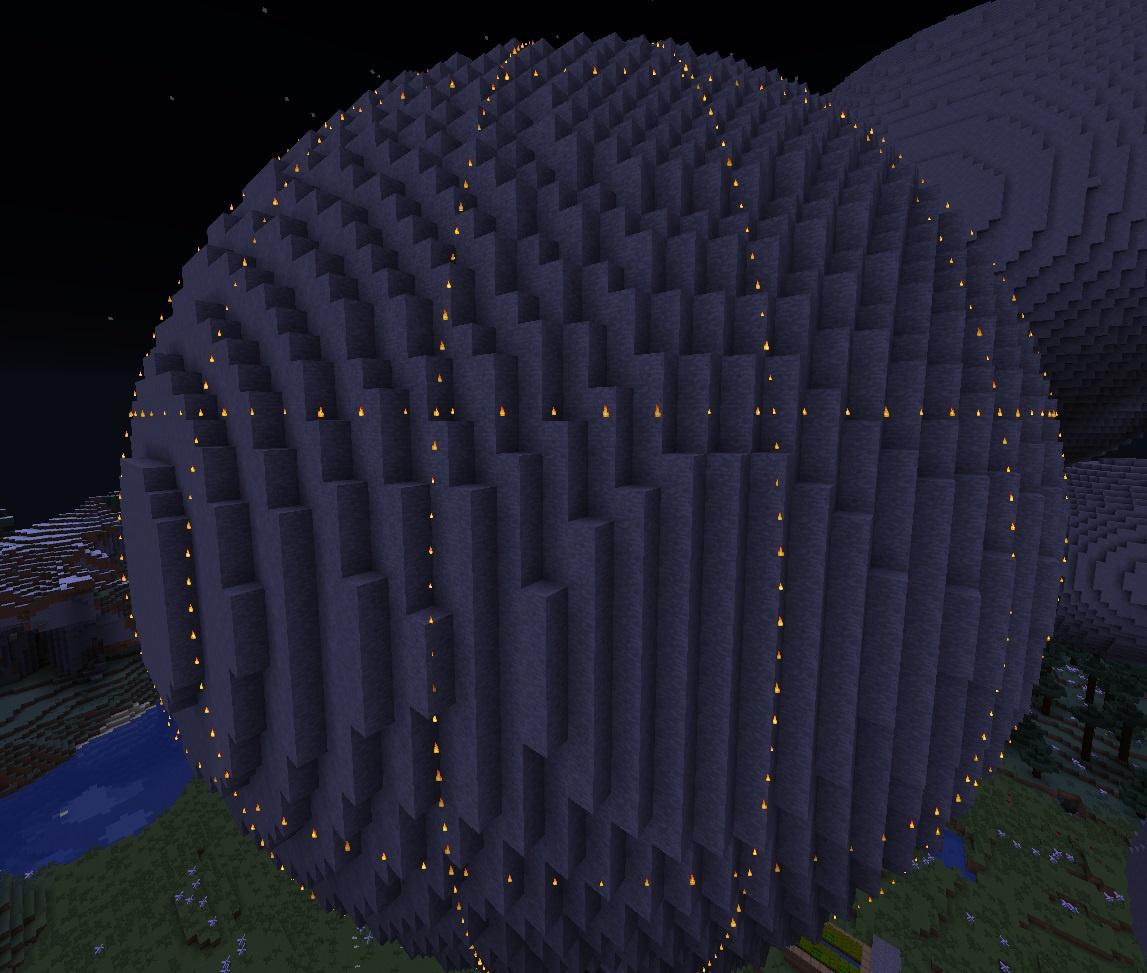
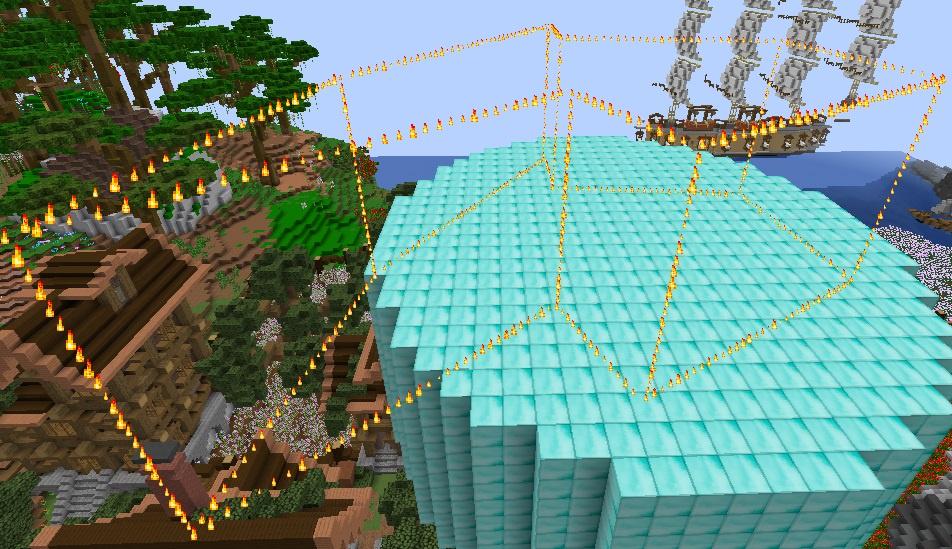
🔍 Analysis
- 🏆 #94 of 122 folia mods in this game by downloads
📋 About This Mod
## Overview * This plugin visualizes your current (https://modrinth.com/plugin/worldedit) selection with fancy particles * You can customize the shown particle effect, their amount and enable an advanced grid (useful for bigger selections). To take a look at other options, look at the configuration section below! Covered are cuboid, spherical, ellipsoid, cylinder, 2D polygonal and 3D polyhedral selections (see the galleries page for examples). * You can also display your copied selection (//copy), which can be toggled with the WESUI command. You can also show a specific WorldGuard region by using the `/wesui showregion <region>` command !(https://cdn.modrinth.com/data/cached_images/1c8285dd5bc03ceca3766380b303d9c6519bad62.jpeg) ## Compatibility This plugin runs on all versions from 1.9 onwards, needs no additional dependencies and (almost) never breaks on version updates. It is compatible with the following versions and forks of WorldEdit: * (https://modrinth.com/plugin/worldedit) * (https://modrinth.com/plugin/fastasyncworldedit) * (https://www.spigotmc.org/resources/asyncworldedit.327/) If you want to run this plugin on a 1.8.x server, you can download a legacy version from the (https://github.com/kennytv/worldeditsui/releases/tag/1.6.1). ## Commands **Available commands and their permissions are:** * `/wesui` - `wesui.command` * `/wesui reload` - `wesui.command.reload` * `/wesui toggle` - `wesui.command.toggle` * `/wesui toggleclipboard` - `wesui.command.toggleclipboard` * `/wesui showregion <region>` - `wesui.command.showregion` `wesui.maxselectionsize.bypass` - bypass the selection size limit set in the config ## Configuration ```yaml # If enabled, the positions for particles will only be calculated once per selection and then cached. # This essentially entirely removes the higher CPU usage of the calculations, but results in some caching if many/big selections are being made. # # Disable this if you run into concurreny errors. cache-calculated-positions: true # A list of all particles can be found here: https://hub.spigotmc.org/javadocs/bukkit/org/bukkit/Particle.html # Just note that newly introduced particles obviously won't work in older versions. # Shown for the selection you currently have. # # If you want to use a particle that requires extra data (REDSTONE, FALLING_DUST, BLOCK_DUST, BLOCK_CRACK, ITEM_CRACK), # you can read up on how to do that at the bottom of the plugin's Spigot page. # The same applies to per-particle view-distance, speed, and offsets. particle: FLAME # Shown for the clipboard (after using WorldEdit's //copy command). # Can be enabled with the '/wesui toggleclipboard' command. clipboard-particle: VILLAGER_HAPPY # Shown for the WG region view (when using '/wesui showregion <region>'). wg-region-particle: VILLAGER_HAPPY # How many particles should be displayed for every block of length. # The recommended amount is between 2 and 4. Can be set from 1 to 5. particles-per-block: 3 # This number determines how many ticks should be between every sending of particles. # Can be set from 5 to 200. # For reference: 20 Minecraft ticks are equivalent to 1 second -> 10 ticks are 0.5 seconds -> 1 tick is 0.05 seconds. particle-send-interval: 12 # Max ping a player can have before particles are no longer sent - this option only works on Paper servers. # Set this to -1 to disable. max-ping: 150 # Selecting giant areas may result in a high cpu usage or server lag. # This limits the maximum number of blocks that can be displayed (default is 10 million, ~250*150*250 blocks). # You could still go even higher if they can only be used by trusted people. max-selection-size-to-display: 10_000_000 # If set to true, players with the 'wesui.maxselectionsize.bypass' permission ignore the limit from above. enable-max-selection-bypass-perm: true advanced-grid: # If enabled, the selection will not only be displayed by the outline, # but also with a grid between the outlines (the bigger the selection, the bigger the grid). # Requires more or less 2 to 3 times the amount of calculations, but looks amazing! enabled: false # How many particles should be displayed for every block of length. # The recommended amount is between 2 and 3. Can be set from 2 to 5. particles-per-block: 2 advanced-clipboard-grid: # You can also enable the grid for the clipboard view. # Same as advanced-grid settings, but for the clipboard. enabled: false particles-per-block: 2 advanced-wg-region-grid: # You can also enable the grid for the WG region view by using the '/wesui showregion <region>' command. # Same as advanced-grid settings, but for the WorldGuard regions. enabled: false particles-per-block: 2 particle-expiry: # If enabled and a selection isn't changed for the given amount of seconds, particles will stop being sent for it enabled: false expires-after-seconds: 180 # If enabled
## Overview
This plugin visualizes your current (https://modrinth.com/plugin/worldedit) selection with fancy particles
You can customize the shown particle effect, their amount and enable an advanced grid (useful for bigger selections). To take a look at other options, look at the configuration section below!
Covered are cuboid, spherical, ellipsoid, cylinder, 2D polygonal and 3D polyhedral selections (see the galleries page for examples).
You can also display your copied selection (//copy), which can be toggled with the WESUI command. You can also show a specific WorldGuard region by using the `/wesui showregion
!(https://cdn.modrinth.com/data/cached_images/1c8285dd5bc03ceca3766380b303d9c6519bad62.jpeg)
## Compatibility This plugin runs on all versions from 1. 9 onwards, needs no additional dependencies and (almost) never breaks on version updates. It is compatible with the following versions and forks of WorldEdit:
(https://modrinth.com/plugin/worldedit) (https://modrinth.com/plugin/fastasyncworldedit) (https://www.spigotmc.org/resources/asyncworldedit. 327/)
If you want to run this plugin on a 1. 8.x server, you can download a legacy version from the (https://github.com/kennytv/worldeditsui/releases/tag/1. 6. 1).
## Commands
Available commands and their permissions are:
`/wesui` - `wesui.command`
`/wesui reload` - `wesui.command.reload`
`/wesui toggle` - `wesui.command.toggle`
`/wesui toggleclipboard` - `wesui.command.toggleclipboard`
`/wesui showregion
`wesui.maxselectionsize.bypass` - bypass the selection size limit set in the config
## Configuration ```yaml # If enabled, the positions for particles will only be calculated once per selection and then cached. # This essentially entirely removes the higher CPU usage of the calculations, but results in some caching if many/big selections are being made. # # Disable this if you run into concurreny errors. cache-calculated-positions: true
# A list of all particles can be found here: https://hub.spigotmc.org/javadocs/bukkit/org/bukkit/Particle.html
# Just note that newly introduced particles obviously won't work in older versions.
# Shown for the selection you currently have.
#
# If you want to use a particle that requires extra data (REDSTONE, FALLING_DUST, BLOCK_DUST, BLOCK_CRACK, ITEM_CRACK),
# you can read up on how to do that at the bottom of the plugin's Spigot page.
# The same applies to per-particle view-distance, speed, and offsets.
particle: FLAME
# Shown for the clipboard (after using WorldEdit's //copy command).
# Can be enabled with the '/wesui toggleclipboard' command.
clipboard-particle: VILLAGER_HAPPY
# Shown for the WG region view (when using '/wesui showregion
# How many particles should be displayed for every block of length. # The recommended amount is between 2 and 4. Can be set from 1 to 5. particles-per-block: 3
# This number determines how many ticks should be between every sending of particles. # Can be set from 5 to 200. # For reference: 20 Minecraft ticks are equivalent to 1 second -> 10 ticks are 0. 5 seconds -> 1 tick is 0. 05 seconds. particle-send-interval: 12
# Max ping a player can have before particles are no longer sent - this option only works on Paper servers. # Set this to -1 to disable. max-ping: 150
# Selecting giant areas may result in a high cpu usage or server lag. # This limits the maximum number of blocks that can be displayed (default is 10 million, ~250150*250 blocks). # You could still go even higher if they can only be used by trusted people. max-selection-size-to-display: 10_000_000 # If set to true, players with the 'wesui.maxselectionsize.bypass' permission ignore the limit from above. enable-max-selection-bypass-perm: true
advanced-grid: # If enabled, the selection will not only be displayed by the outline, # but also with a grid between the outlines (the bigger the selection, the bigger the grid). # Requires more or less 2 to 3 times the amount of calculations, but looks amazing! enabled: false # How many particles should be displayed for every block of length. # The recommended amount is between 2 and 3. Can be set from 2 to 5. particles-per-block: 2
advanced-clipboard-grid: # You can also enable the grid for the clipboard view. # Same as advanced-grid settings, but for the clipboard. enabled: false particles-per-block: 2
advanced-wg-region-grid:
# You can also enable the grid for the WG region view by using the '/wesui showregion
particle-expiry: # If enabled and a selection isn't changed for the given amount of seconds, particles will stop being sent for it enabled: false expires-after-seconds: 180 # If enabled
📊 Mod Details
- Game
- Minecraft Plugins
- Author
- kennytv
- Version
- 1.8.0
- Downloads
- 189
- Endorsements
- 2
- Category
- folia
- Created
- 7/29/2026
- Updated
- 7/10/2026
- Game Versions
- 1.9, 1.9.1, 1.9.2, 1.9.3, 1.9.4
- Tags
- utility
🔧 How to Install Minecraft Plugins Mods
Download from Modrinth. Use Prism Launcher or drop into your mods folder.
📖 Full step-by-step install guide for Minecraft Plugins →
Visit the official mod page for specific installation instructions for this mod.
🎮 Need cheat codes or console commands? Check ur gaming wiki for Minecraft Plugins commands, item IDs, and more.
❓ Frequently Asked Questions
Which Minecraft Plugins versions does WorldEditSUI support?
The author lists 1.9, 1.9.1, 1.9.2, 1.9.3, 1.9.4, 1.10. Other versions may work but are untested by the author.
What is the latest version of WorldEditSUI?
Version 1.8.0, published 2026-07-10 with 189 downloads recorded at the source.
Keep browsing — more Minecraft Plugins mods await