WooHolograms
🟡 Updated this year🖼️ Gallery (2 images)
🔍 Analysis
- 🏆 #14 of 33 decoration mods in this game by downloads
📋 About This Mod
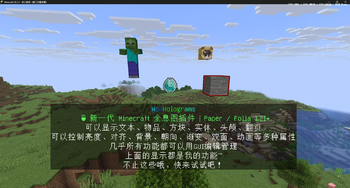
## **Features** ### 🎨 **Display Types** - **Text**: Supports color codes, PlaceholderAPI, and animation effects - **Items**: Rendered using ItemDisplay entities, supports various properties - **Blocks**: Rendered using BlockDisplay entities; display any block - **Player Heads**: Supports Base64 textures, player names, and HeadDatabase - **Custom Entities**: Display holographic models of any entity type ### 🌟 **Visual Effects** - **Brightness Control**: Customize sky light and block light levels (0–15) - **Text Alignment**: Supports left, center, and right alignment; multi-line text automatically aligns into a uniform rectangular background - **Background Transparency**: Custom text background opacity (0~255) - **Background Color**: Supports color names and hex codes (#FF0000) - **Facing Modes**: Four modes – fixed, vertical, horizontal, and center - **Gradient Animation**: Smooth color gradient transitions - **Double-sided Display**: Text rendered on both sides - **Background Gradient**: Background and glow colors animate dynamically along the HSL color wheel - **Display Properties**: Scale (X/Y/Z), shadow, glow color, brightness; hologram-level unified settings (can be overridden individually) ### 🎭 **Animation System** - **Wave Animation**: `<#ANIM:wave>text</#ANIM>`, supports custom color parameters - **Typewriter Animation**: `<#ANIM:typewriter>text</#ANIM>`, typewriter effect - **Blink Animation**: `<#ANIM:blink>text</#ANIM>`, supports speed parameter - **Scroll Animation**: `<#ANIM:scroll>text</#ANIM>`, supports width parameter - **Gradient Animation**: `<#ANIM:gradient:red,blue>text</#ANIM>`, multi-color gradient effect - **Custom Animations**: Create personalized animations via configuration files - **Animation Precompilation**: Frame arrays are precomputed at registration for zero parsing overhead at runtime ### 🖱️ **Interaction** - **Precise Clicking**: Based on Interaction entities, each line independently detects clicks - **Click Types**: Left click, right click, shift+left click, shift+right click - **Two-tier Action System**: Line-level actions + page-level actions; lines without bound actions automatically inherit the page-level action - **Action Types**: Commands, messages, sounds, teleportation, page flipping, and more - **Click Cooldown**: Configurable cooldown time ### 🔧 **More Features** - **Display Entity**: Built on 1.21+ TextDisplay/ItemDisplay/BlockDisplay entities for excellent performance - **Offset Independent Grouping**: Line-level offsets trigger independent rendering, allowing flexible layouts - **Folia Support**: Fully compatible with regionized multithreaded scheduling - **Incremental Rendering**: Only updates changed data to reduce network packets - **Object Pooling**: Renderer objects are reused to reduce GC pressure - **Animation Precompilation**: Frame data precomputed and cached, zero runtime parsing - **Lightweight Profiler**: Built-in profiler, enable on demand to locate performance bottlenecks - **Data Conversion**: One-click import from HolographicDisplays - **DH Compatibility**: Automatically reads and migrates DecentHolograms configurations, built-in API compatibility layer - **Fine-grained Permissions**: Independent permission nodes for each command - **TAB Completion**: Full command tab-completion support - **GUI Management**: Visual editing interface; all features accessible via GUI --- ❤️ I'm new to development, so if there's anything that could be improved, please feel free to point it out. I hope to learn and chat with everyone!
## Features ### 🎨 Display Types - Text: Supports color codes, PlaceholderAPI, and animation effects - Items: Rendered using ItemDisplay entities, supports various properties - Blocks: Rendered using BlockDisplay entities; display any block - Player Heads: Supports Base64 textures, player names, and HeadDatabase - Custom Entities: Display holographic models of any entity type
### 🌟 Visual Effects - Brightness Control: Customize sky light and block light levels (0–15) - Text Alignment: Supports left, center, and right alignment; multi-line text automatically aligns into a uniform rectangular background - Background Transparency: Custom text background opacity (0~255) - Background Color: Supports color names and hex codes (#FF0000) - Facing Modes: Four modes – fixed, vertical, horizontal, and center - Gradient Animation: Smooth color gradient transitions - Double-sided Display: Text rendered on both sides - Background Gradient: Background and glow colors animate dynamically along the HSL color wheel - Display Properties: Scale (X/Y/Z), shadow, glow color, brightness; hologram-level unified settings (can be overridden individually)
### 🎭 Animation System - Wave Animation: `<#ANIM:wave>text`, supports custom color parameters - Typewriter Animation: `<#ANIM:typewriter>text`, typewriter effect - Blink Animation: `<#ANIM:blink>text`, supports speed parameter - Scroll Animation: `<#ANIM:scroll>text`, supports width parameter - Gradient Animation: `<#ANIM:gradient:red,blue>text`, multi-color gradient effect - Custom Animations: Create personalized animations via configuration files - Animation Precompilation: Frame arrays are precomputed at registration for zero parsing overhead at runtime
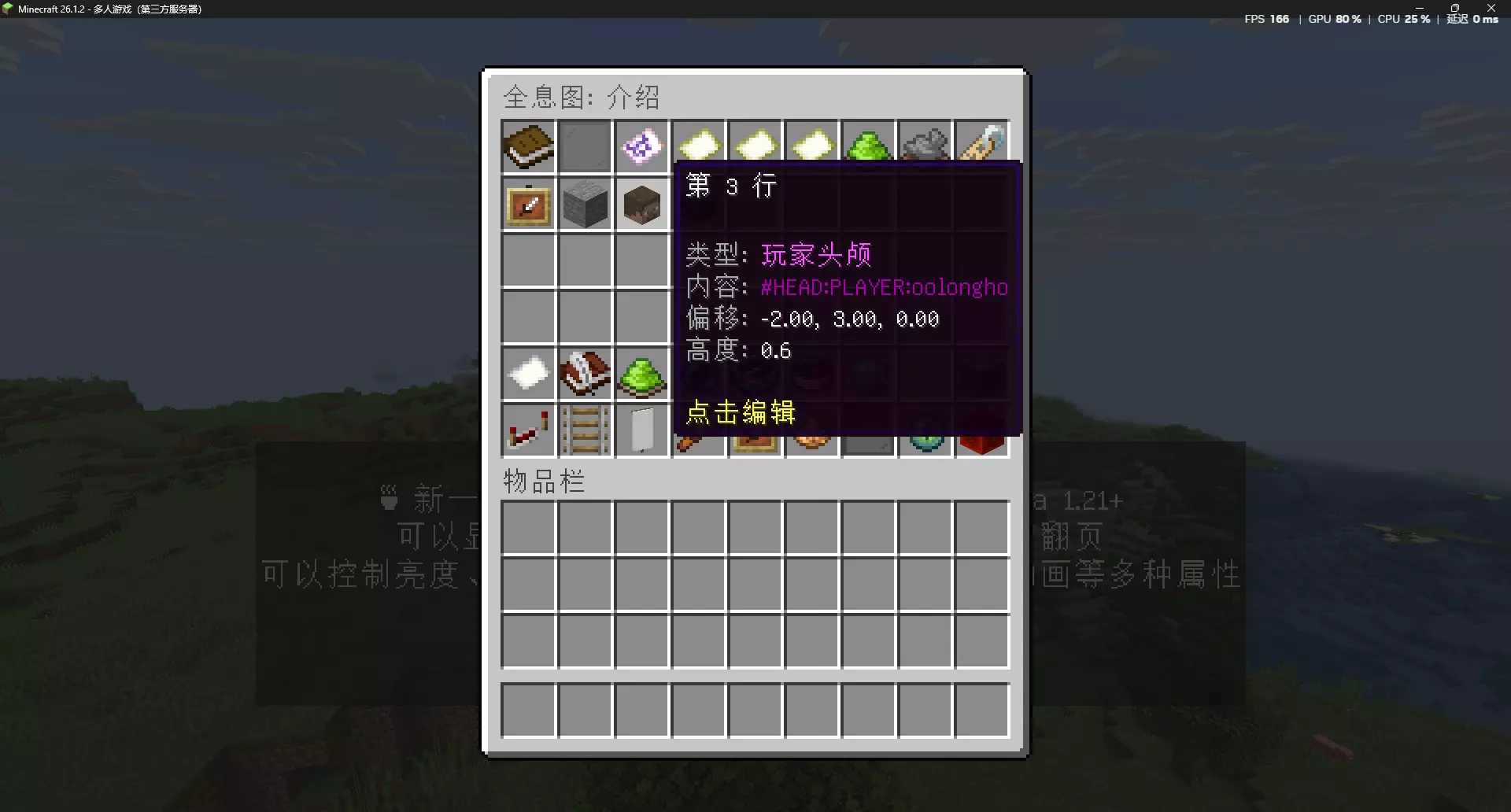
### 🖱️ Interaction - Precise Clicking: Based on Interaction entities, each line independently detects clicks - Click Types: Left click, right click, shift+left click, shift+right click - Two-tier Action System: Line-level actions + page-level actions; lines without bound actions automatically inherit the page-level action - Action Types: Commands, messages, sounds, teleportation, page flipping, and more - Click Cooldown: Configurable cooldown time
### 🔧 More Features - Display Entity: Built on 1. 21+ TextDisplay/ItemDisplay/BlockDisplay entities for excellent performance - Offset Independent Grouping: Line-level offsets trigger independent rendering, allowing flexible layouts - Folia Support: Fully compatible with regionized multithreaded scheduling - Incremental Rendering: Only updates changed data to reduce network packets - Object Pooling: Renderer objects are reused to reduce GC pressure - Animation Precompilation: Frame data precomputed and cached, zero runtime parsing - Lightweight Profiler: Built-in profiler, enable on demand to locate performance bottlenecks - Data Conversion: One-click import from HolographicDisplays - DH Compatibility: Automatically reads and migrates DecentHolograms configurations, built-in API compatibility layer - Fine-grained Permissions: Independent permission nodes for each command - TAB Completion: Full command tab-completion support - GUI Management: Visual editing interface; all features accessible via GUI
- --
- ❤️ I'm new to development, so if there's anything that could be improved, please feel free to point it out. I hope to learn and chat with everyone!
📊 Mod Details
- Game
- Minecraft Plugins
- Author
- oolongho
- Version
- 1.0.4
- Downloads
- 20
- Endorsements
- 0
- Category
- decoration
- Created
- 8/7/2026
- Updated
- 7/20/2026
- Game Versions
- 1.21, 1.21.1, 1.21.2, 1.21.3, 1.21.4
- Tags
- decoration, management, utility
🔧 How to Install Minecraft Plugins Mods
Download from Modrinth. Use Prism Launcher or drop into your mods folder.
📖 Full step-by-step install guide for Minecraft Plugins →
Visit the official mod page for specific installation instructions for this mod.
🎮 Need cheat codes or console commands? Check ur gaming wiki for Minecraft Plugins commands, item IDs, and more.
❓ Frequently Asked Questions
Which Minecraft Plugins versions does WooHolograms support?
The author lists 1.21, 1.21.1, 1.21.2, 1.21.3, 1.21.4, 1.21.5. Other versions may work but are untested by the author.
What is the latest version of WooHolograms?
Version 1.0.4, published 2026-07-20 with 20 downloads recorded at the source.
Keep browsing — more Minecraft Plugins mods await