Velocity-Skript
⚪ Last updated 2024🖼️ Gallery (2 images)

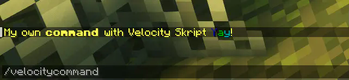
🔍 Analysis
- 👍 0.3% endorsement rate
- 🏆 #5 of 15 library mods in this game by downloads
📋 About This Mod
# Velocity-Skript ## _Having bugs on new Velocity Version will be fixed next update_ --- ### _**A Velocity Plugin where you can create your own commands like the bukkit plugin Skript!**_ !(https://cdn.modrinth.com/data/cached_images/a149a4d9e43404996cbc4703932cb447d1590e0c.png) **Test.vsk** _(every skript file need to end with .vsk to work)_ ``` # Welcome message on player join on join: send "Welcome, %player%! Enjoy your stay on %players-server%!" to player # Commands command /greet: trigger: send "Hello, %player%! Welcome to the server!" to player # Broadcast to the everybody command /broadcast: trigger: broadcast "Attention everyone!" command /connectlobby: trigger: connect player to "Lobby-1" ``` ## Available Placeholders > **%player%** > > Description: This placeholder is replaced with the username of the player who triggered the command or event. > Example Usage: send "Hello, %player%!" to player > Example Output: Hello, DieSuperKatze! > **%players-server%** > > Description: This placeholder is replaced with the name of the server that the player is currently connected to. > Example Usage: send "You are currently on %players-server%." to player > Example Output: You are currently on Lobby-1. > **%loop-player%** > > Description: This placeholder is used within a loop of all players. It is replaced with the username of the player being processed in the current iteration of the loop. > Example Usage: send "Hello, %loop-player%!" to loop-player > Example Output: Hello, Player1! (and so on for each player in the loop) ## Todo: - Adding events for setting Server Motds - Adding multiple arguments in one command - Fix issues with the every <time> event --- ## 📢 Community & Support (https://img.shields.io/discord/1415668646981800032?label=Join%20our%20Discord&logo=discord&logoColor=white&color=5865F2&style=for-the-badge)](https://discord.gg/bvAF3fA8zG) !(https://img.shields.io/badge/-NEW-ff4757?style=for-the-badge) Join my Discord server for support, questions, or just to hang out! ---
# Velocity-Skript
## _Having bugs on new Velocity Version will be fixed next update_
### _A Velocity Plugin where you can create your own commands like the bukkit plugin Skript!_
!(https://cdn.modrinth.com/data/cached_images/a149a4d9e43404996cbc4703932cb447d1590e0c.png)
Test.vsk _(every skript file need to end with .vsk to work)_ ``` # Welcome message on player join on join: send "Welcome, %player%! Enjoy your stay on %players-server%!" to player
# Commands command /greet: trigger: send "Hello, %player%! Welcome to the server!" to player
# Broadcast to the everybody command /broadcast: trigger: broadcast "Attention everyone!"
command /connectlobby: trigger: connect player to "Lobby-1" ```
## Available Placeholders
> %player% > > Description: This placeholder is replaced with the username of the player who triggered the command or event. > Example Usage: send "Hello, %player%!" to player > Example Output: Hello, DieSuperKatze!
> %players-server% > > Description: This placeholder is replaced with the name of the server that the player is currently connected to. > Example Usage: send "You are currently on %players-server%." to player > Example Output: You are currently on Lobby-1.
> %loop-player% > > Description: This placeholder is used within a loop of all players. It is replaced with the username of the player being processed in the current iteration of the loop. > Example Usage: send "Hello, %loop-player%!" to loop-player > Example Output: Hello, Player1! (and so on for each player in the loop)
- Adding events for setting Server Motds
- Adding multiple arguments in one command
- Fix issues with the every
## 📢 Community & Support
[!(https://img.shields.io/discord/1415668646981800032?label=Join%20our%20Discord&logo=discord&logoColor=white&color=5865F2&style=for-the-badge)](https://discord.gg/bvAF3fA8zG) !(https://img.shields.io/badge/-NEW-ff4757?style=for-the-badge)
Join my Discord server for support, questions, or just to hang out!
📊 Mod Details
- Game
- Minecraft Plugins
- Author
- FluffyCat
- Version
- 0.1
- Downloads
- 2,932
- Endorsements
- 8
- Category
- library
- Created
- 8/26/2024
- Updated
- 8/22/2024
- Game Versions
- 1.7.10, 1.8, 1.8.1, 1.8.2, 1.8.3
- Tags
- library, management, optimization
🔧 How to Install Minecraft Plugins Mods
Download from Modrinth. Use Prism Launcher or drop into your mods folder.
📖 Full step-by-step install guide for Minecraft Plugins →
Visit the official mod page for specific installation instructions for this mod.
🎮 Need cheat codes or console commands? Check ur gaming wiki for Minecraft Plugins commands, item IDs, and more.
❓ Frequently Asked Questions
Which Minecraft Plugins versions does Velocity-Skript support?
The author lists 1.7.10, 1.8, 1.8.1, 1.8.2, 1.8.3, 1.8.4. Other versions may work but are untested by the author.
What is the latest version of Velocity-Skript?
Version 0.1, published 2024-08-22 with 2,932 downloads recorded at the source.
Keep browsing — more Minecraft Plugins mods await