UltClearLagg
🟡 Updated this year🖼️ Gallery (3 images)
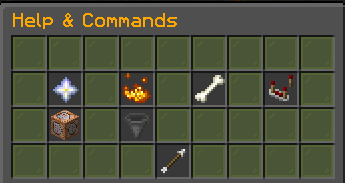
🔍 Analysis
- 🏆 #144 of 235 management mods in this game by downloads
📋 About This Mod
<div align="center"> !(https://img.shields.io/badge/version-1.0.0-orange?style=for-the-badge) !(https://img.shields.io/badge/Minecraft-1.21+-green?style=for-the-badge) !(https://img.shields.io/badge/Platform-Paper%20%7C%20Purpur-blue?style=for-the-badge) Ultimate Performance Optimization Engine for Minecraft Servers Advanced lag reduction, automatic cleanup systems, mob optimization, TPS monitoring, smart entity management, redstone lag prevention, Bedrock GUI support, and real-time server performance tools. </div> --- Overview UltClearLagg is a complete server optimization plugin built for modern Minecraft servers running Paper/Purpur 1.21+. Unlike basic clear lag plugins that only remove ground items, UltClearLagg provides a modular optimization system that includes: * Automatic item cleanup * Projectile cleanup * Mob culling systems * Mob stacking * TPS and MSPT monitoring * Chunk unloading * Physics optimization * Anti-redstone-lag detection * Illegal/crash item protection * Bedrock GUI compatibility * ActionBar + BossBar notifications * Performance dashboards * AI freezing during low TPS situations * Configurable world filtering * Advanced MiniMessage formatting support The plugin protects important entities such as: * Named mobs * Villagers * Tamed pets * Valuable items * Important worlds --- Features Smart Automatic Cleanup Automatically clears: * Ground items * Stuck projectiles * Excess mobs * Idle entities Supports scheduled warnings before cleanup using: * Chat messages * ActionBars * BossBars Warnings are fully customizable inside `messages.yml`. --- TPS & MSPT Monitoring Real-time performance monitoring system. Displays: * 1m TPS * 5m TPS * 15m TPS * MSPT * RAM usage * Max memory Useful for detecting: * Lag spikes * Entity overload * Memory pressure * Redstone abuse * Chunk problems --- Entity Management System Ground Item Cleanup Supports: * Whitelist mode * Blacklist mode * Valuable item protection * Permission bypasses Example protected items: * Diamonds * Netherite * Totems * Player heads --- Projectile Cleanup Removes lag-causing projectiles such as: * Arrows * Tridents * Snowballs * Eggs * Spectral arrows Supports preserving named tridents. --- Mob Culling Prevents mob overload by enforcing: * Per-chunk limits * Per-world limits Can protect: * Named mobs * Tamed pets * Villagers * Iron golems * Traders --- Mob Stacking Combines nearby mobs into optimized stacks. Benefits: * Lower entity count * Better TPS * Reduced CPU load * Cleaner farms Fully configurable stack radius and stack sizes. --- Physics Optimization Includes systems to reduce: * Falling block lag * Physics spam * Excessive updates * Redstone lag machines Useful for: * SMP servers * Survival servers * Factions * Skyblock * Large public servers --- Anti-Lag Module Advanced lag protection systems. Includes: * AI freezing during low TPS * Garbage collection hints * Chunk unloading * Redstone clock detection * Crash item protection --- Bedrock Edition GUI Support Integrated Floodgate compatibility. Bedrock players can interact with menus and dashboards through forms. Optional dependencies: * Floodgate * ProtocolLib --- MiniMessage Support All plugin messages support MiniMessage formatting. Examples: ```yaml <gradient:#FF6B35:#FFD700>UltClearLagg</gradient> ``` ```yaml <click:run_command:'/ucl tps'>Check TPS</click> ``` ```yaml <hover:show_text:'Server TPS'>TPS</hover> ``` Supports: * RGB colors * Gradients * Hover text * Click events * Formatting * Animations --- Commands Main Command ```bash /ucl ``` Aliases: ```bash /clearlagg /cl ``` --- Available Subcommands TPS Monitor ```bash /ucl tps ``` Displays: * TPS * MSPT * RAM usage * Performance statistics --- Manual Cleanup ```bash /ucl clear ``` Forces an immediate cleanup cycle. --- Reload Configuration ```bash /ucl reload ``` Reloads: * config.yml * messages.yml Without restarting the server. --- Kill Mobs ```bash /ucl killmobs ``` Kills excessive mobs instantly. --- Admin Dashboard ```bash /ucl admin ``` Opens the administrative optimization dashboard. --- Permissions | Permission | Description | Default | | --------------------------- | ---------------------------------------- | ------- | | `ultclearlagg.use` | Basic plugin usage | true | | `ultclearlagg.admin` | Full admin access | op | | `ultclearlagg.notify` | Receive cleanup warnings | true | | `ultclearlagg.bypass.items` | Prevent dropped items from being cleared | false | | `ultclearlagg.bypass.mobs` | Protect player tamed mobs | false | --- Installation Requirements * Java 21+ * Paper 1.21+ * Purpur 1.21+ Recommended: * Floodgate * ProtocolLib --- Setup Steps 1. Download `UltClearLagg.jar` 2. Place it inside your ser
!(https://img.shields.io/badge/version-1. 0. 0-orange?style=for-the-badge) !(https://img.shields.io/badge/Minecraft-1. 21+-green?style=for-the-badge) !(https://img.shields.io/badge/Platform-Paper%20%7C%20Purpur-blue?style=for-the-badge)
Ultimate Performance Optimization Engine for Minecraft Servers
Advanced lag reduction, automatic cleanup systems, mob optimization, TPS monitoring, smart entity management, redstone lag prevention, Bedrock GUI support, and real-time server performance tools.
UltClearLagg is a complete server optimization plugin built for modern Minecraft servers running Paper/Purpur 1. 21+.
Unlike basic clear lag plugins that only remove ground items, UltClearLagg provides a modular optimization system that includes:
Automatic item cleanup Projectile cleanup Mob culling systems Mob stacking TPS and MSPT monitoring Chunk unloading Physics optimization Anti-redstone-lag detection Illegal/crash item protection Bedrock GUI compatibility ActionBar + BossBar notifications Performance dashboards AI freezing during low TPS situations Configurable world filtering Advanced MiniMessage formatting support
The plugin protects important entities such as:
Named mobs Villagers Tamed pets Valuable items Important worlds
Smart Automatic Cleanup
Automatically clears:
Ground items Stuck projectiles Excess mobs Idle entities
Supports scheduled warnings before cleanup using:
Chat messages ActionBars BossBars
TPS & MSPT Monitoring
Real-time performance monitoring system.
1m TPS 5m TPS 15m TPS MSPT RAM usage Max memory
Useful for detecting:
Lag spikes Entity overload Memory pressure Redstone abuse Chunk problems
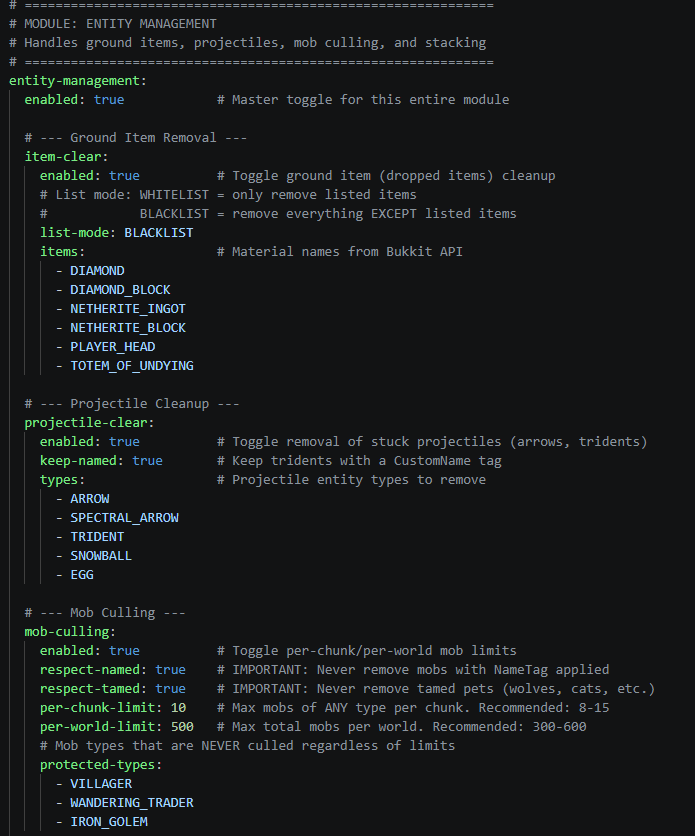
Entity Management System
Ground Item Cleanup
Whitelist mode Blacklist mode Valuable item protection Permission bypasses
Example protected items:
Diamonds Netherite Totems Player heads
Projectile Cleanup
Removes lag-causing projectiles such as:
Arrows Tridents Snowballs Eggs Spectral arrows
Supports preserving named tridents.
Mob Culling
Prevents mob overload by enforcing:
Per-chunk limits Per-world limits
Can protect:
Named mobs Tamed pets Villagers Iron golems Traders
Mob Stacking
Combines nearby mobs into optimized stacks.
Lower entity count Better TPS Reduced CPU load Cleaner farms
Fully configurable stack radius and stack sizes.
Physics Optimization
Includes systems to reduce:
Falling block lag Physics spam Excessive updates Redstone lag machines
Useful for:
SMP servers Survival servers Factions Skyblock Large public servers
Anti-Lag Module
Advanced lag protection systems.
AI freezing during low TPS Garbage collection hints Chunk unloading Redstone clock detection Crash item protection
Bedrock Edition GUI Support
Integrated Floodgate compatibility.
Bedrock players can interact with menus and dashboards through forms.
Optional dependencies:
Floodgate ProtocolLib
MiniMessage Support
All plugin messages support MiniMessage formatting.
```yaml
```yaml
```yaml
RGB colors Gradients Hover text Click events Formatting Animations
Main Command
```bash /ucl ```
```bash /clearlagg /cl ```
Available Subcommands
TPS Monitor
```bash /ucl tps ```
TPS MSPT RAM usage Performance statistics
Manual Cleanup
```bash /ucl clear ```
Forces an immediate cleanup cycle.
Reload Configuration
```bash /ucl reload ```
config.yml messages.yml
Without restarting the server.
```bash /ucl killmobs ```
Kills excessive mobs instantly.
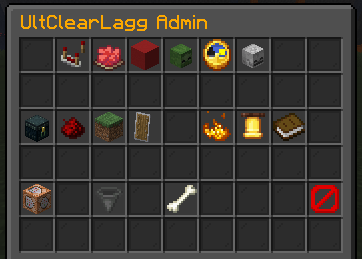
Admin Dashboard
```bash /ucl admin ```
Opens the administrative optimization dashboard.
Permissions
| Permission | Description | Default | | --------------------------- | ---------------------------------------- | ------- | | `ultclearlagg.use` | Basic plugin usage | true | | `ultclearlagg.admin` | Full admin access | op | | `ultclearlagg.notify` | Receive cleanup warnings | true | | `ultclearlagg.bypass.items` | Prevent dropped items from being cleared | false | | `ultclearlagg.bypass.mobs` | Protect player tamed mobs | false |
Installation
Requirements
Java 21+ Paper 1. 21+ Purpur 1. 21+
Recommended:
Floodgate * ProtocolLib
Setup Steps
1. Download `UltClearLagg.jar` 2. Place it inside your ser
📊 Mod Details
- Game
- Minecraft Plugins
- Author
- geturplugins
- Version
- 1.0.0
- Downloads
- 217
- Endorsements
- 1
- Category
- management
- Created
- 5/21/2026
- Updated
- 5/17/2026
- Game Versions
- 1.21, 1.21.1, 1.21.2, 1.21.3, 1.21.4
- Tags
- management, optimization, technology
🔧 How to Install Minecraft Plugins Mods
Download from Modrinth. Use Prism Launcher or drop into your mods folder.
📖 Full step-by-step install guide for Minecraft Plugins →
Visit the official mod page for specific installation instructions for this mod.
🎮 Need cheat codes or console commands? Check ur gaming wiki for Minecraft Plugins commands, item IDs, and more.
❓ Frequently Asked Questions
Which Minecraft Plugins versions does UltClearLagg support?
The author lists 1.21, 1.21.1, 1.21.2, 1.21.3, 1.21.4, 1.21.5. Other versions may work but are untested by the author.
What is the latest version of UltClearLagg?
Version 1.0.0, published 2026-05-17 with 217 downloads recorded at the source.
Keep browsing — more Minecraft Plugins mods await