TownyChatDiscord
🟡 Updated this year🖼️ Gallery (1 images)
🔍 Analysis
- 🏆 #512 of 599 bukkit mods in this game by downloads
📋 About This Mod
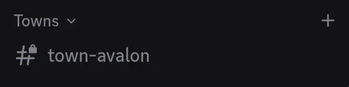
A Spigot/Paper plugin that gives every Towny town its own private Discord text channel and Discord role. It uses DiscordSRV's linked-account data, so a player's town membership determines their Discord access.
!(https://github.com/Cretezy/TownyChatDiscord/raw/master/example.png)
## What it does
- Creates a `Town:
` role and `#town- ` channel for each Towny town. - Restricts each channel to its town role; `@everyone` cannot see it.
- Synchronizes roles for linked Towny residents, including removals after a player leaves or moves towns.
- Bridges TownyChat's `/tc` town chat with each town's Discord channel in both directions.
- Renames resources after a town rename.
- Detects deleted towns, archives their channel, removes the role, and deletes the archived channel after the configured retention period.
- Reconciles existing towns after startup and periodically thereafter, so it also recovers from missed Towny changes or manual Discord edits.
## Requirements
- Spigot/Paper 26. 2+ running Java 25+
- (https://github.com/TownyAdvanced/Towny) 0. 102. 0. 13+
- (https://github.com/TownyAdvanced/TownyChat)
- (https://docs.discordsrv.com/) 1. 30. 5+, configured and connected to your Discord server
- A Discord bot role with Manage Roles and Manage Channels, positioned above roles created for towns
The plugin targets the Spigot API and works on Spigot/Paper-compatible servers. The latest Towny releases require Paper, Purpur, or Folia rather than plain Spigot, so use one of those server implementations with the latest supported Towny stack.
## Installation
Download the plugin, then:
1. Copy the plugin JAR to the server's `plugins/` folder. 2. Start the server once, then edit `plugins/TownyChatDiscord/config.yml`. 3. Set `guild-id` to your Discord server's numeric ID. To get it, enable Developer Mode in Discord under User Settings → Advanced, then right-click your server and select Copy Server ID. Optionally set `category-id` to a Discord category's numeric ID to place all town channels inside that category; copy it the same way by right-clicking the category and selecting Copy Channel ID. 4. Restart the server or run `/townychatdiscord reconcile` as an operator.
## Configuration
```yaml guild-id: "123456789012345678" category-id: "234567890123456789" # optional category ID role-prefix: "Town: " channel-prefix: "town-" sync-interval-seconds: 60 archive-deleted-towns: true archive-days: 7 # 0 retains archived channels forever town-chat-bridge: enabled: true townychat-channel-name: "town" discord-to-minecraft-format: "&7[&bDiscord &7| &b%name%&7] &f%message%" ```
The plugin stores town UUID to Discord role/channel IDs under `towns:` in a separate `towns.yml` file. Do not manually change those IDs unless you are deliberately repairing a mapping.
### Town chat bridge
TownyChat's town channel is normally named `town` and used by `/tc`. The bridge resolves the speaker's actual Towny town, so the "Avalon" town's `/tc` messages are sent only to `#town-avalon` and vice versa. Minecraft-to-Discord uses DiscordSRV's webhook delivery utility, retaining the usual DiscordSRV player name/avatar appearance.
Discord authors must be linked through DiscordSRV and currently belong to the town that owns the channel. Discord-originated messages are delivered to online residents and, by default, online players with `towny.chat.spy`.
Do not add dynamically-created town channel IDs to DiscordSRV's static `Channels` mapping: this plugin owns their routing.
## Operations
`/townychatdiscord reconcile` immediately performs a full Towny-to-Discord synchronization. It is useful after changing configuration or repairing Discord resources.
Discord role changes are eventually consistent: Discord's API operations are queued, and normal membership changes are reflected on the next reconciliation (60 seconds by default).
📊 Mod Details
- Game
- Minecraft Plugins
- Author
- CraftThatBlock
- Version
- 1.0.0
- Downloads
- 10
- Endorsements
- 1
- Category
- bukkit
- Created
- 8/12/2026
- Updated
- 7/26/2026
- Game Versions
- 26.2
- Tags
- management, social
🔧 How to Install Minecraft Plugins Mods
Download from Modrinth. Use Prism Launcher or drop into your mods folder.
📖 Full step-by-step install guide for Minecraft Plugins →
Visit the official mod page for specific installation instructions for this mod.
🎮 Need cheat codes or console commands? Check ur gaming wiki for Minecraft Plugins commands, item IDs, and more.
❓ Frequently Asked Questions
Which Minecraft Plugins versions does TownyChatDiscord support?
The author lists 26.2. Other versions may work but are untested by the author.
What is the latest version of TownyChatDiscord?
Version 1.0.0, published 2026-07-26 with 10 downloads recorded at the source.
Keep browsing — more Minecraft Plugins mods await