TimberZ
🟡 Updated this year🖼️ Gallery (4 images)
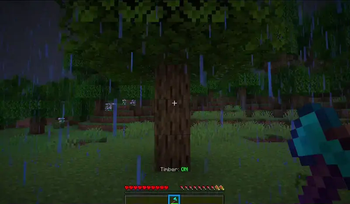
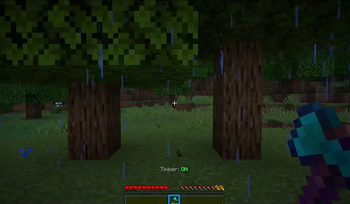
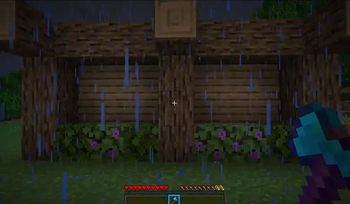

🔍 Analysis
- 👍 0.2% endorsement rate
- 🏆 #15 of 84 equipment mods in this game by downloads
📋 About This Mod
!(https://cdn.modrinth.com/data/hjNMOOnF/images/e8fb857eda4377a96bcc794f13835ea85c83c126.png)
!(https://cdn.jsdelivr.net/npm/@intergrav/devins-badges@3/assets/compact/supported/paper_vector.svg) !(https://cdn.jsdelivr.net/npm/@intergrav/devins-badges@3/assets/compact/supported/purpur_vector.svg) [!(https://cdn.jsdelivr.net/npm/@intergrav/devins-badges@3/assets/compact/available/github_vector.svg)](https://github.com/ZetaPlugins/TimberZ) [!(https://cdn.jsdelivr.net/npm/@intergrav/devins-badges@3/assets/compact/available/modrinth_vector.svg)](https://modrinth.com/project/timberz) [!(https://cdn.jsdelivr.net/npm/@intergrav/devins-badges@3/assets/compact/social/discord-plural_vector.svg)](https://strassburger.org/discord) [!(https://cdn.jsdelivr.net/npm/@intergrav/devins-badges@3/assets/compact/documentation/gitbook_vector.svg)](https://docs.zetaplugins.com/timberz)
TimberZ is a Minecraft plugin that let's you cut down trees in an instant. You can either have it always active, toggleable, make special lumberjack axes or have a custom enchantment.
## Features - ✅ Advanced Tree Detection - ✅ Custom Enchantment - ✅ Customizable Tree Types - ✅ Cutting down animation - ✅ Toggleable Timber mode - ✅ Custom item support - ✅ HEX Colors - ✅ Highly customizable - ✅ Easy setup - ✅ Multiple languages
!(https://cdn.modrinth.com/data/hjNMOOnF/images/439113ea6d04cfadd68402423bc9e6c324dc0d30.webp)
## Permissions
- `timberz.usetimber` - Allows the player to use TimberZ. (true by default)
- `timberz.admin` - Allows the player to use admin commands. (Only for OPs by default)
## Compatability
### ✅ PlaceholderAPI
TimberZ supports PlaceholderAPI, allowing you to use placeholders in your messages and configurations:
- `%timberz_can_timber%` - Returns true if the player can use TimberZ. This takes permissions, regions and other restrictions into account.
### ✅ WorldGuard
TimberZ supports WorldGuard, allowing you to restrict TimberZ usage in certain regions. You can use the `timber` flag to allow or disallow TimberZ usage in a region.
### ✅ AuraSkills
Using TimberZ with AuraSkills, gives players the correct amount of experience when cutting down trees. You can also add a custom XP multiplier to the TimberZ configuration file.
## Configuration
You can find the configuration files in the `plugins/TimberZ` folder. The main configuration file is `config.yml`, and you can also find a `blocks.yml` file that contains the block mappings for logs, leaves, and saplings.
config.yml
```yml # _______ _ _ ______ # |__ __(_) | | |___ / # | | _ _ __ ___ | |__ ___ _ __ / / # | | | | '_ ` _ \| '_ \ / _ \ '__| / / # | | | | | | | | | |_) | __/ | / /__ # |_| |_|_| |_| |_|_.__/ \___|_| /_____|
# === COLOR CODES === # This plugin supports old color codes like: &c, &l, &o, etc. # It also supports MiniMessage, a more advanced way to format messages: # https://docs.advntr.dev/minimessage/format.html # With MiniMessage, you can add HEX colors, gradients, hover and click events, etc.
# === GENERAL SETTINGS ===
# If set to true, TimberZ will check for updates and let you know if there's a newer version checkForUpdates: true
# Set the language to any code found in the "lang" folder (don't add the .yml extension) # You can add your own language files. Use https://github.com/ZetaPlugins/TimberZ/tree/main/src/main/resources/lang/en-US.yml as a template # If you want to help translating the plugin, please refer to this article: https://docs.zetaplugins.com/#contributing # | en-US | de-DE | pl-PL | ru-RU | lang: "en-US"
# The accent color of the plugin. This color replaces %ac% in the lang files. accentColor: "<#00D26A>"
# === TIMBER SETTINGS ===
# Regardless of the settings below, you can disallow TimberZ for a specific player by disallowing them the "timberz.usetimber" permission.
# If set to true, players can enable or disable timber mode by pressing F with a qualifying axe in hand toggleTimber: true
# If set to true, you can only use axes that have the "Timber" enchantment which can be applied like a normal Enchantment. requireCustomEnchant: true
# If set to true, you can only use axes with a customModelData value in the list below restrictAxeModelData: false
# If restrictAxeModelData is set to true, you can only use axes with a customModelData value in this list allowedModelData: - 100
# If set to true, Leaves will decay instantly when cutting down a tree instantLeafDecay: true
# If set to true, TimberZ will replant the tree after cutting it down replant: true
# Modify how much durability is removed from the axe when cutting down a tree # Formula: logCount * durabilityMultiplier durabilityMultiplier: 1. 0
# The minimum durability the axe must have after cutting down a tree minDurability: 10
# If set to true, Players
📊 Mod Details
- Game
- Minecraft Plugins
- Author
- KartoffelChipss
- Version
- 1.3.0
- Downloads
- 10,966
- Endorsements
- 26
- Category
- equipment
- Created
- 6/18/2025
- Updated
- 11/28/2025
- Game Versions
- 1.21.9, 1.21.10, 1.21.11, 26.1, 26.1.1
- Tags
- equipment, game-mechanics
🔧 How to Install Minecraft Plugins Mods
Download from Modrinth. Use Prism Launcher or drop into your mods folder.
📖 Full step-by-step install guide for Minecraft Plugins →
Visit the official mod page for specific installation instructions for this mod.
🎮 Need cheat codes or console commands? Check ur gaming wiki for Minecraft Plugins commands, item IDs, and more.
❓ Frequently Asked Questions
Which Minecraft Plugins versions does TimberZ support?
The author lists 1.21.9, 1.21.10, 1.21.11, 26.1, 26.1.1, 26.1.2. Other versions may work but are untested by the author.
What is the latest version of TimberZ?
Version 1.3.0, published 2025-11-28 with 10,966 downloads recorded at the source.
Keep browsing — more Minecraft Plugins mods await