TC Portals
⚪ Last updated 2023🖼️ Gallery (3 images)
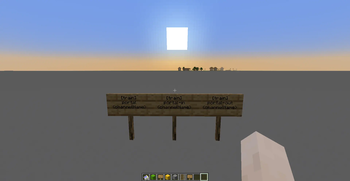
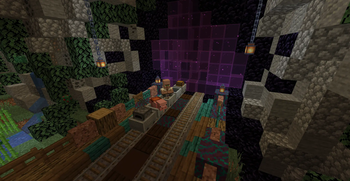
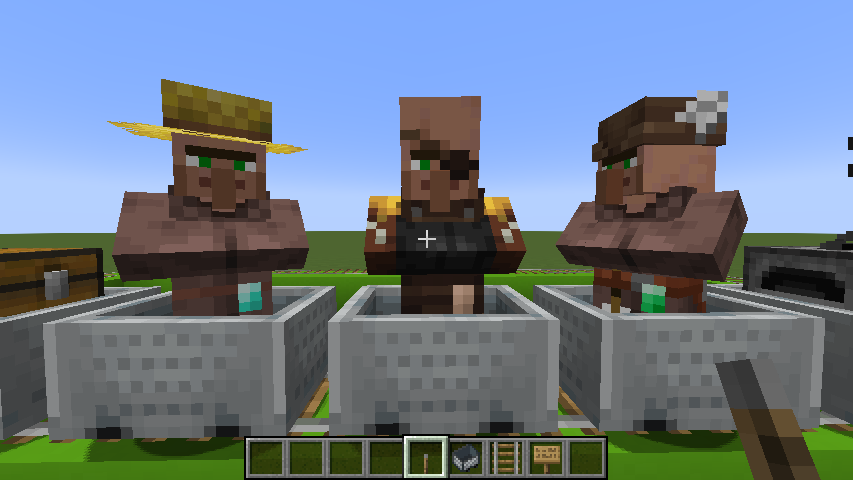
🔍 Analysis
- 🏆 #10 of 11 mobs mods in this game by downloads
📋 About This Mod
# TC-Portals #### Requires: (https://modrinth.com/plugin/traincarts), (https://modrinth.com/plugin/ctcommons) and a MySQL-Database **Java-Version:** 17 or above **Minecraft-Version:** 1.17.1 or above TC-Portals is a plugin for Minecraft servers using (https://www.spigotmc.org), (https://papermc.io) or forks of these projects. It serves as an add-on for the (https://modrinth.com/plugin/traincarts) plugin which adds ActionSigns, supporting cross-server teleporting of trains in a BungeeCord network. It is very lightweight as database queries and network connections run asynchronously where possible. This plugin was developed for the (https://github.com/CraftTogetherMC) Minecraft server, see also: (https://modrinth.com/plugin/tc-destinations)! ### A big thank you and lots of love go out to (https://github.com/bergerhealer) Also, a lot of appreciation goes to the people behind (https://github.com/Incendo/cloud) and (https://github.com/KyoriPowered/adventure)! #### Dev-Builds: (https://ci.craft-together-mc.de/job/TC%20Destinations/) <iframe width="560" height="315" src="https://www.youtube.com/embed/8XCvmY8EPtk" title="YouTube video player" frameborder="0" allow="accelerometer; autoplay; clipboard-write; encrypted-media; gyroscope; picture-in-picture; web-share" allowfullscreen></iframe> ## ActionSigns The signs behave like ordinary traincarts signs. You can de/activate them with redstone, alter trigger-directions, etc. A portal exit behaves like a (https://wiki.traincarts.net/p/TrainCarts/Signs/Spawner), so you must set a direction for it like you do with the spawn sign. The spawn direction can be set by specifying trigger directions. For example: `` or ``. If none is set, the train is spawned based on what side is powered by redstone. If you use `` instead of ``, a train will be spawned at the exit cart by cart. ### Signs | | | |:-------------------------------------|:------------------------------------------------------------------------------------------------------------------------------------------------------------------------------------------------------------------------------------------------| | !(https://i.imgur.com/EPwpDDO.png) | **Bidirectional Portal**<br/><br/>This sign represents a portal entrance and exit at the same time.<br/>A pair of these signs that have the same channel name can be passed from either side.<br/>The other sign acts as a portal exit. | | !(https://i.imgur.com/Aevpead.png) | **Directional Portal** *(Entrance)*<br/><br/>This sign represents a portal entrance.<br/>A portal of this type requires a `portal-out`-sign that has the same channel name.<br/>Any number of `portal-in`-signs can be created for one channel. | | !(https://i.imgur.com/VJEQ2fP.png) | **Directional Portal** *(Exit)*<br/><br/>This sign represents a portal exit.<br/>Signs of this type can only exist once per channel name. | ### Flags There are some flags you can use on the fourth line of a portal-sign to control whether items and mobs are transported. You can use them at the entrance as well as at the exit or both. - `!mobs` means mobs are killed - `!items` means items are killed - `-mobs` means mobs are ejected - `-items` means items are dropped ## Pathfinding across servers (BungeeCord) With a little extra work, it is possible to reach destinations on another server. For example, if you want to drive from server1 to a destination on server2, you need to create a (https://wiki.traincarts.net/p/TrainCarts/Signs/Destination) on server1 that leads to the portal, which leads to server2. Let's name it server2 as well. Now you create a (https://wiki.traincarts.net/p/TrainCarts/PathFinding#Route_Manager) for the train, which first contain the destination: `server2` and then afterwards, the destination you want to reach. Thats it! If you use (https://modrinth.com/plugin/tc-destinations) to manage your destinations, it will do the routing part for you. ## Libraries used - (https://modrinth.com/plugin/ctcommons) (CraftTogether's plugin library) - (https://modrinth.com/plugin/bkcommonlib) (Extensive plugin library) - (https://docs.adventure.kyori.net) (Very neat UI-Framework for Bukkit/Bungeecord and more) - (https://docs.adventure.kyori.net/minimessage) (Text format to represent chat components) - (h
# TC-Portals #### Requires: (https://modrinth.com/plugin/traincarts), (https://modrinth.com/plugin/ctcommons) and a MySQL-Database Java-Version: 17 or above Minecraft-Version: 1. 17. 1 or above
TC-Portals is a plugin for Minecraft servers using (https://www.spigotmc.org), (https://papermc.io) or forks of these projects. It serves as an add-on for the (https://modrinth.com/plugin/traincarts) plugin which adds ActionSigns, supporting cross-server teleporting of trains in a BungeeCord network. It is very lightweight as database queries and network connections run asynchronously where possible.
This plugin was developed for the (https://github.com/CraftTogetherMC) Minecraft server, see also: (https://modrinth.com/plugin/tc-destinations)!
### A big thank you and lots of love go out to (https://github.com/bergerhealer) Also, a lot of appreciation goes to the people behind (https://github.com/Incendo/cloud) and (https://github.com/KyoriPowered/adventure)! #### Dev-Builds: (https://ci.craft-together-mc.de/job/TC%20Destinations/)
## ActionSigns
The signs behave like ordinary traincarts signs. You can de/activate them with redstone, alter trigger-directions, etc.
A portal exit behaves like a (https://wiki.traincarts.net/p/TrainCarts/Signs/Spawner), so you must set a direction for it like you do with the spawn sign. The spawn direction can be set by specifying trigger directions. For example: `` or ``. If none is set, the train is spawned based on what side is powered by redstone. If you use `` instead of ``, a train will be spawned at the exit cart by cart.
### Signs | | | |:-------------------------------------|:------------------------------------------------------------------------------------------------------------------------------------------------------------------------------------------------------------------------------------------------| |  | Bidirectional Portal
This sign represents a portal entrance and exit at the same time. A pair of these signs that have the same channel name can be passed from either side. The other sign acts as a portal exit. | |  | Directional Portal (Entrance)
This sign represents a portal entrance. A portal of this type requires a `portal-out`-sign that has the same channel name. Any number of `portal-in`-signs can be created for one channel. | |  | Directional Portal (Exit)
This sign represents a portal exit. Signs of this type can only exist once per channel name. |
### Flags There are some flags you can use on the fourth line of a portal-sign to control whether items and mobs are transported. You can use them at the entrance as well as at the exit or both. - `!mobs` means mobs are killed - `!items` means items are killed - `-mobs` means mobs are ejected - `-items` means items are dropped
## Pathfinding across servers (BungeeCord) With a little extra work, it is possible to reach destinations on another server.
For example, if you want to drive from server1 to a destination on server2, you need to create a (https://wiki.traincarts.net/p/TrainCarts/Signs/Destination) on server1 that leads to the portal, which leads to server2. Let's name it server2 as well. Now you create a (https://wiki.traincarts.net/p/TrainCarts/PathFinding#Route_Manager) for the train, which first contain the destination: `server2` and then afterwards, the destination you want to reach. Thats it! If you use (https://modrinth.com/plugin/tc-destinations) to manage your destinations, it will do the routing part for you.
## Libraries used - (https://modrinth.com/plugin/ctcommons) (CraftTogether's plugin library) - (https://modrinth.com/plugin/bkcommonlib) (Extensive plugin library) - (https://docs.adventure.kyori.net) (Very neat UI-Framework for Bukkit/Bungeecord and more) - (https://docs.adventure.kyori.net/minimessage) (Text format to represent chat components) - (h
📊 Mod Details
- Game
- Minecraft Plugins
- Author
- J0schlZ
- Version
- 1.0-BETA2
- Downloads
- 394
- Endorsements
- 5
- Category
- mobs
- Created
- 1/17/2023
- Updated
- 2/28/2023
- Game Versions
- 1.17, 1.17.1, 1.18, 1.18.1, 1.18.2
- Tags
- mobs, technology, transportation
🔧 How to Install Minecraft Plugins Mods
Download from Modrinth. Use Prism Launcher or drop into your mods folder.
📖 Full step-by-step install guide for Minecraft Plugins →
Visit the official mod page for specific installation instructions for this mod.
🎮 Need cheat codes or console commands? Check ur gaming wiki for Minecraft Plugins commands, item IDs, and more.
❓ Frequently Asked Questions
Which Minecraft Plugins versions does TC Portals support?
The author lists 1.17, 1.17.1, 1.18, 1.18.1, 1.18.2, 1.19. Other versions may work but are untested by the author.
What is the latest version of TC Portals?
Version 1.0-BETA2, published 2023-02-28 with 394 downloads recorded at the source.
Keep browsing — more Minecraft Plugins mods await