String Rituals
🟡 Updated this year🖼️ Gallery (6 images)
🔍 Analysis
- 🏆 #17 of 33 decoration mods in this game by downloads
📋 About This Mod
# String Rituals A fully configurable, in-game ritual & altar system for Paper servers. Build craftable altars, spawn world ritual drops, and edit everything from a GUI - no config files required. > **Note:** This is an early test release. Requires **Paper** (or a Paper fork such as Purpur). It does **not** run on Spigot or CraftBukkit. --- ## Features - **Recipe Rituals (crafting altars):** place an altar for any recipe. Stand near it with the required ingredients and a spinning result item appears, then drops on completion. Supports normal and **One-Shot** altars (removed after one craft). **Any player can craft at an altar** - only admins (`ritual.admin`) can spawn or place them. - **World Rituals ("Rituals"):** floating, spinning ritual items that spawn in the world on demand, with optional server-wide broadcasts (start + coordinates + completion). - **Random Spawns:** turn it on and any ritual flagged "Random Spawn" will automatically appear somewhere inside the world border on a set interval, live for a configurable lifetime, then despawn. Great for surprise world events. Off by default. - **Full in-game editor:** create/edit recipes, set results, durations, visual presets, rename, add/remove ingredients via drag-and-drop, place/remove altars, and toggle random spawning - all from the GUI. - **Global settings:** toggle broadcasts, coordinates, sounds, particles, lightning, broadcast interval, default duration, per-craft broadcasts, and random spawns. - **11 hand-tuned visual presets** with massively boosted particle & audio effects (twin rotating rings, rising pillars, orbiting motes, ground shockwaves, and per-theme signature flourishes like lightning strikes, flame jets, and dragon's breath). - **Custom weapons:** built-in Cataclysm, Eclipse, Widowmaker, and Oathbreaker items for use as ritual results. - **Everything is data-driven:** recipes live under `rituals:`, world rituals under `drop-rituals:`. I don't need to edit config files by hand. --- ## Installation 1. Download `StringRituals.jar`. 2. Drop it into your server's `plugins/` folder. 3. Restart (or run `/reload`). A `config.yml` is created automatically with example rituals. 4. OP yourself (or grant `ritual.admin`) and run `/ritual settings`. --- ## Getting Started **1. Open the control panel** - Run `/ritual settings`. - The main menu shows 9 toggle panes and two list buttons: **Recipe Rituals** and **Rituals**. **2. Global settings (main menu)** - Click any green/red pane to toggle: Broadcast Coords, Initial Broadcast, Completion Broadcast, **Broadcast Crafts**, Sounds, Particles, Lightning, **Random Spawns**, **Random Broadcast**. - Click the paper panes to change Broadcast Interval, Default Duration, and **Random Interval**. **3. Create a Crafting Ritual (altar)** 1. Main menu → **Recipe Rituals** → **New Recipe** (emerald block). 2. Type an ID in chat (e.g. `fire_blade`) - letters, numbers and `_` only. 3. In the editor: **Set Result** = hold the item you want crafted, then click it. **Rename** = type a display name. Set **Duration** and **Preset**. 4. **Ingredients** → **Add Ingredient** → drag one item into any slot, then click **Save Ingredient** (repeat for more). Click an ingredient in the list to remove it. 5. **Place Altar Here** spawns the altar at your location (or `/ritual place <id>`). Toggle **One-Shot Altar** ON to remove it after one craft. 6. Craft: stand near the altar with the required items in your inventory - the ritual auto-starts, a spinning result item appears, and the item drops when the timer ends. (Or `/ritual craft <id>` from anywhere.) **4. Create a World Ritual (drop)** 1. Main menu → **Rituals** → **New Ritual** (emerald block). Hold the result item, then type an ID in chat. 2. Editor: set **Duration** / **Preset** / **Rename**. Click **Spawn Now** to drop it at your location. 3. Command alternative: `/ritual create <id> <preset> <seconds>` (while holding the result item), then `/ritual spawn <id>`. List with `/ritual list`, remove with `/ritual remove <id>`. --- ## Random Spawns 1. Open `/ritual settings` → enable **Random Spawns**, set **Random Interval** (seconds between attempts) and **Random Broadcast**. 2. In any ritual's editor (Recipe or World), toggle **Random Spawn** ON and set its **Random Lifetime** (how long a randomly spawned instance stays before despawning). 3. On each interval the plugin picks a random enabled ritual with Random Spawn ON and drops it at a random spot **inside the world border** (on the surface). Recipe rituals spawn a temporary altar; world rituals spawn a temporary forge. Both auto-despawn after their lifetime. Note: the master **Random Spawns** switch is OFF by default, so nothing spawns until you enable it. --- ## Commands | Command | Description | |---|---| | `/ritual settings` | Open the GUI control panel | | `/ritual list` | List all world rituals | | `/ritual create <id> <preset> <seconds>` | Register a world ritual (hold the result item) | | `/
# String Rituals
A fully configurable, in-game ritual & altar system for Paper servers. Build craftable altars, spawn world ritual drops, and edit everything from a GUI - no config files required.
> Note: This is an early test release. Requires Paper (or a Paper fork such as Purpur). It does not run on Spigot or CraftBukkit.
## Features
- Recipe Rituals (crafting altars): place an altar for any recipe. Stand near it with the required ingredients and a spinning result item appears, then drops on completion. Supports normal and One-Shot altars (removed after one craft). Any player can craft at an altar - only admins (`ritual.admin`) can spawn or place them.
- World Rituals ("Rituals"): floating, spinning ritual items that spawn in the world on demand, with optional server-wide broadcasts (start + coordinates + completion).
- Random Spawns: turn it on and any ritual flagged "Random Spawn" will automatically appear somewhere inside the world border on a set interval, live for a configurable lifetime, then despawn. Great for surprise world events. Off by default.
- Full in-game editor: create/edit recipes, set results, durations, visual presets, rename, add/remove ingredients via drag-and-drop, place/remove altars, and toggle random spawning - all from the GUI.
- Global settings: toggle broadcasts, coordinates, sounds, particles, lightning, broadcast interval, default duration, per-craft broadcasts, and random spawns.
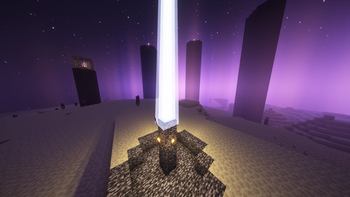
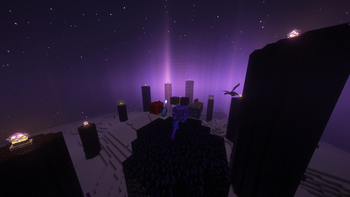
- 11 hand-tuned visual presets with massively boosted particle & audio effects (twin rotating rings, rising pillars, orbiting motes, ground shockwaves, and per-theme signature flourishes like lightning strikes, flame jets, and dragon's breath).
- Custom weapons: built-in Cataclysm, Eclipse, Widowmaker, and Oathbreaker items for use as ritual results.
- Everything is data-driven: recipes live under `rituals:`, world rituals under `drop-rituals:`. I don't need to edit config files by hand.
## Installation
1. Download `StringRituals.jar`. 2. Drop it into your server's `plugins/` folder. 3. Restart (or run `/reload`). A `config.yml` is created automatically with example rituals. 4. OP yourself (or grant `ritual.admin`) and run `/ritual settings`.
## Getting Started
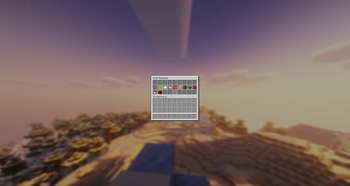
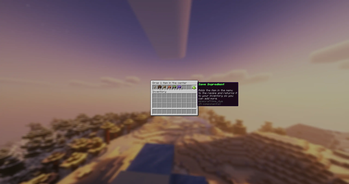
1. Open the control panel - Run `/ritual settings`. - The main menu shows 9 toggle panes and two list buttons: Recipe Rituals and Rituals.
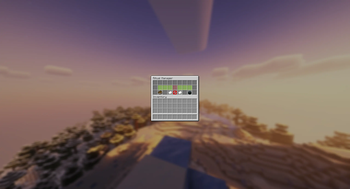
2. Global settings (main menu) - Click any green/red pane to toggle: Broadcast Coords, Initial Broadcast, Completion Broadcast, Broadcast Crafts, Sounds, Particles, Lightning, Random Spawns, Random Broadcast. - Click the paper panes to change Broadcast Interval, Default Duration, and Random Interval.
3. Create a Crafting Ritual (altar)
1. Main menu → Recipe Rituals → New Recipe (emerald block).
2. Type an ID in chat (e.g. `fire_blade`) - letters, numbers and `_` only.
3. In the editor: Set Result = hold the item you want crafted, then click it. Rename = type a display name. Set Duration and Preset.
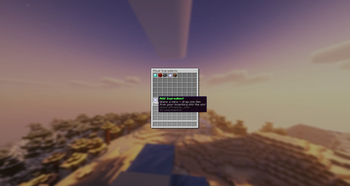
4. Ingredients → Add Ingredient → drag one item into any slot, then click Save Ingredient (repeat for more). Click an ingredient in the list to remove it.
5. Place Altar Here spawns the altar at your location (or `/ritual place
4. Create a World Ritual (drop)
1. Main menu → Rituals → New Ritual (emerald block). Hold the result item, then type an ID in chat.
2. Editor: set Duration / Preset / Rename. Click Spawn Now to drop it at your location.
3. Command alternative: `/ritual create
## Random Spawns
1. Open `/ritual settings` → enable Random Spawns, set Random Interval (seconds between attempts) and Random Broadcast. 2. In any ritual's editor (Recipe or World), toggle Random Spawn ON and set its Random Lifetime (how long a randomly spawned instance stays before despawning). 3. On each interval the plugin picks a random enabled ritual with Random Spawn ON and drops it at a random spot inside the world border (on the surface). Recipe rituals spawn a temporary altar; world rituals spawn a temporary forge. Both auto-despawn after their lifetime.
## Commands
| Command | Description |
|---|---|
| `/ritual settings` | Open the GUI control panel |
| `/ritual list` | List all world rituals |
| `/ritual create
📊 Mod Details
- Game
- Minecraft Plugins
- Author
- Felle253
- Version
- 2.0.0
- Downloads
- 19
- Endorsements
- 0
- Category
- decoration
- Created
- 8/1/2026
- Updated
- 7/19/2026
- Game Versions
- 1.21, 1.21.1, 1.21.2, 1.21.3, 1.21.4
- Tags
- decoration, magic, utility
🔧 How to Install Minecraft Plugins Mods
Download from Modrinth. Use Prism Launcher or drop into your mods folder.
📖 Full step-by-step install guide for Minecraft Plugins →
Visit the official mod page for specific installation instructions for this mod.
🎮 Need cheat codes or console commands? Check ur gaming wiki for Minecraft Plugins commands, item IDs, and more.
❓ Frequently Asked Questions
Which Minecraft Plugins versions does String Rituals support?
The author lists 1.21, 1.21.1, 1.21.2, 1.21.3, 1.21.4, 1.21.5. Other versions may work but are untested by the author.
What is the latest version of String Rituals?
Version 2.0.0, published 2026-07-19 with 19 downloads recorded at the source.
Keep browsing — more Minecraft Plugins mods await